Produkt overview
The Arcade1Up NBA JAM Partycade Machine is a compact and portable arcade system designed for easy setup and play in various locations. This Partycade edition features the classic NBA JAM game, allowing users to experience arcade basketball action. It is designed to be hung on a door, mounted on a wall, or placed on a table, offering versatile placement options.
- Lysende telt: Enhances the arcade experience with illuminated branding.
- Multiple Games: Includes 3 classic NBA JAM titles in one unit.
- 17" LCD Monitor: Provides clear and vibrant game visuals.
- Alsidig montering: Comes with wall mounts for hanging and removable legs for tabletop use.
- Protective Console: Features a transparent protective cover over the control panel.
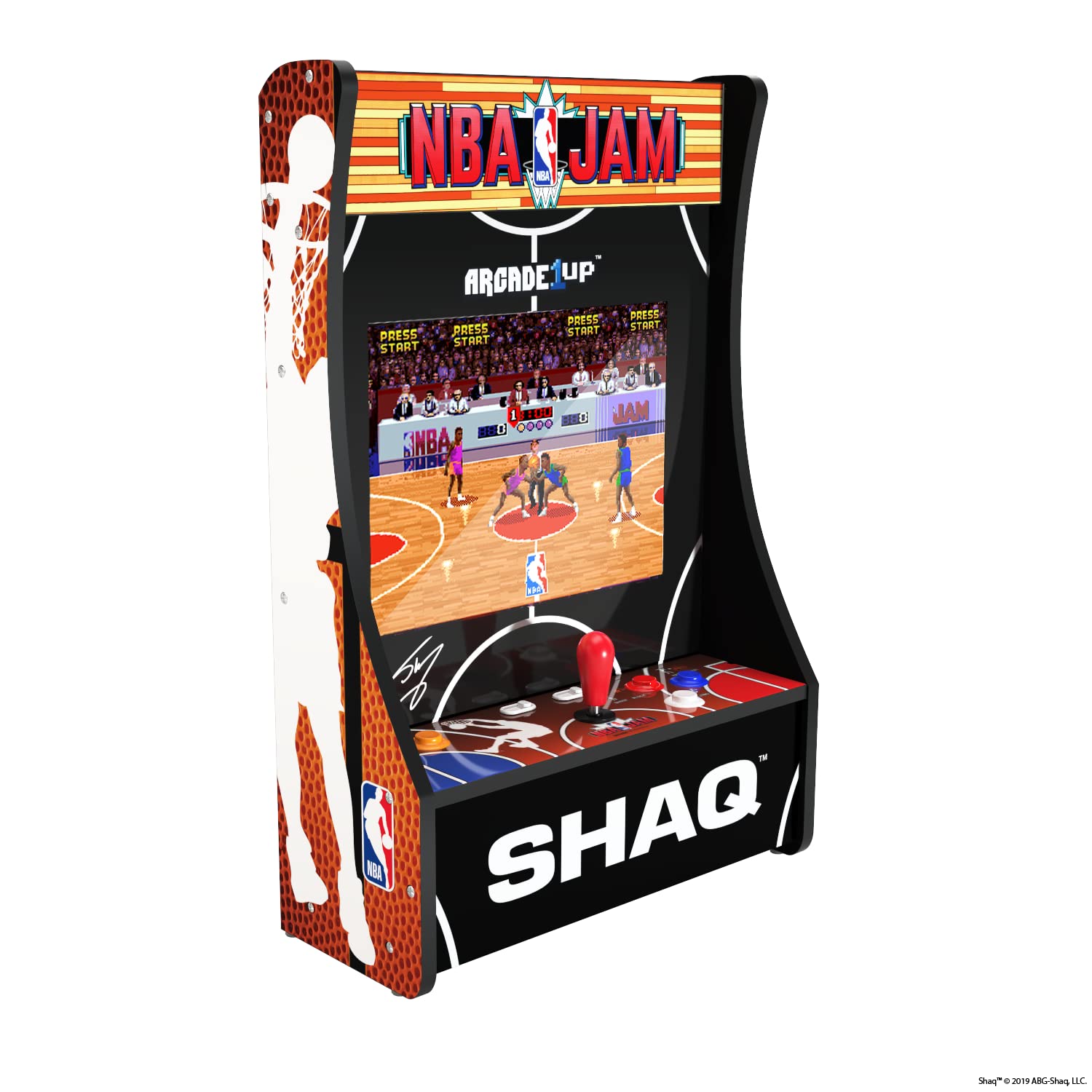
Billede: Vinklet view of the Arcade1Up NBA JAM Partycade Machine, showcasing its compact design and vibrant graphics.
Opsætningsinstruktioner
The Arcade1Up Partycade machine comes largely pre-assembled, simplifying the setup process. Follow these steps for initial installation and power-up.
Udpakning og første inspektion
- Carefully remove the Partycade machine from its packaging.
- Undersøg enheden for tegn på skader under transport. Kontakt kundesupport med det samme, hvis der konstateres skader.
- Ensure all included accessories are present: power adapter, wall mounting hardware, and removable legs (if not pre-attached).
Monteringsmuligheder
The Partycade offers three primary setup configurations:
A. Vægmontering
For a secure and space-saving installation, the Partycade can be mounted directly to a wall.
- Identify a suitable wall location, ensuring it is sturdy enough to support the unit's weight (approximately 27.1 lbs).
- Use the provided wall mounting brackets and hardware. It is recommended to mount into wall studs for maximum security.
- Measure and mark the drilling points accurately according to the bracket specifications.
- Fastgør monteringsbeslagene sikkert til væggen.
- Carefully lift and hang the Partycade machine onto the installed wall brackets. Ensure it is firmly seated.
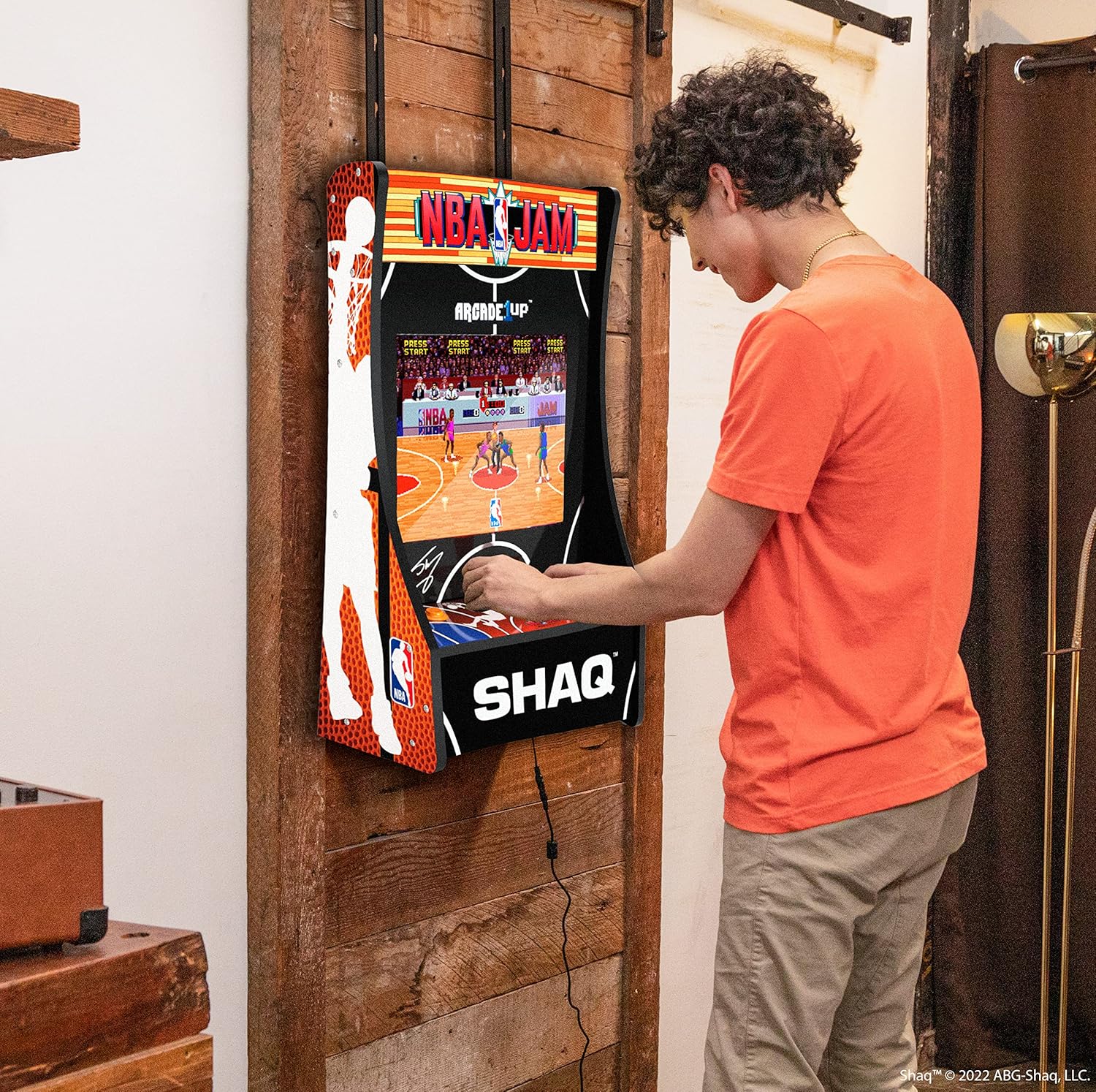
Image: A person playing the Arcade1Up NBA JAM Partycade Machine, which is securely mounted on a wooden wall, demonstrating its wall-mounted setup.
B. Door Hanging
For temporary or flexible placement, the Partycade can be hung over a door using the appropriate hardware (if included, or purchased separately).
- Attach the door hanging hooks to the top of the Partycade unit.
- Carefully place the hooks over the top edge of a sturdy door.
- Ensure the unit hangs securely and does not obstruct the door's operation.
C. Tabletop Placement
For use on a flat surface, attach the removable legs.
- If not already attached, secure the removable legs to the bottom of the Partycade unit.
- Place the unit on a stable, flat surface such as a table or desk.
- Ensure there is adequate space around the unit for comfortable play.

Image: The Arcade1Up NBA JAM Partycade Machine positioned on a tabletop, demonstrating its use with the included legs for stable surface placement.
Strømtilslutning
- Locate the power input port on the Partycade machine.
- Connect the provided power adapter to the unit.
- Sæt strømadapteren i en almindelig stikkontakt.
- The unit should power on automatically or have a power button to activate.
Betjeningsvejledning
Once set up and powered on, the Arcade1Up NBA JAM Partycade Machine is ready for play. Familiarize yourself with the controls and game selection.
Spilvalg
- Upon powering on, the main game selection screen will appear.
- Use the joystick to navigate between the available NBA JAM game titles.
- Press the "Start" button to select a game and begin playing.
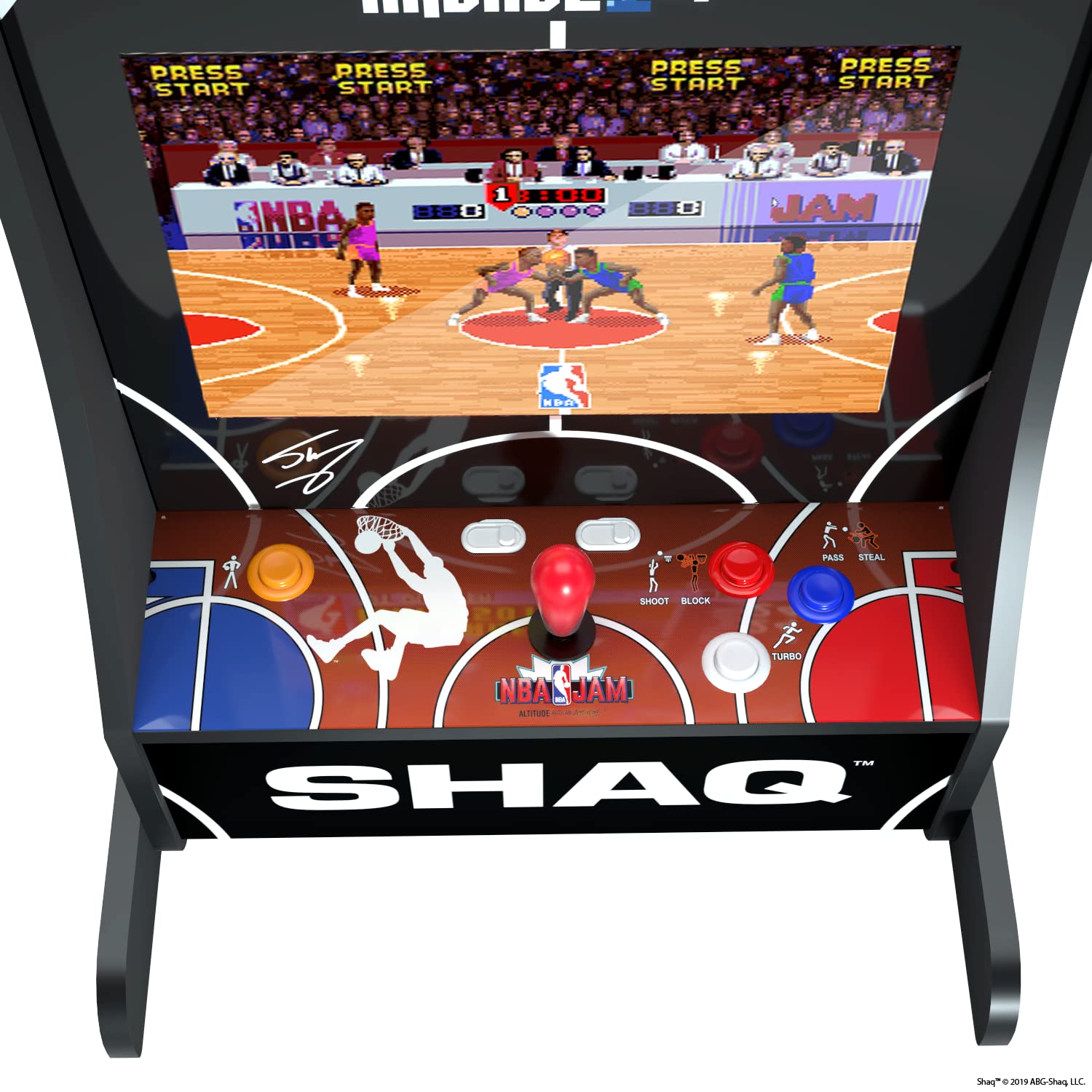
Billede: Et nærbillede view of the control panel on the Arcade1Up NBA JAM Partycade Machine, showing the joystick and various action buttons labeled for gameplay.
Gameplay kontrol
The control panel is designed to replicate the classic arcade experience.
| Kontrollere | Fungere |
|---|---|
| Joystick | Movement of players, menu navigation. |
| Shoot/Block Button | Shoots the ball (offense), blocks opponent (defense). |
| Pass/Steal Button | Passes the ball (offense), steals the ball (defense). |
| Turbo knap | Activates a temporary speed boost. |
| Start knap | Starts game, pauses game, selects menu options. |
| Player 1/Player 2 Buttons | Initiates 1-player or 2-player game. |
Refer to the in-game instructions for specific moves and advanced techniques within each NBA JAM title.
Opretholdelse
Proper maintenance ensures the longevity and optimal performance of your Arcade1Up Partycade machine.
Rensning
- Skærm: Brug en blød, fnugfri klud, der er specielt designet til elektronik.ampen slightly with water or a screen-safe cleaner if necessary. Avoid harsh chemicals or abrasive materials.
- Control Panel & Cabinet: Tør overflader af med en blød, damp cloth. For stubborn marks, a mild, non-abrasive cleaner can be used sparingly. Ensure no liquid seeps into buttons or joystick mechanisms.
- Generel: Regularly dust the unit to prevent accumulation, especially around vents.
Tag altid stikket ud af stikkontakten før rengøring.
Opbevaring
- Store the Partycade in a cool, dry place away from direct sunlight and extreme temperatures.
- If storing for an extended period, consider covering the unit to protect it from dust.
Fejlfinding
This section addresses common issues you might encounter with your Arcade1Up Partycade machine.
Ingen strøm / Enheden tænder ikke
- Tjek strømtilslutning: Ensure the power adapter is securely plugged into both the Partycade unit and a working electrical outlet.
- Testudtag: Plug another device into the same outlet to confirm it is receiving power.
- Power knap: Verify if the unit has a power button and if it has been pressed.
No Video / Blank Screen
- Power Cycle: Turn off the unit, unplug it, wait 30 seconds, then plug it back in and power on.
- Lysstyrke/kontrast: While unlikely on a dedicated arcade unit, check if there are any accessible brightness or contrast controls.
Ingen lyd / Lav lyd
- Lydstyrkekontrol: Locate and adjust the volume control (if available) on the unit.
- Spilindstillinger: Some games may have in-game volume settings.
Controls Unresponsive / Lagging
- Restart Unit: Power off and restart the Partycade machine.
- Inspekter kontroller: Visually inspect the joystick and buttons for any physical obstructions or damage.
If these troubleshooting steps do not resolve the issue, please contact Arcade1Up customer support for further assistance.
Specifikationer
| Feature | Detalje |
|---|---|
| Modelnummer | NBS-D-23160 |
| ASIN | B0BN6R7KYP |
| Produktdimensioner | 29.02 x 7.99 x 19.02 tommer (L x B x H) |
| Varens vægt | 27.1 pund |
| Vise | 17" LCD-skærm |
| Spil inkluderet | 3 NBA JAM titles |
| Fabrikant | Arcade1Up |
| Sprog | engelsk |
| Udgivelsesdato | 3. oktober 2022 |
Garanti og support
Garantioplysninger
Arcade1Up products typically come with a limited manufacturer's warranty covering defects in materials and workmanship. Please refer to the warranty card included with your product or visit the official Arcade1Up webwebstedet for de mest aktuelle og detaljerede garantivilkår og -betingelser. Gem din købsbevis til garantikrav.
Kundesupport
For technical assistance, troubleshooting not covered in this manual, or warranty claims, please contact Arcade1Up Customer Support:
- Webwebsted: Visit the official Arcade1Up support page for FAQs, troubleshooting guides, and contact forms.
- Telefon: Refer to the contact information provided on the Arcade1Up webwebsted eller produktemballage.
- When contacting support, please have your product model number (NBS-D-23160) and proof of purchase readily available.


