1. Introduktion
The Orange Pi 5 is a high-performance single board computer (SBC) designed for a wide range of applications, from embedded systems to mini PCs. It features the Rockchip RK3588S 8-core 64-bit processor, combining quad-core A76 and quad-core A55 architectures, manufactured with an 8nm process. With a main frequency of up to 2.4GHz, integrated ARM Mali-G610 GPU, and a built-in NPU delivering 6 TOPS of computing power, the Orange Pi 5 offers robust processing capabilities. This model comes with 16GB of LPDDR4/4x RAM and supports up to 8K video display processing.
This manual provides essential information for setting up, operating, and maintaining your Orange Pi 5, ensuring you can maximize its potential for your projects.
2. Hvad er der i æsken
Når du åbner pakken, skal du kontrollere, at alle komponenter er til stede:
- Orange Pi 5 16GB Single Board Computer
- 5V4A Type C Power Supply
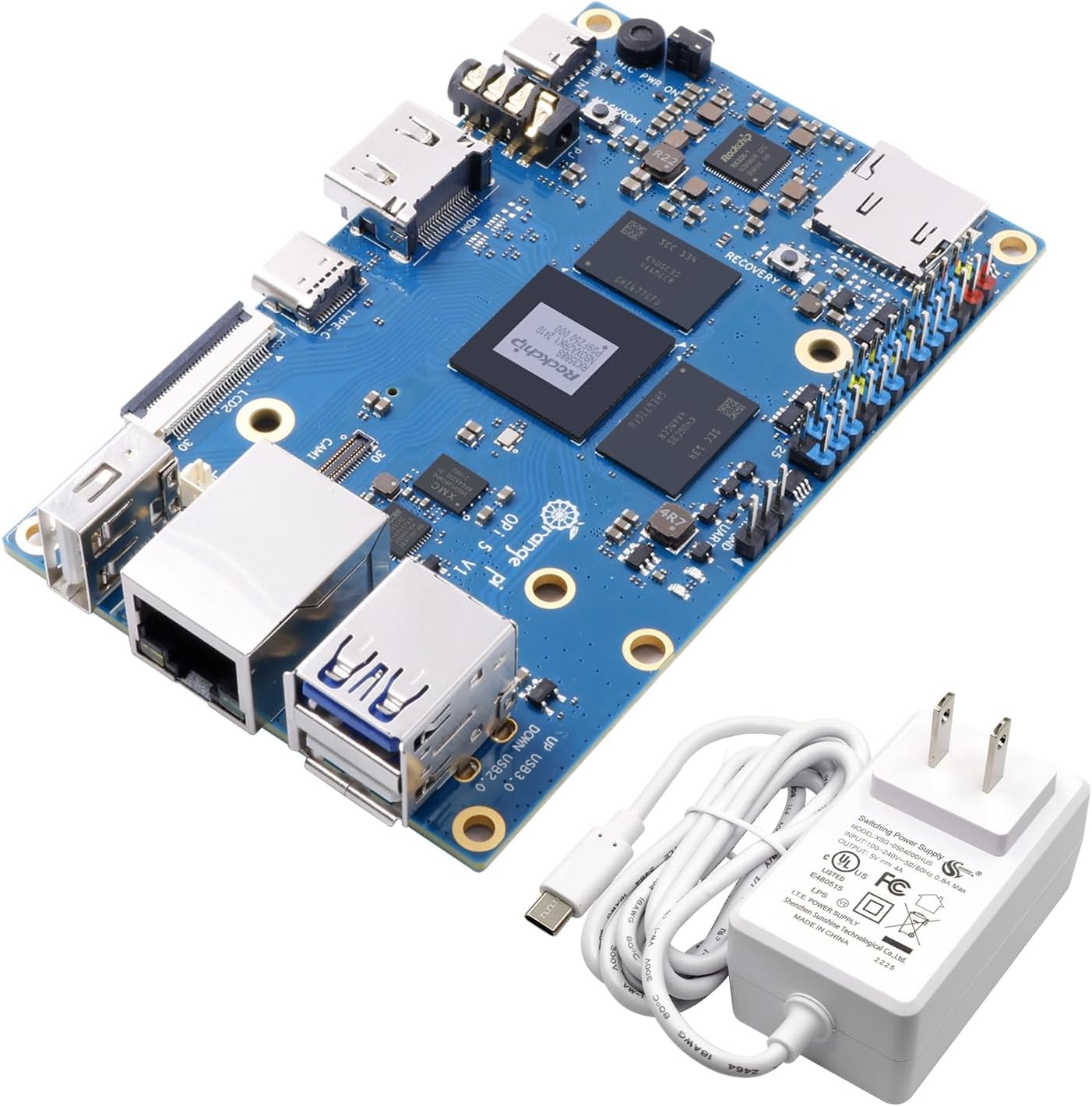
Image: The Orange Pi 5 single board computer shown alongside its included 5V4A Type C power supply.
3. Produktet er slutview
3.1 Nøglefunktioner
- Processor: Rockchip RK3588S, 8-core 64-bit (Quad-core A76 + Quad-core A55), up to 2.4GHz.
- GPU: ARM Mali-G610, with high-performance 3D/2D image acceleration.
- NPU: Built-in Neural Processing Unit with 6 TOPS computing power for AI applications.
- Hukommelse: 16GB LPDDR4/4x RAM.
- Video output: HDMI 2.1 supporting 8K resolution, USB-C (DP1.4), dual MIPI D-PHY video output for multi-screen display.
- Udvidelse af opbevaring: Onboard M.2 PCIe 2.0 interface for NVMe SSDs.
- Forbindelse: Gigabit LAN port, 2x USB 2.0, 1x USB 3.0, Type-C port.
- Operativsystem support: Orange Pi OS, Android 12, Debian 11.

Image: Diagram highlighting the core features of the Orange Pi 5, including the RK3588S processor, 16GB LPDDR4/4x RAM, Gigabit Ethernet, HDMI 2.1, 26-pin headers, and Type-C power supply.
3.2 Board Layout and Interfaces
Familiarize yourself with the various ports and components on the Orange Pi 5 board:

Billede: Top view of the Orange Pi 5 board with key components and interfaces labeled, including USB ports, Ethernet, HDMI, Type-C, and GPIO pins.
- Rockchip RK3588S: The central processing unit.
- MicroSD -kortplads: For booting operating systems or expanding storage.
- 26 Pin Headers: General Purpose Input/Output (GPIO) pins for connecting external hardware and sensors.
- HDMI OUT: For connecting to displays, supporting up to 8K resolution.
- USB 3.0 (Blue): Højhastigheds-USB-port.
- USB 2.0 (Black): Standard USB ports.
- gigabit ethernet: Til kablet netværksforbindelse.
- Type-C/Power Supply (5V/4A): Primary power input and data/display output (DP1.4).
- M.2 PCIe 2.0: Slot for NVMe SSD expansion (located on the underside).
- MIPI D-PHY (Camera/LCD): Interfaces for camera and display modules.
- Lyd ind/ud: 3.5 mm lydstik.
- Recovery Key: Button for system recovery or flashing.

Billede: Bund view of the Orange Pi 5 board, clearly showing the M.2 PCIe 2.0 slot for NVMe SSDs.

Image: Detailed pin definition diagram for the Orange Pi 5 V1.3.2, illustrating the layout and function of the 26-pin GPIO header.
4. Opsætningsvejledning
Follow these steps to get your Orange Pi 5 ready for operation:
- Prepare Storage: Insert a microSD card with a compatible operating system image, or install an NVMe SSD into the M.2 slot if you plan to boot from it.
- Tilslut ydre enheder:
- Connect a display to the HDMI OUT port.
- Tilslut et tastatur og en mus til USB-portene.
- (Optional) Connect an Ethernet cable to the Gigabit LAN port for wired network access.
- Tænd: Connect the included 5V4A Type C power supply to the Type-C power input port on the Orange Pi 5. The board should power on automatically.
- Første opstart: The Orange Pi 5 will attempt to boot from the prepared storage device. Follow the on-screen instructions for your chosen operating system.

Image: Close-up of the 5V4A Type C power supply included with the Orange Pi 5, essential for proper operation.
5. Operating Systems
The Orange Pi 5 supports a variety of operating systems, offering flexibility for different use cases:
- Orange Pi OS: The official operating system developed by Orange Pi, optimized for their hardware.
- Android 12: Enables the Orange Pi 5 to function as a powerful Android mini PC, suitable for media consumption and Android applications.
- Debian 11: A popular Linux distribution, providing a stable and versatile environment for development, server applications, and general computing.
For detailed instructions on how to download and flash operating system images to your storage device, please refer to the official Orange Pi documentation and community forums.

Image: Visual representation of the operating systems supported by Orange Pi 5, including Orange Pi OS, Android 12, and Debian 11.
6. Applications and Use Cases
The versatility and powerful specifications of the Orange Pi 5 make it suitable for numerous applications:
- Mini PC/Desktop Replacement: Capable of handling daily computing tasks, web browsing, and office applications.
- Edge Computing: Its NPU and processing power are ideal for local data processing and AI inference at the edge.
- Artificial Intelligence (AI) Development: A robust platform for developing and deploying AI models.
- Cloud Computing Clients: Can serve as a thin client for cloud-based services.
- AR/VR Applications: Supports high-resolution video output and processing for augmented and virtual reality projects.
- Intelligent Security Systems: Suitable for video surveillance, facial recognition, and other smart security solutions.
- Hjemmeautomatisering: Can act as a central hub for smart home devices.
- Gaming and Emulation: Capable of running various games and emulators.
- Wireless Server: Can be configured as a small-scale server for various purposes.
- Open Source Projects: Its open-source nature encourages experimentation and custom development.

Billede: Eksamples of application scenarios for the Orange Pi 5, including Tablet PC, Edge computing, Artificial intelligence, Cloud computing, AR/VR, and Intelligent security.
7. Tekniske specifikationer
| Feature | Detalje |
|---|---|
| Processor | Rockchip RK3588S (8-core 64-bit, Quad-core A76 + Quad-core A55) |
| CPU hastighed | Op til 2.4 GHz |
| GPU | ARM Mali-G610 |
| NPU | 6 TOPS computing power |
| VÆDDER | 16 GB LPDDR4/4x |
| Video output | HDMI 2.1 (8K), USB-C (DP1.4), Dual MIPI D-PHY |
| Udvidelse af lager | M.2 PCIe 2.0 (for NVMe SSD), MicroSD Card Slot |
| Netværk | Gigabit Ethernet |
| USB-porte | 1x USB 3.0, 2x USB 2.0, 1x Type-C (shared with DP) |
| GPIO | 26-benet skærebord |
| Operativsystemer | Orange Pi OS, Android 12, Debian 11 |
| Dimensioner (LxBxH) | 3.94 x 2.44 x 1.81 tommer (100 x 62 x 46 mm) |
| Varens vægt | 9.6 ounce (272 gram) |
| Strømforsyning | 5V/4A Type-C |
8. Fejlfinding
This section addresses common issues you might encounter with your Orange Pi 5.
8.1 No Power/No Boot
- Tjek strømforsyningen: Ensure the 5V4A Type C power supply is correctly connected to the board and a working power outlet. Using an underpowered supply can lead to instability or failure to boot.
- Verify SD Card/SSD: Confirm that your microSD card or NVMe SSD is properly inserted and contains a valid, uncorrupted operating system image. Try re-flashing the OS image.
- Power LED: Check if the power LED on the board illuminates when power is connected. If not, there might be an issue with the power supply or the board itself.
8.2 Ingen skærmudgang
- HDMI-kabel: Ensure the HDMI cable is securely connected to both the Orange Pi 5 and your display. Try a different HDMI cable.
- Skærmindgang: Confirm your display is set to the correct HDMI input source.
- OS Configuration: Some operating systems might require specific display configurations. If you can access the board via SSH or serial console, check display settings.
8.3 Problemer med netværksforbindelse
- Ethernet-kabel: For wired connections, ensure the Ethernet cable is securely plugged into the Gigabit LAN port and your router/switch. Check router status.
- Driverproblemer: Verify that the network drivers are correctly installed and enabled within your operating system.
8.4 Overophedning
- Ventilation: Ensure the board has adequate airflow. Avoid placing it in enclosed spaces without ventilation.
- Heatsink/Fan: For prolonged high-load operations, consider adding a heatsink or a small fan to the CPU for better thermal management.
9. Vedligeholdelse
Proper maintenance can extend the lifespan and ensure optimal performance of your Orange Pi 5:
- Hold det rent: Regularly clean the board with a soft, dry brush or compressed air to remove dust and debris, especially from heatsinks and connectors.
- Undgå fugt: Keep the board away from liquids and high humidity environments.
- Stabil kraft: Always use the recommended 5V4A Type C power supply to prevent damage from unstable voltage.
- Softwareopdateringer: Keep your operating system and installed software updated to benefit from performance improvements, bug fixes, and security patches.
- Håndteres med forsigtighed: Avoid dropping the board or subjecting it to physical shocks. Handle by the edges to prevent static discharge damage to components.
10. Garanti og support
Orange Pi is committed to providing high-quality open-source hardware and intelligent products. For specific warranty information, please refer to the terms and conditions provided at the time of purchase or visit the official Orange Pi webwebsted.
For technical support, community discussions, and additional resources, please visit the official Orange Pi website or their dedicated community forums. These platforms offer a wealth of information, tutorials, and peer support to help you with your projects.
Fabrikant: Shenzhen Xunlong Software CO.,Limited


