1. Introduktion
The COMICA Vimo C3 is a wireless lavalier microphone system designed for high-quality audio recording with various devices, including DSLR cameras, smartphones, and computers. It features advanced noise cancellation, adjustable gain control, multiple output modes, and real-time monitoring via an IPS display. This manual provides detailed instructions for setting up, operating, and maintaining your Vimo C3 system.
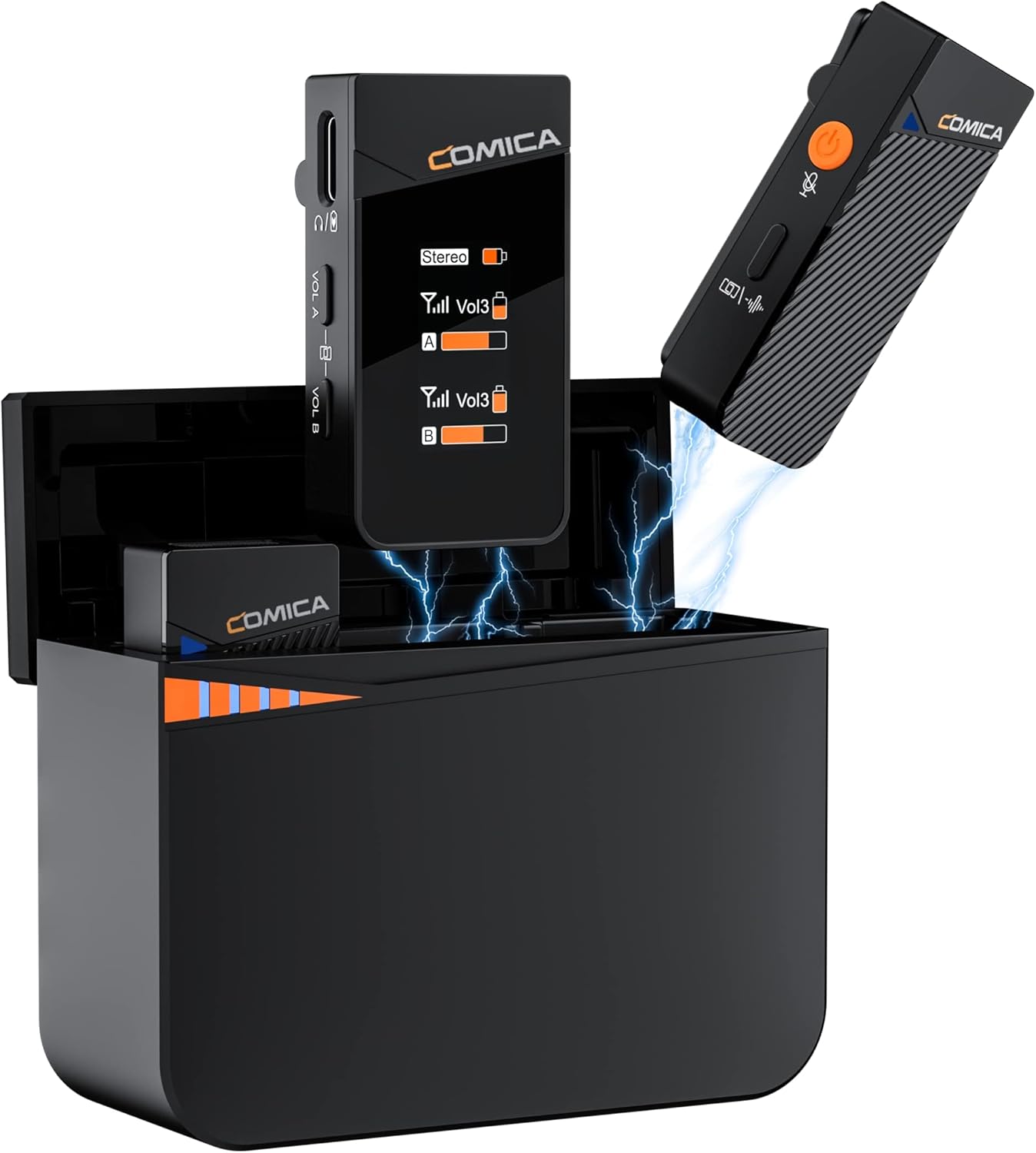
Image 1.1: The COMICA Vimo C3 Wireless Lavalier Microphone system, showcasing the charging case, two transmitters, and one receiver.
2. Pakkens indhold
Bekræft, at alle nedenstående varer er inkluderet i din pakke:
- 2 x sendere (TX)
- 1 x modtager (RX)
- 1 x Battery Charging Case
- 2 x Windmuffs
- 1 x 3.5 mm TRS-TRS lydkabel
- 1 x 3.5 mm TRS-TRRS lydkabel
- 1 x USB-C til USB-A ladekabel
- 1 x 2-in-1 Charging/Monitoring Adapter Cable
- 1 x brugermanual
- 1 x garantikort

Image 2.1: A visual representation of all items included with the COMICA Vimo C3 system.
3. Produktet er slutview
3.1 sender (TX)
The transmitter captures audio and sends it wirelessly to the receiver. It features an integrated microphone, a power/mute button, and a noise cancellation indicator.
3.2 modtager (RX)
The receiver collects audio from the transmitters and outputs it to your recording device. It includes a rotatable IPS display for real-time monitoring, volume controls (VOL A/B), and a 3.5mm audio output port.
3.3 Oplader
The charging case stores and recharges the transmitters and receiver, providing extended battery life for the system.

Billede 3.1: Detaljeret view of the Vimo C3 receiver and transmitter components.
4. Opsætningsvejledning
4.1 Opladning af enhederne
Before first use, fully charge the transmitters, receiver, and charging case.
- Place the transmitters and receiver into the charging case. Ensure they are correctly seated.
- Connect the USB-C to USB-A charging cable to the charging case and a power source (e.g., USB wall adapter, computer USB port).
- The charging indicators on the case will illuminate to show charging status. A full charge provides up to 8 hours of operation for TX/RX and up to 20 hours with the charging case.

Image 4.1: Transmitters and receiver charging within the portable charging case.
4.2 Automatisk parring
The Vimo C3 system is designed for automatic pairing. When the transmitters and receiver are removed from the charging case, they will automatically power on and attempt to pair with each other. A successful connection is indicated on the receiver's IPS display.
4.3 Tilslutning til optageenheder
The Vimo C3 offers wide compatibility with various devices:
- DSLR-kamera: Use the provided 3.5mm TRS-TRS audio cable. Connect one end to the receiver's output port and the other end to your camera's microphone input.
- Smartphone/tablet: Use the provided 3.5mm TRS-TRRS audio cable. Connect one end to the receiver's output port and the other end to your smartphone's 3.5mm headphone/microphone jack. For devices without a 3.5mm jack (e.g., newer iPhones, USB-C Android phones), a compatible 3.5mm to Lightning or 3.5mm to USB-C adapter (not included) is required.
- Computer: Use the provided 3.5mm TRS-TRRS audio cable. Connect one end to the receiver's output port and the other end to your computer's microphone input. Some computers may require a 3.5mm TRS-USB sound card (not included).

Image 4.2: The Vimo C3 receiver connected to a DSLR camera, illustrating a common setup.
5. Betjeningsvejledning
5.1 Tænd/sluk
The transmitters and receiver automatically power on when removed from the charging case and power off when placed back into the case.
5.2 Støjreduktion
The Vimo C3 features a DSP denoise chip to reduce environmental noise. To activate or deactivate noise cancellation, short press the orange power button on the transmitter. The TX light indicator will change from blue (Noise Cancellation Off) to green (Noise Cancellation On).

Image 5.1: Illustration of the noise cancellation feature on the transmitter, showing its effect on audio quality.
5.3 Muting-funktion
To mute a transmitter, short press the power button on the transmitter. The indicator light will turn red. Press again to unmute.
5.4 Forstærkningsjustering
The receiver offers 4 levels of volume control (VOL A/B) for real-time adjustment of audio levels. Use the '+' and '-' buttons on the receiver to adjust the gain for each channel independently.

Image 5.2: The receiver's volume control buttons and the transmitter's mute function.
5.5 Output Modes (Mono, Stereo, Safety)
The Vimo C3 receiver supports three output modes:
- Mono-udgang: Mixes the sound from both transmitters (A and B) into a single track.
- Stereoudgang: Outputs the sound from transmitter A to the left channel and transmitter B to the right channel, allowing for independent editing.
- Safety Output: Splits the sound into two tracks, with one track 6dB lower than the other. This lower track serves as a backup in case the main track peaks.
Note: Stereo and Safety audio tracks are not supported when using a 3.5mm TRRS to Lightning/USB cable.

Image 5.3: Visual explanation of the different audio output modes.
5.6 Real-time Monitoring via IPS Display
The receiver features an IPS display that shows audio dynamics, battery life, volume levels, and current mode in real-time. The display is rotatable; press and hold the volume '+' and '-' keys simultaneously to flip the screen vertically, adapting to different monitoring orientations.

Image 5.4: The receiver's rotatable IPS display providing real-time monitoring.
5.7 Trådløs transmissionsrækkevidde
The Vimo C3 system offers a wireless transmission range of up to 656 feet (200 meters) in open areas, ensuring stable audio transmission without dropouts for outdoor recordings.

Image 5.5: Demonstrating the extended wireless transmission range in an open outdoor environment.
6. Vedligeholdelse
- Rensning: Brug en blød, tør klud til at rengøre enhederne. Undgå at bruge skrappe kemikalier eller slibende materialer.
- Batteripleje: To prolong battery life, avoid fully discharging the devices frequently. Store the devices with a partial charge if not used for extended periods.
- Opbevaring: Store the Vimo C3 system in its charging case in a cool, dry place away from direct sunlight and extreme temperatures.
7. Fejlfinding
- Ingen lydoutput:
- Ensure the receiver is properly connected to your recording device.
- Check if the transmitters and receiver are powered on and paired.
- Verify the volume levels on both the receiver and your recording device.
- Confirm that the transmitter is not muted (red indicator light).
- Dårlig lydkvalitet/støj:
- Activate the noise cancellation feature on the transmitter.
- Ensure the windmuffs are properly installed when recording outdoors or in windy conditions.
- Check for potential interference sources (e.g., Wi-Fi routers, other wireless devices).
- Adjust the gain levels on the receiver to prevent clipping or low volume.
- Forbindelsesproblemer:
- Ensure transmitters and receiver are fully charged.
- If pairing fails, place all units back into the charging case for a few seconds, then remove them to re-initiate automatic pairing.
- Ensure you are within the effective transmission range (up to 656 feet in open areas).
8. Specifikationer
| Feature | Specifikation |
|---|---|
| Mærke | KOMIKA |
| Modelnavn | Vimo C3 |
| Forbindelsesteknologi | 2.4 GHz |
| Connector Type | 3.5 mm TRS-stik |
| Polar mønster | Omnidirektionel |
| Mikrofon formfaktor | Tilslut |
| Hardware platform | Camera, PC, Smartphone |
| Antal kanaler | 2 |
| Frekvensrespons | 20 KHz |
| Signal-støjforhold | 70 dB |
| Strømkilde | Batteridrevet |
| Batteritype | Lithium Polymer (1 inkluderet) |
| Varens vægt | 10.6 ounces (300 gram) |
| Produktmål (L x B x H) | 4.92 x 4.33 x 2.76 tommer |
| Farve | Sort |
| Anbefalede anvendelser | Streaming |
9. Garanti og support
COMICA products are covered by a limited warranty. Please refer to the included Warranty Card for specific terms and conditions. For technical support, product inquiries, or warranty claims, please contact COMICA customer service through their official webwebstedet eller forhandleren, hvor produktet blev købt.
For more information, visit the official COMICA store: COMICA Store


