1. Introduktion
Thank you for choosing the Teslong Wireless Endoscope. This 1080P HD WiFi Inspection Camera is designed to provide clear visual inspection in hard-to-reach areas. Featuring a 7mm borescope camera with a detachable semi-rigid cable and IP67 waterproof rating, it is ideal for various applications including automotive repair, industrial mechanical inspection, drain checking, and pipeline inspection. This manual provides detailed instructions for setup, operation, maintenance, and troubleshooting to ensure optimal performance and longevity of your device.

Figure 1.1: Teslong Wireless Endoscope with smartphone holder.
2. Sikkerhedsoplysninger
Læs venligst alle sikkerhedsadvarsler og instruktioner, inden du bruger dette produkt, for at forhindre elektrisk stød, brand eller alvorlig personskade.
- Do not use the device in explosive atmospheres, such as in the presence of flammable liquids, gases, or dust.
- Keep the camera probe and cable away from heat sources and sharp objects.
- Sørg for, at enheden er fuldt opladet før brug for at undgå afbrydelser under inspektion.
- The camera probe is IP67 waterproof, but the main unit (handle) is not. Do not submerge the main unit in water.
- Forsøg ikke at skille enheden ad eller ændre den. Reparationer bør kun udføres af kvalificeret personale.
- Opbevares utilgængeligt for børn.
3. Pakkens indhold
Bekræft at alle varer er til stede i din pakke:
- Teslong Wireless Endoscope Main Unit (WF200L5S7MM)
- Semi-rigid Inspection Cable with 7mm Camera Probe
- USB Type-C opladerkabel
- Brugervejledning (dette dokument)
- Accessories (Hook, Magnet, Mirror)
4. Produktet er slutview
The Teslong Wireless Endoscope features an ergonomic design for comfortable single-handed operation. It includes a detachable semi-rigid cable for easy storage and interchangeability.

Figure 4.1: Ergonomic design of the Teslong WF200 Wireless Endoscope.
Nøglekomponenter:
- Hovedenhed: Handheld device with power button, brightness adjustment dial, and phone holder.
- Kamerasonde: 7mm diameter, 2.0 Megapixels HD CMOS sensor with 8 adjustable LED lights.
- Semi-rigid Cable: Flexible yet firm cable for navigating tight spaces.
- Indbygget lommelygte: Provides additional illumination on the main unit.
- USB-C-port: Til opladning af det interne batteri.

Figure 4.2: The built-in LED flashlight on the main unit provides additional illumination.
5. Opsætningsvejledning
5.1 Opladning af enheden
Before first use, fully charge the endoscope. The built-in 2000mAh rechargeable battery provides up to 4 hours of continuous working time.
- Connect the provided USB Type-C charging cable to the charging port on the main unit.
- Tilslut den anden ende af kablet til en standard USB-strømadapter (medfølger ikke) eller en USB-port på computeren.
- The charging indicator light will show the charging status. Once fully charged, the light will change (refer to device indicators for specific behavior).
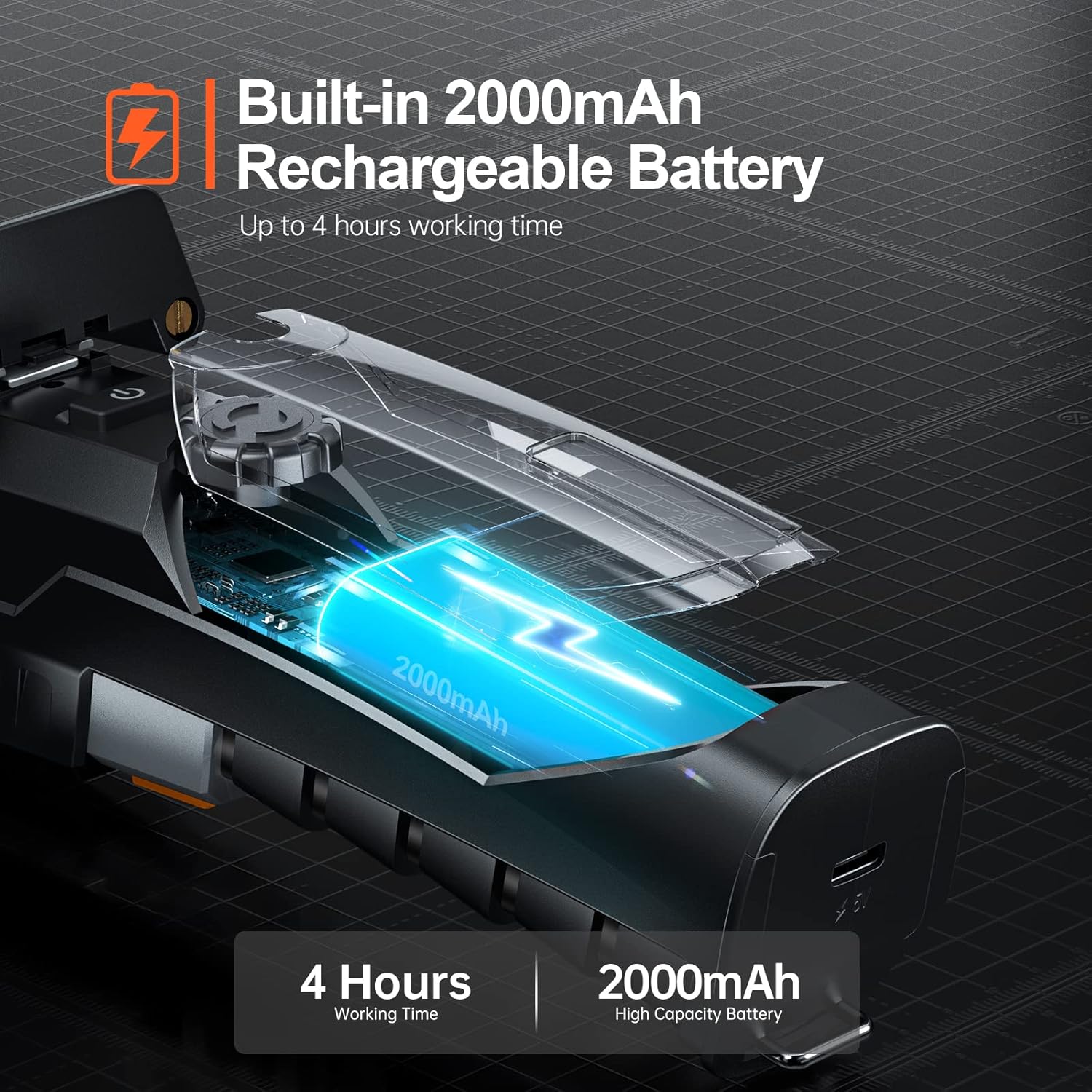
Figure 5.1: The endoscope features a 2000mAh high-capacity battery for extended use.
5.2 Installing the "Smart Endoscope" App
The Teslong Wireless Endoscope requires the "Smart Endoscope" app for operation. It is compatible with Android (7.0+) and iOS (10.0+) devices.
- Scan the QR code provided in the quick start guide or search for "Smart Endoscope" on the App Store (for iOS) or Google Play Store (for Android).
- Download og installer appen på din smartphone eller tablet.
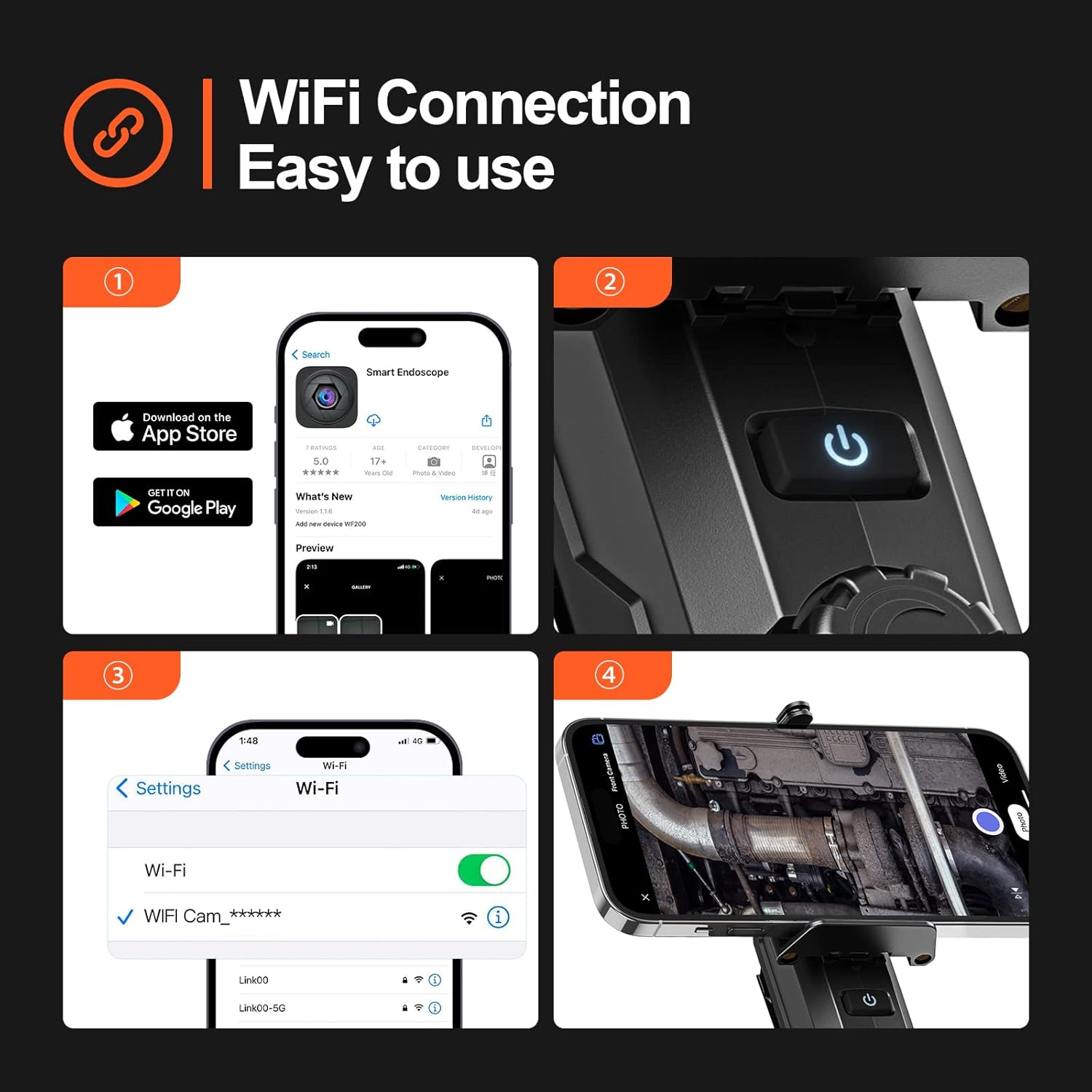
Figure 5.2: Step-by-step guide for app installation and WiFi connection.
5.3 Tilslutning via Wi-Fi
Once the app is installed, connect your device to the endoscope's Wi-Fi network.
- Power on the Teslong Wireless Endoscope by pressing and holding the power button on the main unit.
- Gå til Wi-Fi-indstillinger på din smartphone eller tablet.
- Locate and select the Wi-Fi network named "WF_Cam_******" (the asterisks will be replaced by a unique device ID).
- Once connected, open the "Smart Endoscope" app. The camera feed should now be visible.
5.4 Attaching the Inspection Cable
The semi-rigid inspection cable is detachable for convenience and versatility.
- Align the connector of the inspection cable with the port on the main unit.
- Gently push and twist the connector clockwise until it clicks securely into place.
- To detach, twist counter-clockwise and pull.
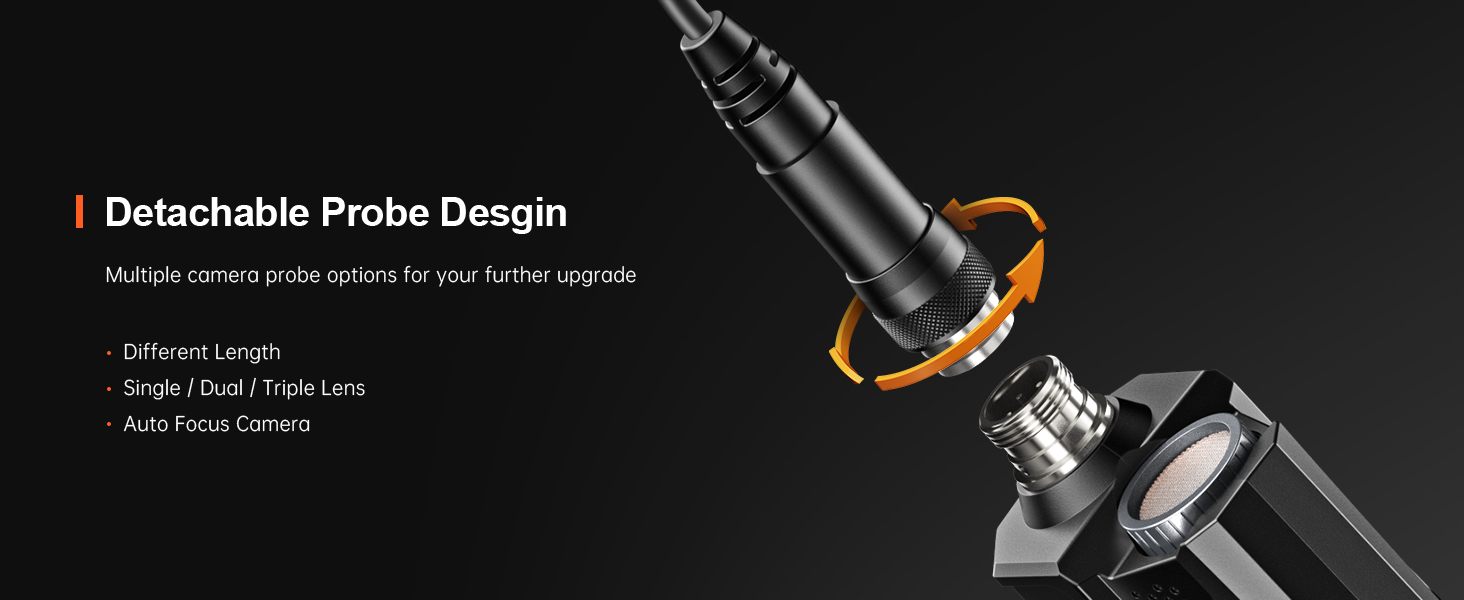
Figure 5.3: The detachable probe design allows for easy storage and future upgrades.
6. Betjeningsvejledning
6.1 Tænd/sluk
- Tænd: Press and hold the power button on the main unit until the indicator light illuminates.
- Sluk: Tryk på tænd/sluk-knappen igen, og hold den nede, indtil indikatorlampen slukker.
6.2 Justering af LED-lys
The camera probe is equipped with 8 adjustable LED lights to illuminate dark inspection areas.
- Rotate the brightness adjustment dial on the main unit to increase or decrease the intensity of the LED lights. There are three adjustable brightness levels.
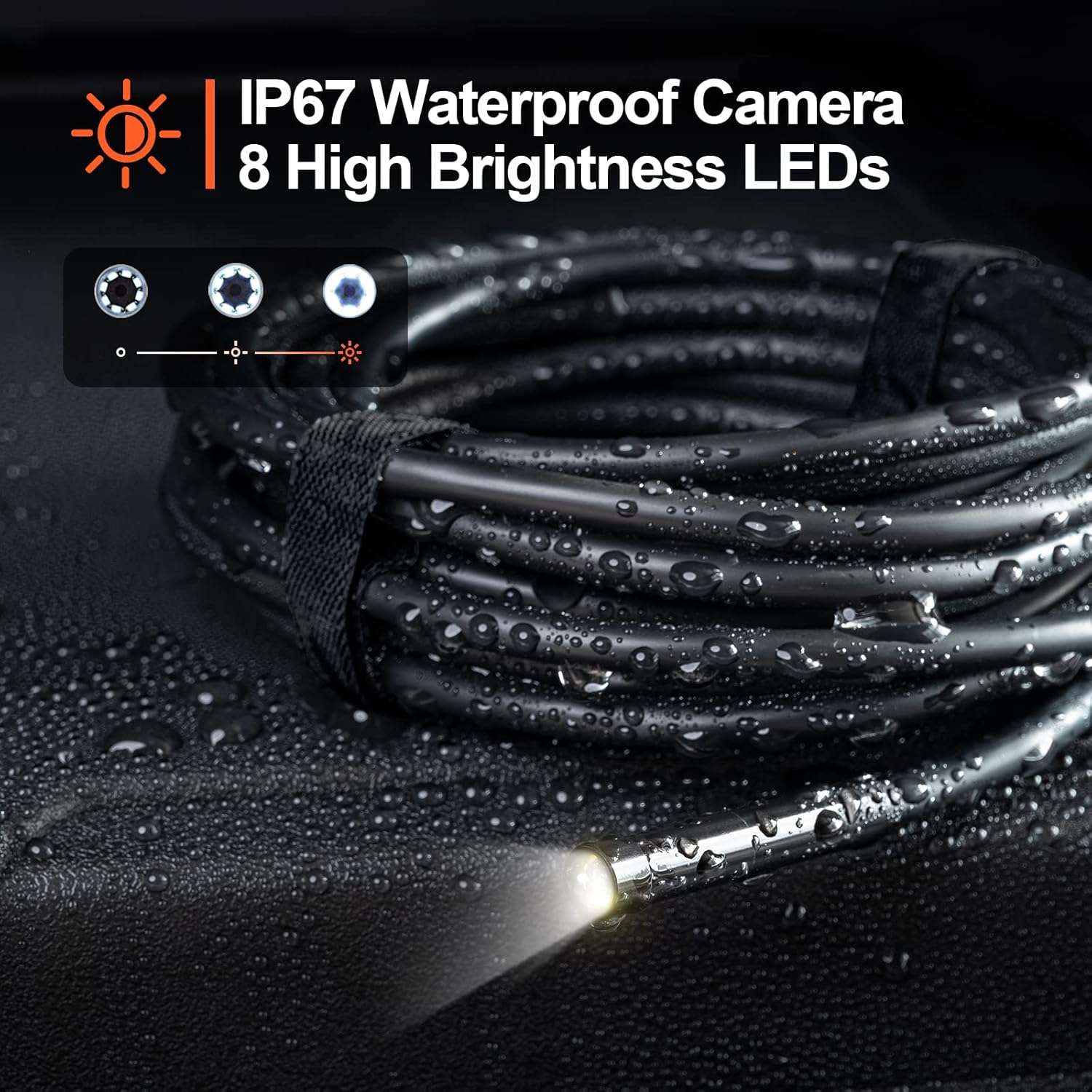
Figure 6.1: The camera probe features 8 high-brightness LEDs and is IP67 waterproof.
6.3 Optagelse af billeder og videoer
Use the "Smart Endoscope" app to capture high-resolution images and videos.
- Tager billeder: In the app interface, tap the camera icon to capture a still image. Images are saved in JPEG format.
- Optagelse af videoer: Tap the video camera icon to start recording. Tap it again to stop. Videos are saved in MP4 format.
- Captured media will be stored directly on your connected smartphone or tablet.

Figur 6.2: View the inspection feed on your iPhone, iPad, or Android smartphone/tablet.
6.4 Using Accessories (Hook, Magnet, Mirror)
The endoscope comes with useful accessories that can be attached to the camera probe for enhanced functionality.
- Krog: Nyttig til at hente små genstande fra svært tilgængelige steder.
- Magnet: Ideal for picking up metallic items like screws or keys.
- Spejl: Giver en side view for inspecting areas that are not directly in front of the camera.
To attach an accessory, carefully slide it onto the tip of the camera probe until it is secure.

Figure 6.3: Included accessories: Hook, Magnet, and Mirror for versatile inspections.
7. Vedligeholdelse
7.1 Rengøring
- After each use, especially in dirty or wet environments, clean the camera probe and cable with a soft, damp klæde.
- For stubborn dirt, a mild detergent can be used, but ensure no liquid enters the main unit.
- Brug ikke slibende rengøringsmidler eller opløsningsmidler.
- Ensure the camera lens is clean for clear images. Use a lens cleaning cloth if necessary.
7.2 Opbevaring
- Store the endoscope in a cool, dry place, away from direct sunlight and extreme temperatures.
- Detach the inspection cable from the main unit for compact storage.
- Keep the device and accessories in their original packaging or a protective case to prevent damage.
8. Fejlfinding
| Problem | Mulig årsag | Løsning |
|---|---|---|
| Enheden tænder ikke. | Lavt batteri. | Oplad enheden helt med det medfølgende USB-C-kabel. |
| No image on the app. | Wi-Fi not connected or incorrect network selected. | Ensure your phone is connected to the "WF_Cam_******" Wi-Fi network. Restart the app and the endoscope. |
| Billedet er sløret eller mørkt. | Camera lens is dirty; insufficient lighting. | Clean the camera lens. Adjust the LED brightness using the dial on the main unit. |
| Wi-Fi connection is unstable. | Interference from other Wi-Fi networks; too far from the device. | Move closer to the endoscope. Try to minimize other Wi-Fi devices nearby. |
| Appen går ned eller fryser. | App version outdated; phone operating system issues. | Update the "Smart Endoscope" app to the latest version. Restart your smartphone/tablet. |
9. Specifikationer
| Feature | Detalje |
|---|---|
| Model | Single Lens (WF200D7L5) |
| Kameraopløsning | 2.0 Megapixels (1920x1080p) |
| Sondediameter | 7 mm / 0.28 tommer |
| Kabellængde | 16.5 fod (ca. 5 meter) |
| Vandtæt vurdering | IP67 (camera probe only) |
| LED lys | 8 justerbare LED'er |
| Batterikapacitet | 2000mAh Lithium Polymer |
| Arbejdstid | Op til 4 timer |
| Opladningsport | USB Type-C |
| Forbindelse | Wi-Fi |
| Kompatibel OS | Android 7.0+ / iOS 10.0+ |
| Billedformat | JPEG |
| Videoformat | MP4 |
| Pakkedimensioner | 22 x 21.1 x 4.9 cm |
| Pakkevægt | 0.58 kilo |
10. Garanti og support
Teslong provides a 12 måneders garanti for this product, covering manufacturing defects from the date of purchase.
Garanti undtagelser:
- Damage caused by improper use, accident, abuse, neglect, or unauthorized modification.
- Almindelig slitage.
- Skader forårsaget af naturkatastrofer eller Guds handlinger.
Kundesupport:
If you encounter any issues or have questions regarding your Teslong Wireless Endoscope, please contact our customer support team. Refer to the contact information provided on the Teslong official webwebstedet eller din købsdokumentation.
For more information and product updates, visit the official Teslong store: Teslong-butik på Amazon


