1. Introduktion
Thank you for choosing the HAYLOU PurFree Buds OW01 Open Ear Sport Headphones. These headphones are designed to provide a comfortable and secure audio experience while allowing you to remain aware of your surroundings. This manual provides detailed instructions on how to set up, operate, and maintain your new headphones.
2. Pakkens indhold
- HAYLOU PurFree Buds OW01 Open Ear Sport Headphones
- Opladningsetui
- USB opladningskabel
- Brugermanual
3. Produktet er slutview
Familiarize yourself with the components and design of your HAYLOU PurFree Buds.

Image: The HAYLOU PurFree Buds OW01 headphones, showcasing their open-ear design and overall appearance.

Image: Illustration of the open-ear design, highlighting comfort for long wear, protection of the eardrum, and skin-friendly silicone material.
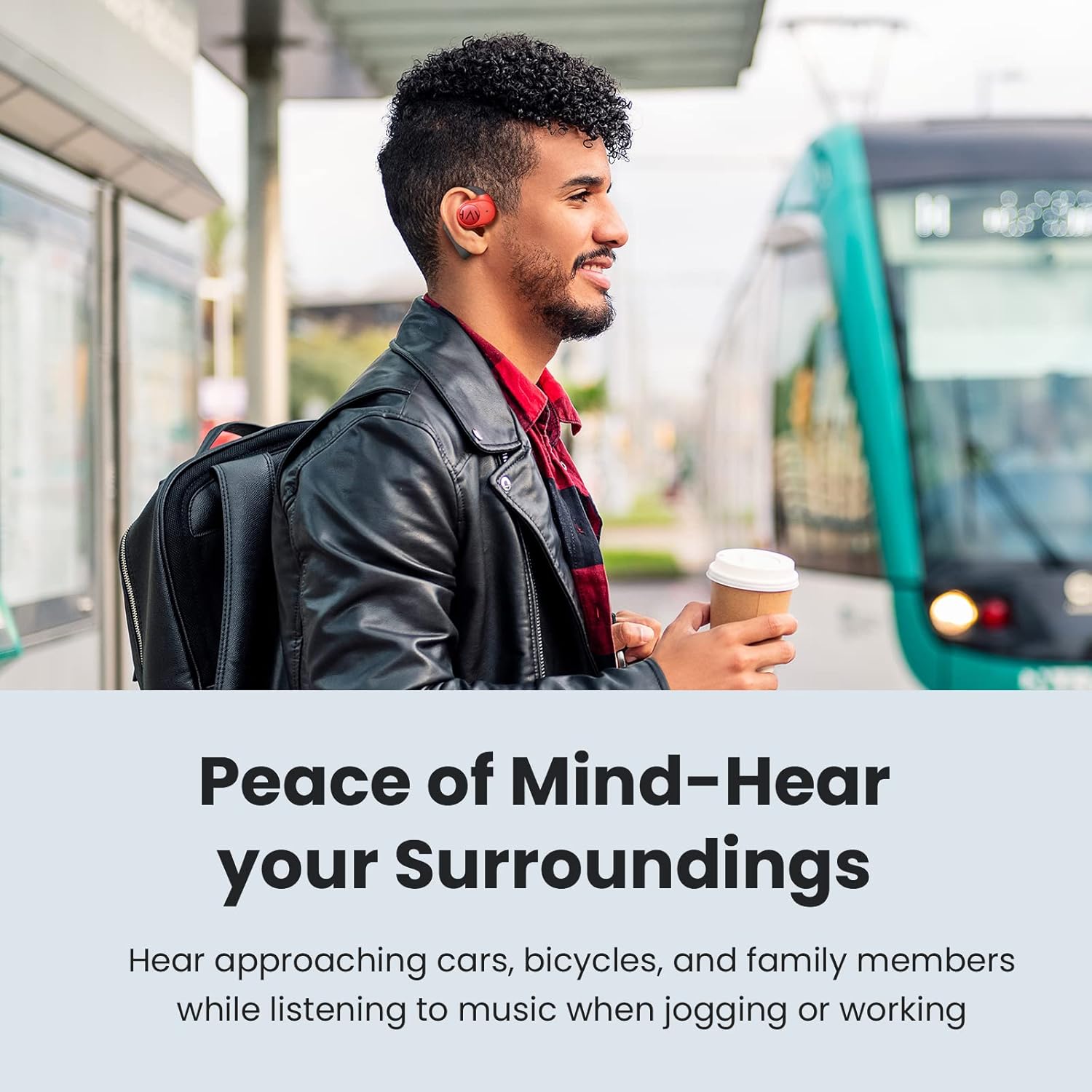
Image: Diagram showing the internal components, including the 16.2mm driver, microphone, QCC 3040 chipset, and Bluetooth 5.2 technology, emphasizing superior sound and anti-leakage design.

Image: A person wearing the open-ear headphones in an outdoor setting, demonstrating the ability to hear ambient sounds while listening to audio.
4. Opsætning
4.1 Opladning af hovedtelefoner og etuiet
- Placer ørepropperne i opladningsetuiet, og sørg for, at de er korrekt isat.
- Tilslut USB-opladerkablet til opladningsporten på etuiet og til en strømkilde (f.eks. USB-vægadapter, computerens USB-port).
- The indicator lights on the charging case will show the charging status. A full charge typically takes approximately 2 hours for the case and earbuds.
- The earbuds provide up to 6 hours of playback on a single charge, with an additional 24 hours of playtime available from the fully charged case.

Image: The HAYLOU PurFree Buds and their charging case, illustrating the 6 hours of playtime per charge and 24 hours total with the case.
4.2 Bluetooth -parring
- Første gangs parring:
- Open the charging case. The earbuds will automatically enter pairing mode, and the indicator light on one earbud will flash.
- Aktiver Bluetooth på din enhed (smartphone, tablet osv.) og søg efter nye enheder.
- Select "HAYLOU PurFree Buds OW01" from the list of available devices.
- Når forbindelsen er oprettet, vil en stemmemeddelelse bekræfte den gennemførte parring.
- Forbinder igen:
- Ørepropperne genopretter automatisk forbindelse til den sidst parrede enhed, når de tages ud af opladningsetuiet, og Bluetooth er aktiveret på enheden.
- Parring med en ny enhed:
- Disconnect the earbuds from the currently paired device. The earbuds will then enter pairing mode.
- Follow the "First-time Pairing" steps with the new device.
5. Betjeningsvejledning
The HAYLOU PurFree Buds feature intuitive touch controls.
5.1 Tænd/sluk
- Tænd: Open the charging case, or if already out, press and hold the touch area on both earbuds for 2 seconds.
- Sluk: Placer ørepropperne tilbage i opladningsetuiet, og luk låget, eller tryk og hold berøringsområdet på begge ørepropper nede i 5 sekunder.
5.2 Musikafspilning
- Afspil/pause: Et enkelt tryk på begge øretelefoner.
- Næste nummer: Tryk to gange på den højre øretelefon.
- Forrige nummer: Dobbelttryk på venstre øretelefon.
5.3 Opkaldshåndtering
- Besvar/afslut opkald: Et enkelt tryk på begge øretelefoner.
- Afvis opkald: Tryk og hold nede på en af øretelefonerne i 2 sekunder.

Image: A user making a call with the HAYLOU PurFree Buds, illustrating the CVC dual microphone noise reduction feature for clear communication.
5.4 Lydstyrkekontrol
- Lydstyrke op: Tryk tre gange på den højre øretelefon.
- Skrue ned for lyden: Tryk tre gange på venstre øretelefon.
5.5 Stemmeassistent
- Aktiver stemmeassistent: Tryk og hold nede på en af øretelefonerne i 3 sekunder.
6. Vedligeholdelse
Korrekt vedligeholdelse sikrer dine hovedtelefoners lange levetid og optimale ydeevne.
- Rensning: Brug en blød, tør og fnugfri klud til at rengøre ørepropperne og opladningsetuiet. Brug ikke skrappe kemikalier eller slibende materialer.
- Vandtæthed: The headphones are IP55 waterproof, meaning they are resistant to sweat and light splashes. Do not submerge them in water or expose them to heavy rain. Ensure they are dry before placing them back in the charging case.
- Opbevaring: Store the headphones in their charging case when not in use to protect them from dust and damage. Avoid extreme temperatures.
- Opladning: Oplad hovedtelefonerne regelmæssigt, selvom de ikke bruges i længere perioder, for at opretholde batteriets sundhedstilstand.

Image: A person exercising, demonstrating the IP55 waterproof feature of the HAYLOU PurFree Buds, making them suitable for workouts.
7. Fejlfinding
Hvis du støder på problemer, kan du se følgende almindelige problemer og løsninger.
| Problem | Løsning |
|---|---|
| Ørepropperne tænder ikke. | Sørg for, at ørepropperne er opladet. Placer dem i opladningsetuiet, og tilslut etuiet til en strømkilde. |
| Kan ikke parres med enheden. |
|
| Ingen lyd fra den ene eller begge ørepropper. |
|
| Opladningsetuiet oplader ikke. |
|
8. Specifikationer
| Feature | Detalje |
|---|---|
| Modelnavn | Haylou OW01 |
| Mærke | HAYLOU |
| Forbindelsesteknologi | Trådløs (Bluetooth 5.2) |
| Trådløs kommunikationsteknologi | Bluetooth |
| Øreplacering | Over Ear (Open Ear Design) |
| Driver størrelse | 16.2 mm dynamiske drivere |
| Chipsæt | Qualcomm 3040 |
| Spilletid (øretelefoner) | Op til 6 timer |
| Samlet spilletid (med opladningsetui) | Op til 24 timer |
| Mikrofon | Dual Microphones with cVc Noise Cancellation |
| Vandmodstandsniveau | IP55 (Sweat and splash resistant) |
| Kontroltype | Mediekontrol (berøring) |
| Materiale | Hudvenlig silikone |
| Varens vægt | 9.2 ounces (Product weight, not individual earbud) |
9. Garanti og support
For warranty information, technical support, or further assistance, please refer to the official HAYLOU webwebstedet eller kontakt deres kundeservice. Gem din købskvittering til garantikrav.