Produkt overview
The Mobvoi Home Treadmill Pro is a foldable, high-performance treadmill designed for home use, offering both running and walking workout modes. It features a robust alloy steel frame, an LCD display, and smart connectivity options including Bluetooth for audio and smartwatch compatibility for virtual training trails. This manual provides essential information for safe and effective use, assembly, operation, and maintenance of your treadmill.
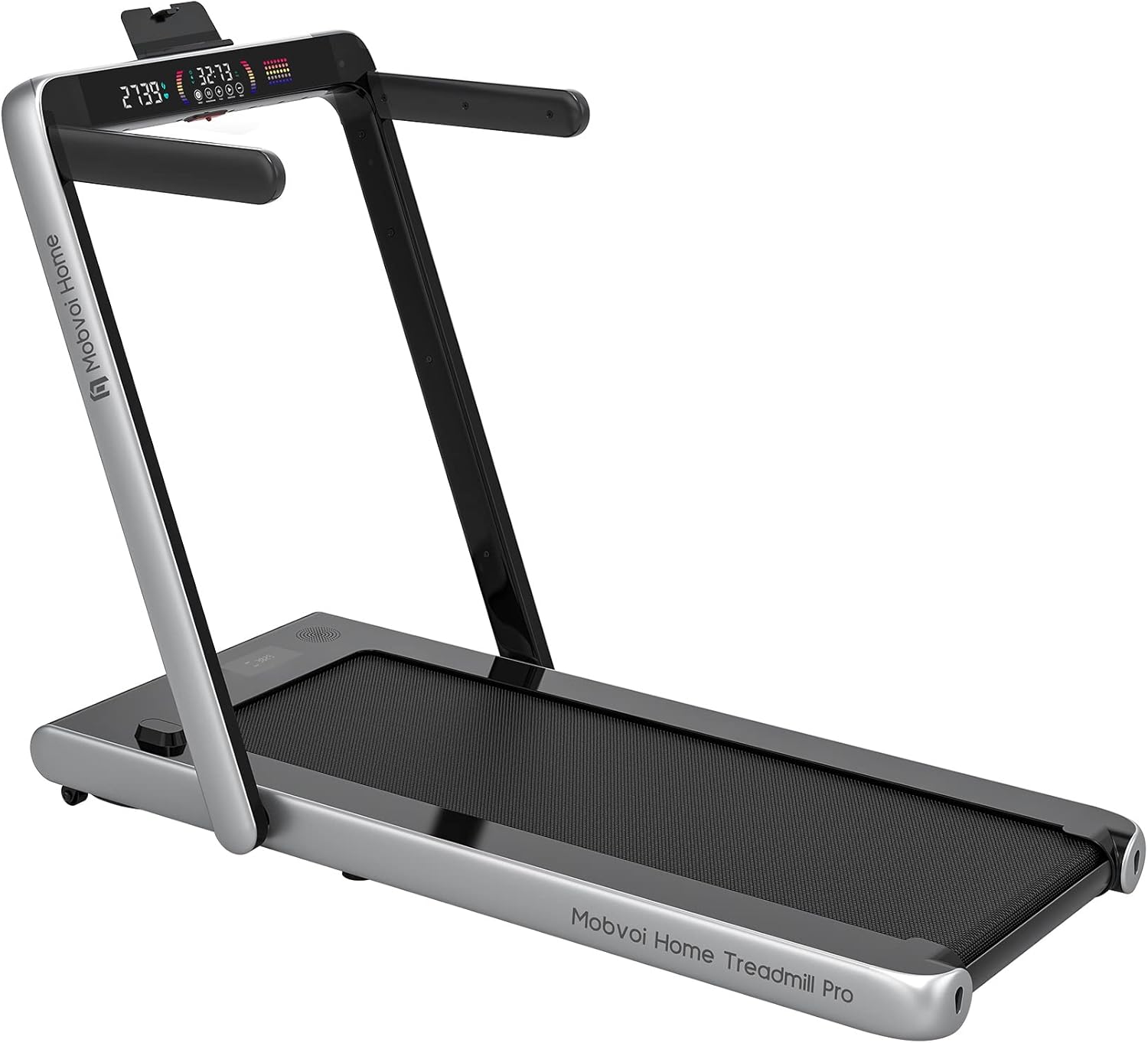
Image: Mobvoi Home Treadmill Pro, showcasing its compact and modern design, suitable for home fitness.
Opsætning
1. Udpakning og inspektion
- Fjern forsigtigt alle komponenter fra emballagen.
- Verify that all included components are present: Treadmill unit, Remote Control, Bluetooth Speaker (integrated).
- Inspect the treadmill for any signs of damage during transit. If any damage is found, do not proceed with assembly and contact customer support.
2. Montering
Assembly is required for this product. Follow the detailed assembly instructions provided in the separate assembly guide included with your purchase. Ensure all bolts and screws are securely tightened before use.
3. Placering
- Place the treadmill on a flat, stable surface. Ensure there is adequate clear space around the treadmill for safe operation (at least 2 meters behind and 0.6 meters on each side).
- Avoid placing the treadmill in direct sunlight or near heat sources.
4. Strømtilslutning
- Ensure the treadmill's power switch is in the OFF position.
- Connect the power cord to the treadmill's power input.
- Plug the power cord into a grounded electrical outlet. The treadmill operates on a corded electric power source.
5. Foldning og udfoldning
- To unfold: Gently lower the running deck until it locks into place. Ensure it is fully locked before use.
- To fold: Lift the running deck until it clicks into its upright, folded position. This feature allows for convenient storage.
Betjeningsvejledning
1. Tænd/sluk
- To power on, flip the main power switch located near the power cord input to the ON position. The LCD display will illuminate.
- To power off, flip the main power switch to the OFF position.
2. Using the Control Panel and Remote Control
The treadmill features an intuitive LCD display and can be controlled via the integrated control panel or the included remote control. The display shows speed and other relevant workout metrics.
- Start/Stop: Press the START button to begin your workout. Press STOP to end it.
- Hastighedstilpasning: Use the '+' and '-' buttons to increase or decrease the speed. The maximum speed is 14 kmph.
- Valg af tilstand: Cycle through available workout modes and programs. The treadmill offers 2 pre-set programs.
3. Træningstilstande
- Løbstilstand: For higher intensity workouts, adjust speed up to 14 kmph.
- Gåtilstand: For lower intensity or warm-up/cool-down, typically at lower speeds.
- Forudindstillede programmer: Utilize the 2 built-in programs for varied workout routines.
4. Bluetooth Speaker Connectivity
- Turn on the treadmill and ensure Bluetooth is active on your mobile device.
- Søg efter the treadmill's Bluetooth name (e.g., "Mobvoi Treadmill") in your device's Bluetooth settings.
- Pair and connect. You can now play audio through the integrated Bluetooth speaker.
5. Smartwatch Compatibility & Virtual Training Trails
The Mobvoi Home Treadmill Pro is compatible with smartwatches, allowing for enhanced tracking and integration with virtual training trails. Refer to your smartwatch's specific instructions for connecting to fitness equipment and utilizing virtual training features.
Opretholdelse
1. Rensning
- Regularly wipe down the treadmill frame and display with a damp klæde. Undgå slibende rengøringsmidler.
- Vacuum under the treadmill periodically to prevent dust and debris buildup.
2. Smøring af rem
To ensure smooth operation and prolong belt life, lubricate the running belt every 3-6 months, or after approximately 100 hours of use, using silicone lubricant specifically designed for treadmills. Refer to the assembly guide for detailed lubrication instructions.
3. Bæltejustering
If the running belt starts to slip or drift to one side, it may need adjustment. Use the provided Allen wrench to make small, incremental adjustments to the rear roller bolts until the belt is centered and taut. Do not overtighten.
4. Opbevaring
When not in use, the treadmill can be folded for compact storage. Ensure it is stored in a dry, cool place away from direct sunlight and moisture.
Fejlfinding
| Problem | Mulig årsag | Løsning |
|---|---|---|
| Løbebåndet tænder ikke | Netledning ikke sat i; Strømafbryder slukket; Afbryder udløst | Ensure power cord is securely plugged in; Turn power switch ON; Check household circuit breaker |
| Løbebælte glider | Rem for løs; Rem skal smøres | Adjust belt tension (refer to Maintenance section); Lubricate running belt |
| Usædvanlig støj under drift | Loose parts; Belt friction; Motor issue | Check for and tighten any loose bolts; Lubricate belt; If noise persists, contact customer support |
| Displayet fungerer ikke korrekt | Loose connection; Software glitch | Power cycle the treadmill (turn off, wait 30 seconds, turn on); Check cable connections; Contact customer support if issue persists |
Specifikationer
| Feature | Specifikation |
|---|---|
| Mærke | Mobvoi |
| Model | Home Løbebånd Pro |
| Farve | Sølv |
| Rammemateriale | Legeret stål |
| Hestekræfter | 2.25 Horsepower (Maximum) |
| Maksimal hastighed | 14 kmph (14 km per hour) |
| Display Type | LCD |
| Antal programmer | 2 |
| Strømkilde | Elektrisk med ledning |
| Inkluderede komponenter | Bluetooth Speaker, Remote Control |
| Montering påkrævet | Ja |
| Målgruppe | Voksen, Ungdom |
| Packed Size (approx.) | 60 x 30 x 12 tommer |
| Første ledige dato | 21. oktober 2022 |
Garanti og support
Mobvoi products are designed for durability and performance. For specific warranty details, please refer to the warranty card included with your product or visit the official Mobvoi webGarantien dækker typisk fabrikationsfejl under normal brug.
For technical support, troubleshooting assistance beyond this manual, or to inquire about replacement parts, please contact Mobvoi customer service through their official support channels. Have your product model and purchase date ready when contacting support.
- Online support: Visit the Mobvoi official webwebsted med ofte stillede spørgsmål, supportartikler og kontaktformularer.
- E-mail support: Se din produktdokumentation for at finde e-mailadressen til kundesupport.


