Indledning
Tak for købetasing the PROSCAN PSP1678 LED Light Up Bluetooth Speaker. This manual provides essential information for the safe and efficient operation of your device. Please read it thoroughly before use and retain it for future reference.
The PSP1678 is a versatile portable speaker featuring Bluetooth connectivity, built-in FM radio, USB/TF card input, AUX input, and a microphone input, all complemented by dynamic LED lighting and a built-in rechargeable battery.
Sikkerhedsoplysninger
- Udsæt ikke højttaleren for ekstreme temperaturer, direkte sollys eller høj luftfugtighed.
- Undgå at tabe eller udsætte højttaleren for kraftige stød.
- Du må ikke selv adskille, reparere eller ændre enheden. Overlad al service til kvalificeret personale.
- Hold højttaleren væk fra vand og andre væsker. Dette produkt er ikke vandtæt.
- Brug kun det specificerede opladningskabel og strømadapter.
- Rengør højttaleren med en blød, tør klud. Brug ikke slibende rengøringsmidler eller opløsningsmidler.
- Sørg for ordentlig ventilation, når du bruger højttaleren.
Pakkens indhold
- PROSCAN PSP1678 Bluetooth højttaler
- USB opladningskabel
- Brugervejledning (dette dokument)
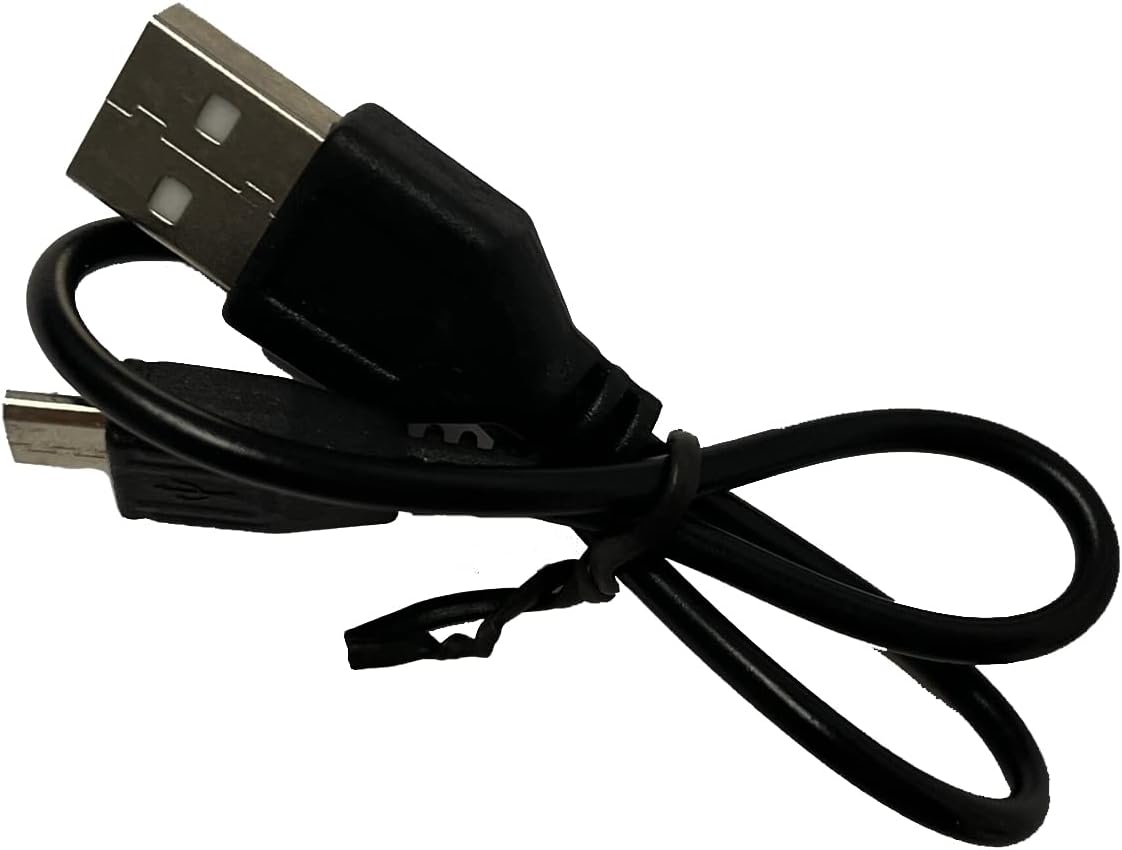
Image: Included USB Charging Cable. This cable is used to recharge the speaker's internal battery.
Produkt overview
Familiarize yourself with the various parts and controls of your PROSCAN PSP1678 speaker.

Billede: Forside view of the PROSCAN PSP1678 speaker, showcasing the dual 4-inch speakers with active LED lighting. The PROSCAN logo is visible between the speakers.

Image: Top panel of the PROSCAN PSP1678 speaker, showing the control buttons, USB port, TF card slot, AUX input, microphone input, and the main volume/mode knob.
Kontrolpanelets funktioner:
- Power knap: Tryk og hold for at tænde/slukke højttaleren.
- Mode knap: Short press to switch between Bluetooth, FM Radio, USB/TF, and AUX modes.
- Afspil/pause knap: In Bluetooth/USB/TF mode, press to play or pause. In FM mode, press to auto-scan and save stations.
- Forrige/Lydstyrke ned-knap: Kort tryk for forrige nummer/station. Langt tryk for at sænke lydstyrken.
- Næste/Lydstyrke op-knap: Kort tryk for næste nummer/station. Langt tryk for at øge lydstyrken.
- USB-port: Til afspilning fra USB-flashdrev.
- TF-kortslot: Til afspilning fra TF-kort (MicroSD).
- AUX-indgang: 3.5 mm jackstik til tilslutning af eksterne lydenheder.
- Mikrofonindgang: 6.35 mm jackstik til tilslutning af mikrofon.
- DC 5V opladningsport: Til tilslutning af USB-opladerkablet.
- Lydstyrkeknap: Rotates to adjust the master volume.
Opsætning
1. Opladning af højttaleren
Before first use, fully charge the speaker. Connect the small end of the included USB charging cable to the DC 5V charging port on the speaker and the other end to a USB power adapter (not included) or a computer USB port. The charging indicator light will illuminate during charging and turn off when fully charged.
Opladningstid: Cirka 3-4 timer.
2. Tænd/sluk
Tryk og hold på Power knap on the control panel for approximately 3 seconds to turn the speaker On or Off.
Betjeningsvejledning
1. Bluetooth-tilstand
- Tænd højttaleren. Den vil automatisk gå i Bluetooth-parringstilstand, hvilket indikeres af et blinkende LED-lys og en hørbar meddelelse.
- Aktiver Bluetooth på din mobile enhed (smartphone, tablet osv.).
- Søg efter "PSP1678" in the list of available Bluetooth devices.
- Select "PSP1678" to connect. Once successfully paired, you will hear a confirmation sound, and the LED light will stop flashing.
- Du kan nu afspille lyd fra din enhed via højttaleren.
Bemærk: Højttaleren vil automatisk forsøge at genoprette forbindelsen til den sidst parrede enhed, når den tændes.
2. FM-radiotilstand
- Turn on the speaker. Press the Mode knap repeatedly until you hear the FM radio prompt.
- For at automatisk scanne og gemme tilgængelige FM-stationer skal du trykke kort på Afspil/pause knapHøjttaleren scanner og gemmer stationer automatisk.
- Brug Tidligere og Next Buttons for at navigere mellem gemte stationer.
3. USB/TF-kortafspilning
- Indsæt et USB-flashdrev eller et TF-kort (MicroSD) i den respektive port.
- Højttaleren skifter automatisk til USB- eller TF-tilstand og begynder at afspille lyd files (MP3 format recommended). If it doesn't, press the Mode knap for at vælge den korrekte tilstand.
- Brug Afspil/pause, Tidligere, og Next Buttons for at styre afspilningen.
4. AUX-indgangstilstand
- Tilslut den ene ende af et 3.5 mm lydkabel (medfølger ikke) til AUX-indgangsporten på højttaleren.
- Tilslut den anden ende af kablet til lydudgangsstikket på din eksterne enhed (f.eks. MP3-afspiller, computer).
- Tryk på Mode knap for at skifte til AUX-tilstand.
- Control audio playback from your connected external device.
5. Mikrofonindgang
Connect a wired microphone (not included) to the Microphone Input jack. The microphone audio will be mixed with the current audio playback. Adjust the main volume knob to control the overall sound level.
6. LED lysstyring
The LED lights on the speaker automatically activate when the speaker is powered on. There is no dedicated button to turn the lights off or change patterns. They are designed to enhance the audio experience.
Opretholdelse
- Rensning: Use a soft, dry, lint-free cloth to clean the speaker's exterior. Do not use liquid cleaners, aerosols, or solvents.
- Opbevaring: Når højttaleren ikke er i brug i længere perioder, skal den opbevares køligt og tørt, væk fra direkte sollys og ekstreme temperaturer.
- Batteripleje: For at forlænge batteriets levetid bør du undgå at aflade batteriet helt ofte. Genoplad højttaleren regelmæssigt, selvom den ikke er i brug, for at opretholde batteriets sundhed.
Fejlfinding
| Problem | Mulig årsag | Løsning |
|---|---|---|
| Højttaleren tænder ikke. | Batteriet er lavt eller afladet. | Oplad højttaleren helt med det medfølgende USB-kabel. |
| Ingen lyd. | Lydstyrken er for lav. Forkert tilstand valgt. Enheden er ikke tilsluttet korrekt. | Increase volume on speaker and connected device. Press Mode button to select correct input. Reconnect Bluetooth/AUX cable. |
| Kan ikke parres via Bluetooth. | Højttaleren er ikke i parringstilstand. Enheden er for langt væk. Interferens. | Ensure speaker is in Bluetooth mode (flashing LED). Move device closer to speaker. Turn off other Bluetooth devices. |
| FM-radiomodtagelsen er dårlig. | Svagt signal. | Flyt højttaleren til et område med bedre modtagelse. Udfør automatisk scanning igen. |
| USB/TF-kort afspiller ikke. | Ukorrekt file format. Kort/drev er ikke isat korrekt. | Sikre files are in MP3 format. Reinsert the USB drive/TF card firmly. Press Mode button to select correct input. |
Specifikationer
| Feature | Detalje |
|---|---|
| Modelnummer | PSP1678 |
| Højttalerkraft | 5W x 2 |
| Højttaler størrelse | 4 tommer x 2 |
| Forbindelse | Bluetooth, USB, TF-kort, AUX, FM-radio |
| Mikrofonindgang | Ja |
| Strømkilde | Built-in Rechargeable Battery, Corded Electric (via USB) |
| Produktmål (D x B x H) | 6.25 cm x 16.25 cm x 7.75 cm |
| Varens vægt | 4 pund |
| UPC | 058465824457 |

Image: PROSCAN PSP1678 speaker with approximate dimensions indicated: 15.47 inches height, 7.28 inches width, and 5.9 inches depth.
Garanti og support
PROSCAN products are designed and manufactured to the highest quality standards. For warranty information or technical support, please refer to the warranty card included with your purchase or visit the official PROSCAN webwebsted. Gem din købsbevis til garantikrav.
For further assistance, you may contact PROSCAN customer service through their official channels. Please have your model number (PSP1678) and purchase details ready.
Bemærk: Garantivilkårene kan variere afhængigt af regionen.


