Indledning
The Vantrue E1 Lite is a compact and powerful 1080P WiFi Mini Dash Cam designed to enhance your driving safety and provide reliable recording. It features a 160-degree wide viewing angle, HDR technology for clear day and night vision, built-in GPS, voice control, and 24-hour parking mode. This manual provides essential information for setting up, operating, and maintaining your dash cam.
Hvad er der i æsken
Upon unboxing your Vantrue E1 Lite, please ensure all the following components are present:
- Vantrue Element 1 Lite Dash Cam with GPS Adhesive Mount
- 11.5ft Type C Car Charger Cable & 3.3ft Data Cable
- Electrostatic stickers and Warning Stickers
- Kofang
- Brugermanual

Figure 1: All components included in the Vantrue E1 Lite package.
Opsætning
Indledende opsætning
- Indsæt MicroSD-kort: The Vantrue E1 Lite supports up to 512GB external memory cards. Insert a compatible MicroSD card (not included) into the designated slot on the dash cam.
- Strømtilslutning: Connect the 11.5ft Type C Car Charger Cable to the dash cam and plug the other end into your vehicle's cigarette lighter socket. The dash cam will automatically power on and begin recording when your vehicle starts.
- Montering:
- Rengør forruden, hvor du har til hensigt at montere dashcam'et.
- Apply the electrostatic sticker to the clean windshield. This helps protect your windshield and allows for easier removal.
- Attach the GPS adhesive mount to the electrostatic sticker.
- Secure the Vantrue E1 Lite Dash Cam to the magnetic mount. Its compact design allows it to be discreetly hidden behind your rearview spejl.
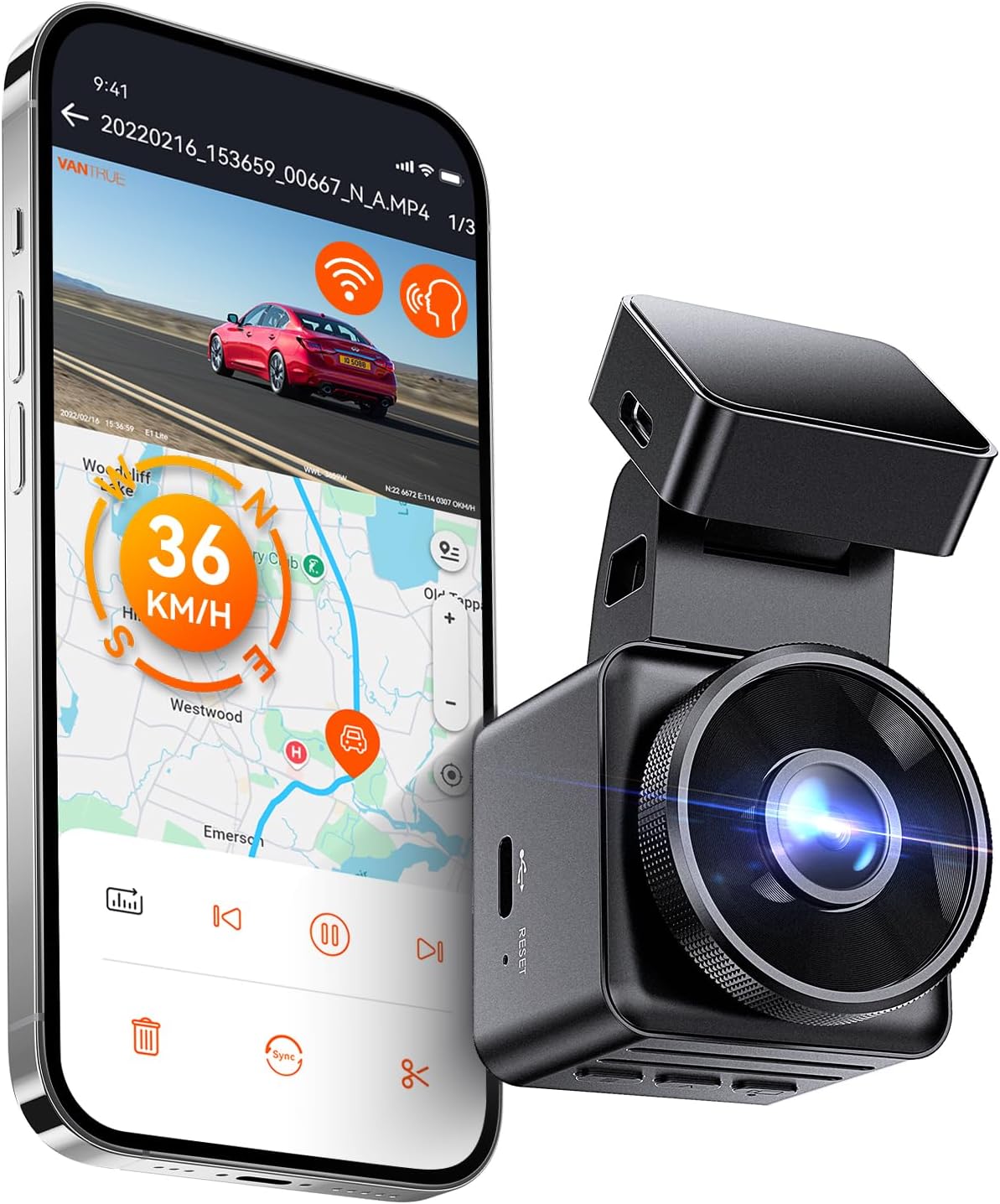
Figure 2: Vantrue E1 Lite mounted on the windshield, demonstrating its compact size and connectivity.

Figur 3: Overview of the Vantrue E1 Lite's key features and compact dimensions.
Tilslutning til appen
The Vantrue E1 Lite features built-in WiFi for seamless connection to its free companion app (available for Android and iOS). This allows for live streaming, video download, GPS data tracking, settings adjustment, and footage sharing.
- Download the "Vantrue Cam" app from your smartphone's app store.
- On the dash cam, enable WiFi through the menu or voice command.
- Connect your smartphone to the dash cam's WiFi network (SSID and password displayed on the dash cam screen).
- Once connected, you can access all app features.

Figure 4: The Vantrue Cam App interface for managing your dash cam.
Video 1: Officiel overview of the Vantrue E1 Lite 1080P Mini WiFi Dash Cam features and functionality.
Betjening af Dash Cam
Automatic Recording & Loop Recording
The Vantrue E1 Lite automatically starts recording when your vehicle's ignition is turned on and stops when the ignition is turned off. It utilizes seamless loop recording, which means it will automatically overwrite the oldest files when the MicroSD card is full, ensuring continuous recording without manual intervention. Emergency videos saved by the G-sensor are protected from being overwritten.
Stemmekontrol
For hands-free operation, the dash cam supports voice commands (available in English, Japanese, Russian, and Chinese). You can issue commands such as "Video Start," "Take Photo," "Turn on/off Audio," "Turn on/off WiFi," and "Turn on/off Screen."
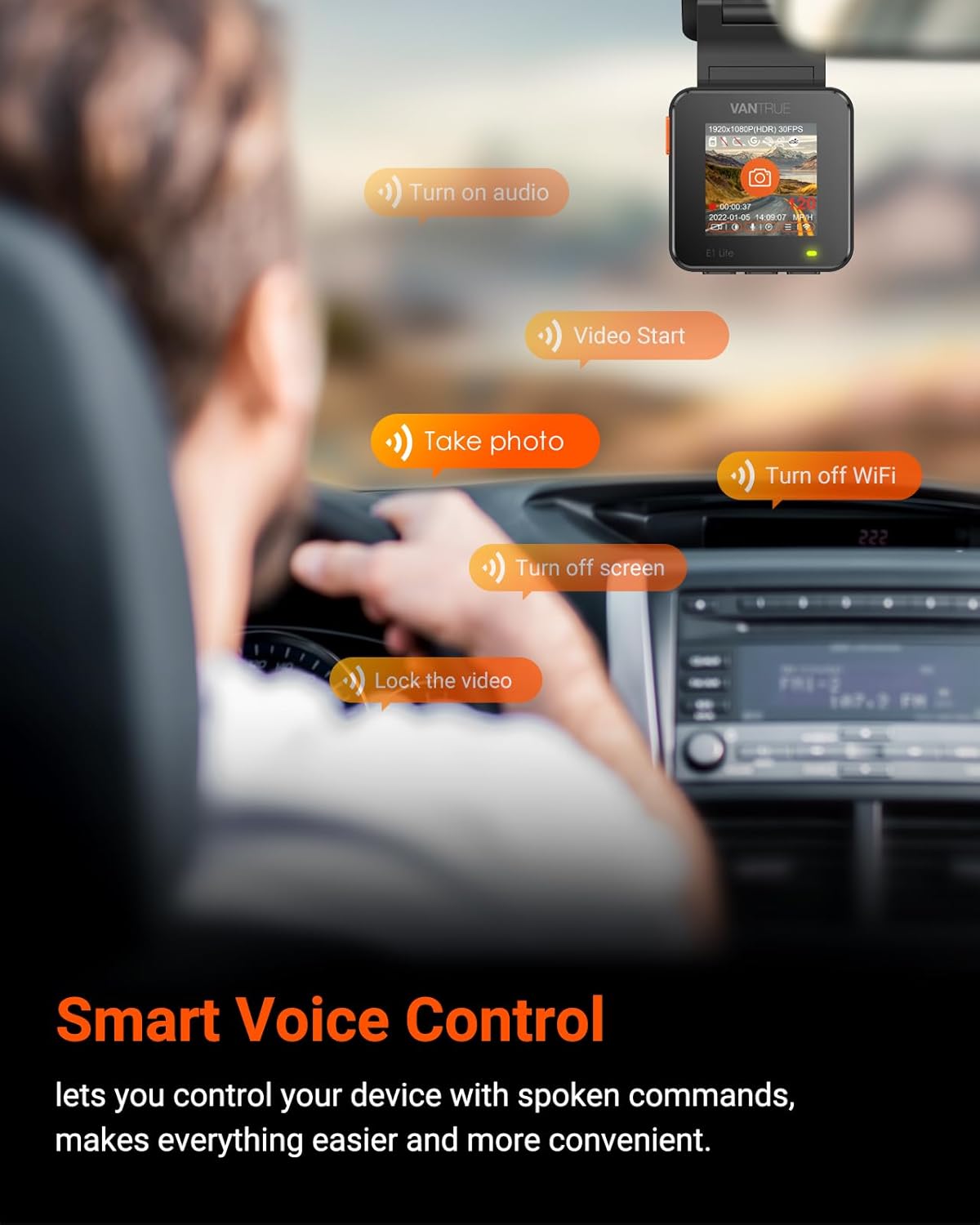
Figure 5: Smart Voice Control allows for convenient hands-free operation while driving.
G-Sensor & Emergency Recording
The built-in G-sensor automatically detects sudden impacts or collisions. When an event is detected, the dash cam will automatically save the footage to a separate, locked folder, preventing it from being overwritten by loop recording. This ensures critical evidence is preserved.
24 timers parkeringstilstand
The dash cam can automatically switch to parking mode when your car is parked. This mode offers several options:
- Kollisionsdetektion: Registrerer, når der registreres et sammenstød.
- Buffered Motion Sensor: Records when movement is detected, including 5 seconds pre-recording and 30 seconds post-recording.
- Low Bitrate Mode: Continuously records at a lower resolution (1080P 15fps or 720P 15fps) to save power and storage.
- Lav billedhastighedstilstand: Captures long videos at 1/5/10/15 fps to save memory card space.
Note: For 24-hour parking mode, a Vantrue hardwire kit is required and sold separately.

Figur 6: Detaljeret view of the 24-hour parking mode features.
GPS and Speed Tracking
The built-in GPS module allows the dash cam to record your vehicle's speed (in KMH or MPH), location, route, and direction of travel. This data can be viewed via the smartphone app or on a PC, serving as valuable evidence in case of an incident.
HDR teknologi
High Dynamic Range (HDR) technology and an F1.8 wide aperture ensure clear visibility of license plates and fine details, even in challenging lighting conditions like bright sunlight or low-light night scenes.
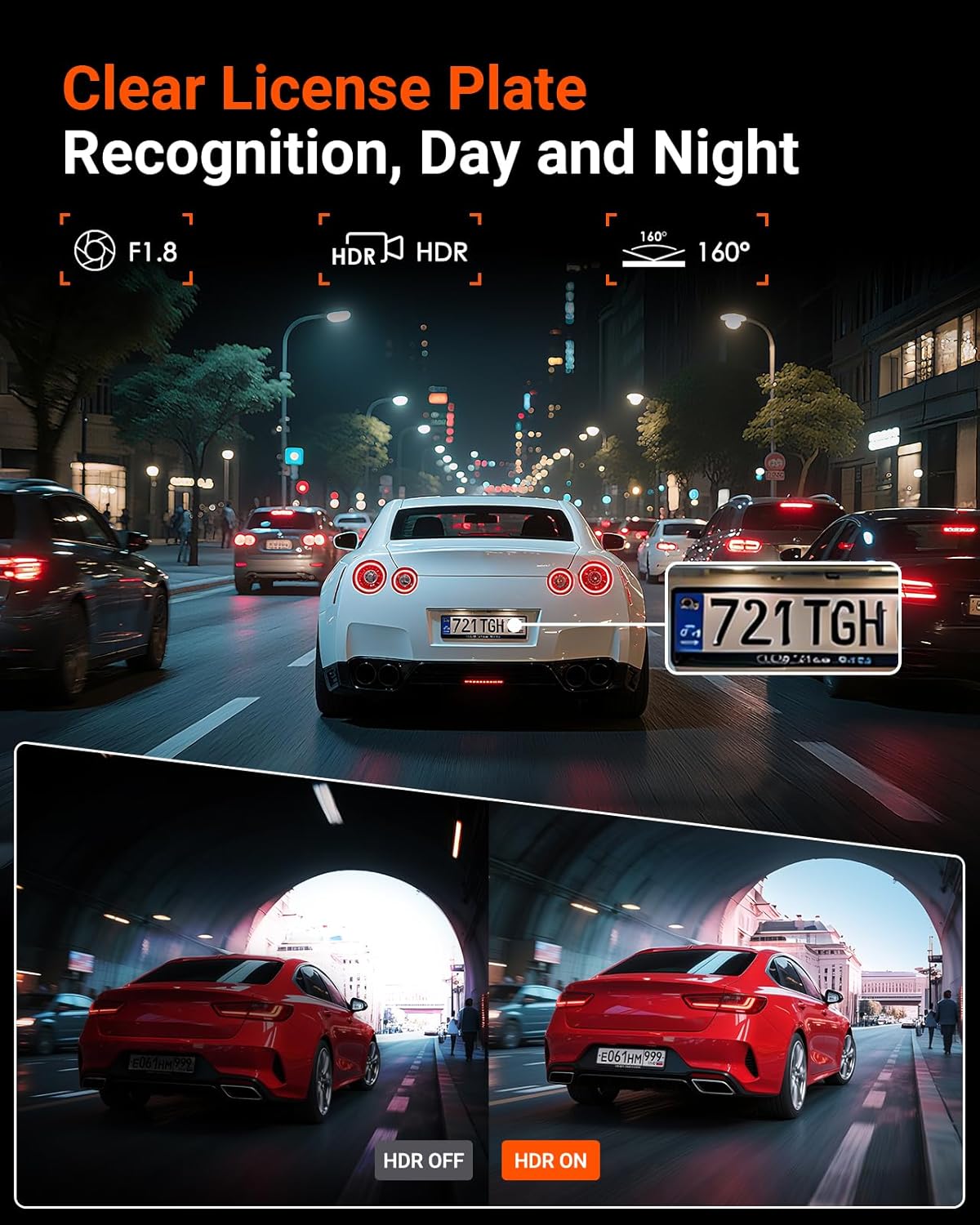
Figure 7: HDR technology enhances video clarity for crucial details like license plates.
Optional CPL Filter
An optional Circular Polarizing Lens (CPL) filter (sold separately) can be attached to the dash cam to effectively reduce reflections, glare, and increase color saturation in your recordings, especially in bright conditions.

Figure 8: The optional CPL filter improves video quality by reducing glare.
Opretholdelse
Administration af MicroSD-kort
Regularly check the status of your MicroSD card. While loop recording manages space automatically, it's recommended to periodically back up important footage and format the card to maintain optimal performance. Use a high-quality MicroSD card recommended by Vantrue for best results.
Super kondensator
The Vantrue E1 Lite is built with a super capacitor instead of a traditional battery. This component is designed to withstand extreme temperatures, ensuring reliable operation in both very hot and very cold climates, and extending the lifespan of the device.

Figure 9: The super capacitor enhances durability and performance in extreme temperatures.
Fejlfinding
| Problem | Mulig årsag | Løsning |
|---|---|---|
| Dashcam tænder ikke. | Loose power connection, vehicle's cigarette lighter not providing power. | Ensure the power cable is securely connected. Check your vehicle's fuse for the cigarette lighter. |
| Optagelsen stopper uventet. | MicroSD card full (if loop recording is off), card error, power interruption. | Ensure loop recording is enabled. Format the MicroSD card. Check power connection stability. |
| Problemer med WiFi-forbindelse med appen. | Incorrect WiFi password, interference, app not updated. | Verify WiFi password. Ensure the app is the latest version. Try restarting both the dash cam and your phone. |
| Videokvaliteten er dårlig. | Dirty lens, incorrect settings, extreme lighting conditions. | Clean the dash cam lens. Check video resolution settings in the app. Consider using an optional CPL filter for glare. |
Specifikationer
| Feature | Detalje |
|---|---|
| Produktdimensioner | 1.73 x 1.73 x 3.27 tommer |
| Varens vægt | 13.8 ounce |
| Videooptagelsesopløsning | 1080p |
| Felt Af View | 160 grader |
| Forbindelsesteknologi | Wi-Fi |
| GPS | Indbygget GPS |
| Særlige funktioner | Built-In WiFi, Parking Monitor, Voice Control, Compact Design, G-Sensor, Built-In GPS, Automatic Incident Detection, Loop Recording, Motion Sensing, Super Capacitor, Auto LCD OFF(ON/OFF) |
| Maksimal lagerstøtte | 512 GB MicroSD-kort |
Garanti & Support
VANTRUE is committed to providing high-quality products and excellent customer service. Your Vantrue E1 Lite Dash Cam comes with:
- 18-Month Extended Warranty: Enjoy extended peace of mind with our comprehensive warranty.
- 30 Days Return Policy: If you are not satisfied, you can return the product within 30 days.
- 24 Hours Customer Support: Our dedicated support team is available to assist you.
For any inquiries or support, please contact us:
- E-mail: support@vantrue.net
- Telefon: 510-666-4086
Besøg embedsmanden VANTRUE Store for flere produkter og information.


