1. Introduktion
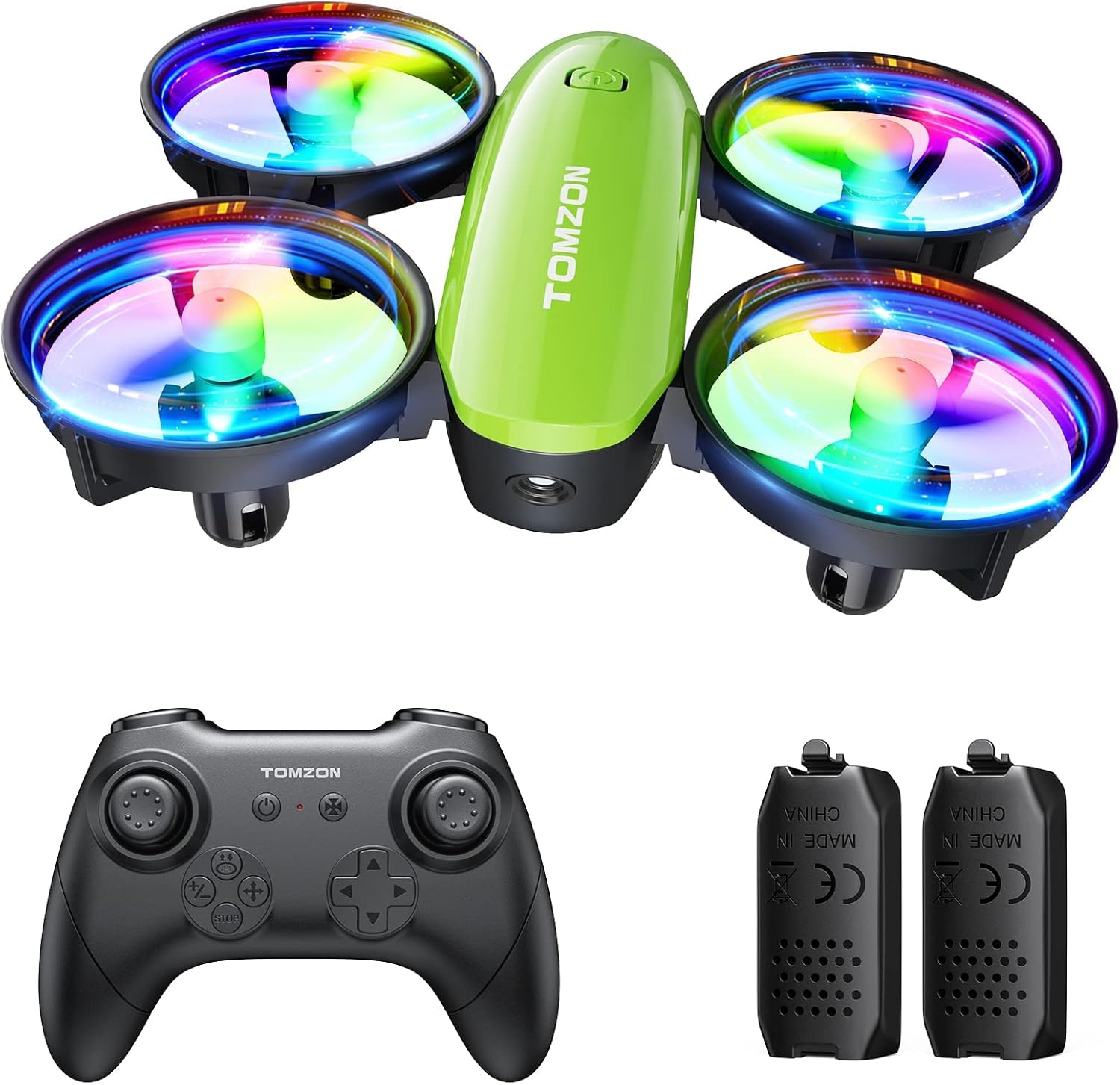
The TOMZON A23 Mini Drone is designed for ease of use and enjoyment, featuring dazzling LED lights, multiple speed modes, and various flight functions. This manual provides essential information for safe operation, setup, and maintenance of your drone.
2. Hvad er der i æsken
Kontroller venligst, at alle komponenter er til stede ved udpakning:
- TOMZON A23 Mini Drone x 1
- Fjernbetjening x 1
- Modulært batteri x 2
- Ladekabel x 1
- Reservepropeller x 4
- Brugervejledning x 1
3. Opsætning
3.1 Batteriinstallation
To install the modular battery into the drone:
- Sørg for, at dronen er slukket.
- Align the battery with the battery compartment on the underside of the drone.
- Skub forsigtigt batteriet ind i batterirummet, indtil det klikker sikkert på plads.
To remove the battery, press the buckle on the back of the drone body and pull out the battery. Refer to the tutorial video in Section 2 for a visual guide.
3.2 Connecting Drone to Remote Control
To connect the drone and remote control:
- Insert batteries into the remote control (not included, typically AAA).
- Placer dronen på en flad, plan overflade.
- Tryk og hold tænd/sluk-knappen på dronen nede, indtil LED-lysene begynder at blinke.
- Turn on the remote control. The drone and remote will automatically connect. The drone's lights will flash rapidly during connection and then become solid once connected.
Refer to the tutorial video in Section 2 for a visual guide.
3.3 Horizontal Calibration
For stable flight, calibrate the drone after connecting or if it drifts during flight:
- Placer dronen på en flad, plan overflade.
- Short press the calibration button on the remote control.
- The drone's lights will flash rapidly and then become solid, indicating successful calibration.
Refer to the tutorial video in Section 2 for a visual guide.
4. Betjeningsvejledning
4.1 Take-off Methods
The TOMZON A23 offers multiple ways to initiate flight:
- Manuel start: Push both joysticks inward 45 degrees simultaneously to start the motors. Then, push up the left throttle joystick to take off.
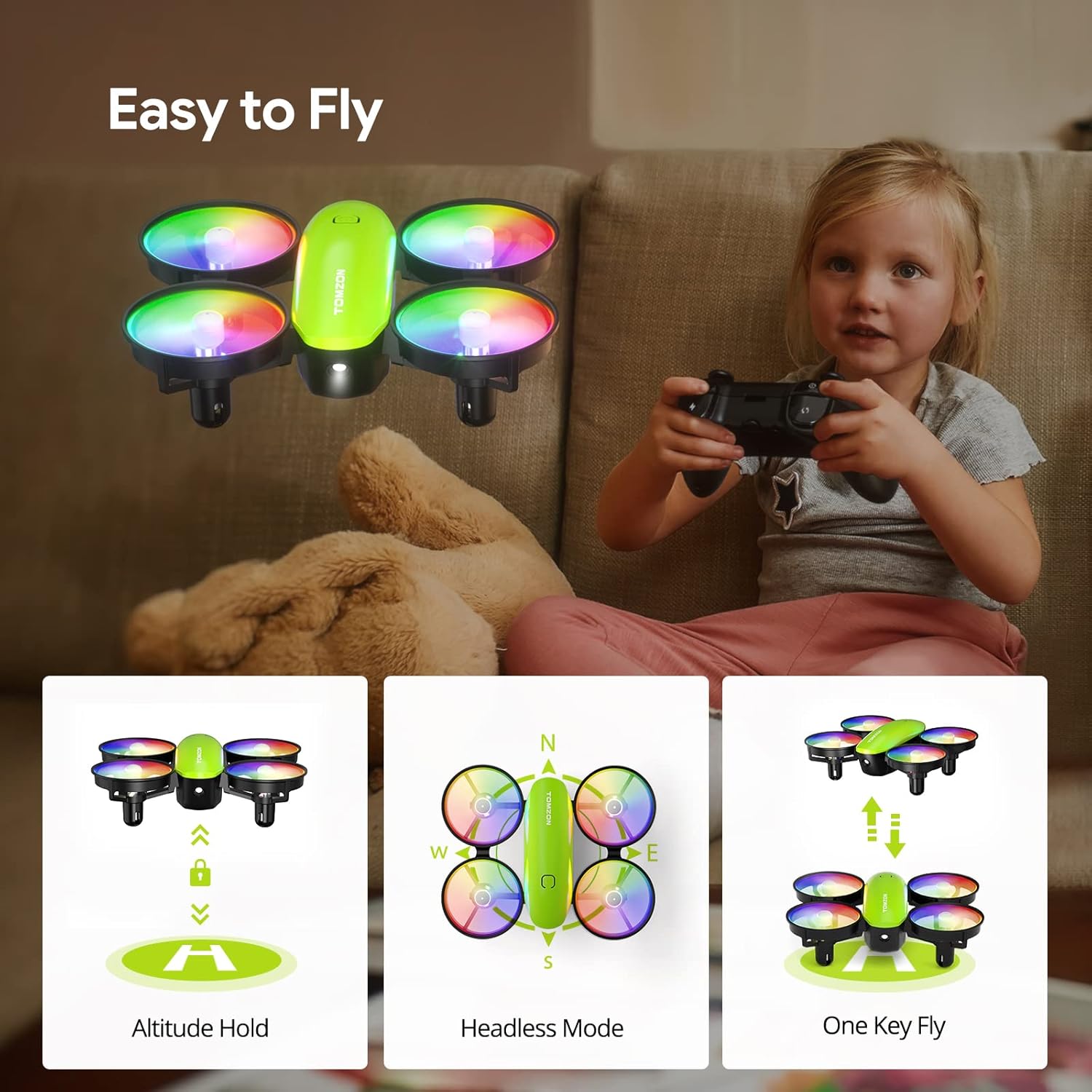
- Start med én knap: Short press the "takeoff" button on the remote control. The drone will automatically ascend and hover.
- Kast til at gå: With the drone and remote connected, simply toss the drone gently into the air. It will automatically stabilize and begin hovering.
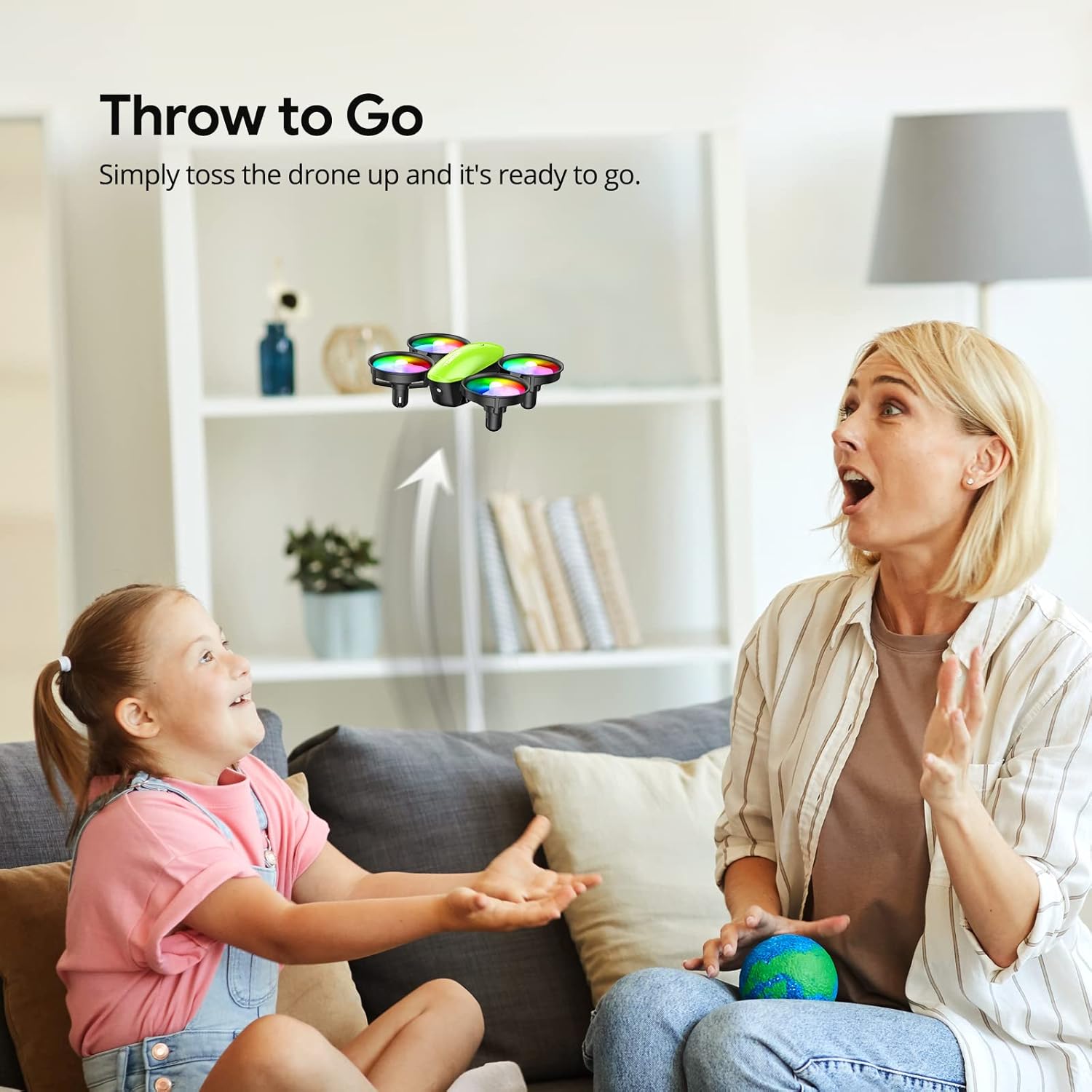
Refer to the tutorial video in Section 2 for visual demonstrations of these take-off methods.
4.2 Grundlæggende flyvekontrol
- Venstre joystick (gas/drej):
- Skub op/ned: Øg/sænk højden.
- Push left/right: Yaw (rotate) the drone left/right.
- Højre joystick (retning):
- Push up/down: Fly forward/backward.
- Push left/right: Fly left/right.
4.3 Særlige flyfunktioner
- 3D Flip: Press the "3D Flip" button on the remote, then push the direction joystick in the desired flip direction. The drone will perform a 360-degree flip. Refer to the tutorial video in Section 2 for a visual guide.
- Cirkelflue: Short press the "circle flight" button on the remote control. The drone will automatically fly in a circular path. Refer to the tutorial video in Section 2 for a visual guide.
- Højhastighedsrotation: Short press the "rotation" button on the remote control. The drone will rotate rapidly in place. Refer to the tutorial video in Section 2 for a visual guide.
- Hovedløs tilstand: Activate Headless Mode via the remote control. In this mode, the drone's orientation is relative to the pilot, making it easier to control without worrying about the drone's front/back.
- Højdehold: The drone maintains its current altitude automatically, allowing for stable hovering.
- Hastighedstilstande: The drone features 3 adjustable speed modes (Low, Mid, High) to suit different skill levels and environments. Adjust via the speed button on the remote.
- LED lys: The drone has dazzling 7-color LED lights with 2 light modes. Short press the light button on the remote to turn them on/off or switch modes. Refer to the tutorial video in Section 2 for a visual guide.



5. Vedligeholdelse
5.1 Batteriopladning og -pleje
The drone comes with 2 modular rechargeable batteries, providing a total of 18 minutes of flight time. Modular batteries ensure safer charging and easier installation.
- Use the provided dual-port charging cable to charge both batteries simultaneously, saving time.
- A red light on the charging cable indicates charging; the light turns off when fully charged.
- Brug altid det originale opladningskabel.
- Overoplad ikke batterier.
- Opbevar batterier et køligt, tørt sted væk fra direkte sollys og varme.

5.2 Udskiftning af propel
If a propeller is damaged, replace it with a spare from the package:
- Gently pull off the damaged propeller.
- Ensure the new propeller is correctly oriented (A or B, usually marked on the propeller and drone arm).
- Press the new propeller firmly onto the motor shaft.
5.3 Generel rengøring
Wipe the drone with a clean, dry cloth to remove dust or debris. Avoid using liquids or harsh chemicals.
6. Fejlfinding
| Problem | Løsning |
|---|---|
| Dronen reagerer ikke på fjernbetjeningen. | Ensure both drone and remote are powered on and successfully paired (solid lights). Re-pair if necessary. Check remote control batteries. |
| Drone driver afsted under flyvning. | Perform Horizontal Calibration on a flat surface. Adjust trim settings on the remote control. |
| Drone has insufficient power/short flight time. | Fully charge the drone batteries. Ensure propellers are not obstructed or damaged. |
| Propellerne drejer ikke. | Check for obstructions around propellers. Ensure batteries are charged and correctly installed. If a propeller is damaged, replace it. |
| Emergency Stop function. | In case of emergency, press the "STOP" button on the remote control to immediately halt the drone's motors. |
7. Specifikationer
- Mærke: TOMZON
- Modelnavn: A23
- Produktdimensioner: 3.54 cm L x 3 cm B x 1.25 cm H
- Varens vægt: 10.6 ounce
- Materiale: Plast
- Batterikapacitet: 380 mioamp Timer (LiPo)
- Flyvetid: Op til 18 minutter (med 2 batterier)
- Kontroltype: Fjernbetjening (radiofrekvens)
- Færdighedsniveau: Nybegynder
- Særlige funktioner: 360 Degree Flip, Throw to Go, Headless Mode, Altitude Hold, 3 Speed Modes, Dazzling LED Lights
8. Sikkerhedsretningslinjer
- Always operate the drone in open, clear areas, free from obstacles, people, and animals.
- Do not fly near water, power lines, or busy roads.
- Hold opsyn med børn under droneoperation.
- Undgå at flyve i stærk vind.
- Regularly inspect the drone for any damage before and after each flight.
- Undlad at ændre dronen eller dens komponenter.
- In case of a crash or malfunction, use the one-button emergency stop function.
9. Garanti og support
For warranty information, technical support, or replacement parts, please refer to the contact details provided on the product packaging or visit the official TOMZON webwebstedet. Behold din købskvittering som købsbevis.
Du kan også besøge TOMZON Butik på Amazon for mere information.
Relaterede dokumenter - A23
 |
TOMZON A24 Drone Brugermanual Denne brugermanual indeholder omfattende instruktioner til betjening af TOMZON A24-dronen, herunder opsætning, flyvekontrol, sikkerhedsforanstaltninger og specialtilstande som kamptilstand og kastetilstand. |
 |
Tomzon A23 Mini Drone Brugermanual Brugermanual til Tomzon A23 Mini Drone, der indeholder instruktioner om opsætning, betjening, sikkerhed og specifikationer. Lær at flyve, kalibrere og bruge forskellige flyvetilstande. |
 |
Tomzon A23-W Drone Brugermanual Omfattende brugermanual til Tomzon A23-W dronen, der dækker pakkeliste, sikkerhedspåmindelser, produktbeskrivelse, betjening af fjernbetjening, brug af app, flytilstande og specifikationer. |
 |
TOMZON D25 Drone Brugermanual: Opsætning, flyvning og fejlfinding Omfattende brugermanual til TOMZON D25-dronen. Lær om opsætning, flyvekontrol, sikkerhedsretningslinjer, fejlfinding af almindelige problemer og app-integration for både begyndere og entusiaster. |
 |
TOMZON P5G 2K/4K Brugermanual - Dronebetjening og sikkerhedsvejledning Omfattende brugermanual til TOMZON P5G 2K/4K-dronen, der dækker opsætning, flyveoperationer, sikkerhedsretningslinjer, app-integration, fejlfinding og specifikationer. Lær, hvordan du flyver din drone sikkert og effektivt. |
 |
TOMZON Flying Pig Drone: Flersproget brugermanual Omfattende brugermanual til TOMZON Flying Pig-dronen, der dækker opsætning, flyvekontrol, tilstande, specifikationer, fejlfinding og sikkerhedsforanstaltninger. Denne manual er tilgængelig på flere sprog. |