
1. Introduktion og overview
The Weiser SmartCode Keypad Electronic Deadbolt offers enhanced security and convenience for your home. This keyless entry system allows access via a personalized code, eliminating the need for traditional keys. It features a fast and quiet motorized deadbolt, a backlit keypad for night visibility, and SmartKey re-key technology for added security and flexibility.
Nøglefunktioner:
- Fast and quiet motorized deadbolt with one-touch motorized locking.
- ANSI Grade 2 security rating.
- Supports up to 50 user codes and 1 master code.
- Backlit keypad for increased visibility in low light conditions.
- SmartKey re-key technology for easy re-keying and enhanced security.
- Designed to fit standard doors 1-3/8" to 1-3/4" thick with an adjustable backset (2-3/8" or 2-3/4").
2. Sikkerhedsoplysninger
Læs venligst alle instruktioner omhyggeligt inden installation og brug. Gem denne manual til senere brug.
- Forsøg ikke at adskille eller ændre låsen ud over de medfølgende instruktioner. Dette kan ugyldiggøre garantien og kompromittere sikkerheden.
- Brug kun 4 AA alkaline-batterier. Bland ikke gamle og nye batterier eller forskellige typer batterier.
- Avoid exposing the lock to excessive moisture or direct sunlight for prolonged periods.
- Ensure the door frame and door are properly aligned and secure before installation to prevent binding or malfunction.
- Hold din masterkode og brugerkoder fortrolige.
3. Pakkens indhold
Kontroller, at alle komponenter er til stede, før installationen påbegyndes:
- Electronic Deadbolt (Exterior Assembly)
- Electronic Deadbolt (Interior Assembly)
- Justerbar lås
- Slagplade
- Krave
- Monteringsplade
- Installationshardware (skruer)
- 2 Weiser-nøgler
- SmartKey-værktøj
- Installationsvejledning (denne manual)
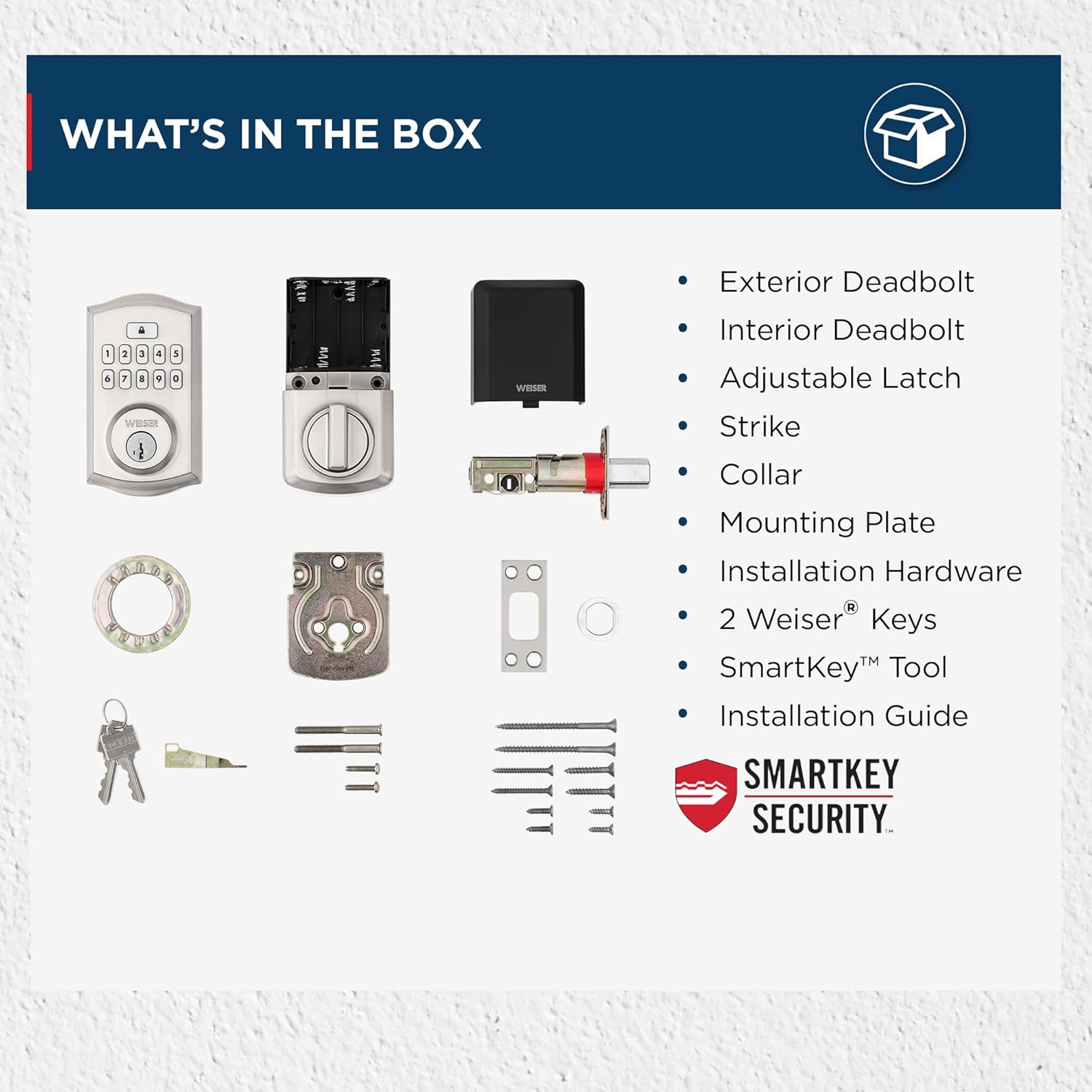
Image: All components included in the Weiser SmartCode Keypad Electronic Deadbolt package.
4. Installation
The Weiser SmartCode Keypad Electronic Deadbolt is designed for easy installation. For detailed, step-by-step interactive 3D instructions with voice and video guidance, it is recommended to use the free BILT app.
Generelle installationstrin:
- Forbered døren: Ensure your door has the correct bore holes and backset. The lock is compatible with standard doors 1-3/8" to 1-3/4" thick.
- Installer låsen: Insert the adjustable latch into the door edge and secure it with screws. Ensure the latch bolt is facing the correct direction.
- Monter den udvendige enhed: Route the cable from the exterior keypad assembly through the door bore hole and position the assembly flush against the door.
- Monter monteringspladen: Fastgør den indvendige monteringsplade til den udvendige enhed med de medfølgende skruer, og sørg for, at kablet føres gennem pladen.
- Monter den indvendige enhed: Connect the cable from the exterior assembly to the interior assembly. Align the tailpiece with the slot in the interior assembly and secure the interior assembly to the mounting plate.
- Installer batterier: Insert 4 AA alkaline batteries into the battery pack of the interior assembly.
- Udfør dørhåndtagningsprocessen: This step is crucial for the lock to learn the orientation of your door. Follow the specific instructions in the included installation guide or the BILT app.

Image: The Weiser SmartCode Keypad Electronic Deadbolt installed on a door, showcasing dens elegante design.
5. Opsætning og programmering
Efter installationen skal du programmere din masterkode og brugerkoder.
Master kode: The master code is used to program and delete user codes. It does not unlock the door. It is recommended to create a master code immediately after installation.
Brugerkoder: These codes are used to unlock the door. You can program up to 50 unique user codes.
Refer to your specific installation guide for detailed programming steps, as these can vary slightly by model revision. Generally, programming involves pressing the program button on the interior assembly, entering the master code, then entering the new user code, and confirming.

Image: The SmartCode lock supports up to 50 user access codes and one master code option, allowing multiple individuals secure entry.
6. Betjeningsvejledning
Using your SmartCode Keypad Electronic Deadbolt is straightforward.
Oplåsning af døren:
- Brug af en brugerkode: Enter your personalized 4-8 digit user code on the keypad. The deadbolt will retract, and the door will unlock.
- Brug af en nøgle: Insert the physical key into the keyway and turn to unlock the deadbolt.

Image: Keyless entry is made secure and convenient by simply entering your personalized code on the keypad.
Låser døren:
- One-Touch Låsning: Press the Lock button on the keypad. The deadbolt will extend, locking the door.
- Automatisk låsefunktion: If enabled, the lock will automatically re-lock after a set period (e.g., 30 seconds) once unlocked.
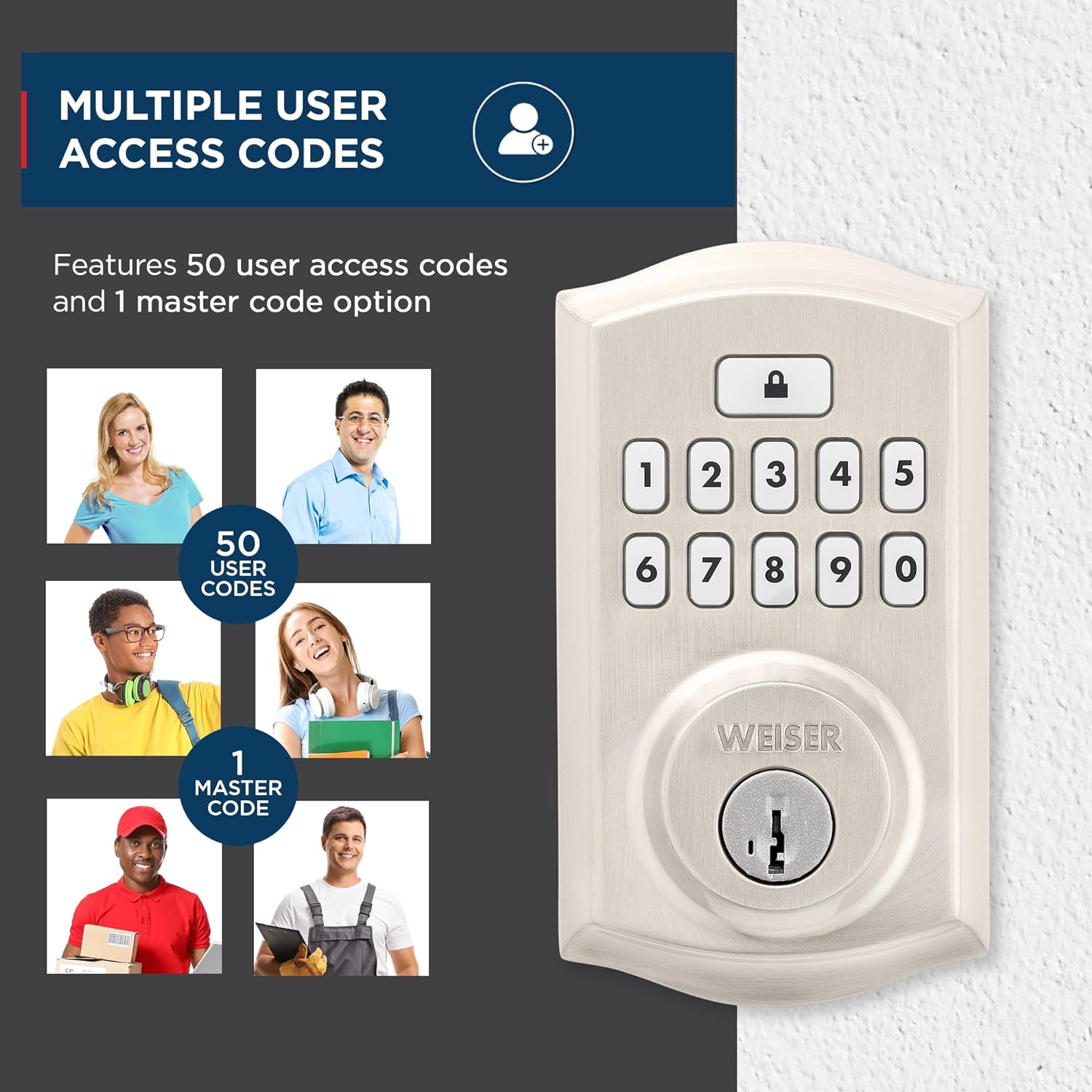
Image: The auto-lock feature allows you to lock your door with a single touch, requiring no additional turning or twisting.
Baggrundsbelyst tastatur: The keypad illuminates for increased visibility at night and remains lit for 30 seconds after inactivity, making code entry easy in low light conditions.

Image: The keypad is backlit for increased visibility at night, staying lit for 30 seconds after inactivity for easy code entry.
SmartKey-sikkerhed: This technology allows you to re-key the lock yourself in seconds, providing convenience and maintaining key control without removing the lock from your door. It also protects against advanced break-in techniques.

Image: SmartKey Security protects against advanced break-in techniques and allows for easy re-keying of the lock in seconds.
7. Vedligeholdelse
Proper maintenance ensures the longevity and optimal performance of your SmartCode deadbolt.
- Rensning: Rengør låsen med en blød,amp klud. Undgå slibende rengøringsmidler, opløsningsmidler eller barske kemikalier, da disse kan beskadige overfladen og de elektroniske komponenter.
- Udskiftning af batteri: The lock operates on 4 AA alkaline batteries (not included). When the batteries are low, the lock will typically provide an audible or visual low battery warning. Replace all four batteries simultaneously with new, high-quality alkaline batteries. Do not use rechargeable batteries.
- Smøring: Periodically lubricate the latch bolt and deadbolt mechanism with a silicone-based lubricant to ensure smooth operation. Do not lubricate the keypad or electronic components.
8. Fejlfinding
If you encounter issues with your SmartCode deadbolt, refer to the following common problems and solutions:
| Problem | Mulig årsag | Løsning |
|---|---|---|
| Låsen reagerer ikke på indtastning på tastaturet. | Lave batterier; forkert kode; tastaturfejl. | Replace batteries. Ensure correct code is entered. Perform door handing process again. |
| Deadbolt kan ikke forlænges eller trækkes helt ind. | Door/frame misalignment; low batteries; latch binding. | Check door alignment and strike plate. Replace batteries. Lubricate latch. |
| Programming new codes fails (e.g., 3 beeps). | Incorrect master code; programming sequence error; unit needs reset. | Verify master code. Follow programming steps precisely. Reset the unit to factory settings (refer to manual for specific steps). |
| Automatisk låsefunktion fungerer ikke som forventet. | Feature disabled; incorrect setting; door not fully closed. | Ensure auto-lock is enabled and set to desired time. Confirm door is fully closed. |
| Batteriets levetid er kortere end forventet. | Frequent usage; poor quality batteries; auto-lock set to short interval. | Use high-quality alkaline batteries. Consider adjusting auto-lock time if not critical. |
For issues not covered here, please consult the full installation guide or contact Weiser customer support.
9. Specifikationer
| Feature | Detalje |
|---|---|
| Modelnummer | 9GED92600-001 |
| Produktdimensioner | 6.99 x 2.86 x 13.97 cm |
| Varens vægt | 454 g |
| Materiale | Metal |
| Slutte | Børstet (satin nikkel) |
| Stil | Traditionel |
| Låsetype | Elektronisk sikkerhedslås |
| Strømkilde | 4 AA batterier (medfølger ikke) |
| Særlige funktioner | Weather Resistant, Anti-Bump, One-Touch Lock, Auto-Lock, Back-Lit Keypad |
| Dørkompatibilitet | 1-3/8" to 1-3/4" thick doors, adjustable backset (2-3/8" or 2-3/4") |
10. Garanti og support
Garanti: This product comes with a 1-year warranty from the date of purchase. Please retain your proof of purchase for warranty claims. The warranty covers defects in material and workmanship under normal use.
Kundesupport: For technical assistance, troubleshooting, or warranty inquiries, please contact Weiser customer support. Refer to the contact information provided in your product packaging or visit the official Weiser webwebstedet for de mest opdaterede supportoplysninger.
Note: Uautoriserede reparationer eller ændringer kan ugyldiggøre produktgarantien.


