1. Introduktion
Thank you for choosing the Amysen Smart Plug. This device allows you to control your home appliances remotely, set schedules, and use voice commands through Amazon Alexa. This manual provides detailed instructions for setup, operation, and troubleshooting to ensure optimal use of your smart plug.

Image 1.1: Four Amysen Smart Plugs. These plugs are designed for seamless integration with Amazon Alexa.
2. Vigtige sikkerhedsoplysninger
- Kun til indendørs brug.
- Do not exceed the maximum load rating of 15A/1875W.
- Do not immerse in water or expose to wet conditions.
- Forsøg ikke at adskille eller reparere enheden.
- Opbevares utilgængeligt for børn.
- Sørg for, at stikket er sat helt ind i stikkontakten.
3. Pakkens indhold
Din pakke skal indeholde følgende varer:
- Amysen Smart Plug(s) (quantity as purchased, e.g., 4-pack)
- Instruktionsmanual
4. Produktet er slutview
The Amysen Smart Plug is a compact device designed to fit standard wall outlets. It features a power button for manual control and an LED indicator light to show its status.
- Power knap: Press to manually turn the connected appliance on or off. Press and hold for 5 seconds to reset the plug for pairing.
- LED-indikator: Indicates the plug's status (e.g., solid blue for on, blinking for pairing mode).

Image 4.1: Amysen Smart Plug dimensions, highlighting its compact design.
5. Opsætningsvejledning
The Amysen Smart Plug is designed for simple setup with Amazon Alexa devices.
5.1. Kompatibilitet
This smart plug is compatible with Amazon Alexa devices kun. Compatible Alexa devices include:
- Echo 2nd Gen, Echo 3rd Gen
- Echo Dot 2nd Gen, Echo Dot 3rd Gen, Echo Dot 3rd Gen with clock
- Echo Plus 1st Gen, Echo Plus 2nd Gen
- Echo Show 1st Gen, Echo Show 5, Echo Show 8, Echo Show 10
- Echo Spot, Echo Input, Echo Flex, Echo Studio
5.2. Initial Setup with Alexa
- Plug the Amysen Smart Plug into a standard wall outlet.
- Ensure your Alexa device is powered on and connected to your Wi-Fi network.
- Say to your Alexa device: "Alexa, discover devices."
- Alexa will automatically search for and connect to the smart plug. This process typically takes a few seconds.
- Once discovered, Alexa will confirm the connection. You can then control the plug using voice commands.

Image 5.1: Visual guide for plugging in the smart plug and Alexa discovering the device.
5.3. Alexa App Control
You can also manage your smart plug using the Alexa app on your mobile phone from anywhere with an internet connection.
- Download og åbn Amazon Alexa-appen på din smartphone eller tablet.
- Navigate to the 'Devices' section. Your newly discovered smart plug should be listed there.
- You can rename the plug, add it to groups, and control it directly from the app.
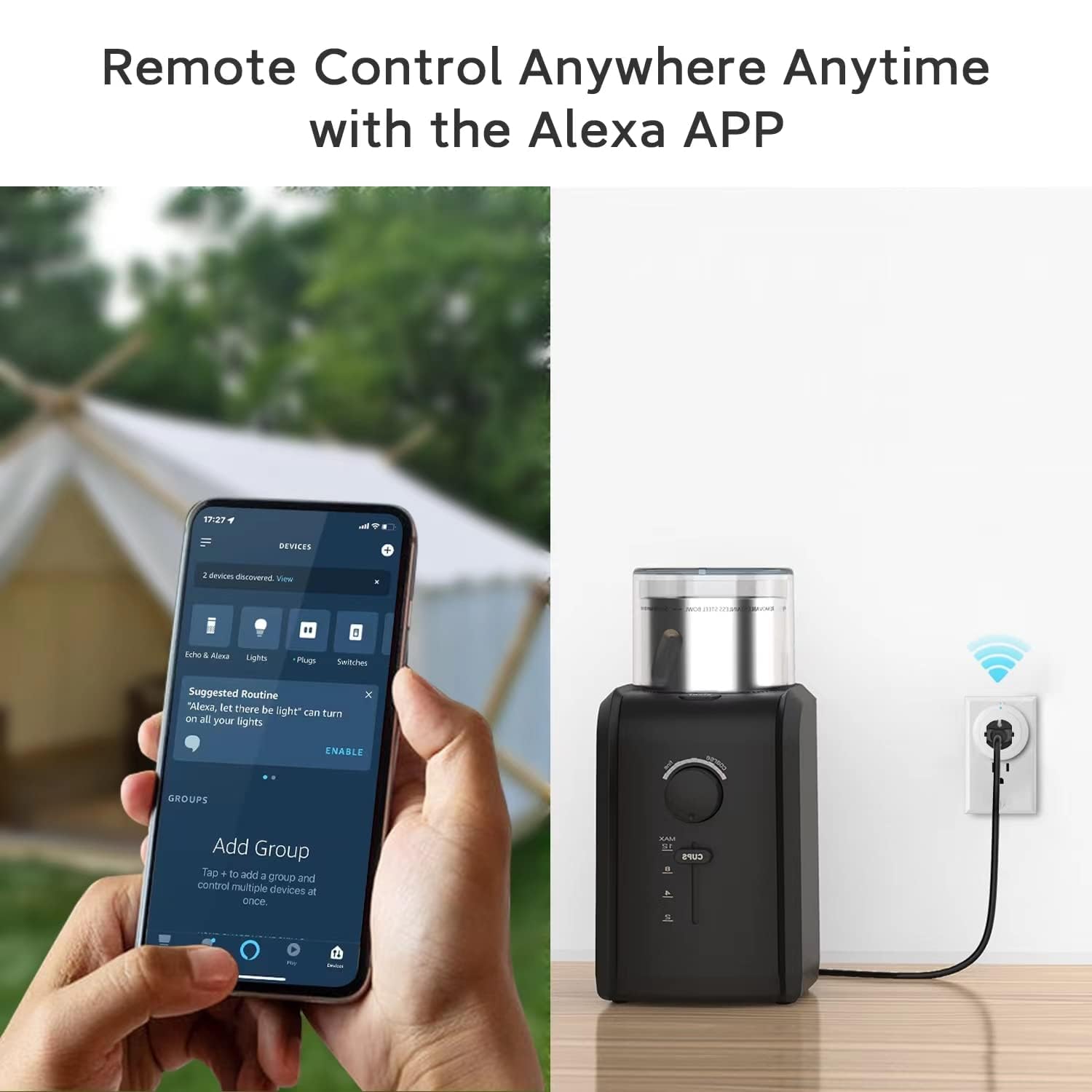
Image 5.2: Remote control of the smart plug via the Alexa app on a mobile device.
6. Operating the Smart Plug
6.1. Stemmekontrol
Once connected, you can use voice commands with your Alexa device to control the smart plug. Ensure your Alexa device is within hearing range.
- Sådan tænder du: "Alexa, turn on [plug name]." (e.g., "Alexa, turn on the lamp.")
- Sådan slukker du: "Alexa, turn off [plug name]." (e.g., "Alexa, turn off the fan.")

Image 6.1: Voice control of the smart plug using an Alexa device. Note: This product is compatible with Alexa only.
6.2. Manuel kontrol
You can manually turn the connected appliance on or off by pressing the power button located on the side of the smart plug.
6.3. Planlægning og timere
Use the Alexa app to set schedules and timers for your smart plug. This allows you to automate your appliances, such as turning lights on at sunset or turning off a fan after a set period.
- Åbn Alexa-appen.
- Go to the 'Devices' section and select your smart plug.
- Look for options to create routines, schedules, or timers.
- Follow the in-app instructions to customize your automation.

Billede 6.2: Eks.amples of how to use scheduling features for various appliances with the smart plug.
7. Bluetooth Mesh Network
The Amysen Smart Plug utilizes Bluetooth 5.0 to form a mesh network. This technology allows multiple smart plugs to communicate with each other and with your Alexa Echo device via Bluetooth, rather than solely relying on your Wi-Fi network for direct connection to each plug. This can enhance connectivity and reduce potential strain on your Wi-Fi network.

Image 7.1: Diagram explaining the Bluetooth Mesh network functionality of the Amysen Smart Plug.
8. Pleje og vedligeholdelse
To maintain your Amysen Smart Plug, follow these guidelines:
- Tør ydersiden af med en blød, tør klud.
- Brug ikke hårde kemikalier eller slibende rengøringsmidler.
- Sørg for, at stikket er taget ud af stikkontakten, inden rengøring.
9. Fejlfinding
If you encounter issues with your Amysen Smart Plug, refer to the following common problems and solutions:
9.1. Plug Not Responding or Offline
- Tjek strøm: Ensure the smart plug is securely plugged into a working outlet and the connected appliance is powered on.
- Alexa Device Proximity: Ensure your Alexa Echo device is within a reasonable range of the smart plug for Bluetooth communication.
- Genstart enheder: Unplug the smart plug for 10 seconds, then plug it back in. Restart your Alexa Echo device.
- Wi-Fi Network (for Alexa Echo): Confirm your Alexa Echo device is connected to a stable 2.4GHz or 5GHz Wi-Fi network. While the plugs use Bluetooth Mesh, the Alexa Echo needs a stable Wi-Fi connection to communicate with the internet and the Alexa app.
- Router Channel Interference: In some cases, router channel settings can affect connectivity. If your router's Wi-Fi channel is set to 'Auto', it might occasionally switch to a channel that causes interference. Consider manually setting your router's 2.4GHz channel to a less congested one (e.g., 1, 6, or 11) if you experience persistent 'offline' issues.
- Re-discover Devices: If the issue persists, try saying "Alexa, discover devices" again.
9.2. Alexa Not Discovering the Plug
- Nulstil stikket: Press and hold the power button on the smart plug for approximately 5 seconds until the LED indicator blinks rapidly. This puts the plug into pairing mode. Then, ask Alexa to discover devices again.
- Alexa app: Ensure the Alexa app is updated to the latest version.
- Kompatibilitet: Double-check that your Alexa device is one of the compatible models listed in Section 5.1.
9.3. Scheduling or Timer Issues in Alexa App
- App-opdatering: Ensure your Alexa app is up to date.
- Internetforbindelse: Verify your mobile device has a stable internet connection when setting up schedules.
- Correct Plug Selected: Make sure you are applying schedules to the correct smart plug within the app.
10. Specifikationer
| Feature | Detalje |
|---|---|
| Modelnummer | SMART STIK |
| Produktdimensioner | 4.21 x 4.13 x 2.18 tommer |
| Vægt | 9.59 ounce |
| Mærke | Amysen |
| Farve | Hvid |
| Materiale | Plast |
| Voltage | 125 volt |
| Connector Type | Snap Plug (US Standard) |
| Forbindelse | Bluetooth 5.0 Mesh (Alexa Echo requires Wi-Fi) |
| Certificeringer | ETL & FCC Certificeret |
11. Garanti og support
For warranty information or technical support, please contact Amysen customer service through the retailer's platform or the official Amysen website. Please have your product model number (SMART PLUG) and purchase details available when contacting support.


