1. Introduktion
Thank you for choosing the PUREMIC S2B01 Karaoke Machine. This portable Bluetooth speaker system with two UHF wireless microphones is designed to provide an immersive audio and visual experience for home singing parties, cinema viewing, and music listening. Please read this manual carefully before use to ensure proper operation and to maximize your enjoyment of the product.
2. Sikkerhedsoplysninger
For at forhindre brand, elektrisk stød eller produktskade skal du overholde følgende sikkerhedsforanstaltninger:
- Udsæt ikke enheden for regn eller fugt.
- Enheden må ikke skilles ad eller ændres. Overlad al service til kvalificeret personale.
- Keep the device away from heat sources, direct sunlight, and extreme temperatures.
- Brug kun den medfølgende strømadapter.
- Sørg for tilstrækkelig ventilation omkring højttaleren for at forhindre overophedning.
- Undgå at placere tunge genstande på enheden.
3. Pakkens indhold
Bekræft at alle varer er inkluderet i din pakke:
- PUREMIC S2B01 Karaoke Speaker
- 2 x UHF trådløse mikrofoner
- Strømadapter
- Microphone Slip Rings (2 pieces)
- HDMI kabel
- Brugervejledning (dette dokument)

Figur 3.1: Inkluderede komponenter
4. Produktet er slutview
The PUREMIC S2B01 is a compact yet powerful karaoke system designed for versatile entertainment. It features an integrated speaker and microphone design for convenient placement and easy charging.

Figure 4.1: PUREMIC S2B01 Karaoke Machine with Microphones
4.1 Hovedenhedens funktioner
- Integreret design: Speaker and microphone charging dock combined for convenience.
- Dynamiske LED-lys: Three different disco light effects that sync with sound rhythm.
- Multiple Connection Ways: Supports Bluetooth, HDMI (ARC), AUX, and USB.
- Lydtilstande: KTV Mode, Cinema Mode, Music Mode for various entertainment needs.
- Kraftig lyd: Equipped with one 6.5" subwoofer and two 3" tweeters for rich sound.

Figure 4.2: Integrated Design and Charging Dock
4.2 trådløse mikrofoner
- Two UHF wireless microphones for clear vocal pickup.
- Individual power and sound effect controls on each microphone.
- Rechargeable via the speaker's integrated pogo pin charging dock.

Figur 4.3: Trådløs mikrofon
5. Opsætning
5.1 Strømtilslutning
- Connect the provided power adapter to the AC input port on the back of the PUREMIC S2B01 speaker.
- Sæt strømadapteren i en stikkontakt.
- Locate the red power switch on the back of the speaker and press it to turn on the unit.

Figur 5.1: Tilslutninger på bagpanelet
5.2 Mikrofonopsætning
The microphones are pre-paired with the speaker before delivery. If re-pairing is necessary, refer to the troubleshooting section.
- Sørg for, at højttaleren er tændt.
- Press and hold the power button on each wireless microphone until the indicator light turns on.
- Place the microphones into the charging docks on top of the speaker when not in use to keep them charged.
Video 5.1: Connection of Puremic Karaoke Speaker System S2. This video demonstrates the initial power-on and microphone activation process.
6. Betjeningsvejledning
6.1 Tilslutning til enheder
The PUREMIC S2B01 offers multiple connectivity options to suit your needs.

Figure 6.1: Multi-Connection Options
6.1.1 Bluetooth Connection (Mobile Phone/Tablet)
- Sørg for, at højttaleren er tændt.
- Short press the Bluetooth button on the top panel of the speaker. The Bluetooth indicator light will blink, indicating pairing mode.
- On your mobile phone or tablet, go to Indstillinger > Bluetooth og aktivere Bluetooth.
- Søg efter "Puremic S2" in the list of available devices and select it to connect.
- Once connected, the Bluetooth indicator light on the speaker will turn solid blue. You can now play audio from your device through the speaker.
Video 6.1: Puremic Speaker System S2. This video demonstrates connecting the speaker to a mobile phone via Bluetooth.
6.1.2 HDMI (ARC)/AUX/USB Connection (TV/PC)
- Connect your TV or PC to the speaker using an HDMI (ARC), AUX, or USB cable to the corresponding port on the back of the speaker.
- Tryk på KILDE button on the back of the speaker to cycle through input modes (OPT, HDMI-ARC, AUX, COAX, USB) until the desired input is selected.
- On your TV or PC, ensure the audio output is set to the corresponding input (e.g., HDMI ARC, External Speaker).
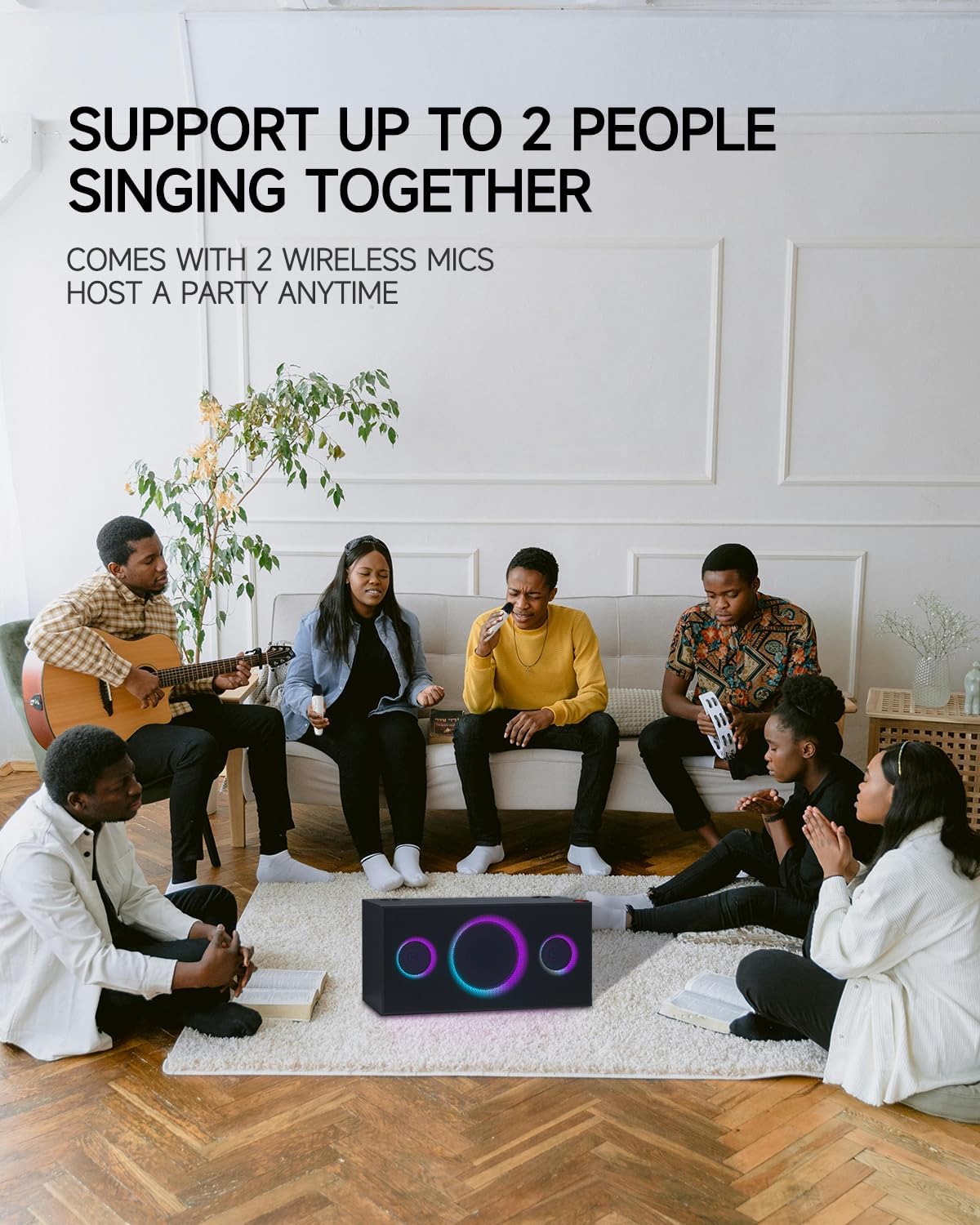
Figure 6.2: Connecting to TV for Karaoke
6.2 lydtilstande
The PUREMIC S2B01 offers three distinct sound modes to optimize your audio experience:
- KTV-tilstand: Enjoy KTV fun at home with 360° surround sound effect and colorful lights, perfect for karaoke sessions.
- Biograftilstand: Immerse yourself in movies with enhanced audio, creating a cinematic atmosphere.
- Musiktilstand: Experience live concert quality sound with crystal-clear audio, ideal for casual music listening.

Figure 6.3: Three Scenarios Modes
6.3 Brug af mikrofon
- Once powered on and connected, adjust the microphone volume using the volume buttons on the microphone itself.
- Use the sound effect button on the microphone to apply various vocal effects.
- The system supports up to two people singing together simultaneously.

Figure 6.4: Support for Multiple Singers
6.4 lyseffekter
The PUREMIC S2B01 features dynamic LED lights that enhance your entertainment experience.
- The lights can be controlled via the LYS button on the top panel of the speaker.
- Cycle through different lighting modes and effects, including those that sync with the music rhythm.

Figur 6.5: Dynamisk LED-lysshow
7. Vedligeholdelse
7.1 Rengøring
To maintain the appearance and performance of your karaoke machine:
- Tør de udvendige overflader af med en blød, tør klud.
- Brug ikke slibende rengøringsmidler, voks eller opløsningsmidler, da de kan beskadige finishen.
- Hold højttalergitrene fri for støv og snavs.
7.2 Opbevaring
Når den ikke er i brug i længere perioder:
- Opbevar enheden et køligt, tørt sted væk fra direkte sollys og ekstreme temperaturer.
- Ensure the microphones are fully charged before storing to preserve battery life.
7.3 Pleje af batterier
The PUREMIC S2B01 and its microphones contain rechargeable batteries. Follow these guidelines for optimal battery life:
- Oplad enheden helt før første brug.
- Undgå at aflade batteriet helt ofte.
- If storing for a long time, charge the battery to about 50% every 3-6 months.
- Højttaleren giver op til 15 timers spilletid på fuld opladning.
Figur 7.1: Forlænget spilletid
8. Fejlfinding
If you encounter issues with your PUREMIC S2B01, refer to the following common problems and solutions:
| Problem | Mulig årsag | Løsning |
|---|---|---|
| Ingen strøm | Power adapter not connected or power switch off. | Ensure the power adapter is securely plugged in and the red power switch on the back is turned on. |
| Ingen lyd fra højttaleren | Incorrect input source selected; volume too low; device not connected. | Press the SOURCE button to select the correct input. Increase speaker and source device volume. Reconnect the device. |
| Mikrofon virker ikke | Mikrofon slukket; lavt batteri; ikke parret. | Turn on the microphone. Charge the microphone. To re-pair: 1. Put microphones in OFF state. 2. Keep pressing Volume + or Volume - and Power button of microphone synchronously until indicator blinks quickly. 3. Press the PAIR button on the back of the speaker. 4. Press the Sound Effect button and Power button of microphone synchronously. The indicator will turn solid blue when paired. |
| Bluetooth-forbindelsen er ustabil | Enhed for langt væk; interferens; lavt batteri. | Move the device closer to the speaker. Avoid obstacles. Charge the speaker and device. |
| Lys virker ikke | Light mode off. | Press the LIGHT button on the top panel to activate or change light modes. |
9. Specifikationer
Detailed specifications for the PUREMIC S2B01 Karaoke Machine:
- Modelnummer: S2B01
- Varens vægt: 21.1 pund
- Produktdimensioner: 8.66 x 17.91 x 8.94 tommer
- Talertal: 1 (integrated system)
- Højttalerkonfiguration: 1 x 6.5" Subwoofer, 2 x 3" Tweeters
- Output Wattage: 120 watt
- Voltage: 220 volt
- Forbindelse teknologi: Bluetooth, Auxiliary, USB, HDMI (ARC), Coaxial, Optical
- Kompatible enheder: Smartphone, Tablet, Television, Personal Computer
- Særlige funktioner: Rechargeable, Wireless Microphones, Dynamic LED Party Lights, Multiple Sound Modes
- Medieformat: Karaoke

Figur 9.1: Produktmål
10. Garanti og support
PUREMIC products are manufactured to the highest quality standards. For warranty information and customer support, please refer to the warranty card included in your package or visit the official PUREMIC webHvis du har spørgsmål eller har brug for hjælp, er du velkommen til at kontakte vores kundeserviceteam.
Kontaktoplysninger:
- Webwebsted: PUREMIC Official Store on Amazon
- E-mail: Se produktemballagen eller den officielle webwebsted for support-e-mail.


