Indledning
Thank you for choosing the Sharp Big Bang Alarm Clock. This manual provides detailed instructions to help you set up, operate, and maintain your new alarm clock. Please read this manual thoroughly before use and retain it for future reference.
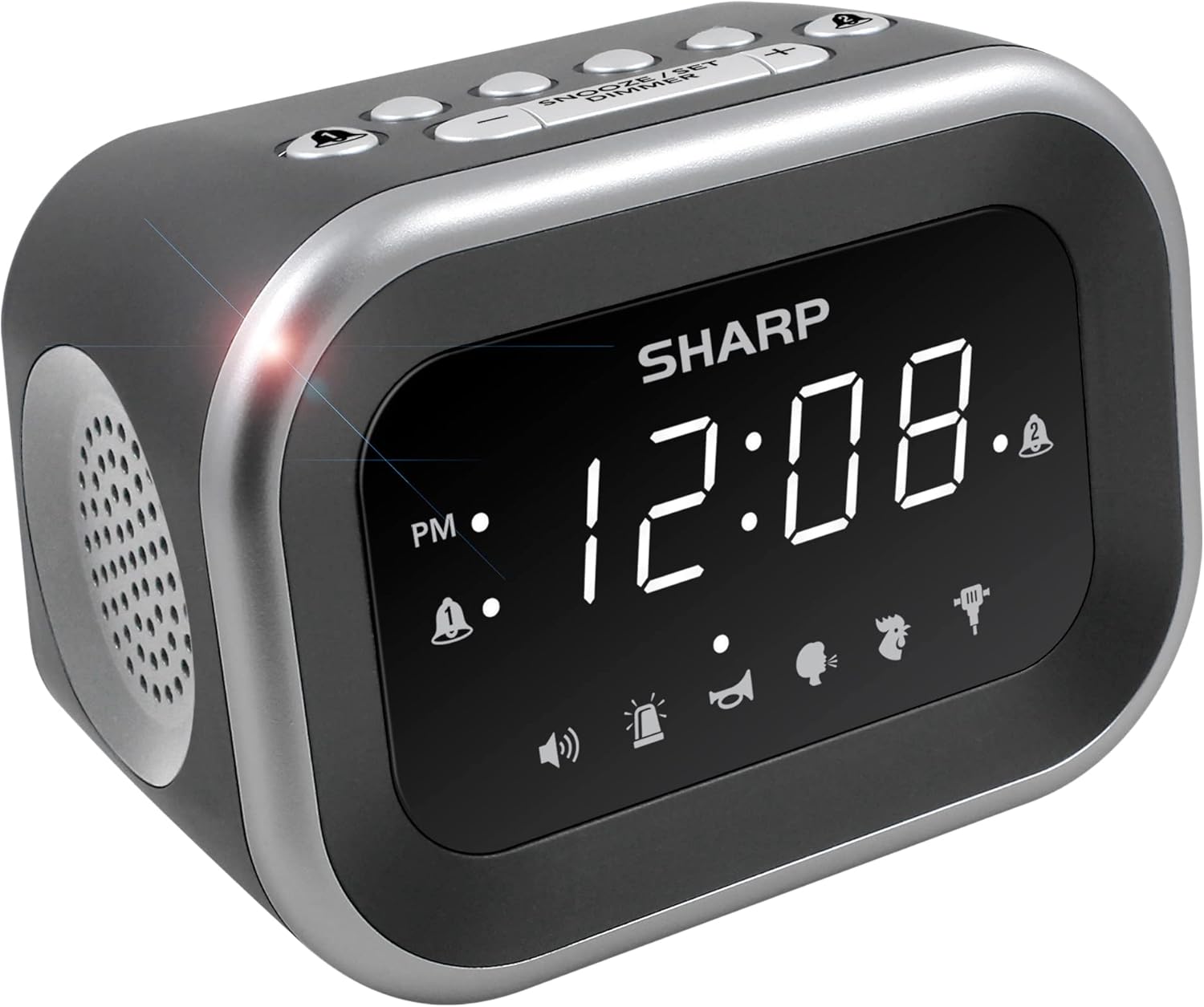
Billede: Forside view of the Sharp Big Bang Alarm Clock, showing the digital display and speaker grille.
Sikkerhedsoplysninger
- Udsæt ikke enheden for ekstreme temperaturer, direkte sollys eller høj luftfugtighed.
- Hold enheden væk fra vand eller andre væsker.
- Brug kun den angivne strømadapter.
- Forsøg ikke at adskille eller modificere enheden.
- Opbevares utilgængeligt for børn.
Pakkens indhold
- Sharp Big Bang Alarm Clock
- AC strømadapter
- Brugervejledning (dette dokument)
Produkt overview
Familiarize yourself with the various components and controls of your alarm clock.
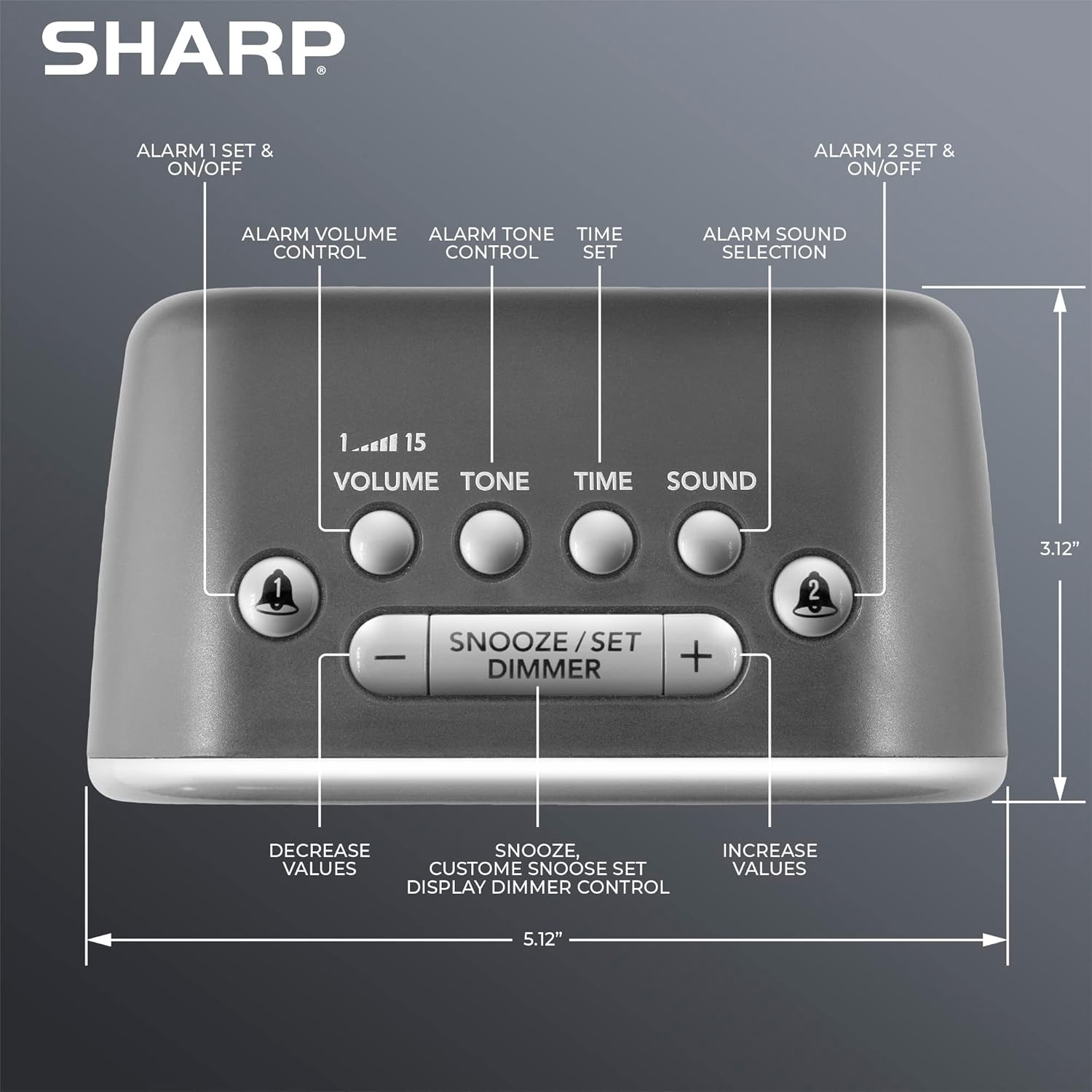
Billede: Top view of the alarm clock, highlighting buttons for Alarm 1, Alarm 2, Volume, Tone, Time, Sound, Snooze/Set/Dimmer, and +/- controls.
- Vise: Large white LED display for time and settings.
- Alarm 1 & 2 Buttons: Activate/deactivate and set individual alarms.
- Lydstyrke knap: Adjusts alarm volume (levels 1-15).
- Tone knap: Adjusts alarm tone.
- Tidsknap: Used for setting the current time.
- Lyd knap: Selects one of the six alarm sounds.
- Snooze/Set/Dimmer Button: Activates snooze, confirms settings, and adjusts display brightness.
- +/- knapper: Adjust values for time, volume, tone, and snooze duration.
Opsætning
1. Strømtilslutning
- Plug the AC power adapter into the DC IN jack on the back of the alarm clock.
- Plug the other end of the adapter into a standard 110V/120V household wall outlet.
- Displayet lyser, hvilket indikerer, at der er strøm tilsluttet.
2. Installation af batteribackup
The alarm clock requires 2 x AAA batteries (not included) for battery backup. This feature stores your time and alarm settings during a power interruption. The display will not be lit during battery backup mode.
- Åbn batteridækslet i bunden af enheden.
- Insert 2 new AAA batteries, observing the correct polarity (+ and -).
- Luk batterirummets dæksel forsvarligt.

Image: The alarm clock positioned on a nightstand, ready for use.
Betjeningsvejledning
1. Indstilling af det aktuelle klokkeslæt
- Tryk og hold på TID knappen, indtil timecifrene blinker.
- Brug + or - knapperne til at justere timetallet. Vær opmærksom på PM-indikatoren.
- Tryk på TID knappen igen for at bekræfte timetallet, hvorefter minutcifrene blinker.
- Brug + or - knapper for at justere minutterne.
- Tryk på TID button once more to save the time setting.
2. Indstilling af alarmer (Alarm 1 og Alarm 2)
This clock features two independent alarms.
- Tryk og hold på ALARM 1 or ALARM 2 knappen, indtil alarmens timecifre blinker.
- Brug + or - knapperne til at justere alarmens time. Observer PM-indikatoren.
- Tryk på den respektive ALARM knappen igen for at bekræfte timetallet, hvorefter minutcifrene blinker.
- Brug + or - knapper til at justere alarmens minutter.
- Tryk på ALARM button once more to save the alarm time. The alarm indicator (bell icon) for the set alarm will appear on the display.
- To activate or deactivate an alarm, simply press the ALARM 1 or ALARM 2 button briefly. The bell icon indicates if the alarm is active.
3. Selecting Alarm Sounds
The clock offers 6 distinct alarm sounds: Rooster, Bugle, Nagging Mom, Jackhammer, Siren, and Beep.

Image: Visual representation of the six available alarm sounds.
- With an alarm set, press the SUND button. The current sound icon will flash.
- Brug + or - buttons to cycle through the available sounds.
- Tryk på SUND knappen igen for at bekræfte dit valg.
4. Adjusting Alarm Volume and Tone
You can customize the volume (up to 115dB) and tone of your chosen alarm sound.

Image: Decibel reference scale illustrating the loudness of the alarm clock compared to common sounds.
- Tryk på BIND button. The current volume level (1-15) will flash.
- Brug + or - knapper for at justere lydstyrken.
- Tryk på BIND knappen igen for at bekræfte.
- Tryk på TONE button. The current tone setting will flash.
- Brug + or - buttons to adjust the tone.
- Tryk på TONE knappen igen for at bekræfte.
5. Snooze-funktion
Når alarmen lyder, skal du trykke på den store SNOOZE/SET/DIMMER button on top of the clock to temporarily silence the alarm. The default snooze time is 9 minutes.
Customizing Snooze Duration:
- While the alarm is sounding, press and hold the SNOOZE/SET/DIMMER button until the snooze time flashes.
- Brug + or - buttons to set your desired snooze duration (1-59 minutes).
- Tryk på SNOOZE/SET/DIMMER button again to save the custom snooze time.
6. Display Dimmer Control
The display has 3 brightness levels (Off, Low, High).
- Tryk kort på SNOOZE/SET/DIMMER button (when the alarm is not sounding) to cycle through the brightness levels: High > Low > Off.

Billede: Overview of key features including display, volume, sounds, and controls.
Opretholdelse
Rensning
- Tag vækkeuret ud af stikkontakten før rengøring.
- Tør de udvendige overflader af med en blød, tør klud.
- Brug ikke slibende rengøringsmidler, voks eller opløsningsmidler.
Udskiftning af batteri
- If the clock loses time or alarm settings during a power outage, the AAA backup batteries may need replacement.
- Follow the battery installation steps in the Setup section to replace the batteries.
Fejlfinding
| Problem | Mulig årsag | Løsning |
|---|---|---|
| Alarm does not sound or is too quiet. | Alarm is not activated; Volume is too low; Incorrect sound selected. | Ensure the alarm bell icon is displayed. Adjust the volume using the VOLUME button. Verify the selected alarm sound. |
| Display is off during a power outage. | Battery backup only retains settings, not display power. | This is normal operation. The display will relight when power is restored. Ensure backup batteries are fresh to retain settings. |
| Time or alarm settings are lost. | Power interruption and/or dead backup batteries. | Replace the 2 x AAA backup batteries. Reset the time and alarm settings. |
| Knapperne reagerer ikke. | Midlertidig softwarefejl. | Unplug the unit from the power outlet for a few minutes, then plug it back in. |
Specifikationer
- Mærke: Skarp
- Model: B0BDPQNVMR
- Strømkilde: Corded Electric (110V/120V compatible)
- Batteri-sikkerhedskopi: 2 x AAA batterier (medfølger ikke)
- Alarmvolumen: Op til 115dB
- Alarm lyder: 6 (Rooster, Bugle, Nagging Mom, Jackhammer, Siren, Beep)
- Vise: White LED with 3-level dimmer (High, Low, Off)
- Dimensioner (ca.): 5.12" (Width) x 3.12" (Height) x 3.55" (Depth)
- Vægt: 12.5 ounce
- Materiale: Acrylonitril Butadien Styren (ABS)
- UPC: 049353008608
Garanti og support
For warranty information and customer support, please refer to the documentation provided at the time of purchase or contact Sharp customer service directly. You can also visit the official Sharp store for more information:


