Westcott L60-B Bi-Color COB LED brugsanvisning
Model: L60-B
Produkt overview
The Westcott L60-B is an ultra-portable bi-color 60W COB LED continuous light designed for photography and video lighting. It offers adjustable color temperature from 2700K to 6500K, high color accuracy (97+ CRI, 98+ TLCI), and a brightness of up to 15,000 lux at 1 meter with the included Ultra Reflector. Its compact design, versatile power options, and built-in effects make it suitable for various content creation needs.

Image: The Westcott L60-B COB LED light, 45° Ultra Reflector, and included travel case.
Hvad er der i æsken
- L60-B Bi-Color COB LED (60W)
- L60-B 45° Ultra Reflector
- L60-B AC Adapter & Cable
- Rapid Box Switch Insert (Westcott Mini)
- L60-B Travel Case

Image: Contents of the L60-B travel case, including the light, reflector, and power accessories.
Setup: Powering the L60-B
The Westcott L60-B offers multiple power options for versatile use in various shooting environments.
1. Vekselstrøm
For continuous power, use the included AC adapter. Simply plug the adapter into the L60-B's power input and connect it to a wall outlet. Hold down the power button to turn the unit on.
Video: A quick start guide demonstrating how to power on the L60-B using the AC adapter and other power options.
2. NP-F Battery Grip (Sold Separately)
For portable operation, the L60-B can be powered using an NP-F battery grip (sold separately). This grip supports NP-F 970, 750, and 550 batteries. Attach the L60-B to the grip and ensure batteries are properly inserted. The power supply lanyard allows you to hang the power supply onto a light stand for convenience.

Image: The L60-B light attached to a battery grip and a softbox, being used for product photography in a kitchen setting.
3. D-Tap Battery Options (Sold Separately)
The L60-B can also be powered via D-Tap to barrel cable (sold separately) using compatible 14.4V or 14.8V D-Tap batteries. This provides another flexible power solution for on-location shoots.
Operating the L60-B
The L60-B features intuitive controls for adjusting light settings and accessing special effects.
Kontrolpanel overview

Billede: Detaljeret view of the L60-B's control panel, showing the CCT+FX dial, DIM+Bluetooth dial, and power button.
- Power knap: Tryk og hold for at tænde eller slukke lyset.
- CCT+FX Dial: Rotate to adjust color temperature (CCT) or select FX modes. Press to switch between CCT and FX modes.
- DIM+Bluetooth Dial: Rotate to adjust brightness (DIM) or control Bluetooth pairing. Press to toggle Bluetooth on/off or initiate pairing.
Justering af lysstyrke og farvetemperatur
Once powered on, use the DIM dial to adjust the light intensity from 0% to 100%. Use the CCT dial to change the color temperature between 2700K (warm) and 6500K (cool) to match your environment or creative needs.

Image: The L60-B light showing its control panel and power connection, ready for operation.

Image: Visual comparison of the L60-B's output at 2700K (warm orange light) and 6500K (cool blue-white light).
Special FX Modes
The L60-B includes 9 built-in lighting effects to add dynamic elements to your productions. Press the CCT+FX dial to cycle through the available effects. Once an effect is selected, you can rotate the dial to adjust its frequency or speed.
- TV
- Defekt pære
- Lyn
- Brand
- Puls
- Paparazzi
- Forlygte
- SOS
- Nødsituation
Video: Et produkt overståetview showcasing the L60-B's features, including its various built-in lighting effects.
Wireless Control with Westcott StudioLink App
The L60-B can be wirelessly controlled via Bluetooth using the free Westcott StudioLink mobile app (available for iOS and Android). To enable Bluetooth pairing, press and hold the DIM+Bluetooth dial until the Bluetooth icon on the LCD display starts blinking. Then, connect through the app. The app also allows for firmware updates.
Image: A user adjusting light settings on the Westcott StudioLink mobile app, demonstrating wireless control of the L60-B.
Light Modifiers
The L60-B features a Westcott Mini Mount, allowing for compatibility with a range of light modifiers to shape and control your light output.
Attaching the 45° Ultra Reflector
The included 45° Ultra Reflector maximizes light intensity and control. To attach, align the pegs on the reflector with the slots on the L60-B's Mini Mount, then rotate clockwise until it clicks into place. To remove, pull back the release tab on the light and rotate counter-clockwise.

Image: The Westcott L60-B light with the 45° Ultra Reflector attached, ready for use.
Using the Rapid Box Switch Insert (Westcott Mini)
The included Rapid Box Switch Insert (Westcott Mini) allows you to attach various Westcott Rapid Box Switch light modifiers (sold separately) for extensive light shaping possibilities. Insert the switch insert into your Rapid Box Switch modifier, aligning the pegs and locking it in place. Then, attach the L60-B to the insert using the same method as the reflector.
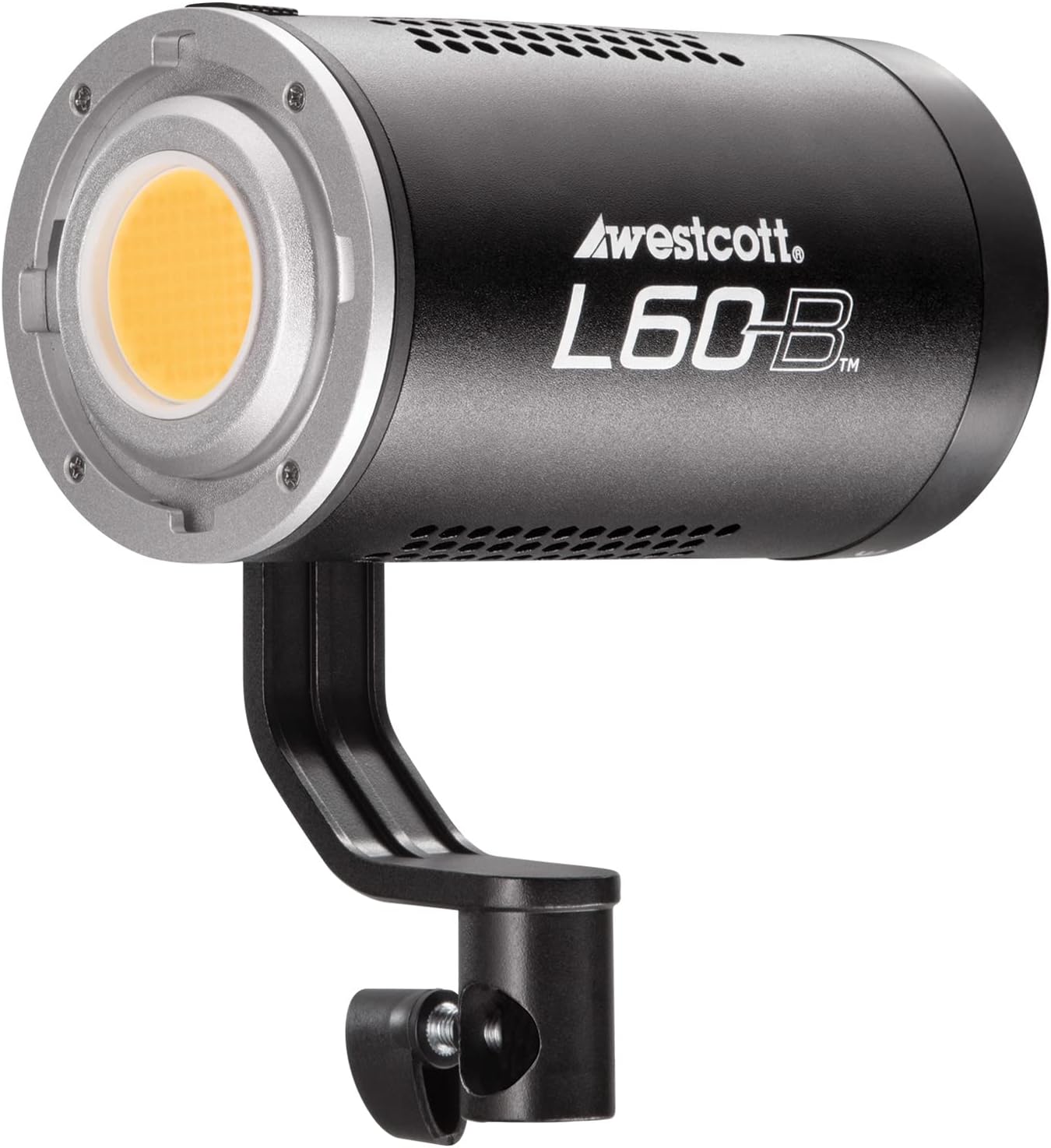
Billede: Et nærbillede view of the L60-B's COB LED and Mini Mount, ready for attaching modifiers.
Image: The L60-B light attached to a battery grip and a softbox, demonstrating its use with a Rapid Box Switch modifier.
Specifikationer
| Feature | Detalje |
|---|---|
| Produktdimensioner | 5.5 x 3.2 x 3.2 tommer |
| Varens vægt | 6.09 pund |
| Mærke | Westcott |
| Batterilevetid (ca.) | 2 Hours (with compatible NP-F batteries, sold separately) |
| Forbindelsesteknologi | Bluetooth |
| Flashtilstande Beskrivelse | Justerbar lysstyrke og farvetemperatur |
| Fabrikant | FJ Westcott |
| Farvetemperatur | 2700K-6500K |
| CRI | 97+ |
| TLCI | 98+ |
| Max Lux at 1m | 15,000 (with 45° Ultra Reflector) |
Opretholdelse
- Rensning: Use a soft, dry cloth to clean the exterior of the L60-B. Do not use abrasive cleaners or solvents.
- Opbevaring: Store the L60-B in its travel case in a cool, dry place when not in use to protect it from dust and damage.
- Firmwareopdateringer: Regularly check for and install firmware updates via the Westcott StudioLink app to ensure optimal performance and access to new features.
Fejlfinding
- Lyset tænder ikke:
- Ensure the AC adapter is securely connected to both the light and a working power outlet.
- If using battery power, ensure batteries are fully charged and properly inserted into the NP-F battery grip or D-Tap source.
- Tryk og hold tænd/sluk-knappen nede i et par sekunder for at sikre korrekt aktivering.
- Problemer med Bluetooth-forbindelse:
- Ensure Bluetooth is enabled on the L60-B (Bluetooth icon blinking on display).
- Make sure the Westcott StudioLink app is updated to the latest version.
- Try restarting both the L60-B and your mobile device.
- Ensure no other devices are actively connected to the L60-B via Bluetooth.
- Light Output Inconsistent:
- Check the power source to ensure stable voltage.
- Verify that the intensity and color temperature settings are as desired on the control panel or app.
- Ensure the COB LED is clean and free from obstructions.
Garanti og support
The Westcott L60-B comes with a 1-Year Warranty. For warranty claims, technical support, or service inquiries, please contact Westcott's customer service. You can find contact information and additional resources on the official Westcott webwebsted.
Westcott Official Webwebsted: www.fjwestcott.com
Westcott is committed to providing friendly US-based customer service to assist you with any questions or issues you may encounter.


