1. Introduktion
This manual provides detailed instructions for the proper use and maintenance of your Obbug Bluetooth Headset, Model YYK-530. Please read this manual thoroughly before using the product to ensure optimal performance and longevity.
2. Pakkens indhold
Bekræft at alle varer er til stede i din pakke:
- 1 x Obbug Bluetooth Headset
- 1 x opladningsetui
- 1 x USB Type-C opladningskabel
- 1 x Ear Hat (replacement ear tip)
- 1 x brugermanual
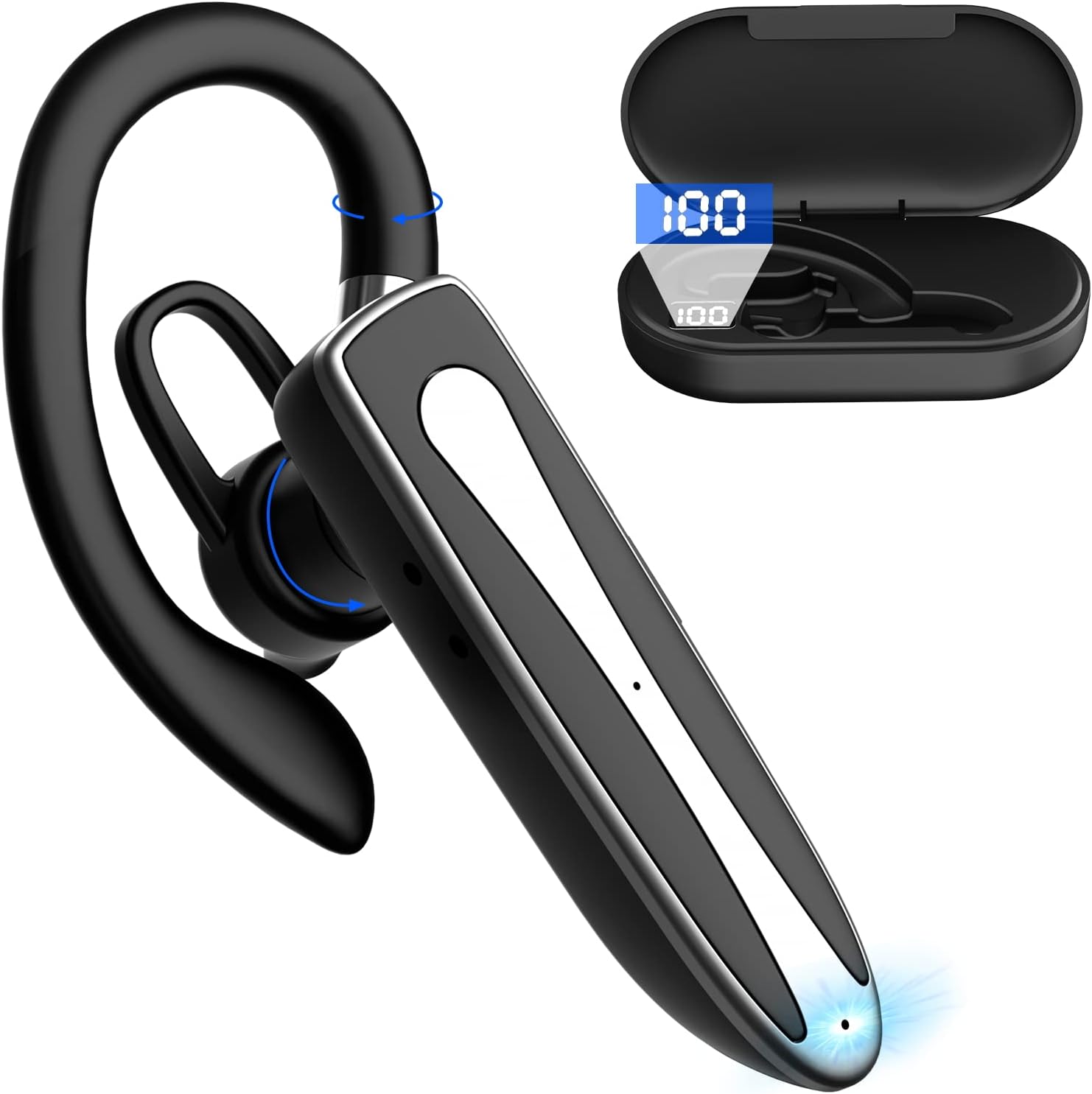
Image 2.1: Obbug Bluetooth Headset YYK-530 and its charging case.
3. Produktfunktioner
- Bluetooth 5.1-teknologi: Provides stable connection and clear audio.
- Forlænget batterilevetid: Up to 80 hours of continuous use with the charging case.
- Komfortabelt og justerbart design: Flexible earhook and rotatable boom mic for left or right ear wear.
- CVC8.0 Noise Reduction: Forbedrer opkaldsklarheden ved at reducere baggrundsstøj.
- Bred kompatibilitet: Connects with most Bluetooth-enabled devices including smartphones, tablets, and computers.
- Håndfri opkald: Integrated microphone for convenient communication.

Image 3.1: Illustration of CVC8.0 Noise Reduction for clear audio.
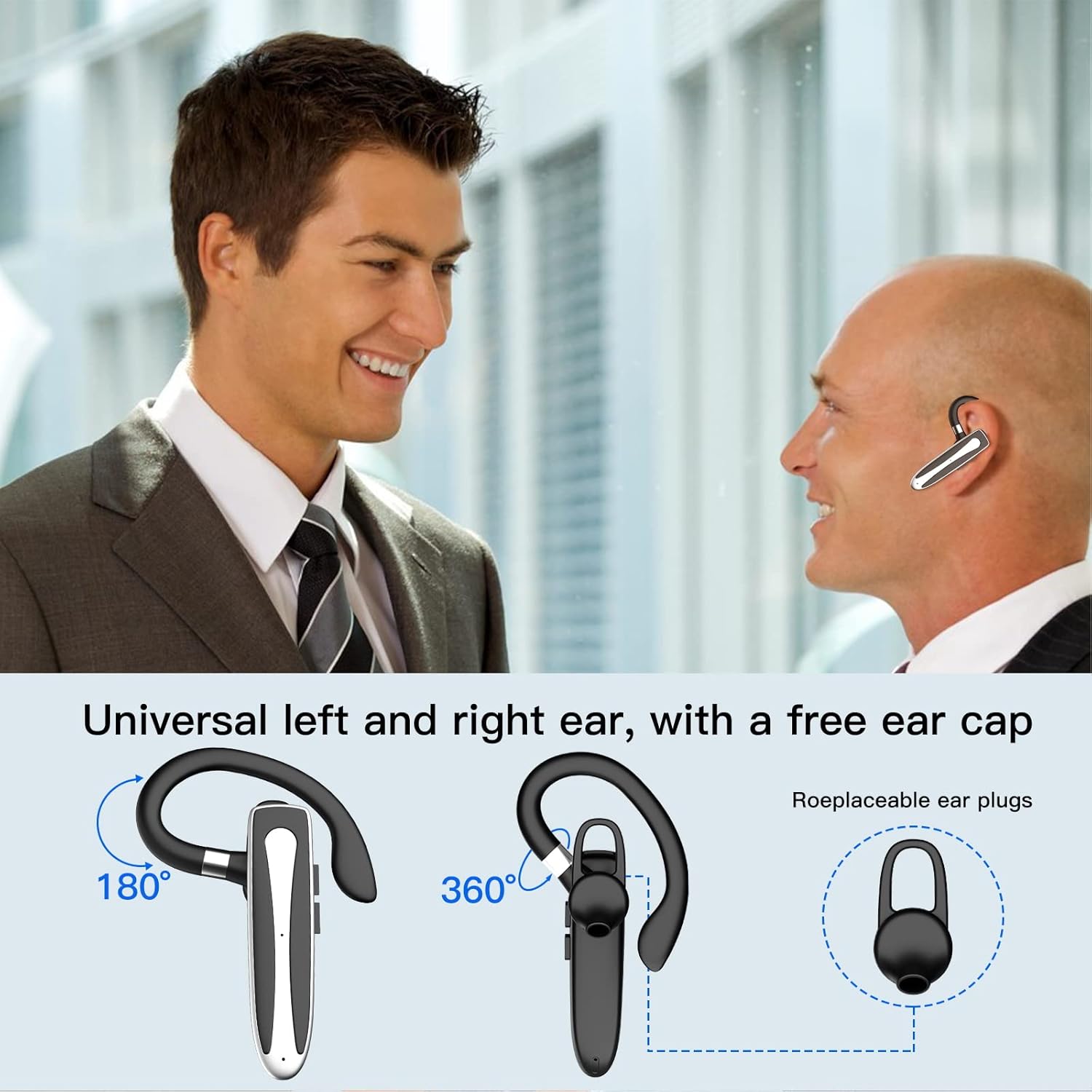
Image 3.2: Diagram illustrating the dual microphone noise reduction processing.
4. Opsætning
4.1 Opladning af headsettet og etuiet
Before first use, fully charge the headset and its charging case.
- Place the headset into the charging case.
- Connect the USB Type-C cable to the charging port on the case and to a power source (e.g., USB wall adapter, computer USB port).
- The charging indicator on the case will show charging status. A full charge typically takes 1.5 hours.

Image 4.1: The Type-C charging port on the charging case.

Image 4.2: Battery life and charging time information for the headset and case.
4.2 Parring med en enhed
The headset uses Bluetooth 5.1 for wireless connection.
- Tænd: Take the headset out of the charging case, or press and hold the Multi-function Button until the indicator light flashes blue and red, indicating pairing mode.
- Aktiver Bluetooth: Gå til Bluetooth-indstillingerne på din enhed (smartphone, tablet osv.), og tænd Bluetooth.
- Vælg enhed: In the list of available devices, select "YYK-530".
- Bekræft forbindelse: Once connected, the headset indicator light will flash blue slowly, and your device will show "Connected".

Image 4.3: Illustration of optimal Bluetooth connection distance (within 10 meters).
4.3 Tilslutning til to enheder samtidigt
The headset supports connecting to two Bluetooth devices at the same time.
- Connect the headset to the first device (e.g., Phone A) as described in Section 4.2.
- Turn off Bluetooth on the first device. The headset will re-enter pairing mode.
- Connect the headset to the second device (e.g., Phone B) as described in Section 4.2.
- Turn on Bluetooth on the first device. The headset should automatically reconnect to both devices.
You can now answer calls or play music from either connected device.

Image 4.4: Step-by-step guide for connecting the headset to two devices.
4.4 Sådan bærer du headsettet
The headset is designed for comfortable wear on either the left or right ear.
- The earhook can rotate 360° vertically and 360° horizontally to fit your preferred angle.
- The retractable earhook can be adjusted to fit the shape of your ear.

Image 4.5: The headset's adjustable design for left or right ear wearing.
5. Betjeningsvejledning
5.1 Tænd/sluk
- Tænd: Take the headset out of the charging case, or press and hold the Multi-function Button for approximately 3 seconds until the indicator light flashes blue.
- Sluk: Place the headset back into the charging case, or press and hold the Multi-function Button for approximately 5 seconds until the indicator light flashes red and then turns off.
5.2 Opkaldshåndtering
- Besvar/afslut opkald: Tryk én gang på multifunktionsknappen.
- Afvis opkald: Tryk og hold multifunktionsknappen nede i cirka 2 sekunder.
- Genopkald sidste nummer: Dobbelttryk på multifunktionsknappen.
5.3 Musikafspilning
- Afspil/pause: Tryk én gang på multifunktionsknappen.
- Næste nummer: Tryk og hold på lydstyrke op-knappen.
- Forrige nummer: Tryk og hold lydstyrke ned-knappen.
5.4 Lydstyrkekontrol
- Forøg lydstyrke: Tryk på knappen Lydstyrke op.
- Skru ned for lydstyrken: Tryk på knappen Lydstyrke ned.
5.5 Aktivering af stemmeassistent
Activate your device's voice assistant (Siri, Google Assistant) directly from the headset.
- Aktiver stemmeassistent: Tryk tre gange på multifunktionsknappen.

Image 5.1: The headset supports activation of Siri and Google Assistant.
6. Vedligeholdelse
- Clean the headset and charging case regularly with a soft, dry cloth.
- Undgå at udsætte enheden for ekstreme temperaturer, fugtighed eller ætsende stoffer.
- Opbevar headsettet i opladningsetuiet, når det ikke er i brug, for at beskytte det og holde det opladet.
- Forsøg ikke selv at adskille eller reparere enheden. Kontakt kundeservice for at få hjælp.
7. Fejlfinding
7.1 Headsettet tænder ikke
- Sørg for, at headsettet er fuldt opladet. Placer det i opladningsetuiet, og tilslut etuiet til en strømkilde.
- Press and hold the Multi-function Button for 3-5 seconds to power on.
7.2 Kan ikke parres med enhed
- Ensure the headset is in pairing mode (indicator flashes blue and red).
- Sluk Bluetooth på din enhed, og tænd den igen.
- Ensure the headset is within 10 meters of your device and there are no significant obstacles.
- Ryd Bluetooth-parringslisten på din enhed, og prøv at parre igen.
7.3 Ingen lyd eller dårlig lydkvalitet
- Juster lydstyrken på både headsettet og din tilsluttede enhed.
- Sørg for, at headsettet er korrekt tilsluttet din enhed.
- Gå tættere på din enhed for at sikre dig, at du er inden for Bluetooth-rækkevidde.
- Kontroller for interferens fra andre trådløse enheder.
8. Specifikationer
| Feature | Specifikation |
|---|---|
| Modelnavn | YYK-530 |
| Mærke | Tøj |
| Forbindelsesteknologi | Trådløs (Bluetooth) |
| Bluetooth version | 5.1 |
| Bluetooth rækkevidde | Op til 10 meter (33 fod) |
| Støjkontrol | Sound Isolation (CVC8.0 Noise Reduction) |
| Ørestykke form | Ørekroge |
| Batterilevetid (headset) | 5 timer (ca.) |
| Batterilevetid (med opladningsetui) | Op til 80 timer (ca.) |
| Opladningstid | 1.5 timer |
| Opladningsport | USB Type-C |
| Vandmodstandsniveau | Vandtæt |
| Varens vægt | 4.9 ounce (0.14 kilo) |
| Frekvensområde | 20Hz - 20,000Hz |
| Kompatible enheder | Cellphones, Desktops, Laptops, Telephones |

Image 8.1: The headset is compatible with a wide range of Bluetooth-enabled devices.
9. Garanti og kundesupport
The Obbug Bluetooth Headset comes with a 1-month replacement warranty.
For any questions, issues, or support needs, please contact our customer service. We offer 24-hour customer service to assist you.
Se venligst din købsdokumentation for specifikke kontaktoplysninger.


