Indledning
Thank you for choosing the Aigo Q38 USB Wired Gaming Mouse. This manual provides detailed instructions for setting up, operating, maintaining, and troubleshooting your new gaming mouse. Please read this manual carefully before use to ensure optimal performance and longevity of your device.
Opsætning
The Aigo Q38 gaming mouse is designed for easy plug-and-play installation. Follow these steps to get started:
- Tilslut musen: Locate an available USB port on your computer. Insert the USB connector of the Aigo Q38 mouse firmly into the USB port.
- Driver installation: For most operating systems (including Windows XP and Linux), the mouse will be automatically detected, and the necessary drivers will be installed without user intervention. Wait a few moments for your system to recognize the device.
- Test funktionalitet: Once installed, move the mouse and click the buttons to ensure it is functioning correctly.

Billede: Øverst-foran view of the Aigo Q38 USB Wired Gaming Mouse, showing its ergonomic design and the attached USB cable. This view highlights the primary left and right click buttons, the scroll wheel, and two side buttons.
Betjeningsvejledning
The Aigo Q38 mouse features 7 buttons and an optical sensor for precise control. Its ambidextrous and ergonomic design ensures comfortable use for extended periods.
- Venstreklikknap: Primary action button, typically used for selecting items, opening files, og bekræfter handlinger.
- Højreklik-knap: Secondary action button, typically used for opening context menus or accessing additional options.
- Scrollhjul: Bruges til at scrolle gennem dokumenter og web pages. It also functions as a clickable middle button for various actions depending on the application.
- Sideknapper: The mouse includes additional buttons, typically located on the side, which can be programmed for various functions in games or applications. Refer to your game or software settings for customization options.
- DPI-justering: The Aigo Q38 mouse features adjustable DPI (Dots Per Inch) settings, allowing you to change the cursor sensitivity on the fly. The available DPI settings are 800, 1200, 1600, and 2400. A dedicated DPI button (often located near the scroll wheel or on the underside) allows you to cycle through these settings.
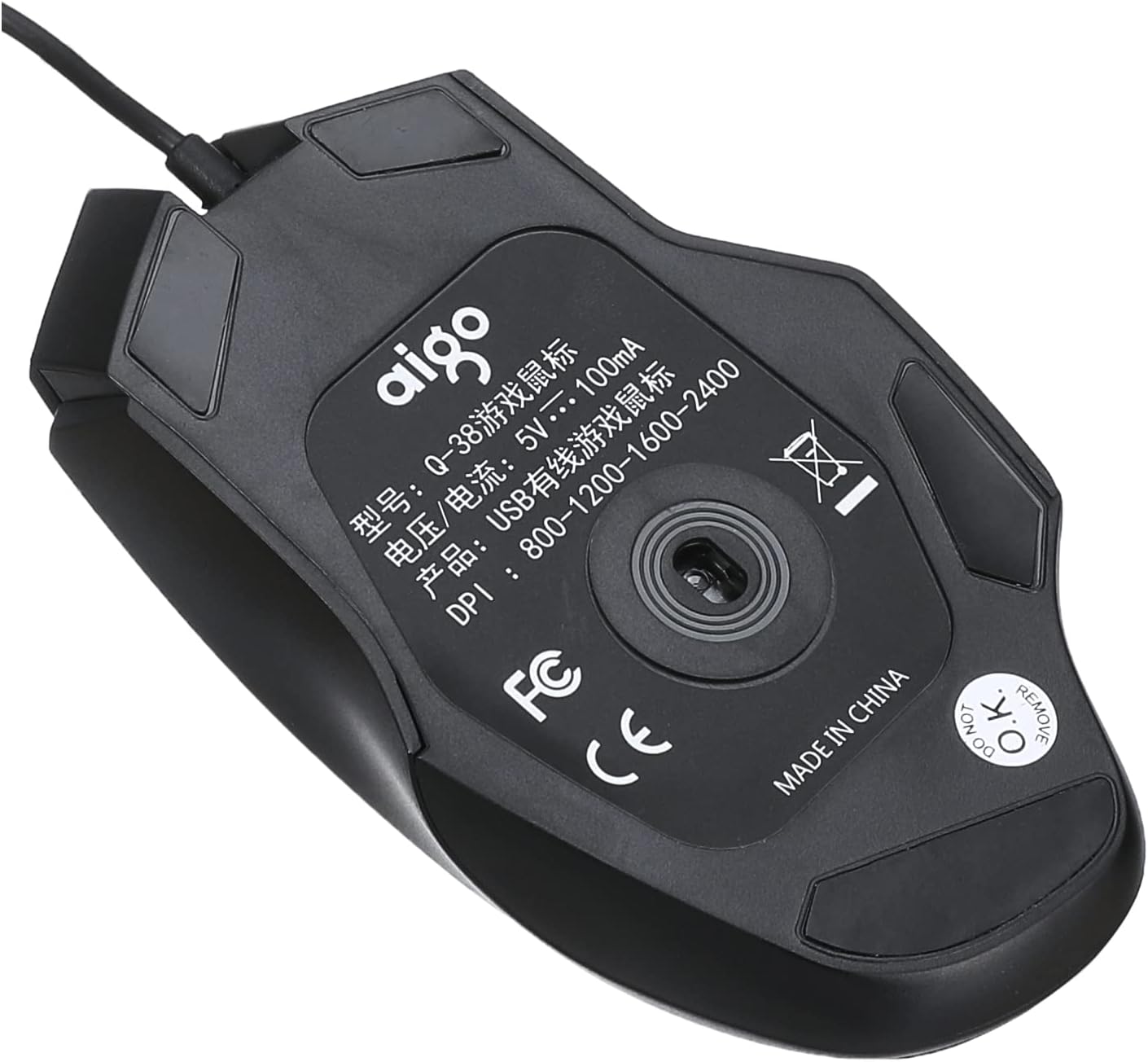
Billede: Bund view of the Aigo Q38 USB Wired Gaming Mouse, showing the optical sensor, product model (Q-38), power specifications (5V --- 100mA), and DPI settings (800-1200-1600-2400).
Opretholdelse
Proper maintenance ensures the longevity and performance of your Aigo Q38 gaming mouse.
- Rensning: Brug en blød, tør klud til at tørre musens overflade af. Ved genstridigt snavs, tør let afampRengør kluden med vand eller en mild rengøringsopløsning. Undgå at bruge skrappe kemikalier eller slibende materialer.
- Sensorrensning: Der kan lejlighedsvis samle sig støv eller snavs omkring den optiske sensor i bunden af musen. Brug en vatpind eller trykluft til forsigtigt at rengøre sensorområdet.
- Opbevaring: Når musen ikke er i brug i længere perioder, skal den opbevares et rent, tørt sted væk fra direkte sollys og ekstreme temperaturer.
Fejlfinding
If you encounter issues with your Aigo Q38 gaming mouse, try the following troubleshooting steps:
- Musen reagerer ikke:
- Sørg for, at USB-kablet er korrekt tilsluttet computerens USB-port.
- Prøv at tilslutte musen til en anden USB-port.
- Genstart din computer.
- Test the mouse on another computer to determine if the issue is with the mouse or your computer.
- Uregelmæssig markørbevægelse:
- Clean the optical sensor on the bottom of the mouse for any dust or debris.
- Ensure you are using the mouse on a suitable surface. Highly reflective or transparent surfaces may interfere with optical tracking. A mouse pad is recommended.
- Knapper virker ikke:
- Check for any physical obstructions preventing the buttons from clicking properly.
- Ensure no software conflicts are present. Try testing the mouse in a different application or after restarting your computer.
Specifikationer
Below are the technical specifications for the Aigo Q38 USB Wired Gaming Mouse:
| Model | Q38 |
| Mærke | Aigo |
| Forbindelsesteknologi | USB kablet |
| Bevægelsesdetektion | Optisk |
| Knap Antal | 7 |
| DPI-indstillinger | 800 / 1200 / 1600 / 2400 |
| Operation Voltage/Strøm | 5V --- 100mA |
| Håndorientering | Ambidekstrøs |
| Særlige funktioner | Ergonomisk design |
| Anbefalede anvendelser | Spil |
| Kompatible enheder | Bærbar, personlig computer |
| Operativsystem | Linux, Windows XP |

Billede: Side view of the Aigo Q38 USB Wired Gaming Mouse, illustrating its approximate length of 5.1 inches (12 cm).
Garanti og support
For warranty information and customer support, please refer to the documentation provided with your purchase or contact the retailer where you purchased the Aigo Q38 USB Wired Gaming Mouse. You may also visit the official Aigo webwebstedet for yderligere assistance og produktinformation.


