1. Produktet er slutview
The Vekooto T9 4K RV Camera System is a comprehensive safety solution designed for large vehicles such as RVs, trucks, semi-trailers, campers, and buses. It features a 10.36-inch touch screen monitor and four AHD waterproof cameras (two rear view, two side view) to provide a 360-degree view around your vehicle. The system includes built-in DVR functionality for video and audio recording, Bluetooth connectivity for calls and music, and adjustable parking assist lines to enhance driving and parking safety. This is a wired connection system, ensuring stable signal transmission.

Image: The Vekooto T9 system, showcasing the 10.36-inch touch screen monitor and four included cameras.
2. Pakkens indhold
Kontroller venligst, at alle varer er til stede i pakken:
- 1 x 4K 10.36 Inch LED Touch Screen Monitor
- 2 x 1080p Front View/Bag View Kamera
- 2 x 1080p Side View Kamera
- 1 x 50ft Camera Cable
- 3 x 16ft Camera Cable
- 1 x strømkabel
- 1 Set of Other Accessories (mounting brackets, screws, etc.)
3. Nøglefunktioner
- 4K 10.36-inch Touch Screen Display: Giver en klar og omfattende view of the surroundings with intuitive touch controls. Supports 10 split modes, allowing individual or simultaneous display of all camera feeds.
- Built-in DVR with Video and Audio Recording: Features a microphone and speakers for comprehensive information capture. Supports loop recording and up to a 256GB TF card. DVR recording continues even when the monitor is off.
- multi-view & Wide Angle Cameras: Four cameras (two rear, two side) with a 140° wide-angle view effectively cover blind spots. Supports single, double, or quad split views for simultaneous monitoring.
- Bluetooth & MP5 Functionality: Connects to a cell phone via Bluetooth for answering calls and playing music. Supports playing music and videos from a USB flash drive (MP5) and FM radio.
- Adjustable Parking Assist Lines: Customizable parking lines (horizontal and vertical adjustment) can be enabled or disabled to aid in accurate parking and collision avoidance.
- Durable & Weatherproof Cameras: IP69 rated cameras with high-strength metal shells and waterproof sleeves for cable interfaces. Operates in temperatures from -59°F to 176°F, suitable for various weather conditions. Features 20+15 infrared lights for superior night vision.
- Broadband Voltage Kompatibilitet: Adaptive power input (12-24V) with intelligent protection, making it applicable to a wide range of vehicles.

Image: The large 10.36-inch 4K monitor, highlighting its display capabilities and features like MP5 recording, Bluetooth, DVR, and adjustable parking lines.
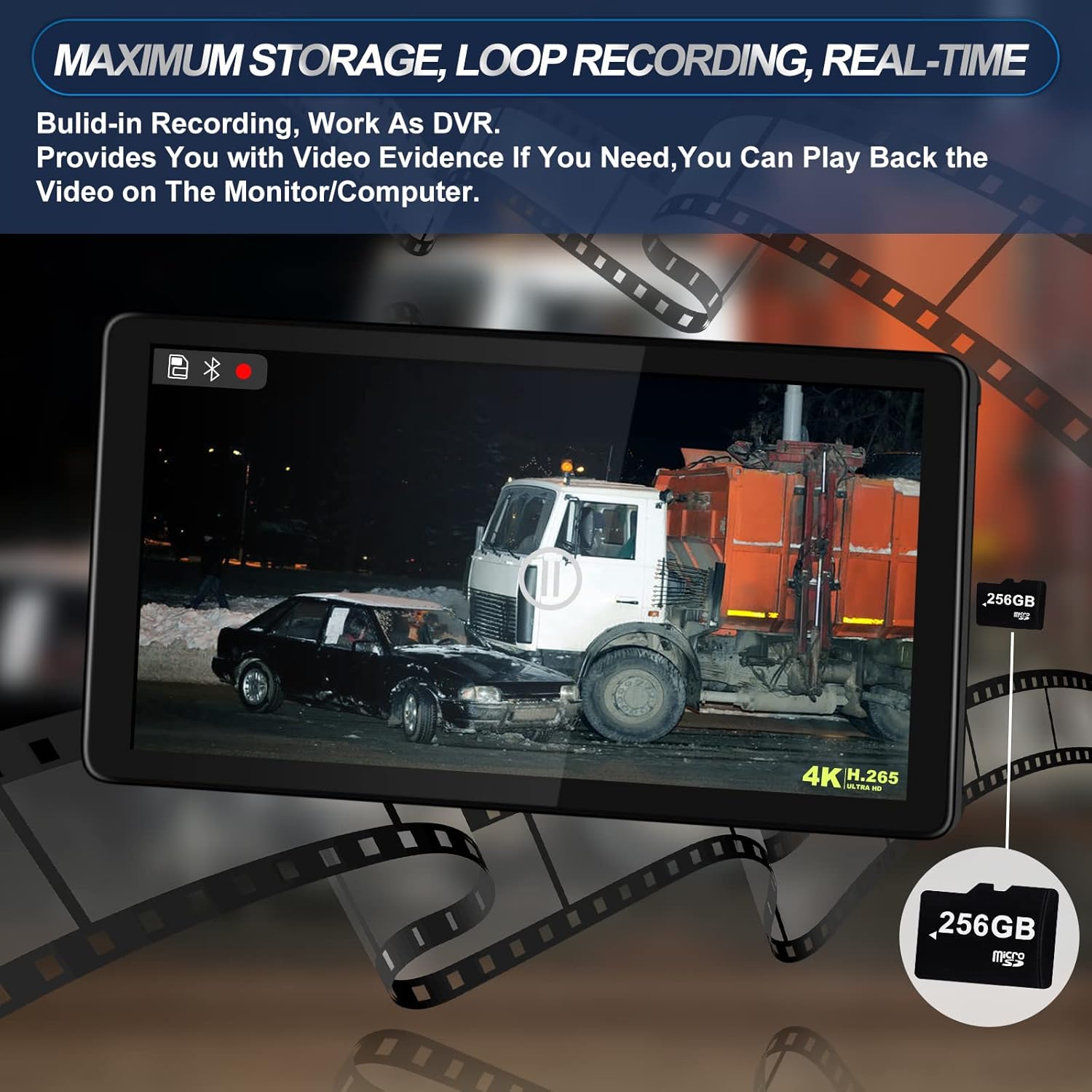
Image: The monitor displaying a recorded video, emphasizing the DVR's loop recording and 256GB storage capacity.

Image: The monitor demonstrating various display modes: quad screen, split screen, and single screen view.

Image: The monitor interface showing an incoming Bluetooth call and music playback from a USB drive.

Image: The monitor showing the parking assist lines with options for horizontal and vertical adjustment.

Image: The cameras are depicted functioning reliably in diverse environmental conditions, including rain, snow, and low light.

Image: A diagram illustrating the system's 12-24V broadband voltage compatibility and its application across various vehicle types like trucks, RVs, and buses.
4. Installationsvejledning
The Vekooto T9 system utilizes a wired connection for stable signal transmission. Proper installation is crucial for optimal performance.
4.1 Generelle installationstrin
- Monter skærmen: Secure the 10.36-inch touch screen monitor on your dashboard or ceiling using the multi-angle adjustable bracket. Ensure it is in a position that does not obstruct your view af vejen.
- Monter kameraerne: Install the two rear view cameras and two side view cameras in desired locations. Ensure they have a clear line of sight and are securely fastened. The IP69 waterproof rating ensures durability in outdoor conditions.
- Connect Cameras to Monitor: Use the provided extension cables (one 50ft, three 16ft) to connect each camera to the monitor. The 4-pin aviation screw-lock waterproof connectors ensure a secure and weather-resistant connection.
- Strømtilslutning: Connect the monitor's power cord to a suitable 12-24V power source in your vehicle.
- Optional Trigger Wires: For enhanced safety, connect the trigger wires from the cameras to your vehicle's respective lights (e.g., reverse light, turn signals). This allows the monitor to automatically switch to a specific camera view when the corresponding action is engaged. This feature can be bypassed if not desired.
- Test systemet: After all connections are made, power on the system and test each camera view, DVR recording, and other functions to ensure proper operation.

Image: A visual representation of the wired connections between the monitor and the four cameras, illustrating the system's setup.

Image: An illustration detailing the recommended cable routing for the camera system within a vehicle.
5. Betjeningsvejledning
5.1 Monitorfunktioner
The 10.36-inch touch screen monitor provides intuitive control over the system. The main interface displays various icons for different functions.
- Tænd/sluk: Tryk på tænd/sluk-knappen for at tænde eller slukke for skærmen.
- Navigation med berøringsskærm: Tap icons to access features like DVR, Bluetooth, MP5, and settings.
- Split Screen Modes: Tap the split screen button on the monitor to cycle through 10 different display modes, including single, double, and quad views. Double-click on a specific camera view to enlarge it to full screen.
5.2 DVR-optagelse
The system features a built-in DVR for continuous recording.
- Indsæt TF-kort: Insert a Micro SD card (up to 256GB, not included) into the designated slot on the monitor.
- Automatisk optagelse: The system will automatically begin loop recording when powered on. Recording continues even if the monitor display is turned off.
- Afspilning: Access the 'Playback' function on the monitor to review optaget footage. Videos can also be played back on a computer by removing the TF card.
5.3 Bluetooth and MP5 Features
- Bluetooth-forbindelse: Enable Bluetooth on your mobile phone and pair it with the Vekooto T9 monitor. You can then answer calls directly through the monitor and stream audio.
- MP5-afspilning: Insert a USB flash drive containing music or video files into the monitor's USB port. Select the 'Music' or 'Video' icon to play media.
- FM-radio: The monitor supports FM radio functionality. Select the 'FM' icon to access radio stations.
5.4 Parking Assist Lines
The parking assist lines can be customized to suit your vehicle and preferences.
- Aktiver/deaktiver: Access the settings menu to turn parking assist lines on or off.
- Justering: Adjust the horizontal and vertical position of the parking lines to accurately reflect your vehicle's dimensions and parking trajectory.
6. Pleje og vedligeholdelse
To ensure the longevity and optimal performance of your Vekooto T9 camera system, follow these maintenance guidelines:
- Rengøring af skærmen: Brug en blød, tør klud til at rengøre skærmen. Tør let ved genstridige pletter.ampRengør kluden med vand eller et skærmsikkert rengøringsmiddel. Undgå skrappe kemikalier.
- Cleaning the Cameras: The cameras are IP69 waterproof, allowing for easy cleaning with water. Regularly wipe away dirt, mud, snow, or ice from the camera lenses to maintain clear visibility.
- Kabelinspektion: Periodically inspect all cables and connections for any signs of wear, damage, or loose connections. Ensure waterproof sleeves are properly seated.
- Softwareopdateringer: Check the official VEKOOTO webwebstedet for tilgængelige firmware- eller softwareopdateringer til dit system.
- Opbevaring: If storing the vehicle for an extended period, ensure the system is powered off.

Billede: Et nærbillede view of a camera demonstrating its waterproof capabilities, suitable for cleaning with water.
7. Fejlfinding
Se tabellen nedenfor for almindelige problemer og løsninger på disse:
| Problem | Mulig årsag | Løsning |
|---|---|---|
| Skærmen tænder ikke. | No power supply; loose power connection; faulty power cord. | Check power cord connection to vehicle and monitor. Ensure vehicle's ignition is on if connected to an accessory power source. Test power cord if possible. |
| No image from cameras. | Loose camera cable connection; faulty camera; incorrect input selected on monitor. | Verify all camera cables are securely connected to the monitor. Ensure the correct camera channel is selected on the monitor. Check for physical damage to cameras or cables. |
| Billedet er sløret eller forvrænget. | Dirty camera lens; damaged cable; interference. | Clean camera lenses. Inspect cables for damage. Ensure cables are not routed near strong electrical interference sources. |
| DVR not recording. | No TF card inserted; TF card full; TF card error; recording function disabled. | Insert a compatible TF card (up to 256GB). Format the TF card through the monitor's settings. Check if loop recording is enabled in settings. |
| Problemer med Bluetooth-forbindelse. | Bluetooth not enabled; pairing failed; device out of range. | Ensure Bluetooth is enabled on both the monitor and your mobile device. Re-attempt pairing. Keep devices within close proximity. |
| Parking lines not visible or incorrect. | Parking lines disabled; incorrect calibration. | Access monitor settings to enable parking lines. Adjust horizontal and vertical settings for proper calibration. |
8. Tekniske specifikationer
| Feature | Specifikation |
|---|---|
| Modelnummer | T9 |
| Skærmstørrelse | 10.36 tommer |
| Displayfunktioner | 4K, Touch Screen, Multi-view (Single/Double/Quad Split) |
| Kameraopløsning | 1080p AHD |
| Kameramængde | 4 (2 Rear View, 2 Side View) |
| Kamera vandtæt vurdering | IP69 |
| Driftstemperatur | -59°F til 176°F (-50°C til 80°C) |
| Nattesyn | 20+15 Infrared Lights |
| Virkelig vinkel på View | 140 Degrees (Wide Angle Lens) |
| DVR Functionality | Built-in, Loop Recording, Audio Recording |
| Support til opbevaring | Up to 256GB Micro SD Card (not included) |
| Forbindelse | Wired (4-Pin Aviation Screw-Lock Connectors), Bluetooth, MP5 (USB), FM Radio |
| Strømindgang | 12-24V bredbåndsvolumentage |
| Kompatible enheder | RV, Truck, Semi-Trailer, Bus, Campeh osv. |
| Produktdimensioner | 10.7 cm L x 3.54 cm B x 6.1 cm H (skærm) |
| Varens vægt | 8.73 pounds (Total System) |
9. Garanti og support
VEKOOTO products are designed for reliability and performance. For specific warranty details, including coverage period and terms, please refer to the warranty card included with your product or visit the official VEKOOTO website. If you encounter any issues or require technical assistance, please contact VEKOOTO customer support through the contact information provided in your product packaging or on the official webwebsted.


