1. Introduktion
Thank you for choosing the Oakcastle CD100 Portable Bluetooth CD Player. This manual provides essential information for setting up, operating, and maintaining your device. Please read it thoroughly before use and keep it for future reference.
Sikkerhedsoplysninger
- Udsæt ikke enheden for regn, fugt eller ekstreme temperaturer.
- Undgå at tabe eller udsætte enheden for kraftige stød.
- Skil ikke enheden ad. Overlad al service til kvalificeret personale.
- Hold enheden væk fra stærke magnetiske felter.
- Brug kun det angivne opladningskabel.
2. Hvad er der i æsken
Carefully unpack your Oakcastle CD100 and ensure all items are present:
- 1x Oakcastle CD100 Portable CD Player
- 1x Wired Headphones
- 1x Micro USB-opladningskabel
- 1x 3.5mm to 3.5mm AUX Cable
- 1x Brugermanual (dette dokument)
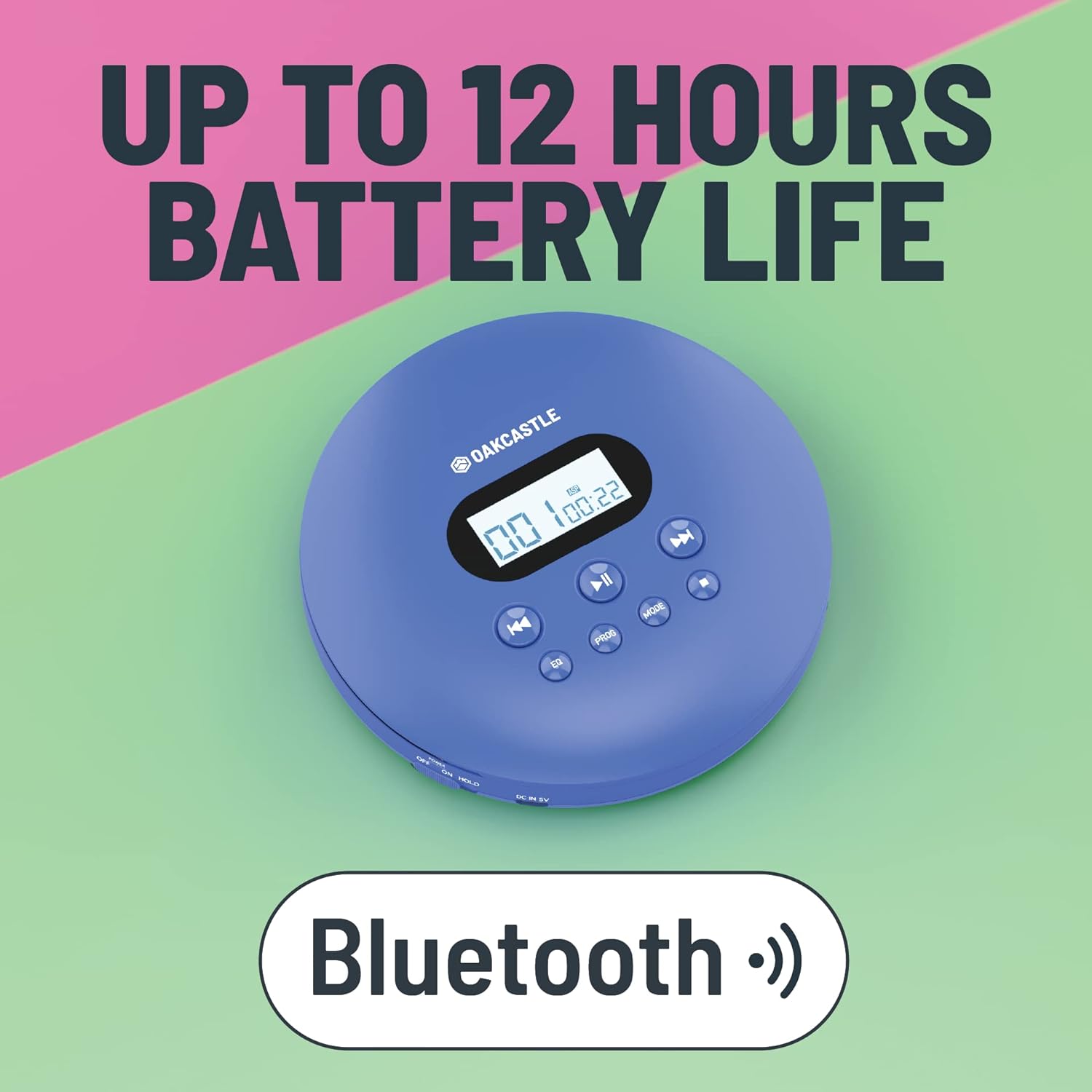
3. Produktet er slutview
Familiarize yourself with the controls and ports of your Oakcastle CD100:

Kontrol og porte:
- Skærm: Shows track number, time, and mode.
- Afspil/Pause (►►): Starter eller sætter CD-afspilning på pause.
- Stop (■): Stopper CD-afspilning.
- Previous/Rewind (◀◀): Springer til det forrige nummer eller spoler tilbage i det aktuelle nummer.
- Next/Fast Forward (►►): Springer til næste nummer eller spoler hurtigt frem i det aktuelle nummer.
- EQ: Cycles through equalizer presets (e.g., Bass, Pop, Jazz, Rock, Classic).
- PROG: Enters program mode to create a custom playlist.
- KØRSELSVEJLEDNING: Cycles through playback modes (e.g., Repeat One, Repeat All, Random).
- DC IN 5V (Charge Port): Micro USB input for charging.
- Hovedtelefonstik (3.5 mm): Til tilslutning af kablede hovedtelefoner.
- AUX Out (3.5mm): For connecting to external speakers or car audio systems.
- OPEN Slider: Skubber for at åbne cd-rummet.
- HOLD-knap: Låser knapper for at forhindre utilsigtede tryk.
4. Opsætning
4.1 Opladning af enheden
The Oakcastle CD100 has a built-in rechargeable battery. Before first use, fully charge the device.
- Connect the Micro USB charging cable to the 'DC IN 5V' port on the CD player.
- Tilslut den anden ende af USB-kablet til en USB-strømadapter (medfølger ikke) eller en computers USB-port.
- Opladningsindikatorlampen lyser. Den slukker eller skifter farve, når den er fuldt opladet.
En fuld opladning giver op til 12 timers spilletid.

4.2 Indledende tænding
After charging, slide the 'HOLD' switch to the 'OFF' position (if it's on 'HOLD'). Press and hold the Play/Pause button to power on the device.
5. Betjeningsvejledning
5.1 Afspilning af en CD
- Slide the 'OPEN' switch to open the CD compartment lid.
- Carefully place a CD onto the spindle, label side up, and gently press down until it clicks into place.
- Luk låget til cd-rummet godt.
- Press the Play/Pause (►►) button to start playback. The display will show the track number and elapsed time.
- Use the Previous/Rewind (◀◀) and Next/Fast Forward (►►) buttons to navigate tracks. Press and hold to fast forward or rewind.
- Tryk på Stop-knappen (■) for at stoppe afspilningen.
The CD100 features anti-skip technology to ensure smooth playback even during movement.
5.2 Bluetooth-forbindelse
The CD100 can connect wirelessly to Bluetooth headphones or speakers.
- Sørg for, at cd-afspilleren er tændt.
- Activate Bluetooth pairing mode on your external Bluetooth device (headphones/speaker).
- The CD100 will automatically enter Bluetooth pairing mode when a CD is playing and no wired headphones are connected. The Bluetooth icon on the display will flash.
- Når der er oprettet forbindelse, lyser Bluetooth-ikonet konstant.
5.3 AUX-forbindelse
Connect your CD100 to external audio systems like car stereos or home speakers using the included 3.5mm AUX cable.
- Connect one end of the 3.5mm AUX cable to the 'AUX Out' port on the CD player.
- Connect the other end to the 'AUX In' port on your external audio system.
- Ensure your external audio system is set to the AUX input.

5.4 EQ-indstillinger
Press the 'EQ' button repeatedly to cycle through different equalizer presets (e.g., Bass, Pop, Jazz, Rock, Classic, Off) to customize your audio experience.
5.5 Program Playback
To create a custom playback order:
- While the CD is stopped, press the 'PROG' button.
- Use the Previous/Next buttons to select the desired track number.
- Press 'PROG' again to add the track to the program list.
- Repeat steps 2-3 for up to 20 tracks.
- Press Play/Pause to start programmed playback.
5.6 Mode -knap
Press the 'MODE' button to cycle through playback modes such as Repeat One (repeats current track), Repeat All (repeats all tracks on the CD), and Random (plays tracks in a random order).
6. Vedligeholdelse
6.1 Rengøring af enheden
- Tør afspillerens yderside af med en blød, tør klud.
- For the optical lens, use a specialized CD lens cleaning kit. Do not touch the lens directly.
- Brug ikke slibende rengøringsmidler eller opløsningsmidler.
6.2 Pleje af batterier
- For at forlænge batteriets levetid bør du undgå at aflade batteriet helt ofte.
- Oplad enheden regelmæssigt, selvom den ikke er i brug i længere perioder.
- Opbevar enheden på et køligt, tørt sted.
7. Fejlfinding
If you encounter issues with your Oakcastle CD100, refer to the following common problems and solutions:
| Problem | Mulig årsag | Løsning |
|---|---|---|
| Enheden tænder ikke. | Low battery; HOLD switch is on. | Charge the device; Slide HOLD switch to OFF. |
| CD'en afspiller ikke. | CD inserted incorrectly; CD is dirty/scratched; Lid not closed properly. | Reinsert CD correctly; Clean or try another CD; Ensure lid is fully closed. |
| Ingen lyd fra hovedtelefoner/højttalere. | Headphones/AUX cable not fully plugged in; Volume too low; Incorrect input selected on external device. | Check connections; Increase volume; Select correct AUX input on external device. |
| Bluetooth opretter ikke forbindelse. | External device not in pairing mode; Too far from device. | Ensure external device is in pairing mode; Move closer to the CD player. |
8. Specifikationer
- Mærke: Oakcastle
- Model: CD100
- Farve: Blå
- Forbindelse teknologi: Hjælpefunktion, Bluetooth
- Særlige funktioner: Portable, Rechargeable, Anti-skip
- Kompatible enheder: Speakers, Headphones, Car Audio Systems
- Genopladeligt batteri: Ja
- Understøttet lydformat: WMA (and standard CD audio)
- Antal diske: 1
- Antal kanaler: 2
- Produktdimensioner: 14.2L x 14.2W x 3H centimeter
- Connector Type: 3.5 mm jack
9. Garanti og support
Your Oakcastle CD100 comes with a standard manufacturer's warranty. Please refer to the warranty card included in your packaging for specific terms and conditions.
For technical support, troubleshooting, or warranty claims, please contact Oakcastle customer service through their official webwebstedet eller den forhandler, hvor du købte produktet.
Gem venligst din købsbevis af garantihensyn.


