Indledning
This manual provides detailed instructions for the setup, operation, and maintenance of your Timex UFC Men's Impact 50mm Watch. Please read these instructions carefully to ensure proper use and longevity of your timepiece.

Billede 1: Front view of the Timex UFC Men's Impact 50mm Watch. This image displays the watch's face, featuring both analog hands and a digital display, set within a robust red and black casing with a matching strap.
Urkomponenter
Familiarize yourself with the various buttons and their functions:
- RESET Button (Top Left): Used to reset functions such as the stopwatch or to navigate settings.
- MODE-knap (nederst til venstre): Cycles through different watch modes (e.g., Time, Alarm, Stopwatch).
- ST/STP Button (Top Right): Starts and stops the stopwatch function, or adjusts settings.
- INDIGLO Button (Bottom Right): Aktiverer Indiglo-natlyset til belysning af displayet.
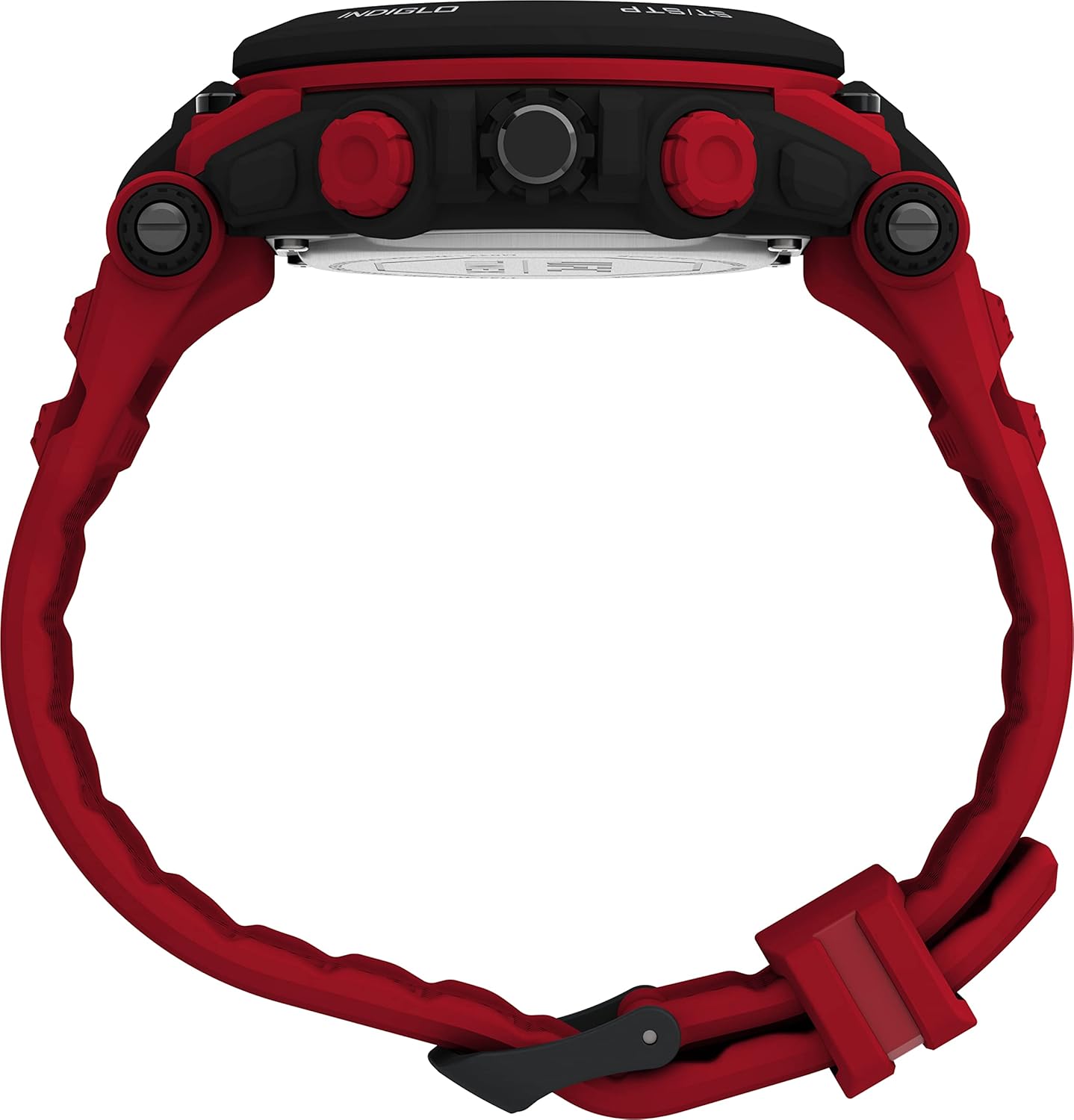
Billede 2: Side view of the watch, showing the four control buttons. The top left button is labeled 'RESET', the bottom left 'MODE', the top right 'ST/STP', and the bottom right 'INDIGLO'.
Indledende opsætning
Indstilling af tid og dato
- Tryk på MODE knappen gentagne gange, indtil tidsindstillingstilstanden vises (ofte angivet med blinkende cifre).
- Brug ST / STP knappen til at justere det blinkende ciffer (timer, minutter, sekunder).
- Tryk på NULSTIL button to move to the next setting (e.g., from hours to minutes, then to date, month, year).
- Når alle indstillinger er korrekte, skal du trykke på MODE knappen for at forlade indstillingstilstanden.
- For analog time, pull out the crown (center button on the right side) and turn it to set the hands. Push the crown back in to start the analog movement.
Batterioplysninger
Your watch comes with one Lithium Metal battery pre-installed. When the display dims or functions become erratic, it may be time for a battery replacement. It is recommended to have battery replacement performed by a qualified watch technician to ensure water resistance is maintained.
Driftstilstande
Tidstilstand
This is the default mode, displaying the current time and date. The analog hands show the primary time, while the digital display can show time, date, or other information depending on your settings.
Stopurstilstand
- Tryk på MODE button until the stopwatch display appears.
- Tryk på ST / STP knappen for at starte stopuret.
- Trykke ST / STP igen for at sætte stopuret på pause.
- Tryk på NULSTIL knappen for at nulstille stopuret.
Alarmtilstand
- Tryk på MODE knappen, indtil alarmindstillingsdisplayet vises.
- Brug ST / STP og NULSTIL knapperne for at indstille det ønskede alarmtidspunkt.
- Tryk på MODE button to activate or deactivate the alarm. An alarm icon will typically appear when activated.
Indiglo Natlampe
Tryk på INDIGLO button (bottom right) to illuminate the watch face for a few seconds, allowing visibility in low-light conditions.
Vedligeholdelse og pleje
Vandmodstand
Dette ur er vandtæt ned til 50 meter (164 fod). Det betyder, at det kan modstå stænk eller kortvarig nedsænkning i vand. Det er ikke suitable for swimming, diving, or bathing. Avoid pressing buttons while the watch is wet or submerged to prevent water ingress.
Rensning
Rengør dit ur regelmæssigt med en blød kludamp cloth. For the strap, a mild soap solution can be used, followed by rinsing with clean water and thorough drying. Avoid harsh chemicals or abrasive materials.
Udskiftning af batteri
When the battery needs replacement, it is recommended to take your watch to an authorized Timex service center or a professional watch repair shop. This ensures the correct battery type is used and the watch's water resistance seal is properly re-secured.

Billede 3: Bag view of the watch, displaying the red strap and the stainless steel case back. The Timex logo is visible on the strap keeper.
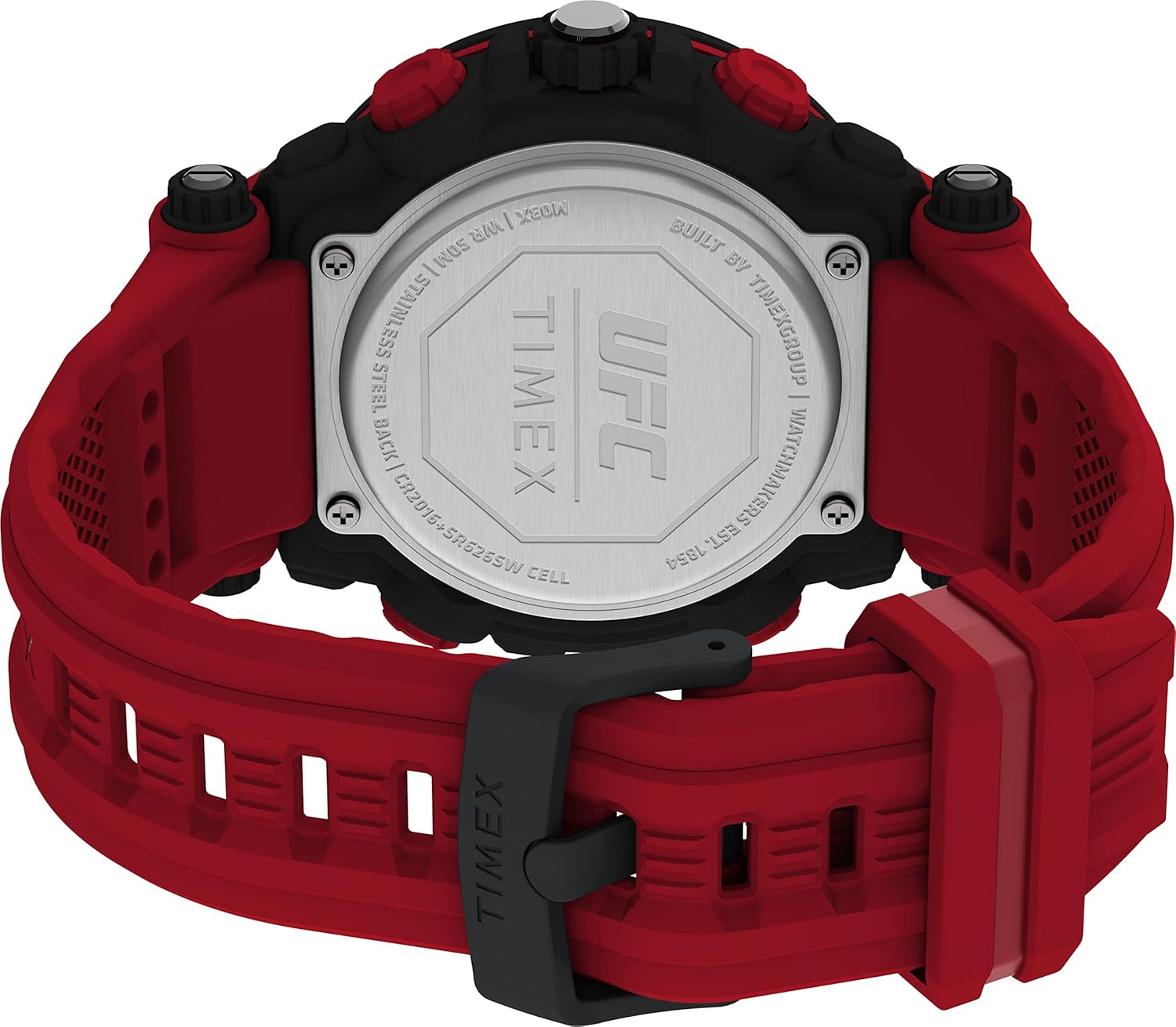
Billede 4: Close-up of the watch's stainless steel case back. Engraved details include the UFC and Timex logos, water resistance rating (WR 50M), 'STAINLESS STEEL BACK', and battery specifications ('CR2016+SR626SW CELL').
Fejlfinding
- Digital Display is Dim or Blank: The battery may be low or depleted. Refer to the 'Battery Replacement' section.
- Analoge visere bevæger sig ikke: Ensure the crown is pushed in completely. If still not moving, the battery may need replacement or there could be a mechanical issue.
- Knapper reagerer ikke: Ensure the watch is not in a locked mode (if applicable) or that it is not wet. If the issue persists, a reset may be required (consult a service center).
- Forkert tidspunkt/dato: Follow the 'Setting Time and Date' instructions carefully.
Specifikationer
| Feature | Detalje |
|---|---|
| Modelnummer | TW5M53000JT |
| Æske diameter | 50 mm |
| Remlængde | 8 inches (Red) |
| Linse materiale | Akryl |
| Vandmodstand | 50 m (164 fod) |
| Batteritype | 1 Lithium Metal battery (CR2016 + SR626SW Cell) |
| Etui materiale | Ryg i rustfrit stål |
| Varens vægt | 5.29 ounce |
Garanti og support
For garantioplysninger og kundesupport henvises til den officielle Timex website or contact Timex customer service directly. Details regarding specific warranty periods and service procedures are typically provided with your purchase documentation.
Du kan besøge Timex-butik på Amazon for yderligere produktinformation og supportressourcer.


