Indledning
This manual provides comprehensive instructions for the installation, operation, and maintenance of your Caliber RMD805BT Car Radio Infotainment System. Please read this manual thoroughly before using the product to ensure proper operation and to prevent damage.
Sikkerhedsoplysninger
Always observe the following safety precautions to avoid injury or damage to the unit:
- Betjen ikke enheden på en måde, der distraherer dig fra kørslen. Prioritér altid trafiksikkerhed.
- Ensure proper wiring and connections to prevent electrical shorts or fire hazards. Consult a professional for installation if unsure.
- Udsæt ikke enheden for ekstreme temperaturer, direkte sollys i længere perioder eller overdreven fugtighed.
- Brug kun de angivne strømkilder og tilbehør.
- Forsøg ikke at skille enheden ad eller ændre den. Overlad al service til kvalificeret personale.
Pakkens indhold
Bekræft at alle varer er til stede i pakken:
- Caliber RMD805BT Car Radio Unit
- Power/Speaker Wiring Harness (ISO connector)
- Fjernbetjening
- Monteringshardware
- Brugervejledning (dette dokument)
Produkt overview




Opsætning
Installation
The Caliber RMD805BT is designed for 2 DIN standard openings. Professional installation is recommended. Refer to Figure 3 for rear connections.
- Montering: Secure the unit into the vehicle's 2 DIN opening using the provided mounting brackets and screws.
- Ledningsføring: Connect the main power/speaker harness (ISO connector) to the vehicle's existing wiring. Ensure correct polarity for all connections.
- Antenne: Connect the vehicle's FM antenna to the unit's antenna input.
- Valgfri tilslutninger:
- Subwoofer/Amplivligere: Connect external subwoofer or amplifier via the RCA output connectors.
- Bagkamera: Tilslut en kompatibel bag-view camera to the dedicated video input for automatic display when reversing.
- External Audio/Video: Use the auxiliary RCA inputs for other external audio/video sources.
- Endelig kontrol: Before fully securing the unit, perform a quick power-on test to ensure basic functionality.
Første gang tændt
After installation, turn on your vehicle's ignition. The unit should power on automatically or by pressing the power button. The touchscreen will display the main menu.
Drift
Grundlæggende funktioner
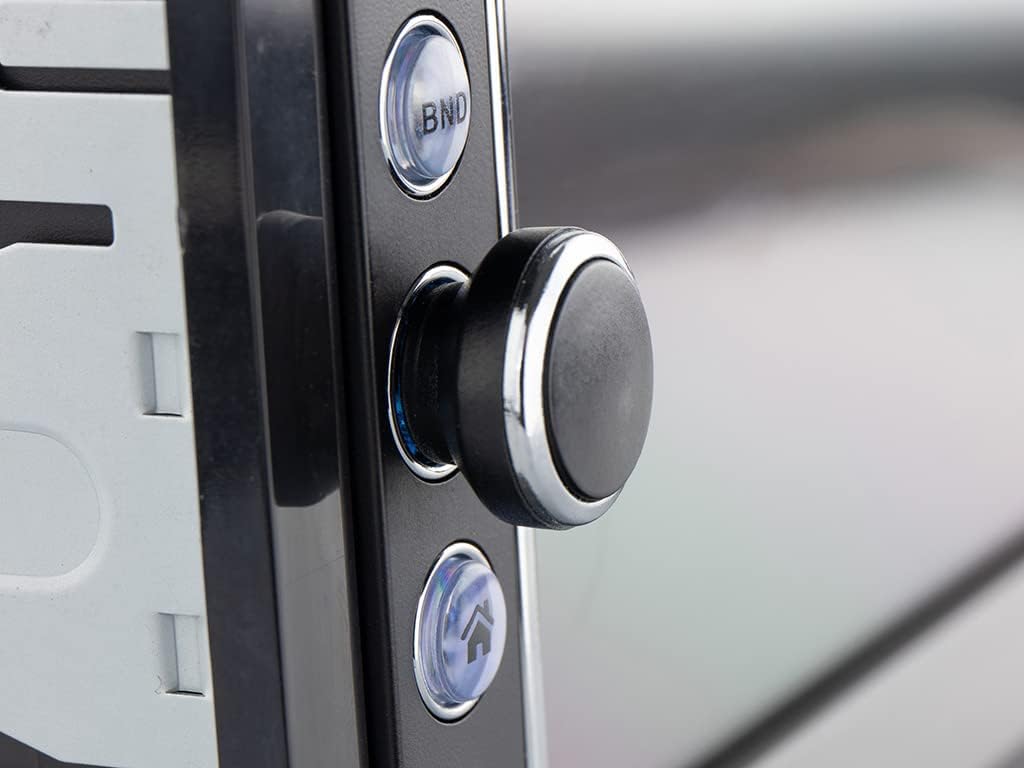
- Tænd/sluk: Press the power button (usually the rotary knob) to turn the unit on or off.
- Lydstyrkekontrol: Drej knappen for at justere lydstyrken.
- Kildevalg: Tap the 'Mode' icon on the touchscreen or press the 'MODE' button on the remote to cycle through available sources (FM, Bluetooth, USB, SD, AV-IN).
Radio Operation (FM/RDS-EON)
- tuning: In FM mode, use the touchscreen controls to manually tune or auto-scan for stations.
- Presets: Gem dine yndlingsstationer under forudindstillede knapper for hurtig adgang.
- RDS-EON: The unit supports RDS-EON, displaying station information, program type, and traffic announcements (TA) when available.
Bluetooth-forbindelse
- Parring: Enable Bluetooth on your smartphone. On the RMD805BT, select the Bluetooth source. Søg efter 'RMD805BT' on your phone and pair.
- Håndfri opkald: Once paired, you can make and receive calls directly through the unit. Use the touchscreen or remote control buttons to answer, end, or reject calls.
- Lydstreaming (A2DP): Stream music from your smartphone to the car radio. Control playback (play/pause, skip tracks) using the unit's controls or the remote.
Mirrorlink Functionality
The RMD805BT supports Mirrorlink for limited iOS and Android devices. This feature allows you to mirror your smartphone's screen onto the unit's display and control it via the touchscreen.
- Forbindelse: Connect your smartphone to the unit via USB.
- Aktivering: Follow the on-screen prompts on both the unit and your smartphone to activate Mirrorlink.
- Kontrollere: Once active, your phone's screen will appear on the RMD805BT, and you can interact with your phone's apps directly from the unit's touchscreen.
USB/SD-afspilning
The unit supports media playback from USB sticks and SD cards (up to 32 GB).
- Indsæt medie: Insert a USB stick into the USB port or an SD card into the SD card slot.
- Understøttede formater: The unit can play MP3 and WMA audio files, and display MPEG4, DivX video files, and JPEG image files.
- Navigation: Use the touchscreen to browse folders and select files til afspilning.
Touchscreen and Remote Control
The 6.2-inch touchscreen provides intuitive control. Alternatively, use the included remote control for convenient operation from a distance.
Opretholdelse
- Rensning: Use a soft, dry cloth to clean the unit's surface and touchscreen. For stubborn marks, slightly dampRengør kluden med vand. Undgå slibende rengøringsmidler eller opløsningsmidler.
- Generel pleje: Ensure the unit is not exposed to extreme temperatures or direct sunlight for extended periods. Keep USB and SD card slots free of dust and debris.
Fejlfinding
If you encounter issues with your Caliber RMD805BT, refer to the following common problems and solutions:
| Problem | Mulig årsag | Løsning |
|---|---|---|
| Ingen strøm | Forkert ledningsføring; Sprunget sikring; Bilens tænding er afbrudt | Kontroller strømtilslutninger; Udskift sikring; Tænd bilens tænding |
| Ingen lyd | Volume too low; Mute activated; Speaker wiring incorrect | Øg lydstyrken; Deaktiver lydløs; Kontroller højttalerforbindelserne |
| Bluetooth forbinder ikke | Bluetooth not enabled on phone/unit; Unit not in pairing mode; Device already paired to another unit | Ensure Bluetooth is on; Put unit in pairing mode; Disconnect from other devices |
| USB/SD afspiller ikke | Ikke understøttet file format; Corrupted media; Media not inserted correctly | Check file formats; Try different media; Reinsert USB/SD card |
| Touchscreen reagerer ikke | Temporary software glitch; Screen calibration issue | Restart the unit (turn off/on vehicle ignition); If persistent, consult support |
Specifikationer
| Feature | Detalje |
|---|---|
| Mærke | Kaliber |
| Modelnummer | RMD805BT |
| Farve | Sort |
| Forbindelsesteknologi | Bluetooth, USB |
| Controller type | Touchskærm |
| Speciel funktion | Håndfri opkald |
| Kompatible enheder | Højttaler, smartphone |
| Connector Type | USB Type A |
| Lydudgangstilstand | Stereo, Surround |
| Surround Sound Kanalkonfiguration | 2.0 |
| Videokodning | MPEG4, DivX |
| Max USB/SD Capacity | 32 GB |
| Udgangseffekt | 4 x 75 W |
| Battery (for remote) | 1 CR2032 (required) |
Garantioplysninger
The Caliber RMD805BT comes with a 1-year spare parts availability guarantee from the date of purchase. For specific warranty terms and conditions, please refer to the warranty card included with your product or contact Caliber customer support.
Støtte
For further assistance, technical support, or service inquiries, please contact Caliber customer support through their official website or the contact information provided in your product packaging. When contacting support, please have your product model number (RMD805BT) and purchase details ready.


