1. Introduktion
Thank you for choosing the EIGHTREE Mini Smart WiFi Plug. This device allows you to control your home appliances remotely, monitor energy consumption, and integrate with popular smart home platforms like Amazon Alexa, Google Assistant, and SmartThings. Please read this manual carefully before use to ensure proper operation and safety.
2. Sikkerhedsoplysninger
- Kun til indendørs brug. Må ikke udsættes for fugt eller ekstreme temperaturer.
- Enheden må ikke skilles ad eller modificeres.
- Ensure the plug is securely inserted into a power outlet.
- Do not exceed the maximum load rating of 10A / 230V.
- Opbevares utilgængeligt for børn.
- The device features overload protection, short-circuit protection, flame-retardant material, and a child-proof design for enhanced safety.

Figure 2.1: Safety Features of the EIGHTREE Mini Smart WiFi Plug.
3. Pakkens indhold
- 1 x EIGHTREE Mini Smart WiFi Plug
- 1 x brugermanual
4. Produktet er slutview
The EIGHTREE Mini Smart WiFi Plug is designed for compact size, allowing multiple plugs to be used side-by-side in power strips without obstruction.

Figure 4.1: EIGHTREE Mini Smart WiFi Plug with Energy Monitoring App Interface.

Figure 4.2: Compact Size of the EIGHTREE Mini Smart WiFi Plug.
5. Opsætning
- Download Smart Life-appen: Søg efter "Smart Life" i din smartphones appbutik (App Store til iOS eller Google Play Store til Android) og download applikationen.
- Registrer/Log ind: Åbn Smart Life-appen, og opret en ny konto, eller log ind, hvis du allerede har en.
- Tilslut Smart-stikket: Insert the EIGHTREE Mini Smart WiFi Plug into a standard wall outlet. The indicator light on the plug should start blinking rapidly. If it does not, press and hold the power button on the plug for 5 seconds until it blinks rapidly.
- Tilføj enhed i appen:
- Open the Smart Life app and tap the "Add Device" or "+" icon in the top right corner.
- Select "Electrical" then "Socket (Wi-Fi)" or "Plug (Wi-Fi)".
- Confirm that the indicator light on the plug is blinking rapidly.
- Indtast adgangskoden til dit 2.4 GHz Wi-Fi-netværk. Note: The smart plug only supports 2.4 GHz Wi-Fi networks. Ensure your phone is connected to a 2.4 GHz network during setup.
- The app will begin searching for the device. Once found, you can rename the plug for easier identification (e.g., "Living Room Lamp").
- Komplet opsætning: Follow any additional on-screen prompts in the app to complete the setup process.
6. Betjeningsvejledning
6.1. Manuel kontrol
You can manually turn the smart plug on or off by pressing the physical button on the device. The indicator light will change state (e.g., blue for on, off for off) to show its status.
6.2. APP Fjernbetjening
Once connected to the Smart Life app, you can control the plug from anywhere with an internet connection. Open the app, select your smart plug, and tap the power icon to toggle it on or off.
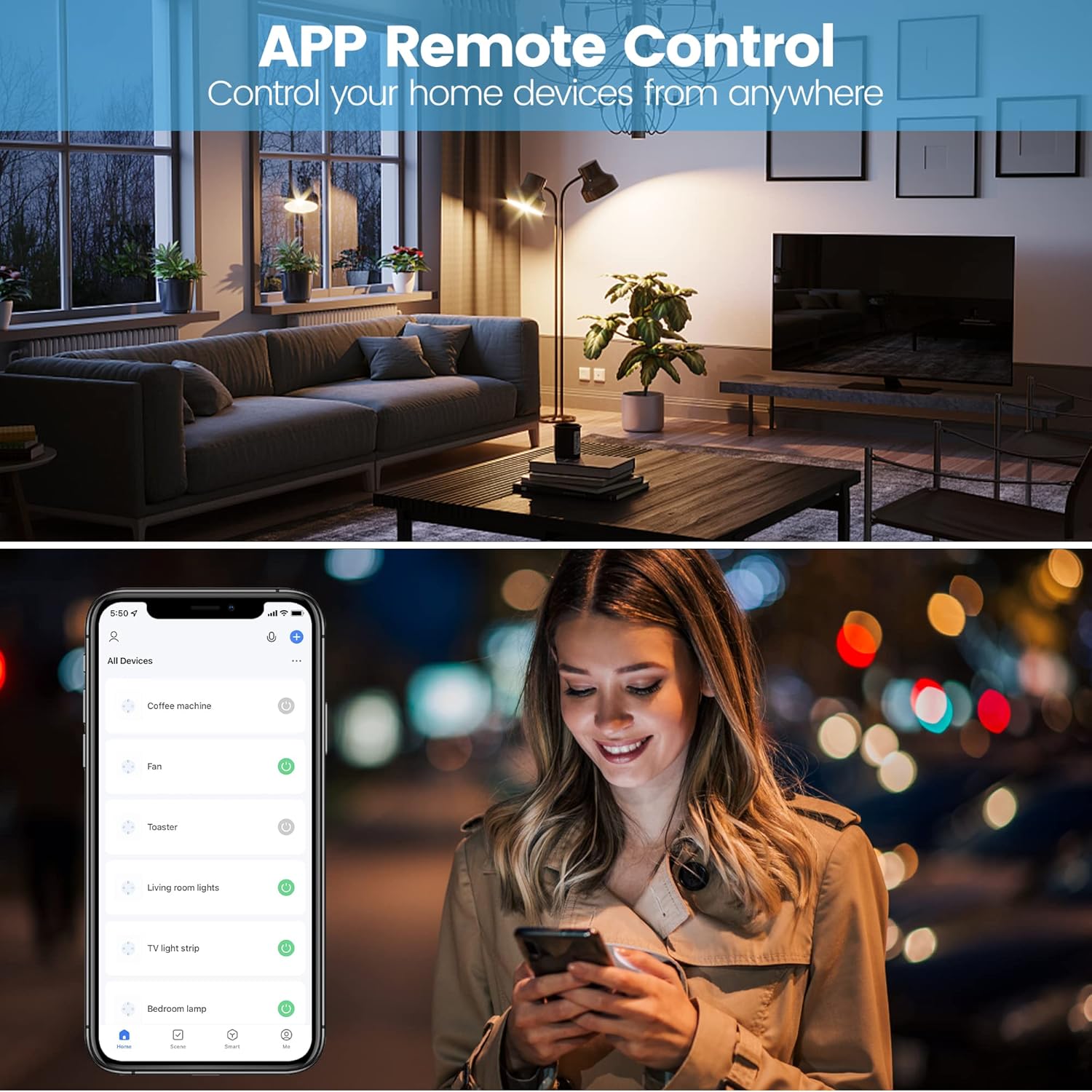
Figure 6.1: Remote Control via Smart Life App.
6.3. Energiovervågning
The EIGHTREE Mini Smart WiFi Plug features energy consumption tracking. Through the Smart Life app, you can view real-time power usage, daily, weekly, or monthly consumption statistics, and estimate your electricity bill.

Figure 6.2: Energy Monitoring Interface in Smart Life App.
6.4. Stemmekontrol
The smart plug is compatible with Amazon Alexa, Google Assistant, and SmartThings. To enable voice control, link your Smart Life account within the respective smart assistant's app.
Example stemmekommandoer:
- "Alexa, tænd for [Stiknavn]."
- "Hey Google, turn off [Plug Name]."
- "Alexa, set [Plug Name] to 50%." (If applicable for dimmable devices connected to the plug)
6.5. Set Timers & Schedule
You can set schedules and timers for your smart plug through the Smart Life app to automate your devices. This allows you to turn appliances on or off at specific times, or after a set duration.

Figure 6.3: Setting Timers and Schedules in the Smart Life App.
7. Vedligeholdelse
- Ensure the plug is disconnected from power before cleaning.
- Tør enheden af med en blød, tør klud. Brug ikke flydende rengøringsmidler eller aerosoler.
- Undgå at udsætte enheden for direkte sollys eller ekstreme temperaturer.
8. Fejlfinding
| Problem | Mulig årsag/løsning |
|---|---|
| Plug not connecting to Wi-Fi. |
|
| Stemmestyring virker ikke. |
|
| Energy monitoring data is incorrect or not updating. |
|
9. Specifikationer
- Modelnummer: ET20-1
- Dimensioner (L x B x H): 5.2 x 7.8 x 5.1 cm
- Vægt: 70 gram
- Materiale: Plast
- Operation Voltage: 230 volt
- Nuværende vurdering: 10 Amperes
- Trådløs type: Wi-Fi 2.4 GHz (IEEE 802.11 b/g/n)
- Driftstilstand: Automatisk og manuel
- Kompatibilitet: Amazon Alexa, Google Assistant, SmartThings
10. Garanti og support
EIGHTREE products come with a standard manufacturer's warranty. For detailed warranty information or technical support, please refer to the warranty card included with your product or visit the official EIGHTREE webDu kan også kontakte din forhandler for at få hjælp.
For common questions and troubleshooting, please refer to the troubleshooting section of this manual or the FAQ section on the EIGHTREE support page.


