Indledning
Welcome to the user manual for your new Amkette Pocket Blast 5-in-1 FM Radio. This versatile device combines an FM radio, Bluetooth speaker, MP3 player, voice recorder, and FM song recorder into a compact and portable unit. Please read this manual carefully to understand the features and operation of your device and ensure optimal performance.

Figure 1: Amkette Pocket Blast 5-in-1 FM Radio
Pakkens indhold
Markér venligst feltet for følgende elementer:
- 1 x Amkette lommeblæsningsenhed
- 1 x brugermanual
- 1 x opladningskabel (Type-C)
- 1 x AUX-kabel
Produktegenskaber
The Amkette Pocket Blast is designed for versatile audio entertainment and utility.
- 5-i-1 funktionalitet: FM Radio, Bluetooth Speaker, MP3 Player (USB/SD/AUX), Voice Recorder, and FM Song Recorder.
- Overlegen lydkvalitet: Equipped with a 6W speaker for clear audio with well-defined bass and pleasing vocals.
- Nem navigation: Full number pad for direct song and FM station selection.
- Long Playback: Over 7 hours of battery life on Bluetooth mode.
- Indbygget mikrofon: For voice recording and hands-free calls when connected via Bluetooth.
- Type-C opladning: Modern and reliable charging port.
- Ekstern antenne: For improved FM reception.

Figure 2: Key Features of the Pocket Blast

Figure 3: Compact Size with Powerful Audio
Kontrol og porte
Familiarize yourself with the buttons and ports on your Amkette Pocket Blast for seamless operation.
Front Panel (Number Pad and Display)
- Nummertastatur (0-9): Used for direct input of FM frequencies or song numbers in MP3 mode.
- REC-knap: Starter stemme- eller FM-optagelse.
- DEL-knap: Sletter registrerede files.
- M (tilstand) knap: Switches between FM, Bluetooth, USB, SD, and AUX modes.
- Afspil/pause knap: Styrer afspilning.
- Knapper til forrige/næste spor: Navigates through songs or FM stations.
- Knapper til lydstyrke op / ned: Justerer lydstyrken.
- LCD-skærm: Shows current mode, FM frequency, track number, etc.
Side Panel (Ports)
- TÆND/SLUK -kontakt: Tænder eller slukker for enheden.
- DC 5V (Type-C) Port: Til opladning af enheden.
- USB-port: For USB flash drives (MP3 playback, recording storage).
- TF (Micro SD) kortplads: For Micro SD cards (MP3 playback, recording storage).
- AUX-indgang: Til tilslutning af eksterne lydenheder via et 3.5 mm lydkabel.
- Ekstern antenne: Udtrækkelig antenne for forbedret FM-modtagelse.

Figure 4: Number Pad for Direct Selection

Figure 5: Multi Playback Options
Opsætning
Indledende opladning
Before first use, fully charge your Amkette Pocket Blast.
- Connect the provided Type-C charging cable to the DC 5V port on the device.
- Tilslut den anden ende af kablet til en USB-strømadapter (medfølger ikke) eller en computers USB-port.
- The charging indicator on the device will illuminate. It will turn off or change color once fully charged.
- En fuld opladning tager typisk cirka 2 timer.
Tænd/sluk
Slide the ON/OFF switch located on the side of the device to power it on or off.
Betjeningsvejledning
Bluetooth-tilstand
Connect your smartphone or other Bluetooth-enabled devices to the Pocket Blast for wireless audio streaming and hands-free calls.
- Power on the Pocket Blast. It will automatically enter Bluetooth pairing mode (indicated by a flashing Bluetooth icon or voice prompt).
- Aktiver Bluetooth på din enhed, og søg efter tilgængelige enheder.
- Select "Amkette Pocket Blast" from the list.
- Once paired, the device will confirm the connection. You can now play audio from your connected device.
- To answer/end calls, press the Play/Pause button. Use the built-in microphone for communication.
Betjening af FM-radio
Enjoy your favorite FM radio stations with clear reception.
- Tryk på M (tilstand) button until "FM" mode is displayed.
- Extend the external antenna for optimal reception.
- Automatisk scanning: Tryk længe på Afspil/pause knappen for automatisk at scanne og gemme tilgængelige FM-stationer.
- Manuel indstilling: Brug Forrige/Næste nummer knapper til at finjustere frekvensen.
- Direkte frekvensindgang: Use the number pad to directly enter the desired FM frequency (e.g., 94.3 for 94.3 MHz).
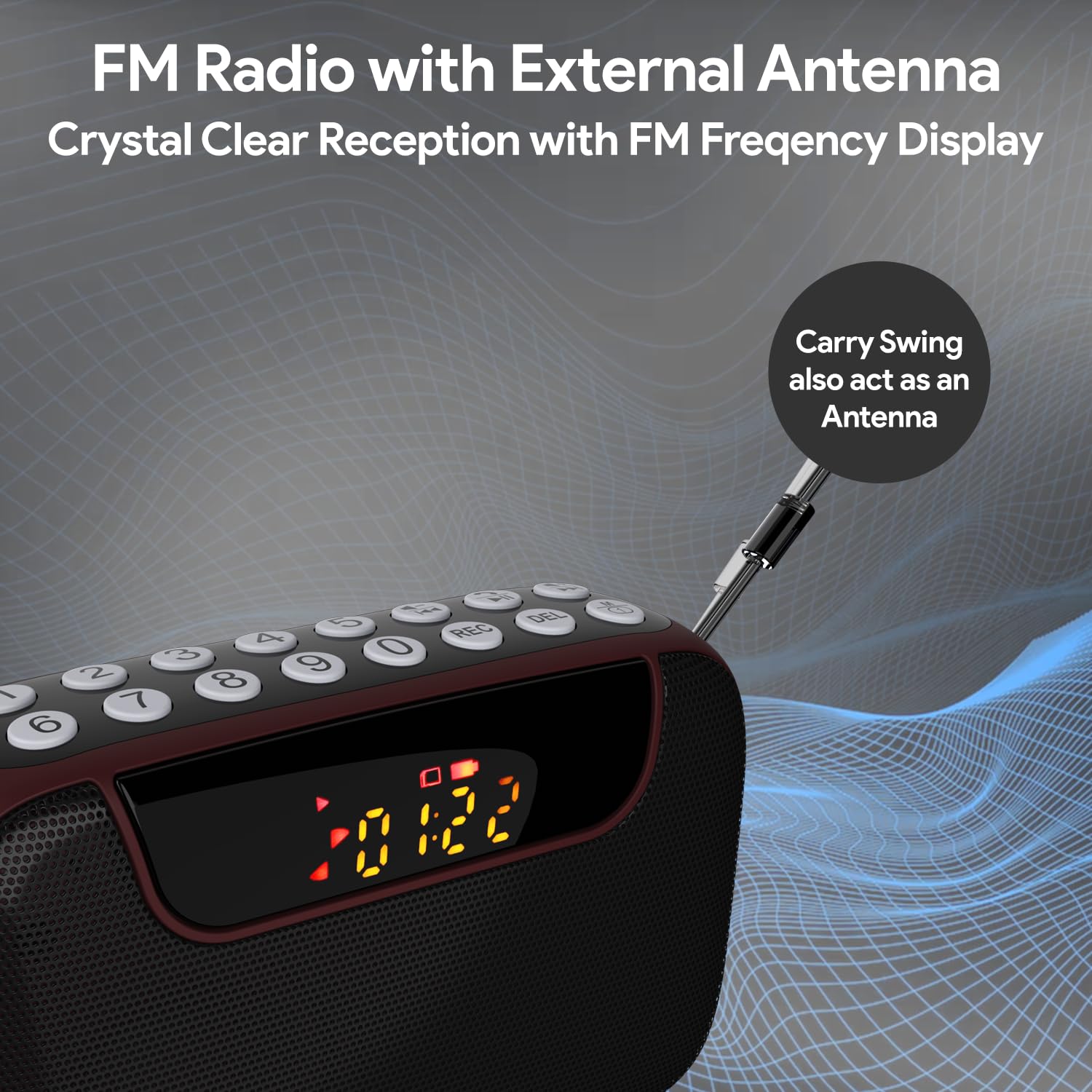
Figure 6: FM Radio with External Antenna
MP3 Playback (USB/SD/AUX)
Play music from USB drives, Micro SD cards, or external audio devices.
- USB/SD-kort: Insert a USB flash drive or Micro SD card (with MP3 files) into the corresponding port. The device will automatically switch to USB/SD mode and begin playback. If not, press the M (tilstand) knappen for at vælge den korrekte tilstand.
- AUX-indgang: Connect an external audio device (e.g., smartphone, laptop) to the AUX port using the provided 3.5mm audio cable. Press the M (tilstand) -knappen for at vælge AUX-tilstand.
- Brug Afspil/pause og Forrige/Næste nummer knapper til at styre afspilning.
- Use the number pad for direct song selection (e.g., enter "007" for the 7th song).

Figure 7: MP3 Player with Track Selection
Stemmeoptagelse
Record voice notes directly onto a connected USB drive or Micro SD card.
- Ensure a USB drive or Micro SD card is inserted into the device.
- Tryk på REC button to start recording. The display will show a recording indicator.
- Tal tydeligt ind i den indbyggede mikrofon.
- Tryk på REC knappen igen for at stoppe og gemme optagelsen.
- To play back recordings, switch to USB/SD mode and navigate to the recorded files.
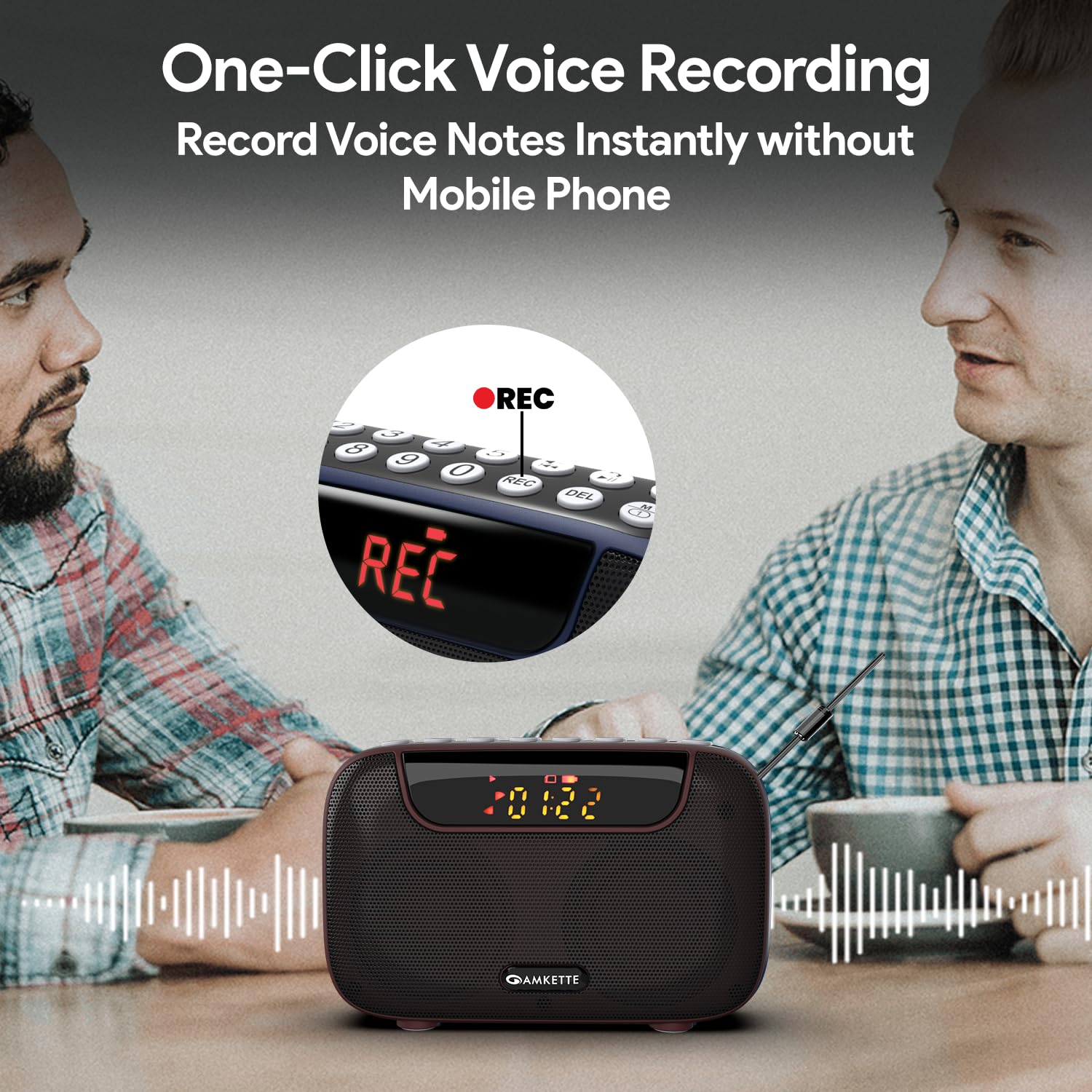
Figure 8: One-Click Voice Recording
FM Song Recording
Capture your favorite FM radio programs or songs directly from the radio.
- Ensure a USB drive or Micro SD card is inserted into the device.
- Switch to FM mode and tune to the desired station.
- Tryk på REC button to start recording the FM broadcast. The display will show a recording indicator.
- Tryk på REC knappen igen for at stoppe og gemme optagelsen.
- Recorded FM songs will be saved on the inserted storage device.

Figure 9: Built-in FM Song Recorder
Opladning
The Amkette Pocket Blast is equipped with a rechargeable Lithium Ion battery.
- Brug kun det medfølgende Type-C-opladerkabel.
- Connect to a standard USB power source (5V/1A recommended).
- Undgå at bruge beskadigede kabler eller opladere.
- Oplad ikke i ekstreme temperaturer.
- The device offers over 7 hours of playback on a full charge (Bluetooth mode).

Figure 10: Extended Playback Time
Opretholdelse
To ensure the longevity and optimal performance of your device, follow these maintenance guidelines:
- Hold enheden tør. Undgå udsættelse for vand eller for høj luftfugtighed.
- Rengør enheden med en blød, tør klud. Brug ikke slibende rengøringsmidler eller opløsningsmidler.
- Opbevar enheden på et køligt, tørt sted, når det ikke er i brug.
- Undgå at tabe eller udsætte enheden for kraftige stød.
- Forsøg ikke selv at skille enheden ad eller reparere den. Dette vil ugyldiggøre garantien.
Fejlfinding
If you encounter any issues with your Amkette Pocket Blast, refer to the following common problems and solutions:
| Problem | Mulig årsag | Løsning |
|---|---|---|
| Enheden tænder ikke. | Lavt batteri; Tænd/sluk-knappen er slukket. | Charge the device fully; Ensure the ON/OFF switch is in the "ON" position. |
| Ingen lyd. | Lydstyrken er for lav; Forkert tilstand valgt; Enheden er ikke parret (Bluetooth). | Increase volume; Press "M" button to select correct mode; Re-pair Bluetooth device. |
| Dårlig FM-modtagelse. | Antennen ikke strakt ud; Område med svagt signal. | Fully extend the external antenna; Try moving to a location with better signal. |
| Kan ikke optage. | No USB/SD card inserted; Storage full; Card format issue. | Insert a compatible USB/SD card; Delete old files or use a new card; Ensure card is formatted correctly (FAT32). |
| Bluetooth afbrydes ofte. | Device too far from Pocket Blast; Obstructions; Interference. | Keep devices within 10 meters (33 feet); Remove obstructions; Avoid strong electromagnetic interference. |
Specifikationer
Detailed technical specifications for the Amkette Pocket Blast.
| Feature | Detalje |
|---|---|
| Mærke | Amkette |
| Modelnavn | Lommeeksplosion |
| Produktdimensioner | 12 x 4.1 x 7.8 cm |
| Varens vægt | 264 g |
| Højttaler udgangseffekt | 6 watt |
| Strømkilde | Batteridrevet |
| Batteritype | Lithium-ion (inkluderet) |
| Batterilevetid (gennemsnitlig) | 7+ Hours (Bluetooth) |
| Opladningsport | Type-C (DC 5V) |
| Forbindelse | Bluetooth, USB, SD Card, AUX |
| Tuner-teknologi | FM |
| Display Type | LCD |
| Oprindelsesland | Kina |
Garanti og support
Your Amkette Pocket Blast comes with a 1 års produktionsgaranti.
For any issues, queries, or support, please contact our customer support team.
- Kundesupport: Please Call or WhatsApp our customer support team in case of any issues.
- Garantikrav: Gem din købskvittering som købsbevis i tilfælde af garantikrav.


