1. Produktet er slutview
The VENTION USB C Hub Multiport Adapter M-6 in 1 is designed to expand the connectivity of your USB-C enabled devices, such as laptops, tablets, and smartphones. It transforms a single USB-C port into multiple essential ports, enhancing productivity and versatility.
Nøglefunktioner omfatter:
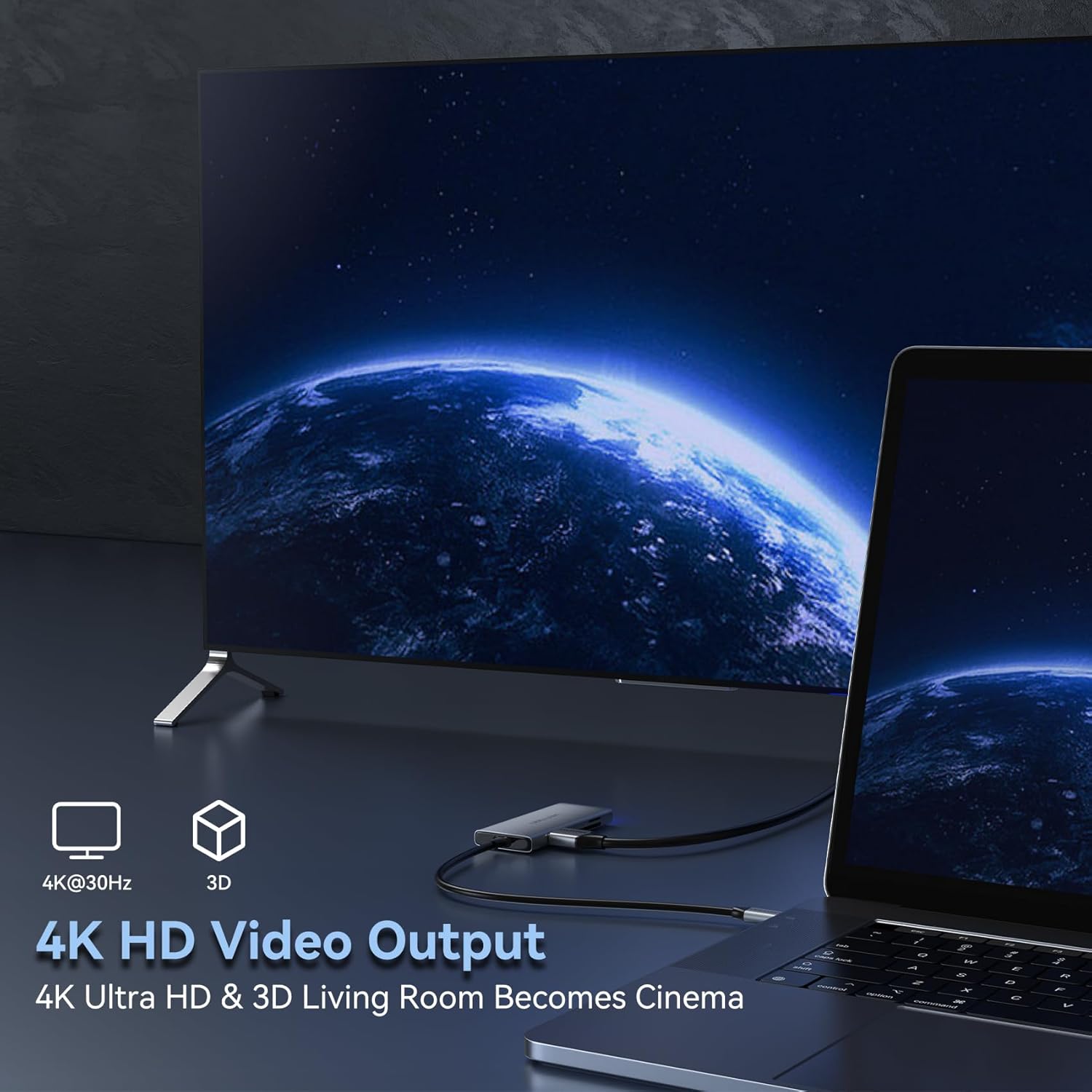
- 4K HDMI udgang: Supports video output up to 4K resolution at 30Hz for external displays.
- Three USB 3.0 Ports: Provides high-speed data transfer up to 5Gbps, compatible with USB 2.0 and earlier versions.
- SD and TF Card Readers: Allows simultaneous reading and writing of standard SD and Micro SD cards with transfer speeds up to 104MB/s.
- Kompakt design: Features a sleek aluminum finish with a blue indicator light to show operational status.

2. Opsætningsvejledning
Follow these steps to set up your VENTION USB C Hub:
- Opret forbindelse til værtsenhed: Plug the USB-C connector of the hub into an available USB-C port on your laptop, tablet, or smartphone. Ensure the USB-C port on your device supports video output (DisplayPort Alternate Mode) for HDMI functionality.
- Strøm (valgfrit): This hub does not feature Power Delivery (PD) input. Ensure your host device is adequately charged or connected to its own power source.
- Indikatorlys: A blue indicator light on the hub will illuminate, confirming it is powered and operational.

3. Betjening af hubben
3.1. HDMI-videoudgang
To connect an external display:
- Connect an HDMI cable (not included) from your monitor, HDTV, or projector to the HDMI port on the VENTION USB C Hub.
- Sørg for, at din værtsenheds USB-C-port understøtter DisplayPort Alternative Mode.
- Your device should automatically detect the external display. You may need to adjust display settings (e.g., mirror, extend) in your operating system.
- The hub supports resolutions up to 4K (3840x2160) at 30Hz.
Video 1: Demonstration of the VENTION 6-IN-1 USB C Hub Multiport Adapter's features, including HDMI connectivity.
3.2. USB 3.0 dataoverførsel
The hub features three USB 3.0 ports for connecting various USB devices:
- Plug your USB flash drives, external hard drives, keyboards, mice, or other USB peripherals into the available USB 3.0 ports.
- Disse porte understøtter dataoverførselshastigheder på op til 5 Gbps.
- The ports are backward compatible with USB 2.0 and USB 1.1 devices.

3.3. SD and TF Card Reader
To access data from memory cards:
- Insert your standard SD card into the SD card slot.
- Insert your Micro SD (TF) card into the TF card slot.
- The hub supports simultaneous reading and writing for both card types.
- Transfer speeds can reach up to 104MB/s.
- The card reader supports memory cards up to 256GB capacity.

Video 2: Overståetview of the VENTION 6-IN-1 USB C Hub, highlighting its various ports and compatibility.
4. Vedligeholdelse
- Hold navet rent ved at tørre det af med en blød, tør klud.
- Undgå at udsætte hubben for ekstreme temperaturer, fugtighed eller direkte sollys.
- Forsøg ikke selv at skille enheden ad eller reparere den. Dette kan ugyldiggøre garantien og forårsage skade.
- Disconnect the hub from your device when not in use for extended periods.
5. Fejlfinding
- Ingen visning på ekstern skærm:
- Sørg for, at din værtsenheds USB-C-port understøtter DisplayPort Alternative Mode.
- Kontrollér alle kabelforbindelser (USB-C til hub, HDMI til skærm).
- Verify the external monitor is set to the correct input source.
- Prøv at genstarte din værtsenhed.
- USB-enheder genkendes ikke:
- Sørg for, at USB-enheden er korrekt sat i hubbens USB 3.0-port.
- Try connecting the USB device directly to your host device (if possible) to confirm it's functional.
- Disconnect and reconnect the hub to your host device.
- Langsomme dataoverførselshastigheder:
- Sørg for at bruge USB 3.0-kompatible enheder og kabler for at opnå optimale hastigheder.
- Stor file transfers can be affected by the performance of your host device and storage media.
- Hub feels warm:
- It is normal for the hub to become warm during operation, especially when multiple ports are in use or during high data transfer. The aluminum casing helps dissipate heat.
6. Specifikationer
| Feature | Detalje |
|---|---|
| Modelnummer | TOOHB |
| Mærke | VENTION |
| Havne | 1x HDMI, 3x USB 3.0, 1x SD Card Reader, 1x TF Card Reader |
| HDMI opløsning | Op til 4K@30Hz |
| USB 3.0 overførselshastighed | Op til 5 Gbps |
| Kortlæserhastighed | Op til 104 MB/s |
| Supported Card Capacity | Op til 256 GB |
| Hardware-interface | HDMI, MicroSD, USB 3.0, USB type C |
| Kompatible enheder | Laptops, Tablets, Smartphones, Monitors, Projectors, PCs, iMac, iPad (with USB-C) |
| Varens vægt | 2.89 ounce |
| Dimensioner | 5.91 x 3.62 x 0.75 tommer (pakke) |
| Farve | Grå |
7. Garanti og support
VENTION products are designed for reliability and performance. For specific warranty information and technical support, please refer to the warranty card included with your product or visit the official VENTION webwebsted. Gem din købskvittering for garantikrav.


