1. Introduktion
Tak for købetasing the KAGO 4K HDMI Splitter 1 in 10 Out, Model 4K1010. This device is designed to distribute a single HDMI source signal to ten HDMI displays simultaneously. It supports high-resolution video up to 4K@30Hz, 3D visual effects, and various digital audio formats, ensuring a high-quality audio and video experience across multiple screens. This manual provides detailed instructions for setup, operation, and troubleshooting to help you maximize the performance of your HDMI splitter.
2. Sikkerhedsoplysninger
- Sørg for, at strømadapteren passer til lydstyrkentagkravene i din region.
- Udsæt ikke enheden for vand, fugt eller ekstreme temperaturer.
- Undgå at placere enheden i nærheden af varmekilder eller i direkte sollys.
- Forsøg ikke at åbne eller reparere enheden selv. Overlad al service til kvalificeret personale.
- Afbryd strømmen under tordenvejr eller når den ikke bruges i længere perioder.
- Brug kun den medfølgende strømadapter.
3. Pakkens indhold
Kontroller venligst, at alle varer er til stede i din pakke:
- KAGO 4K HDMI Splitter 1 in 10 Out (Model: 4K1010)
- Strømadapter (DC 12V/2A)
- Brugermanual
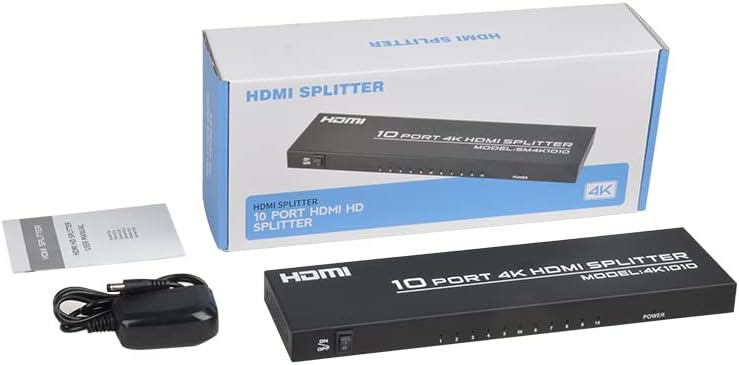
Image: The KAGO 4K HDMI Splitter, its power adapter, and the instruction manual are shown alongside the product packaging.
4. Produktet er slutview
The KAGO 4K HDMI Splitter 1 in 10 Out features a robust design with clear labeling for easy connection and operation.
Frontpanel:
- TÆND/SLUK -kontakt: Strømstyring til enheden.
- Output Indicators (1-10): LEDs that illuminate when an HDMI output is connected and active.
- Strømindikator: LED that illuminates when the device is powered on.
Bagside:
- HDMI IN: Port for connecting your single HDMI source device.
- HDMI OUT 1-10: Ten ports for connecting your HDMI display devices.
- DC 5V: Strømindgang til den medfølgende strømadapter.

Billede: Top view showing the power switch and ten output indicator LEDs. Bottom view showing the HDMI input, ten HDMI output ports, and the DC power input.
5. Opsætningsvejledning
Follow these steps to set up your KAGO 4K HDMI Splitter:
- Tilslut HDMI-kilde: Connect an HDMI cable from your source device (e.g., PC, laptop, game console, Blu-ray player) to the HDMI-IN porten på splitteren.
- Tilslut HDMI-skærme: Connect HDMI cables from your display devices (e.g., HDTVs, monitors, projectors) to the HDMI OUT 1-10 ports on the splitter. You can connect up to ten displays.
- Tilslut strøm: Plug the included DC 12V/2A power adapter into the DC 5V port on the splitter, then plug the adapter into a power outlet.
- Tænd: Flip the ON/OFF switch on the front panel to the 'ON' position. The power indicator and active output indicators will light up.
- Bekræft forbindelsen: Ensure all connected displays are receiving the signal from your source device.
This device is designed for plug-and-play operation, requiring no additional drivers or software installation.

Image: A visual representation of connecting an HDMI source to the splitter's input and ten HDMI displays to its outputs.
6. Betjeningsvejledning
The KAGO 4K HDMI Splitter operates automatically once connected and powered on. It duplicates the single HDMI input signal to all connected HDMI outputs.
- Samtidig visning: All ten connected displays will show the exact same audio and video content from the single HDMI source.
- Opløsningssupport: The splitter supports resolutions up to 4K (3840x2160) at 30Hz, as well as 1080P, 1080i, 720p, 576p, 576i, 480P, and 480i. It also supports 3D images.
- Lydsynkronisering: The device ensures audio and video are synchronized, supporting various digital audio formats including DTS-HD, Dolby-trueHD, LPCM 7.1, DTS, Dolby-AC3, and DSD.
- Kompatibilitet: Compatible with a wide range of HDMI-integrated devices and operating systems, including Windows, MS-DOS, Linux, Android, and Mac OS.

Billede: Et visuelt eksempelample of ten monitors simultaneously displaying the same content, illustrating the splitter's core function.

Image: Demonstrates support for 4K high-definition and 3D visual effects.
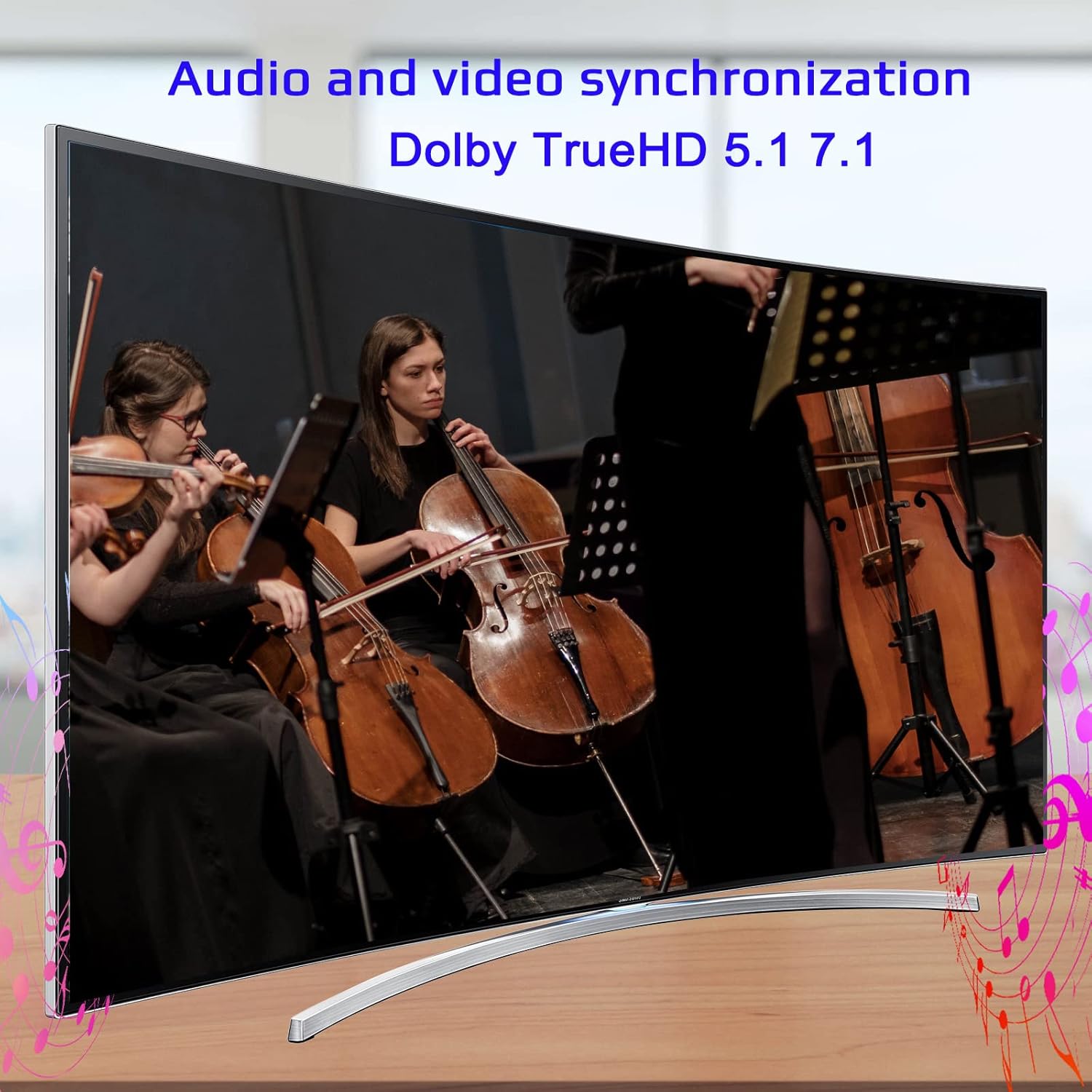
Image: Illustrates the audio and video synchronization capabilities, including Dolby TrueHD 5.1/7.1.

Image: Highlights the splitter's compatibility with various operating systems and its plug-and-play functionality.
7. Fejlfinding
If you encounter issues with your KAGO 4K HDMI Splitter, please refer to the following common solutions:
| Problem | Mulig årsag | Løsning |
|---|---|---|
| Intet signal på display(er) | Loose HDMI cables, incorrect input selection on TV, power issue. | Check all HDMI cable connections. Ensure the TV input is set to the correct HDMI port. Verify the splitter is powered on and the power indicator is lit. Try a different HDMI cable. |
| Flimrende eller forvrænget billede | Poor quality/lengthy HDMI cables, resolution incompatibility. | Use high-quality HDMI cables (19+1AWG26 standard recommended). Ensure cable lengths are within recommended limits (input 1-10M, output 1-15M). Try a lower resolution on the source device. |
| Ingen lyd | Audio settings on source/display, faulty HDMI cable. | Check audio settings on your source device and display. Ensure the HDMI cable supports audio transmission. Try a different HDMI cable. |
| Only some outputs work | Faulty output port, issue with specific display/cable. | Test the non-working output with a known good display and cable. Ensure the output indicator LED for that port is lit. |
8. Specifikationer
| Feature | Detalje |
|---|---|
| Modelnummer | 4K1010 |
| Produktdimensioner | 11.1 x 3.1 x 1 tommer |
| Varens vægt | 1.48 pund |
| Connector Type | HDMI |
| Understøttede opløsninger | Up to 4K (3840x2160@30Hz), 1080P, 1080i, 720p, 576p, 576i, 480P, 480i |
| 3D-understøttelse | Ja |
| Digital Audio Formats | DTS-HD/Dolby-trueHD/LPCM7.1/DTS/Dolby-AC3/DSD |
| Båndbredde | 10.2 Gbps |
| Strømadapter | Indgang: AC (50HZ, 60HZ) 100V-240V; Udgang: DC12V/2A |
| Anbefalet HDMI-kabellængde | Input: 1-10M (16ft); Output: 1-15M (48ft) |
| Fabrikant | Siying |
9. Vedligeholdelse
To ensure the longevity and optimal performance of your KAGO 4K HDMI Splitter, follow these maintenance guidelines:
- Rensning: Brug en blød, tør klud til at rengøre enhedens yderside. Brug ikke flydende rengøringsmidler eller aerosoler.
- Ventilation: Ensure the device has adequate ventilation. Do not block the ventilation holes. The design promotes efficient heat dissipation to prevent overheating during extended use.

Image: A visual representation of the splitter's heat dissipation design, indicating it remains cool during operation.
10. Garanti og support
KAGO products are designed for reliability and performance. For warranty information or technical support, please refer to the contact details provided with your purchase or visit the official KAGO webwebsted. Gem venligst din købsbevis i tilfælde af garantikrav.

