1. Introduktion
The Phomemo D30 is a compact, portable, and wireless label maker designed for convenient label creation and printing from your smartphone. Utilizing direct thermal technology, it operates without ink, toner, or ribbons, offering a cost-effective and eco-friendly labeling solution. Its lightweight design allows for easy portability, enabling you to print labels anytime, anywhere.
Nøglefunktioner:
- Blækfri termisk udskrivning: No ink, toner, or ribbons required.
- Bluetooth-forbindelse: Seamless connection to mobile devices.
- Bærbart design: Mini size for easy carrying and use on the go.
- Mobil app kontrol: Create and customize labels using a dedicated smartphone application.
- Højkvalitets output: Provides clear, crisp, and dark imaging.
- BPA-fri etiketter: Ensures safety and environmental consideration.
2. Pakkens indhold
Kontroller venligst, at alle varer er til stede i din pakke:
- 1x Phomemo D30 Label Maker Machine
- 3x Black on Gold Label Tape Rolls
- 1x Rectangle Label Tape Black on White
- 1x USB opladningskabel
- 1x brugermanual

Image: Phomemo D30 label tapes and their packaging, illustrating the included label rolls.
3. Produktet er slutview
The Phomemo D30 label maker is designed for ease of use and portability. It features a simple, minimalist design with a single power button and a label output slot.

Image: The Phomemo D30 Label Maker Machine, showcasing dens kompakte design.
4. Opsætning
4.1 Opladning af enheden
Before initial use, fully charge the Phomemo D30 label maker. Connect the provided USB cable to the charging port on the device and a power source (e.g., USB wall adapter, computer USB port). The indicator light will show charging status.
4.2 Installing Label Roll
- Åbn dækslet til etiketrummet på enheden.
- Insert the label roll with the printing surface facing upwards, ensuring it is properly aligned.
- Pull a small portion of the label tape out through the output slot.
- Luk låget til etiketrummet forsvarligt.

Image: A hand demonstrating the self-adhesive nature of the Phomemo D30 labels by peeling one off its backing.
4.3 Appinstallation og Bluetooth-forbindelse
- Download the Phomemo app from your smartphone's app store (available for iOS and Android).
- Turn on the Phomemo D30 label maker by pressing and holding the power button. The indicator light will illuminate.
- Aktiver Bluetooth på din smartphone.
- Open the Phomemo app and follow the on-screen instructions to connect to your D30 device via Bluetooth.
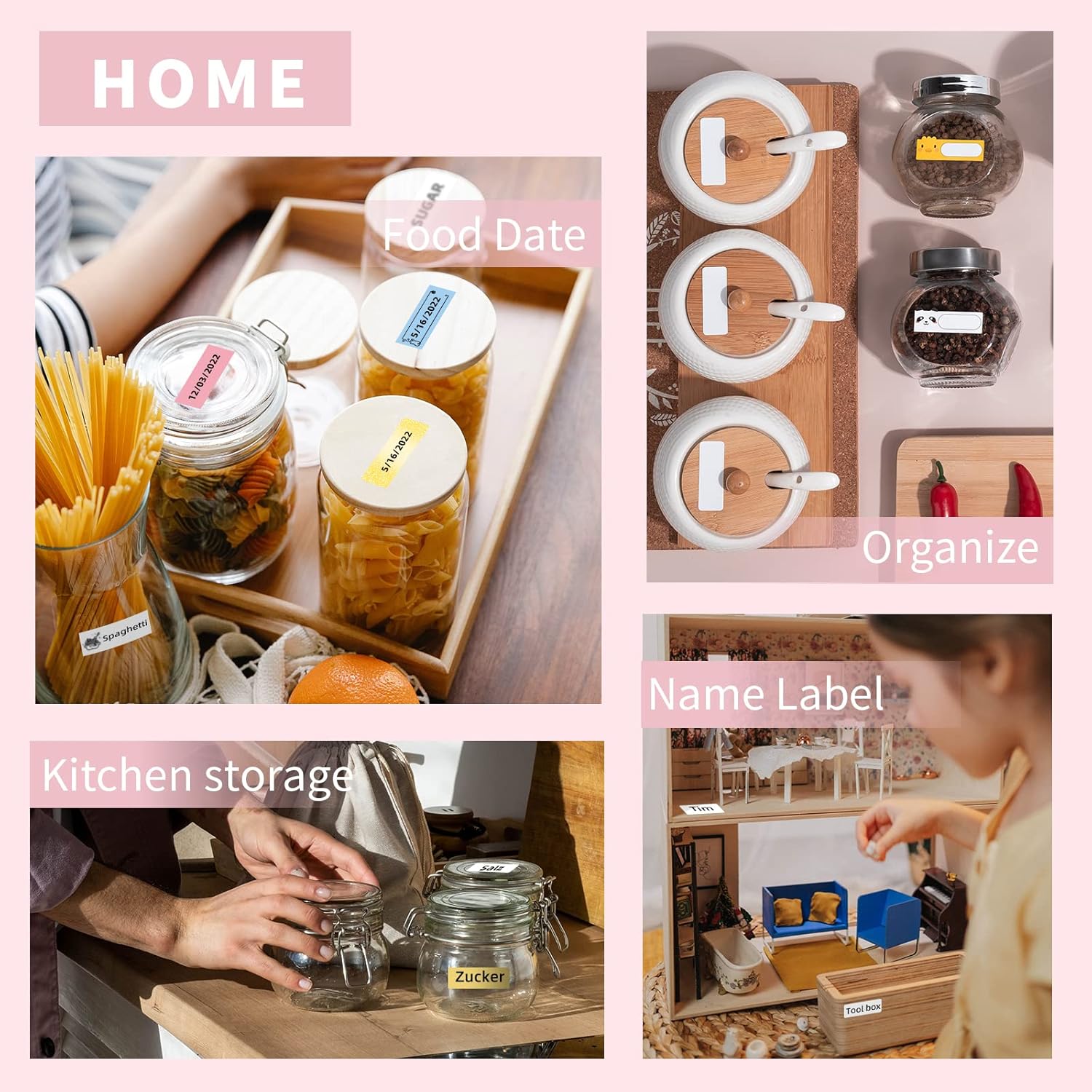
Image: A smartphone displaying the Phomemo app interface for label creation, with the D30 label maker visible in the background.
5. Betjening
5.1 Creating Labels
- Open the Phomemo app on your connected smartphone.
- Select a label template or start a new blank label.
- Use the app's editing tools to add text, icons, borders, and other elements.
- Adjust font size, style, and alignment as needed.
5.2 Udskrivning af etiketter
- After designing your label in the app, tap the 'Print' button.
- Confirm the print settings, such as the number of copies.
- The label maker will print the label. Gently tear off the printed label from the output slot.

Image: The Phomemo D30 label maker actively printing custom labels, demonstrating its high-quality output.
5.3 Tilpasningsmuligheder
The Phomemo app offers various customization features to personalize your labels:
- Tekstredigering: Multiple fonts, sizes, and styles.
- Ikoner og rammer: A library of pre-designed icons and decorative borders.
- Skabeloner: Pre-made templates for common uses (e.g., kitchen, office, school).
- Stregkode/QR-kode: Ability to generate and print barcodes or QR codes.
Video: A demonstration of creating and printing labels with the Phomemo D30 Label Maker, showcasing various customization options within the app.
6. Vedligeholdelse
6.1 Rengøring
- Sørg for, at enheden er slukket, inden rengøring.
- Use a soft, dry cloth to wipe the exterior of the label maker.
- Brug en vatpind let til printhovedetampened with alcohol to gently clean any residue. Allow it to dry completely before use.
6.2 Opbevaring
- Opbevar etiketprinteren et køligt og tørt sted, væk fra direkte sollys og ekstreme temperaturer.
- Remove any label rolls if the device will not be used for an extended period.
- Keep thermal labels away from heat sources and direct light to preserve their quality.
7. Fejlfinding
| Problem | Mulig årsag | Løsning |
|---|---|---|
| Enheden tændes ikke | Lavt batteri; Enhedsfejl | Charge the device; Contact customer support |
| Kan ikke oprette forbindelse via Bluetooth | Bluetooth off; App issue; Device too far | Ensure Bluetooth is on; Restart app/device; Move closer |
| Dårlig printkvalitet | Snavset printhoved; Forkert etiketretning; Lavt batteriniveau | Clean print head; Reinstall label roll correctly; Charge device |
| Labels not feeding | Label roll empty; Improper installation; Jammed | Replace label roll; Reinstall correctly; Clear any obstruction |
8. Specifikationer
| Feature | Beskrivelse |
|---|---|
| Modelnavn | D30 |
| Mærke | Phomemo |
| Udskrivningsteknologi | Direct Thermal (Inkless) |
| Forbindelse | Bluetooth |
| Kontrolmetode | Mobil App |
| Printer output | Monokrom |
| Kompatible enheder | Smartphones (iOS, Android) |
| Trykte medier | Termiske etiketter |
| Særlige funktioner | Portable, Wireless, BPA-Free Labels |

Image: Illustration detailing the dimensions (1/2'' x 1 1/2'') and features of Phomemo D30 thermal label tape, including BPA-free, water-resistant, strong adhesion, and abrasion-resistant properties.
9. Ansøgninger
The Phomemo D30 label maker is versatile and can be used for various organizational and creative tasks in different environments:
- Hjemmeorganisation: Labeling food containers, spice jars, storage bins, and personal items.
- Kontorbrug: Organisering files, mapper, kabler og kontorartikler.
- Skole og studier: Labeling notebooks, textbooks, and school projects.
- Retail & Small Business: Oprettelse af pris tags, product labels, and inventory management.
- Crafts & Hobbies: Personalizing gifts, scrapbooking, and other creative projects.

Billede: En collageudstillingasing various applications of the Phomemo D30 label maker in home, kitchen, office, and school settings, including labeling food dates, organizing kitchen storage, name labels, office files, cable identification, and school supplies.

Image: A small label created with the Phomemo D30, reading 'RESERVED', attached to a pinecone as a decorative item on a table setting.

Image: Various gift boxes adorned with custom labels created using the Phomemo D30, demonstrating its use for personalizing gifts.
10. Garanti og support
Phomemo products come with a standard manufacturer's warranty. For detailed warranty information, technical support, or service inquiries, please refer to the official Phomemo webwebstedet eller kontakt deres kundeservice direkte. Du kan også besøge Phomemo-butik på Amazon for yderligere produktinformation og supportressourcer.


