1. Introduktion
Thank you for choosing the Roseland Boombox 20W TWS Bluetooth Speaker. This manual provides essential information for the safe and efficient operation of your device. Please read it thoroughly before use and retain it for future reference.
The Roseland Boombox 20W TWS Bluetooth Speaker delivers rich, powerful sound. Connect wirelessly via Bluetooth, or use AUX and USB inputs for versatile playback. Enjoy up to 5.5 hours of playtime on a single charge. The integrated color-changing light enhances your listening experience. This lightweight speaker features a convenient handle for portability and supports True Wireless Stereo (TWS) pairing for an expanded soundstage.
2. Pakkens indhold
Sørg for at alle varer er til stede i pakken:
- Roseland Boombox 20W TWS Bluetooth Speaker
- USB-C ladekabel
- Hjælpekabel (AUX).
- Instruktionsmanual (dette dokument)
3. Produktfunktioner
- Lydudgang: 20W for powerful sound.
- True Wireless Stereo (TWS): Connect two speakers wirelessly for stereo sound.
- Forbindelse: Bluetooth, AUX Input, USB Port.
- Batterilevetid: Op til 5.5 timers spilletid.
- Opladningstid: Cirka 2.5 timer.
- Belysning: Integrated color-changing light.
- Kontrolmetode: Touch-kontroller.
- Portabilitet: Lightweight design with a convenient handle.
- Holdbarhed: Vandtæt konstruktion.
4. Kontroller og indikatorer
The control panel is located on the rear of the speaker. Specific button functions are detailed below. (Refer to the image for visual reference).
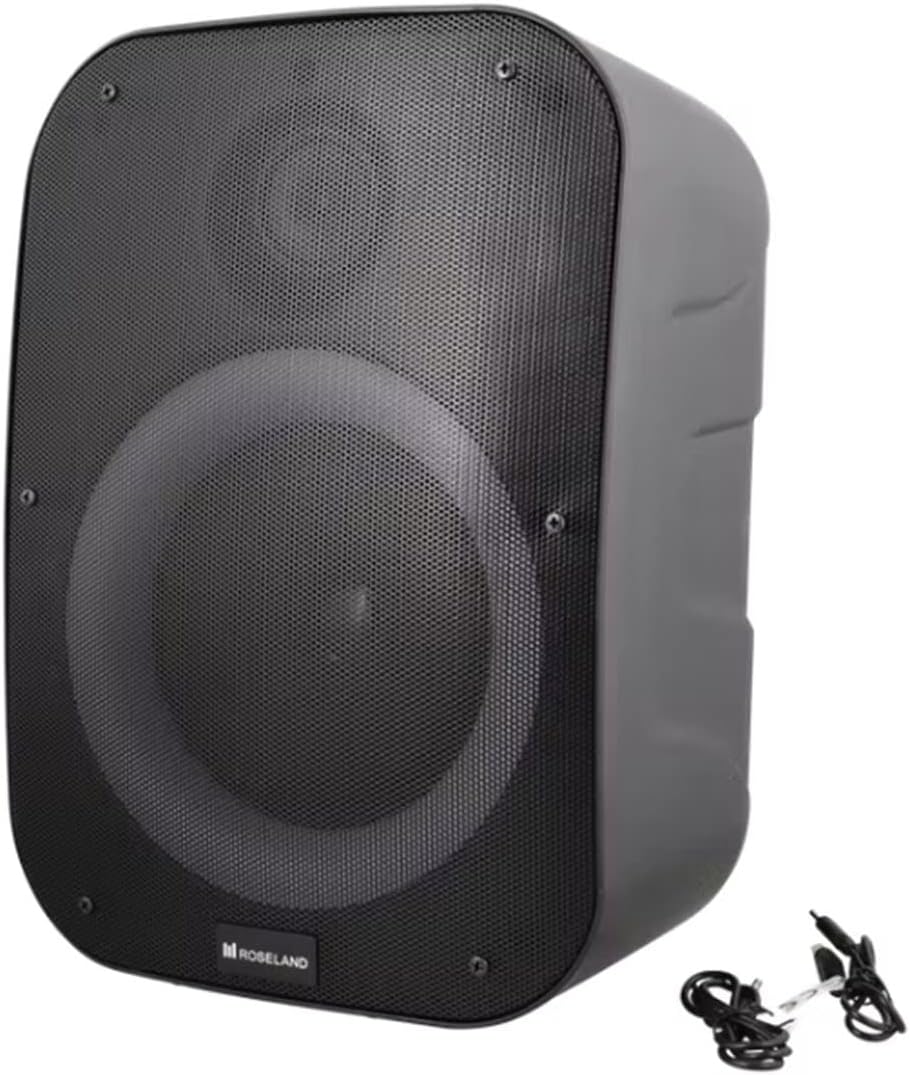
Billede: Bagside view of the Roseland Boombox, highlighting the control panel and integrated handle for portability.
- Power knap: Tryk og hold nede for at tænde eller slukke for højttaleren.
- Mode-knap (M): Tryk for at skifte mellem Bluetooth-, AUX- og USB-afspilningstilstande.
- Play/Pause Button (▶❚❚): Tryk for at afspille eller sætte lyd på pause.
- Knap til lydstyrke ned / forrige nummer (-): Tryk for at sænke lydstyrken. Tryk og hold nede for at gå til det forrige nummer.
- Knap til lydstyrke op / Næste nummer (+): Tryk for at øge lydstyrken. Tryk og hold nede for at gå til næste nummer.
- Lystilstandsknap: Press to cycle through different color-changing light modes or turn the lights off.
- TWS Pairing Button: Press to initiate True Wireless Stereo pairing (see Section 5.4).
- Opladningsport (USB-C): Connect the USB-C cable for charging.
- AUX-indgangsport: Connect an external audio device using the auxiliary cable.
- USB-port: Indsæt et USB-flashdrev til lydafspilning.
5. Opsætning
5.1 Opladning af højttaleren
- Connect the supplied USB-C charging cable to the speaker's USB-C charging port.
- Tilslut den anden ende af USB-C-kablet til en kompatibel USB-strømadapter (medfølger ikke) eller en computers USB-port.
- Opladningsindikatorlampen lyser, typisk rødt, under opladning. Den slukker eller skifter farve (f.eks. blå), når den er fuldt opladet.
- En fuld opladning tager cirka 2.5 timer.
5.2 Tænd/sluk
- For at tænde: Tryk på tænd/sluk-knappen og hold den nede i et par sekunder, indtil du hører en lydmeddelelse eller ser en indikatorlampe.
- For at slukke: Tryk på tænd/sluk-knappen igen, og hold den nede i et par sekunder, indtil højttaleren slukker.
5.3 Bluetooth -parring
- Ensure the speaker is powered on and in Bluetooth mode. If not, press the Mode Button (M) until you hear a "Bluetooth mode" prompt or see a flashing blue indicator light.
- Aktiver Bluetooth på din smartphone, tablet eller anden Bluetooth-aktiveret enhed.
- Søg efter "Roseland Boombox" in the list of available Bluetooth devices.
- Select "Roseland Boombox" to connect. Once connected, you will hear a confirmation sound, and the indicator light will become solid blue.
- Højttaleren vil automatisk forsøge at genoprette forbindelsen til den sidst parrede enhed, når den tændes.
5.4 Ægte trådløs stereo (TWS) parring
TWS allows you to connect two Roseland Boombox speakers wirelessly for a stereo sound experience.
- Ensure both Roseland Boombox speakers are powered on and in Bluetooth mode, but not yet connected to any device.
- On one of the speakers (this will be the primary speaker), press the TWS Pairing Button. You will hear a prompt indicating it's searching for another speaker.
- De to højttalere opretter automatisk forbindelse til hinanden. Du vil høre en bekræftelseslyd, når TWS-parringen er gennemført.
- Now, connect your Bluetooth device to the primary speaker (the one you pressed the TWS button on) as described in Section 5.3. The audio will now play in stereo through both speakers.
5.5 AUX-forbindelse
- Connect one end of the supplied AUX cable to the AUX Input Port on the speaker.
- Connect the other end of the AUX cable to the headphone jack or audio output of your external audio device.
- Press the Mode Button (M) on the speaker until you hear an "AUX mode" prompt.
- Control playback and volume directly from your connected audio device.
5.6 USB-afspilning
- Indsæt et USB-flashdrev med MP3-lyd files into the USB Port on the speaker.
- Press the Mode Button (M) on the speaker until you hear a "USB mode" prompt.
- Højttaleren vil automatisk begynde at afspille lyd files fra USB-drevet.
- Use the Play/Pause, Volume Up/Down, and Next/Previous Track buttons on the speaker to control playback.
6. Betjeningsvejledning
6.1 Musikafspilning
- Afspil/pause: Tryk på knappen Afspil/pause.
- Næste nummer: Tryk på knappen Lydstyrke op (+), og hold den nede.
- Forrige nummer: Tryk og hold nede på lydstyrke ned-knappen (-).
- Lydstyrkejustering: Press the Volume Up (+) or Volume Down (-) buttons to adjust the volume.
6.2 lystilstande
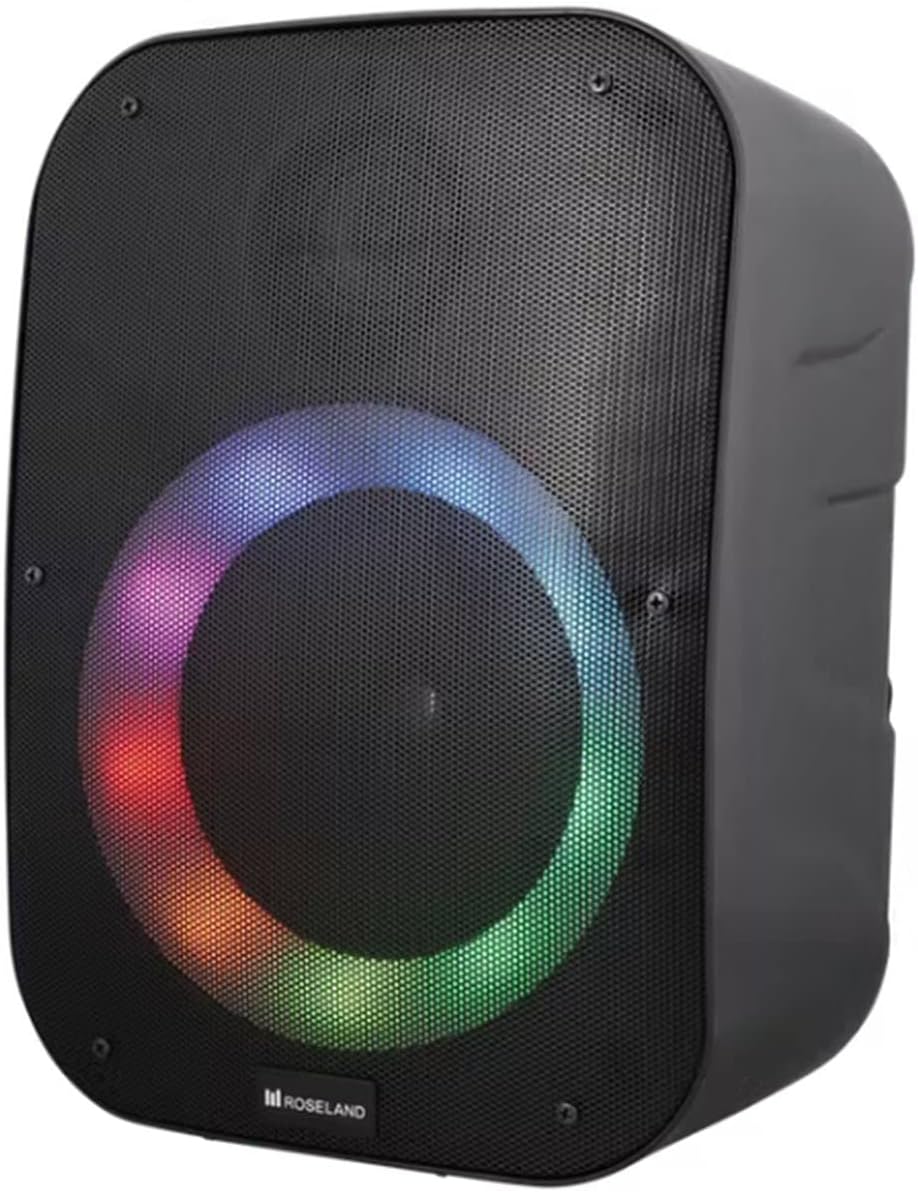
Billede: Forside view of the Roseland Boombox showcasing its dynamic color-changing light feature.
Press the Light Mode Button on the control panel to cycle through various color-changing light patterns. Continue pressing to find your preferred mode or to turn the lights off.
7. Vedligeholdelse
- Rensning: Brug en blød, tør klud til at rengøre højttalerens overflade. Brug ikke slibende rengøringsmidler eller opløsningsmidler.
- Opbevaring: Opbevar højttaleren et køligt, tørt sted væk fra direkte sollys og ekstreme temperaturer, når den ikke er i brug i længere perioder.
- Batteripleje: For at forlænge batteriets levetid skal du oplade højttaleren helt inden første brug og genoplade den mindst én gang hver tredje måned, hvis den ikke bruges regelmæssigt.
8. Fejlfinding
| Problem | Mulig årsag | Løsning |
|---|---|---|
| Højttaleren tænder ikke. | Lavt batteri. | Charge the speaker using the supplied USB-C cable. |
| Ingen lyd. | Lydstyrken er for lav; forkert tilstand; enhed er ikke tilsluttet. | Increase volume; ensure correct mode (Bluetooth/AUX/USB); re-pair Bluetooth device or check AUX/USB connection. |
| Bluetooth-parring mislykkes. | Højttaler ikke i parringstilstand; enhed for langt væk; interferens | Sørg for, at højttaleren er i Bluetooth-parringstilstand; flyt enheden tættere på; sluk andre Bluetooth-enheder. |
| TWS-parring mislykkes. | Højttalerne er for langt fra hinanden; én højttaler er allerede parret med en enhed. | Ensure both speakers are in TWS pairing mode and close to each other; disconnect any Bluetooth devices from both speakers before TWS pairing. |
9. Specifikationer
| Feature | Detalje |
|---|---|
| Modelnavn | Roseland Boombox 20W TWS Bluetooth Speaker |
| Mærke | Roseland |
| Højttaler udgangseffekt | 20 watt |
| Forbindelsesteknologi | Bluetooth, Auxiliary (AUX), USB |
| Trådløs kommunikation | Bluetooth |
| Lydudgangstilstand | Stereoanlæg |
| Surround Sound Kanalkonfiguration | 2.0 |
| Kontrolmetode | Røre |
| Strømkilde | Wireless (Rechargeable Battery) |
| Batterilevetid | Op til 5.5 timer |
| Opladningstid | Cirka 2.5 timer |
| Særlige funktioner | Bluetooth, USB Port, Color-changing Light, Waterproof |
| Anbefalet brug | Til smartphone eller tablet |
| Kompatible enheder | Personal Computer, Television, Tablet, Smartphone, Laptop |
| Monteringstype | Gulvmontering |
| ASIN | B0B58VP4RH |
10. Garantioplysninger
This Roseland Boombox 20W TWS Bluetooth Speaker comes with a 1 års begrænset producentgaranti fra købsdatoen. Denne garanti dækker defekter i materialer og udførelse ved normal brug. Den dækker ikke skader forårsaget af misbrug, ulykker, uautoriseret ændring eller eksterne årsager.
For warranty claims or support, please contact your retailer or the manufacturer's customer service with your proof of purchase.
11. Sikkerhedsoplysninger
- Udsæt ikke højttaleren for ekstreme temperaturer, direkte sollys eller åben ild.
- Do not disassemble, repair, or modify the speaker yourself. This may void the warranty and pose safety risks.
- Hold højttaleren væk fra børn og kæledyr.
- Use only the supplied charging cable. Using incompatible chargers may damage the device or cause fire.
- Undgå at lytte ved høj lydstyrke i længere perioder for at forhindre høreskader.
- Although waterproof, avoid submerging the speaker in water for prolonged periods or exposing it to high-pressure water jets.


