Indledning
The Udreamer Vinyl Record Player (Model UD004) is a belt-drive turntable designed for an enhanced vinyl listening experience. It features Bluetooth output for wireless connection to external speakers or headphones, and a USB port for converting vinyl to digital formats. The turntable supports two speeds (33 RPM & 45 RPM) and includes a magnetic cartridge with counterweight for accurate tone and extended stylus life. This manual provides essential information for setup, operation, and maintenance of your record player.
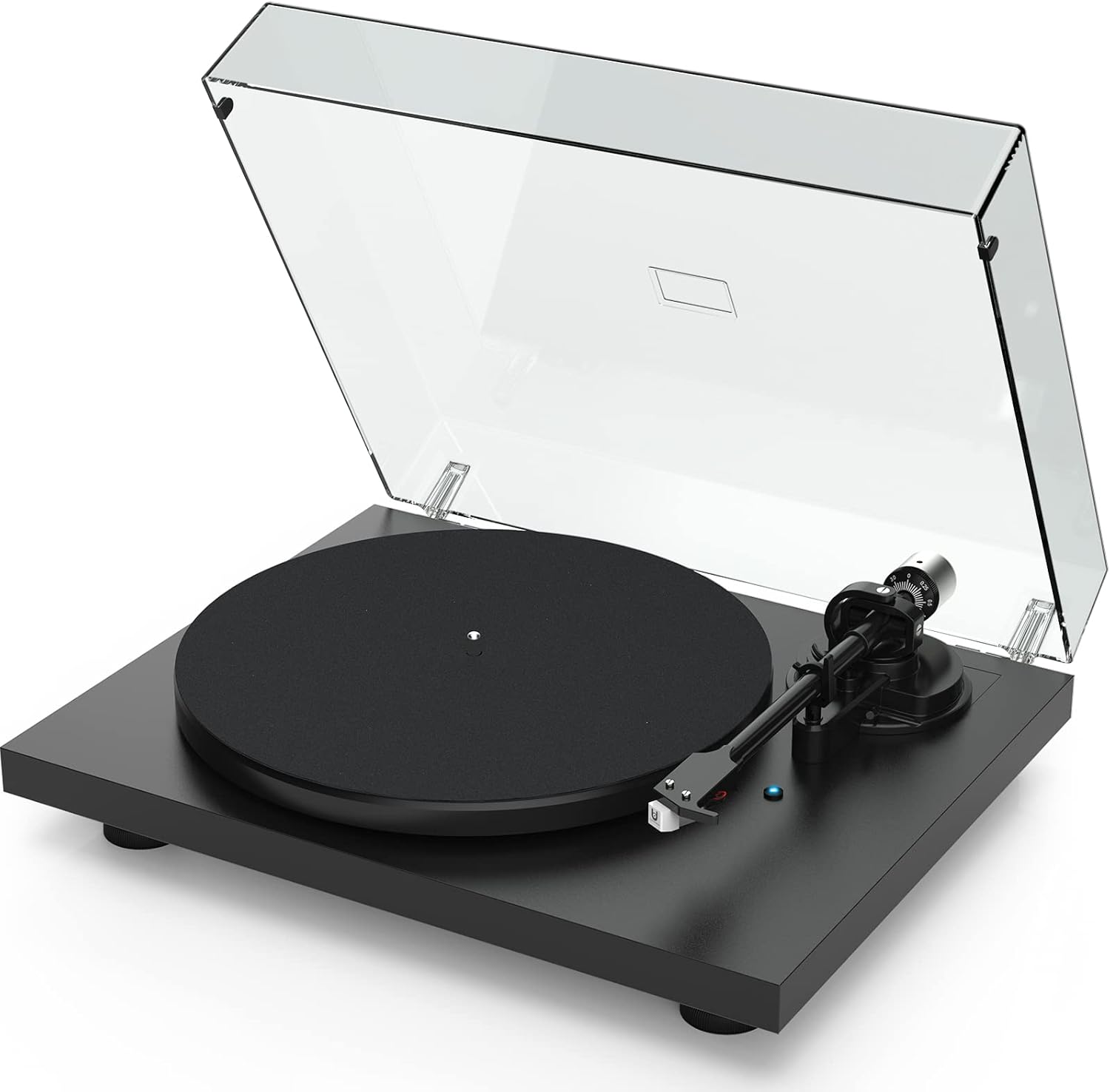
Image: The Udreamer UD004 Vinyl Record Player, showcasing its sleek black design with the clear dust cover open, revealing the platter and tonearm.
Opsætning
Before operating your Udreamer record player, ensure all components are present and properly assembled.
Pakkeindhold:
- 1 x Pladespiller
- 1 x Mat
- 1 x Counter Weight
- 1 x 45 RPM adapter
- 1 x 9V/2.0A DC-adapter
- 1 x RCA-kabellinje
- 1 x PC Cable
- 1 x Brugermanual (dette dokument)
Montering og tilslutning:
- Carefully remove the turntable and all accessories from the packaging.
- Place the platter mat onto the turntable platter.
- Install the counterweight onto the rear of the tonearm. Adjust the counterweight to achieve the recommended tracking force for the magnetic cartridge (refer to cartridge specifications for precise weight, typically around 3 grams).
- Connect the 9V/2.0A DC adapter to the turntable's power input and then to a power outlet.
- For wired audio output, connect the RCA cable from the turntable's RCA output to your external amplifier eller drevne højttalere.
- For USB recording, connect the PC cable from the turntable's USB-PC port to your computer.

Image: A detailed diagram illustrating the various components of the turntable, including the counterweight, tonearm lift lever, tonearm clip, platter mat, and stylus cartridge, along with connection ports for RCA and USB-PC.
Betjeningsvejledning
Afspilning af en plade:
- Placer en vinylplade på pladen. Hvis du afspiller en 45 RPM single, skal du bruge den medfølgende 45 RPM adapter.
- Select the appropriate speed (33 RPM or 45 RPM) using the speed selector switch.
- Gently lift the tonearm using the tonearm lift lever.
- Placer tonearmen over den ønskede startrille på pladen.
- Sænk langsomt tonearmen ved hjælp af løftehåndtaget. Pennen vil have kontakt med pladen, og afspilningen vil begynde.
- At the end of the record, the auto-stop function will automatically stop the platter rotation if enabled. Lift the tonearm and return it to its rest.

Billede: Et nærbillede view highlighting key features: the moving magnet cartridge for rich tone, the auto-stop function switch, and the 33/45 RPM speed selector, with illustrations of different record sizes.
Bluetooth udgang:
The UD004 supports Bluetooth output, allowing you to wirelessly stream audio to compatible Bluetooth receivers such as headphones, speakers, or soundbars. This turntable does not support Bluetooth input.
- Ensure your Bluetooth receiving device is in pairing mode.
- Turn on the turntable. The Bluetooth indicator light will begin to flash, indicating it is searching for a device.
- Når den er tilsluttet, lyser indikatorlampen konstant.

Image: The turntable with a graphic indicating Bluetooth output, showing it can wirelessly pair with Bluetooth headphones, speakers, or soundbars.
USB Recording (Vinyl to Computer):
You can convert your vinyl records into digital MP3/WAV format using the included USB-PC cable and Audacity software (or similar audio recording software) on your computer.
- Connect the turntable to your computer using the supplied USB-PC cable.
- Install and open Audacity (or your preferred audio recording software) on your computer.
- Configure the software to recognize the turntable as an audio input device.
- Begin playback on the turntable and start recording in the software.
- Save the recorded audio in your desired digital format.

Image: The turntable connected to a laptop via a USB-PC cable, illustrating the process of converting vinyl to digital formats like MP3/WAV using software like Audacity.
Opretholdelse
Regular maintenance ensures optimal performance and longevity of your record player.
- Rengøring af pennen: Rengør forsigtigt pennen regelmæssigt med en blød børste, der er beregnet til rengøring af pennen, og børst bagfra og forfra.
- Cleaning the Record: Use a carbon fiber brush or a record cleaning solution to remove dust and debris from your records before each play.
- Rengøring af drejeskiven: Wipe the turntable unit with a soft, dry, lint-free cloth. Avoid using harsh chemicals or abrasive cleaners.
- Støvdæksel: Keep the dust cover closed when the turntable is not in use to protect it from dust and accidental damage.
- Udskiftning af bælte: The belt-driven system may require belt replacement over time. Refer to the manufacturer's guidelines for replacement procedures and compatible belts.
Fejlfinding
If you encounter issues with your Udreamer record player, consult the following common troubleshooting steps:
| Problem | Mulig årsag | Løsning |
|---|---|---|
| Ingen strøm | Strømadapteren er ikke tilsluttet; stikkontakten er ikke aktiv. | Ensure power adapter is securely connected to the turntable and a working power outlet. |
| Ingen lyd (kabelforbindelse) | RCA-kabler ikke tilsluttet; amplifier/speakers off or volume low; input selected incorrectly. | Kontroller RCA-kabelforbindelserne. Sørg for amplifier/speakers are on and volume is up. Select correct input on your audio system. |
| Ingen lyd (Bluetooth) | Bluetooth device not paired; device out of range; device not in pairing mode. | Ensure Bluetooth receiving device is in pairing mode and within range. Re-initiate pairing process. Remember, this turntable only supports Bluetooth output. |
| Poor sound quality (hissing, popping, skipping) | Dirty record/stylus; incorrect counterweight setting; damaged stylus; record player not level. | Clean record and stylus. Re-adjust counterweight. Inspect stylus for damage and replace if necessary. Ensure turntable is on a stable, level surface. |
| Optagelsen afspilles for hurtigt/langsomt | Incorrect speed selection; belt issue. | Verify the 33/45 RPM switch is set correctly for the record. Check the drive belt for proper placement and tension. |
| Auto-stop engages too early/late | Auto-stop sensitivity. | Some records may have different groove patterns. If auto-stop is problematic, you may disable it via the ON/OFF switch if available, or manually lift the tonearm. |
Specifikationer
- Mærke: Udreamer
- Model: UD004
- Produktdimensioner: 17 x 14 x 5 tommer (17" L x 14" B x 5" H)
- Varens vægt: 16.27 pund
- Forbindelse teknologi: RCA, Bluetooth Output, USB-PC
- Materiale: Plastic (main unit)
- Motortype: DC motor
- Signalformat: Digital
- Voltage: 5 volt
- Strømkilde: Elektrisk med ledning
- Hastigheder: 33 1/3 RPM, 45 RPM
- Patron type: Bevægelig magnet
- Funktioner: Auto Stop Selector, Pitch Adjust, Aluminum Platter & Base, Counter Weight
Garanti og support
Udreamer is committed to providing quality products and customer satisfaction. For any questions, technical assistance, or warranty inquiries regarding your UD004 Vinyl Record Player, please contact the Udreamer tech support team. Refer to the contact information provided with your purchase or visit the official Udreamer webwebsted for supportdetaljer.
Note: Warranty terms and conditions may vary. Please retain your proof of purchase.


