Indledning
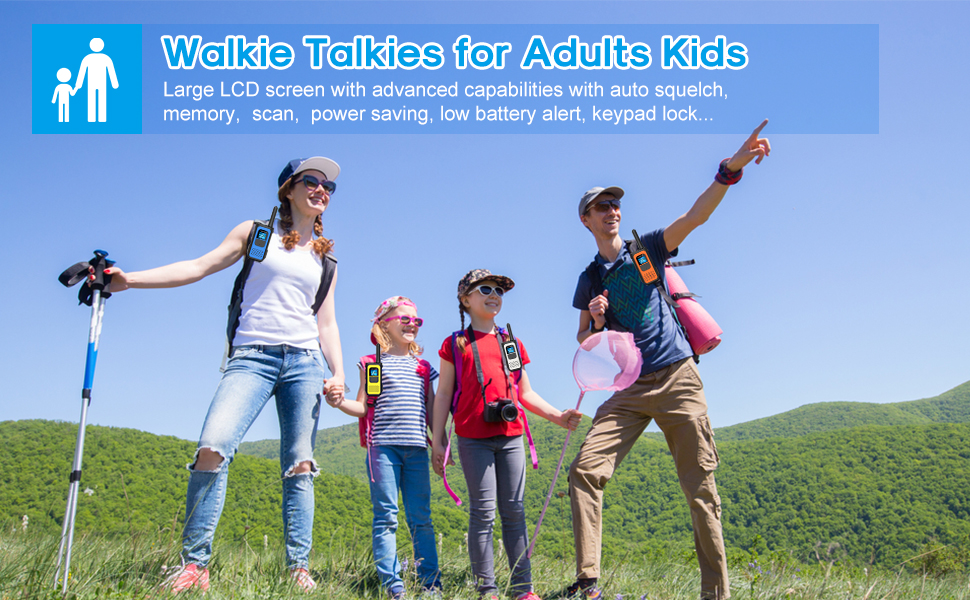
The NXGKET Long Range Walkie Talkies are designed for reliable communication in various environments, from family camping trips to outdoor adventures. Featuring 22 FRS channels and 121 privacy codes, these rechargeable two-way radios offer clear communication and extended battery life. They are compatible with other FRS radios, ensuring seamless interaction regardless of brand. Advanced features include NOAA Weather Scan and Alert, VOX (Voice Operated Exchange), Auto Squelch, Auto Memory, Auto Scan, Auto Power Saving, Low Battery Alert, and Keypad Lock.
Hvad er der i æsken
- 2 * Walkie Talkies
- 2 * Li-ion batteri
- 2 * Belt Clip
- 1 * Type-C kabel
- 1 * User's Manual

Opsætning
Installation af batteri
- Sørg for, at walkie-talkien er slukket.
- Find batterirummet på bagsiden af enheden.
- Open the battery cover and insert the Li-ion battery, ensuring correct polarity.
- Luk batteridækslet forsvarligt.
Opladning af batterier
Each walkie talkie comes with a 1200mAh lithium rechargeable battery. Use the provided Type-C USB cable to charge the units. The cable allows up to two radios to be charged simultaneously.
- Connect the Type-C cable to the charging port located at the top of the walkie talkie (under the rubber cover).
- Connect the USB end of the cable to a compatible USB power source (e.g., wall adapter, power bank, computer USB port).
- The battery indicator on the LCD screen will show charging status. A full charge typically takes about 2 hours.
- Once fully charged, the walkie talkies can be used for 3-4 days depending on usage.

Betjeningsvejledning
Tænd/sluk
- To turn on: Press and hold the Power/Scan button for 3 seconds.
- To turn off: Press and hold the Power/Scan button for 3 seconds again.
Channel Selection and Privacy Codes
The walkie talkies offer 22 FRS channels and 121 privacy codes. To communicate with another radio, ensure both units are set to the same channel and privacy code.
- Press the MENU button to enter channel selection mode.
- Use the UP (+) or DOWN (-) buttons to select the desired channel.
- Press the MENU button again to set the privacy code, then use the UP (+) or DOWN (-) buttons to select the desired code.
- Press the PTT (Push-to-Talk) button to confirm settings and exit menu mode.
Justering af lydstyrke
- Press the UP (+) button to increase volume.
- Press the DOWN (-) button to decrease volume.
- Der er 16 tilgængelige lydstyrkeniveauer.
VOX (Stemmestyret central)
VOX mode allows for hands-free communication. When activated, the walkie talkie will transmit automatically when it detects your voice.
- To activate VOX: Press the MENU button until the VOX icon appears on the LCD. Use UP (+) or DOWN (-) to select sensitivity level (1-3).
- To deactivate VOX: Press the MENU button until the VOX icon appears, then use UP (+) or DOWN (-) to set it to OFF.
NOAA Vejr Scan og Alert
Stay informed about weather conditions with the NOAA Weather Scan and Alert feature.
- Press the UP (+) button for 2-3 seconds to scan 10 NOAA radio channels in your area.
- The radio will alert you to severe weather updates.
Tastaturlås
For at forhindre utilsigtede ændringer af indstillinger kan du låse tastaturet.
- To lock: Press and hold the MENU/Lock button for 3 seconds until the lock icon appears.
- To unlock: Press and hold the MENU/Lock button for 3 seconds again until the lock icon disappears.

Official Product Video: Easy to Use Walkie Talkies
Video 1: This video demonstrates the ease of use and long-range capabilities of the NXGKET walkie talkies, highlighting their suitability for adults and various outdoor activities.
Opretholdelse
- Keep the walkie talkies dry. If they get wet, wipe them immediately with a soft, dry cloth.
- Clean the units with a soft, damp klæde. Brug ikke skrappe kemikalier eller slibende rengøringsmidler.
- Remove batteries if the device will not be used for a long period to prevent leakage.
- Opbevares på et køligt, tørt sted væk fra direkte sollys og ekstreme temperaturer.
Fejlfinding
For detailed troubleshooting steps and solutions to common issues, please refer to the official User Manual (PDF) provided with your product or available via the Amazon product page.
Almindelige problemer kan omfatte:
- No power: Check battery installation and charge level.
- Cannot communicate: Ensure both walkie talkies are on the same channel and privacy code. Check for obstructions.
- Poor sound quality: Adjust squelch level, check for interference, or move to an open area.
Specifikationer
- Mærke:
- NXGKET
- Modelnummer:
- 2AYV7YG-811
- Varens vægt:
- 4 ounce
- Produktdimensioner:
- 7 x 1.96 x 2.36 tommer
- Batterier:
- 2 Lithium Polymer batterier påkrævet (medfølger)
- Skærmtype:
- LCD
- Antal kanaler:
- 22
- Særlige funktioner:
- Battery Strength Indicator, Long Range, Keypad Lock, Dust Proof, Automatic Squelch
- Frekvensområde:
- 136-174 MHz
- Maksimal talerækkevidde:
- 3 Mile (open areas)
- Vandmodstandsniveau:
- Vandtæt
Garanti og support
NXGKET offers a 1-year warranty and free replacement for this product. The device has been tested to comply with FCC standards (FCC ID: 2AYV7YG-811).
For any concerns or support inquiries, please feel free to contact NXGKET-US, the seller. Contact information can typically be found on the product's purchase platform or through the official brand webwebsted.


