Indledning
Thank you for choosing the GOLOZA Projection Alarm Clock. This manual provides detailed instructions for setting up, operating, and maintaining your new alarm clock. Please read it thoroughly to ensure optimal performance and longevity of the device.

The GOLOZA Projection Alarm Clock, showcasing its main display and projection feature, along with its USB charging capability.
Produktegenskaber
- Integrated Projector with Sharp and Clear Image: The projector arm swivels 180 degrees, projecting a fine and smooth time figure image onto the wall or ceiling from 1.64-11.4 feet (0.5-3m). The projected numerals are sharp and clear without focus adjustment.
- Large LED Display & 3 Brightness Levels: The curved screen features 3.4x1.7 inch large digits for easy reading. It offers 3 adjustable brightness levels for the main display and separate adjustment for the projection display.
- USB opladningsport: Includes a 5V/1A USB output interface to charge mobile devices while the clock occupies an outlet.
- Alarm with Progressive Buzzer Volume: The alarm features a progressive buzzer volume (75dB) that gradually increases, suitable for heavy sleepers.
- 9-minutters snooze-funktion: Press the large SNOOZE button for an additional 9 minutes of sleep.
- Big Buttons & Easy to Use: Control buttons are conveniently located on top and clearly marked with icons for intuitive operation.
- Indbygget backup batteri: A CR2032 button cell battery automatically saves time and alarm settings during unexpected power outages. The time is not displayed and the alarm will not sound during an outage, but settings are retained.
- Stylish and Unique Curved Design: The curved screen mimics eye curvature for a more comfortable viewing experience and reduced eye strain.
Opsætning
- Strømtilslutning: Connect the included AC adapter (AC100-240V, 50/60Hz) to the clock and a power outlet. The clock is powered by mains only.
- Backup batteri: The built-in CR2032 button cell battery ensures that time and alarm settings are saved in case of a power interruption. No need to install or replace this battery unless it's depleted after extended use.
- Indstilling af starttidspunkt: Upon first power-up, the clock will display a default time. Refer to the 'Operating Instructions' section to set the correct time.

The clock comes equipped with a power adapter for reliable operation.

The built-in CR2032 battery provides backup for settings during power outages.
Betjeningsvejledning
Indstilling af tid og dato
Detailed instructions for setting the time and date are typically found in the full user manual. Generally, look for 'SET' or 'TIME SET' buttons on the top of the clock.
12/24-Hour Time Display
This alarm clock supports both 12-hour and 24-hour display formats. The PM icon will display when time reaches the afternoon if the 12-hour display mode is selected.
Switch between 12-hour and 24-hour time formats as preferred.
Alarm Setting and Snooze
- To set the alarm, locate the alarm setting buttons (often marked with a bell icon).
- Adjust the alarm time using the '+' and '-' buttons.
- To activate the 9-minute snooze, press the large SNOOZE button on top of the clock when the alarm sounds.

The large snooze button provides an easy way to get extra sleep.
Projektionsfunktion
- In time mode, short press the projection button to turn on the projection.
- Rotate the projector arm to adjust the projection angle to your desired position on the wall or ceiling.
- Short press the projection button again to adjust the projection brightness (low-medium-high-OFF).
- If the projected numbers are upside down, long press the projection button to flip the numbers.

Simple steps to control and adjust the time projection.

The clock projects a clear, high-definition time display onto your wall or ceiling.
Justering af skærmens lysstyrke
The main LED display has 3 adjustable brightness levels. Use the dedicated brightness button (if available) or refer to the full manual for specific button functions to cycle through the brightness options.

Adjust the display brightness to suit your preference, from 0% to 100%.
USB opladning
Connect your mobile device's USB charging cable to the USB output port on the clock to charge your device.

Conveniently charge your devices using the integrated USB port.
Opretholdelse
- Rensning: Brug en blød, tør klud til at rengøre urets overflade. Undgå slibende rengøringsmidler eller opløsningsmidler, der kan beskadige finishen.
- Placering: Placer uret på en stabil, flad overflade væk fra direkte sollys, ekstreme temperaturer og høj luftfugtighed.
- Magt: Always use the provided AC adapter. Do not attempt to power the clock with other adapters.
Fejlfinding
- Uret tænder ikke: Sørg for, at strømadapteren er korrekt tilsluttet både uret og en fungerende stikkontakt.
- Projection is blurry/unclear: Adjust the distance of the clock from the projection surface (wall/ceiling). Ensure the projector arm is rotated correctly.
- Alarmen lyder ikke: Check if the alarm is activated and set to the correct time. Ensure the volume is not set to minimum.
- Indstillinger mistet efter strømafbrydelsetage: While the built-in battery saves settings, the display will not show time and the alarm will not sound during a power outage. Ensure stable power supply for continuous operation.
Specifikationer
| Feature | Detalje |
|---|---|
| Mærke | GOLOZA |
| Modelnummer | LA-C337-White |
| Farve | White Digit+red Projection |
| Display Type | Digital |
| Produktdimensioner | 17.7 cm B x 8 cm H (6.9" B x 3.15" H) |
| Varens vægt | 10.2 ounce |
| Strømkilde | Elektrisk med ledning |
| Backup batteri | CR2032 (built-in, for settings memory only) |
| Projektionsafstand | 1.64-11.4 fod (0.5-3 m) |
| USB udgang | 5V/1A |
| Materiale | Acrylonitrilbutadienstyren (ABS), polycarbonat (PC) |
Garanti og support
GOLOZA offers a 24 måneders garanti og en 2-year replacement promise for this product. For any questions or support, please follow these steps:
- Gå til din Amazon-konto.
- Navigate to 'Orders'.
- Select 'Order Detail' for your GOLOZA Projection Alarm Clock purchase.
- Find 'Sold by: GOLOZA' and click 'Ask a question'.
Du kan også se den officielle brugermanual (PDF), der er tilgængelig på: https://manuals.plus/m/f5a85b813ce03ee7e3272b54a64ce93e63f4ee837ba9632aab8ca792c10abb78
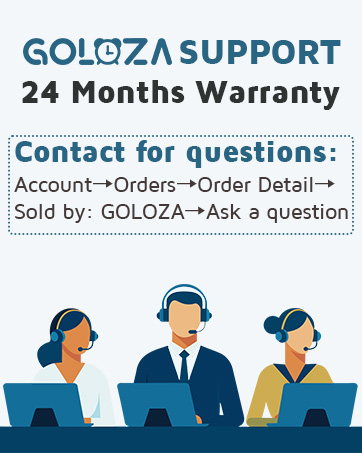
GOLOZA provides dedicated customer support and warranty coverage.


