Indledning
The LAUNCH X431 PAD VII Elite is an advanced automotive diagnostic scanner designed for comprehensive vehicle analysis and maintenance. This manual provides essential information for setting up, operating, maintaining, and troubleshooting your device, ensuring optimal performance and efficient vehicle diagnostics.
Opsætning
Unboxing og indledende opsætning
Carefully unpack all components from the carrying case. Verify that all items listed in the 'What's in the Box' section are present. The main unit is the 13.3-inch high-definition display tablet, and the SmartLink C VCI is the vehicle communication interface.

Image: The LAUNCH X431 PAD VII Elite diagnostic scanner, SmartLink C VCI, and various accessories neatly organized within its robust carrying case.
Video: An unboxing demonstration of the LAUNCH X431 PAD VII Elite, showcasing the contents and initial presentation of the device.
Connecting the SmartLink C VCI
Connect the SmartLink C Vehicle Communication Interface (VCI) to the vehicle's OBD-II diagnostic port. Ensure a secure connection. The VCI communicates wirelessly with the main tablet for diagnostic operations.
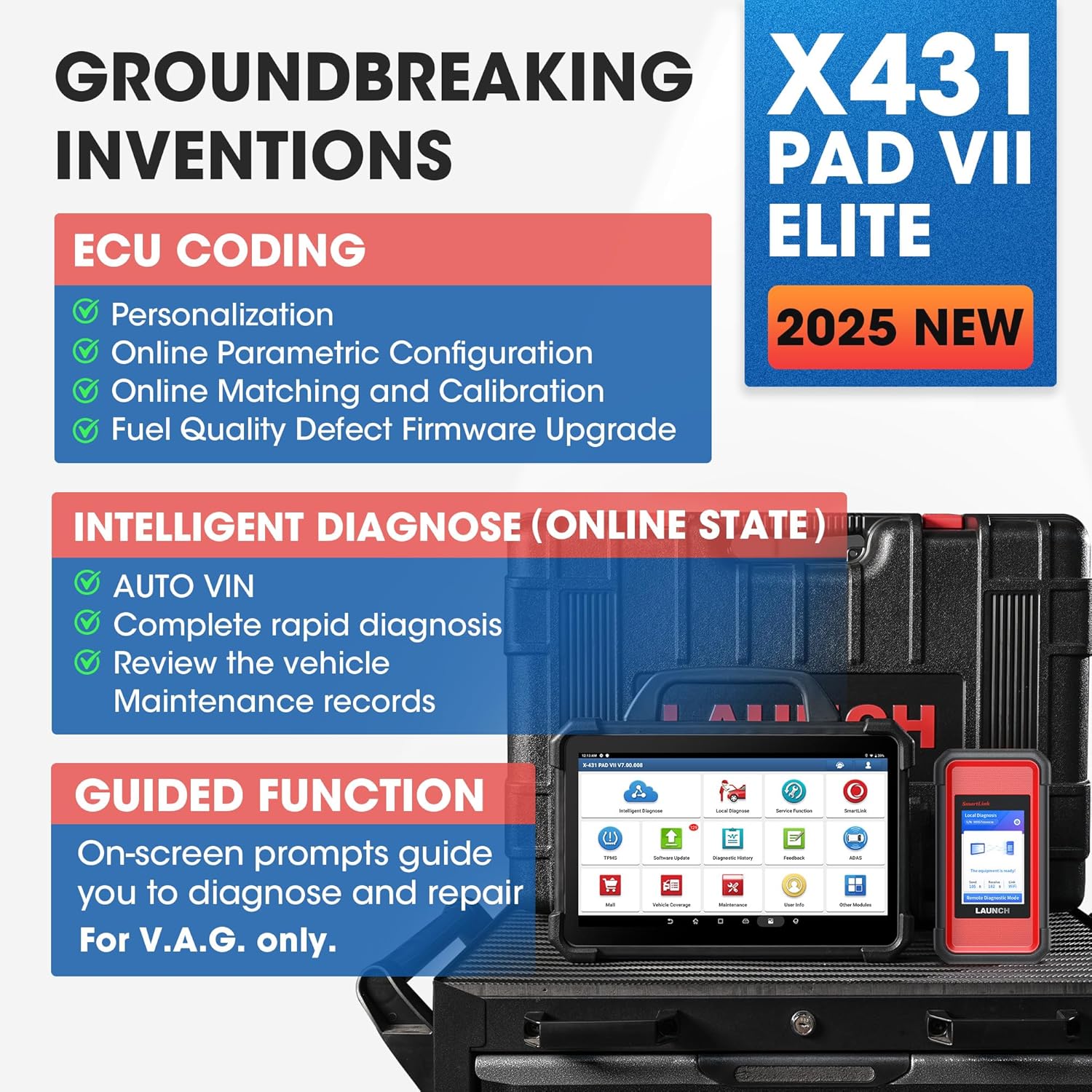
Image: The SmartLink C VCI unit plugged into the OBD-II port of a vehicle, ready for diagnostic procedures.
Drift
Intelligent Diagnose
The Intelligent Diagnose feature allows for quick and automatic vehicle identification via VIN scanning. This streamlines the diagnostic process by automatically selecting the correct vehicle information and displaying relevant diagnostic records.

Image: The Intelligent Diagnose interface of the LAUNCH X431 PAD VII Elite, showing options for local and remote diagnosis, software updates, and special functions.
Special Functions and Service Functions
The device offers over 60 service functions to address various vehicle maintenance needs. These include, but are not limited to, Oil Reset, ABS Bleeding, Injector Coding, SAS Reset, BMS Service, Throttle Matching, TPMS Reset, Gear Learning, and more. Guided Functions are available for specific vehicle brands like VW/Audi/Skoda/Seat to simplify complex procedures.
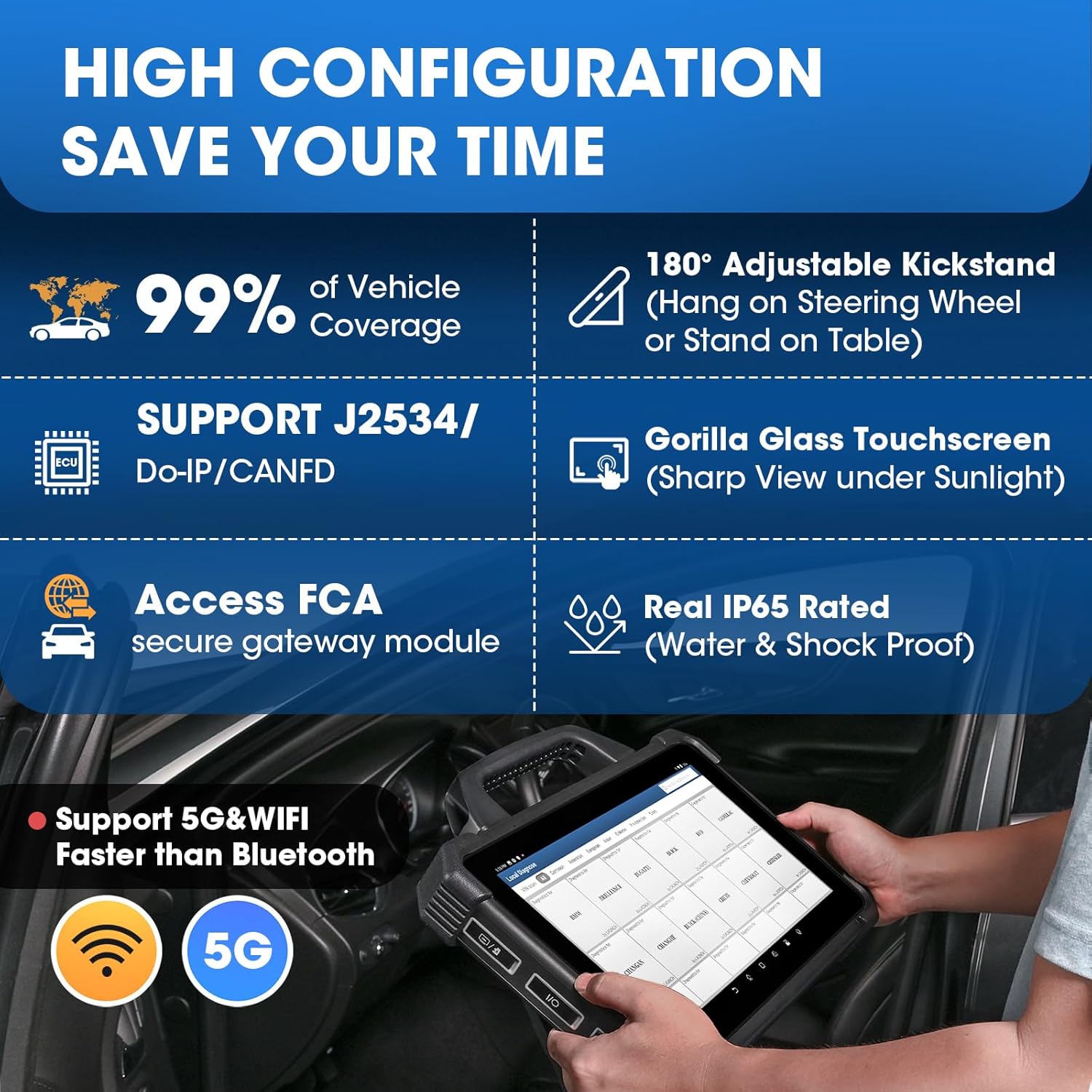
Image: A visual representation of over 60 special functions available on the diagnostic tool, such as Oil Reset, SAS Reset, Windows Calibration, and ABS Bleeding.
Topology Module Mapping
The Topology Module Mapping feature provides a visual representation of the vehicle's communication network. It displays the health status of different modules in various colors and illustrates the structure of communication between them. Users can select a module to access its system and view relevant Diagnostic Trouble Codes (DTCs).
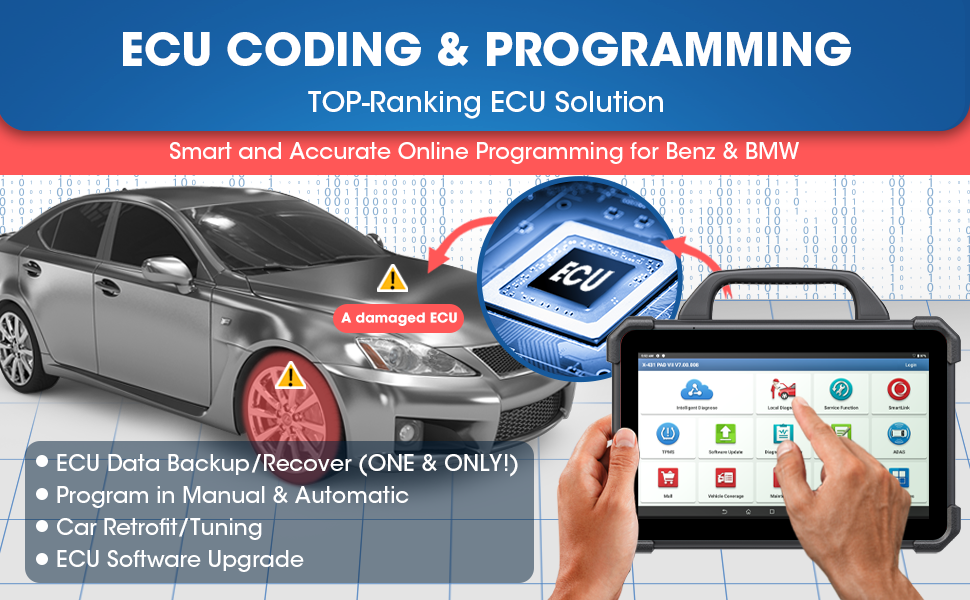
Image: A detailed diagram illustrating the Topology Module Mapping feature, showing interconnected vehicle modules and their communication paths.
ECU-kodning og -programmering
The X431 PAD VII Elite supports advanced ECU functions including data backup/recovery from original ECUs, offline or online coding, retrofitting (e.g., replacing halogen lamps), and ECU software upgrades. This allows for comprehensive customization and repair of vehicle control units.

Image: A graphic demonstrating online programming capabilities for Mercedes-Benz and BMW vehicles, highlighting ECU data backup/recovery and module replacement.
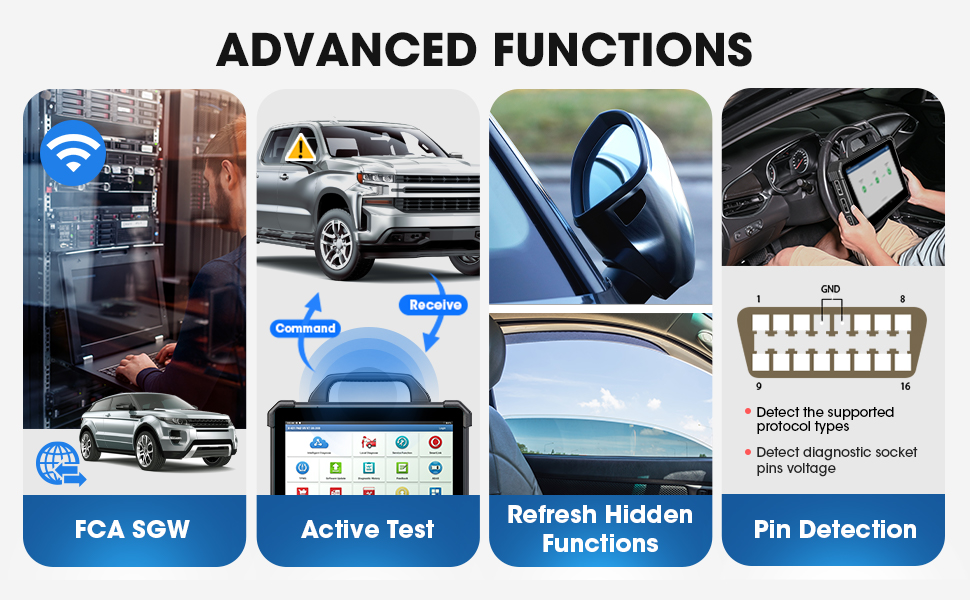
FCA Secure Gateway Access
The diagnostic scanner provides access to the FCA Secure Gateway (SGW), enabling technicians to perform necessary repair procedures on FCA vehicles (Chrysler, Dodge, Jeep, etc.) from 2017 onwards.
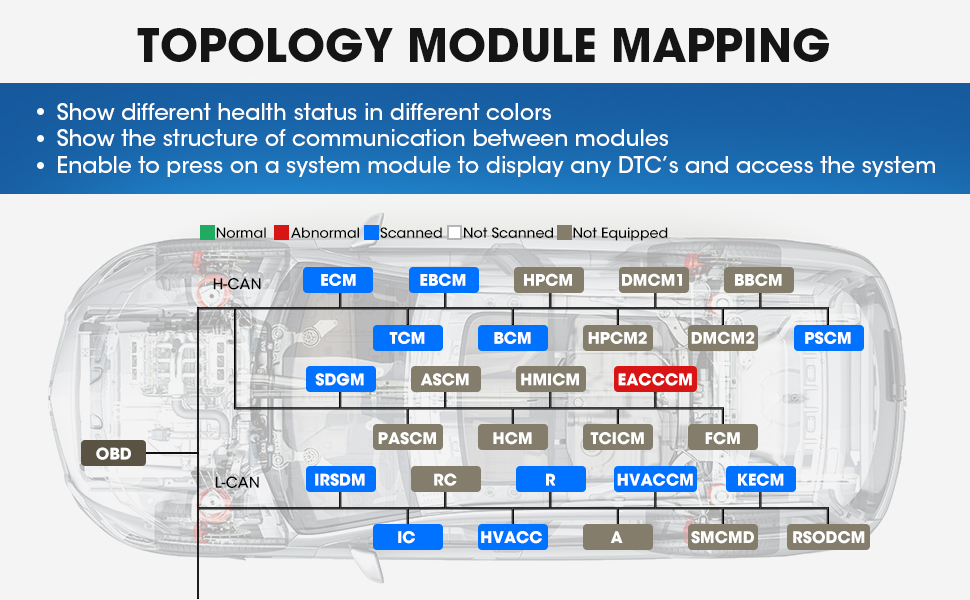
Image: A display of advanced functions, including FCA SGW access, active tests, refreshing hidden functions, and pin detection.
Bi-directional Control (Active Test)
The bi-directional control feature allows the tool to send commands to vehicle modules to perform specific tests, bypassing the onboard control systems. By observing the modules' responses, users can precisely locate faults and shorten troubleshooting time.

Image: A graphic illustrating bi-directional control, where the diagnostic tool sends commands to vehicle components and receives feedback to identify faults.
Pin Detection
The Pin Detection module allows you to detect the voltage of the vehicle's OBD-II diagnostic socket pins and identify supported protocol types. This helps technicians assess the integrity of the OBD-II diagnostic interface and troubleshoot potential issues with the DLC port.
Image: A display of advanced functions, including FCA SGW access, active tests, refreshing hidden functions, and pin detection.
Data Stream Analysis
The device allows for real-time viewing and graphing of live data streams from various vehicle sensors and systems. This data can be displayed in English or Metric units, and multiple data streams can be combined for comparative analysis, aiding in accurate diagnosis.
Opretholdelse
Softwareopdateringer
Regular software updates are crucial for maintaining compatibility with the latest vehicle models and diagnostic functions. The device supports online software updates to ensure you always have the most current features and vehicle coverage.
Launch Academy
The Launch Academy provides a wealth of educational resources, including training videos, repair cases, tire pressure maintenance databases, and IMMO skills guides. This integrated learning platform helps users enhance their diagnostic and repair knowledge.
Video: A demonstration of using the LAUNCH X-431 PAD VII to perform auto start/stop permanent off coding for BMW F chassis vehicles.
Video: A demonstration showing the LAUNCH X431 PAD VII working with the VSP-600 videoscope for detailed inspections.
Fejlfinding
Diagnostisk feedback
If you encounter issues or have questions during diagnosis, the device features a diagnostic feedback function. This allows you to upload problems directly to LAUNCH for analysis and receive expert assistance.
Fjerndiagnose
The Remote Diagnosis feature enables remote assistance from experts. By providing an access code, a mechanic can perform one-for-one remote diagnosis using a web browser or another X431 scanner, offering a fast, simple, and stable solution for complex issues.
Specifikationer
Tekniske specifikationer
- Operativsystem: Android 9.0
- Processor: 2.0GHz Octa-core Cortex-A53
- Hukommelse: 8GB RAM + 256GB ROM (onboard)
- Vise: 13.3-inch (1920*1080) capacitive touchscreen with Gorilla Glass
- Batteri: 18,720Ah rechargeable lithium-polymer battery (up to 20 hours continuous operation)
- IP-vurdering: IP65 (water and shock proof)
- Dimensioner: 13.9 x 2.8 x 9.29 tommer
- Vægt: 8.8 pund
- Køretøjets dækning: Over 110 brands (U.S., Asian, European markets), continually updated
- Understøttede protokoller: J2534, Do-IP, CANFD
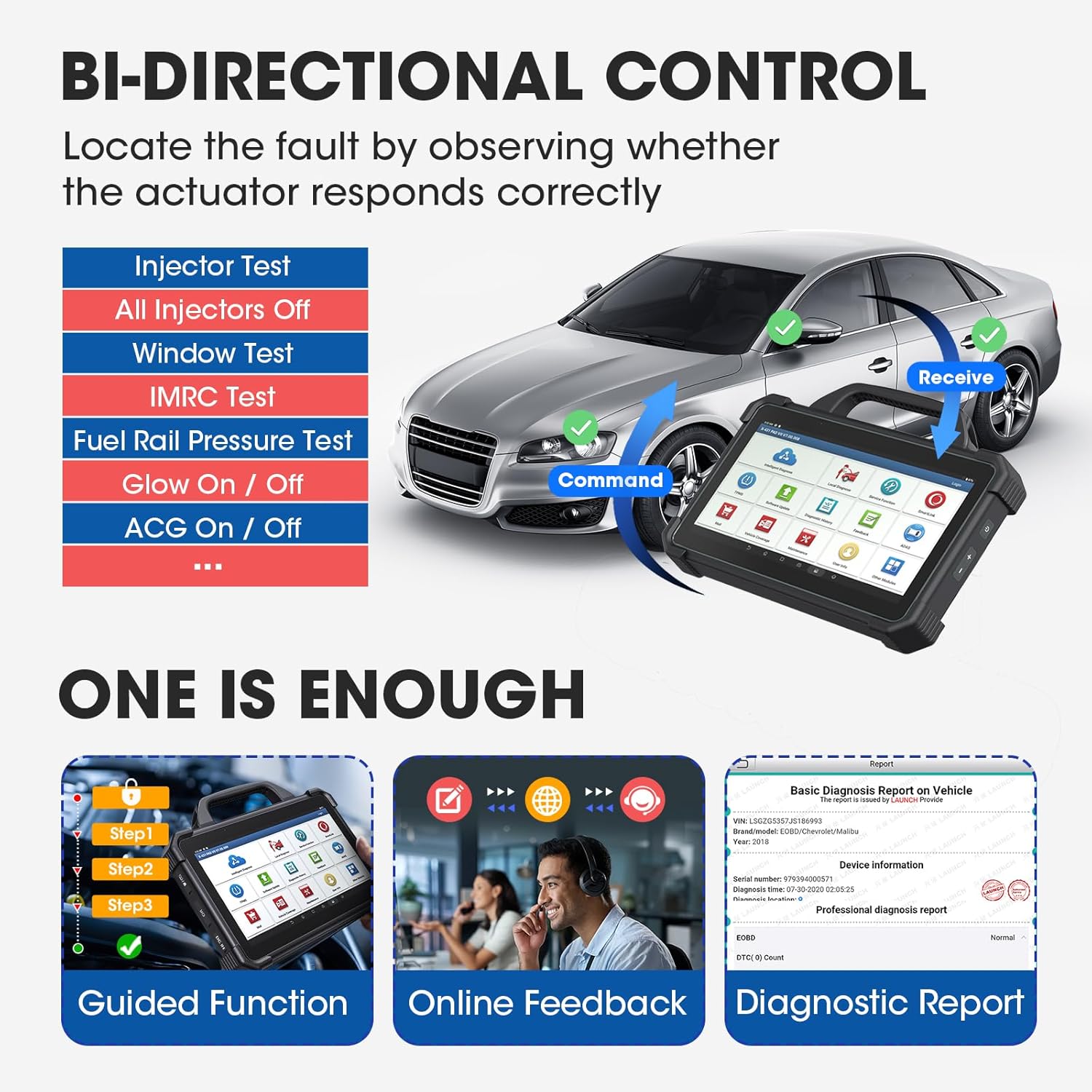
Image: A detailed graphic outlining the device's key parameters, including its Android 9.0 OS, 13.3-inch HD screen, Octa-core CPU, memory, battery capacity, and IP65 waterproof rating.
Garanti
The LAUNCH X431 PAD VII Elite comes with a 5-year warranty. For any issues or concerns, please contact the manufacturer directly. Two years of free software updates are included from the date of purchase.
Støtte
For technical assistance, diagnostic feedback, or any questions regarding the LAUNCH X431 PAD VII Elite, please utilize the 'Contact Us' option within the device's Repair Info menu or refer to the Launch Academy for tutorials and maintenance information. Professional technical support is available.

Image: A graphic highlighting 24/7 professional technical support and a 5-year warranty, emphasizing built-in tutorials and direct manufacturer contact.
Hvad er der i æsken
- 13.3-inch high-definition display tablet
- SmartLink C VCI
- MINI-HDMI to HDMI line
- Strømadapter
- Type-A to Type-C USB Cable
- OBD I Adaptor Box transfer line
Billede: En visuel oversigtview of the supplied accessories, including the tablet, SmartLink C, various cables, and adapters.


