1. Introduktion
This manual provides essential information for the safe and efficient operation of your HEATIT Bladeless Fan with Air Purifier. Please read it thoroughly before use and retain it for future reference.
The HEATIT Bladeless Fan is designed to provide both cooling and heating functions, along with air purification, in a compact and safe design. Its bladeless structure ensures safety for households with children and pets, while the integrated HEPA filter helps maintain a healthy indoor environment.

Image 1.1: HEATIT Bladeless Fan, remote control, and HEPA filter.
2. Sikkerhedsinstruktioner
- Always ensure the fan is placed on a stable, level surface.
- Stik ikke genstande ind i luftudløbene eller -indtagene.
- Tag stikket ud af ventilatoren, før du rengør eller udfører vedligeholdelse.
- Hold ventilatoren væk fra vand eller andre væsker.
- Dette apparat er ikke beregnet til brug af personer (inklusive børn) med nedsatte fysiske, sensoriske eller mentale evner, eller mangel på erfaring og viden, medmindre de har fået opsyn eller instruktion i brugen af apparatet af en person, der er ansvarlig for deres sikkerhed.
- Børn skal være under opsyn for at sikre, at de ikke leger med apparatet.
- Brug ikke blæseren med en beskadiget ledning eller stik.
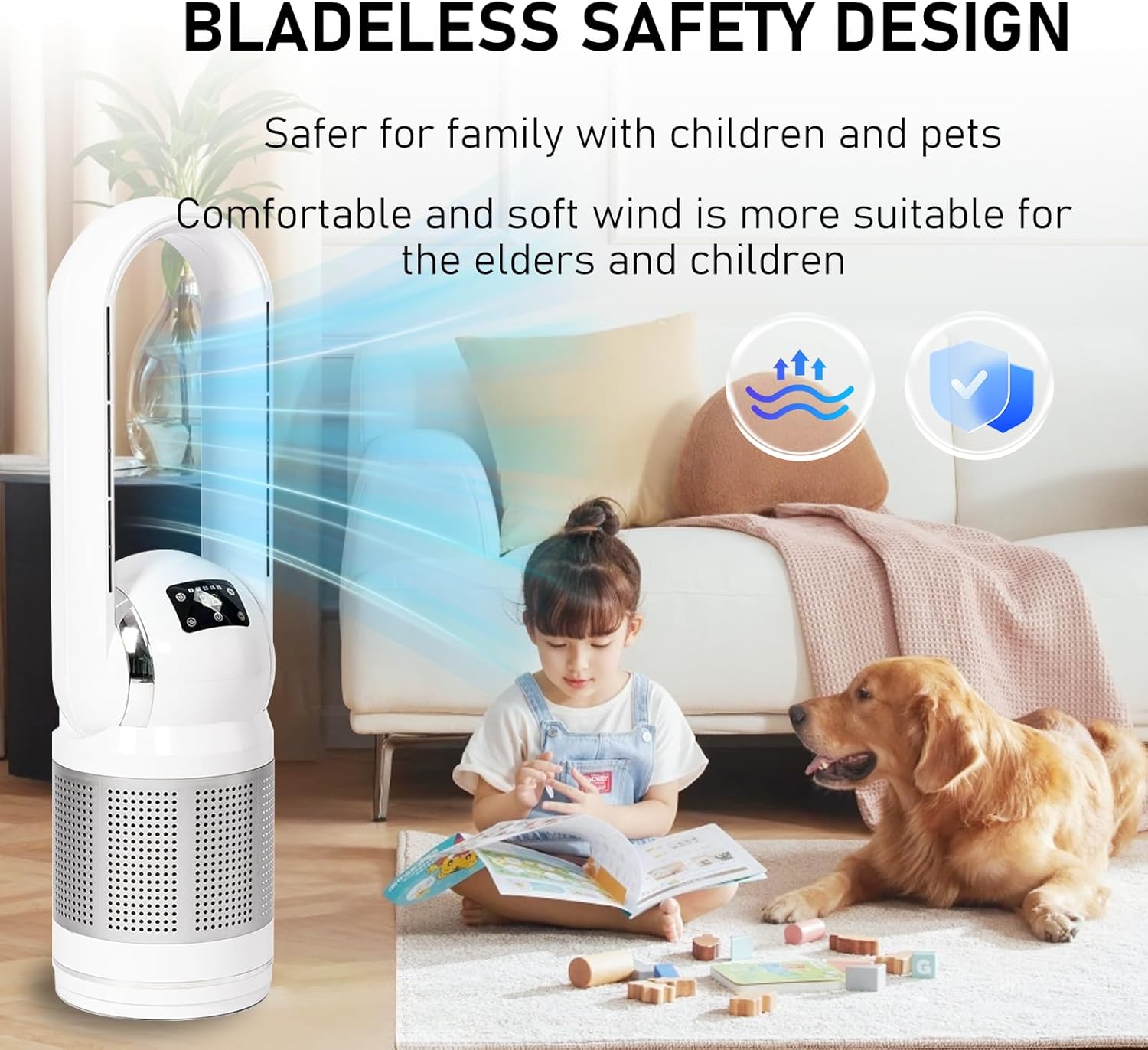
Image 2.1: The bladeless design enhances safety, particularly for homes with children and pets.
3. Opsætning
Udpakning: Carefully remove the fan from its packaging. Retain all packaging materials for future storage or transport.
Placering: Place the fan on a firm, level surface. Ensure there is adequate space around the fan for optimal airflow and oscillation (at least 12 inches from walls or furniture).
Strømtilslutning: Plug the power cord into a standard electrical outlet (120V AC, 60Hz). Ensure the outlet is compatible with the fan's power requirements.
4. Betjeningsvejledning
4.1 Kontrolpanel og fjernbetjening
The fan can be operated using the touch control panel on the unit or the included wireless remote control. The LED display shows the current indoor temperature and settings.
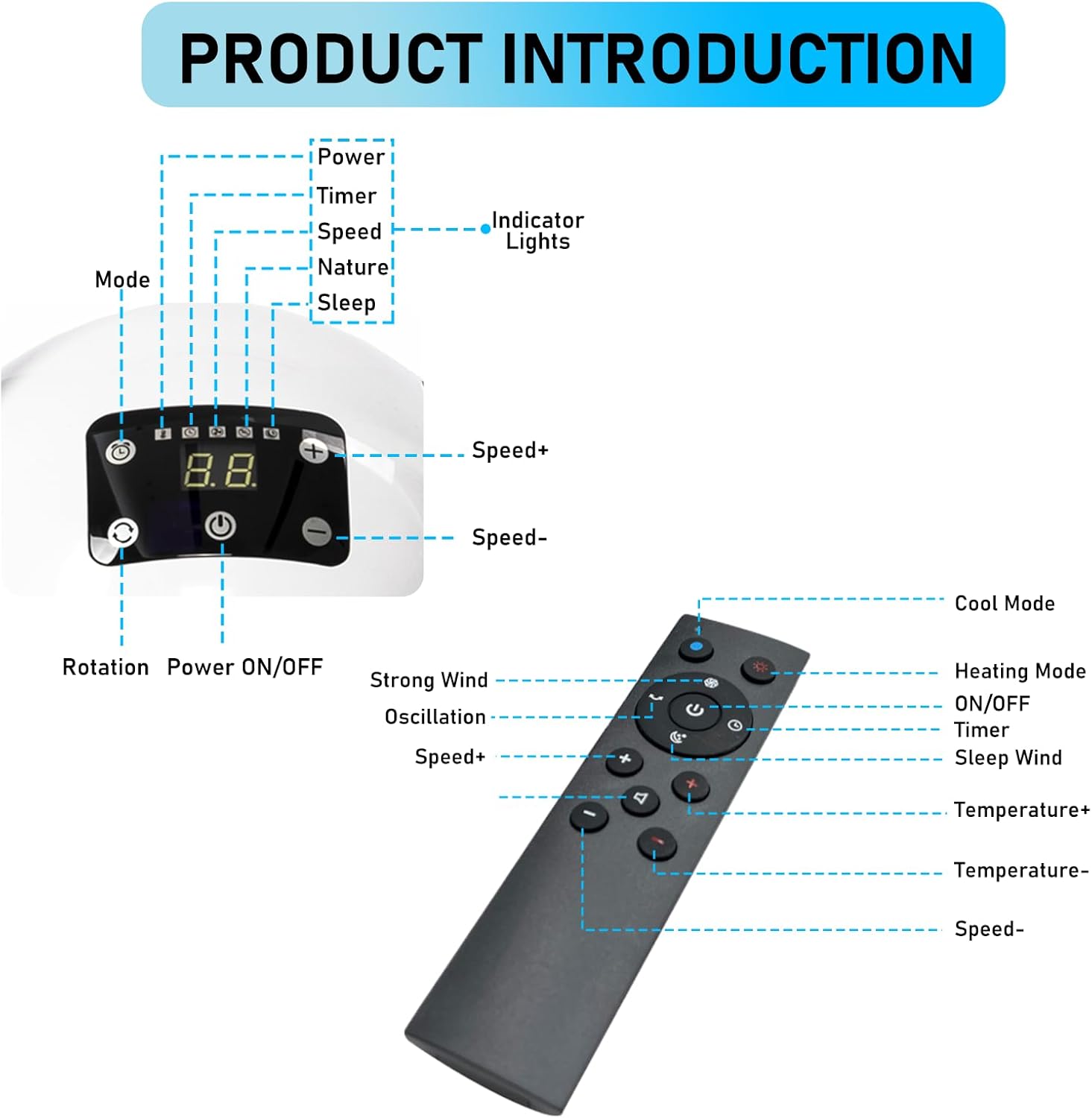
Billede 4.1: Overview of the fan's control panel and remote control functions.
Kontrolpanelets funktioner:
- Tænd/sluk: Tænder eller slukker for enheden.
- Mode: Cycles through fan modes (e.g., Cool, Heat, Nature, Sleep).
- Hastighed +/-: Adjusts the fan speed (8 levels in cool mode).
- Rotation: Activates or deactivates 80° oscillation.
- Timer: Indstiller den automatiske slukningstimer (1-8 timer).
- Indikatorlys: Display current settings and status.
Fjernbetjeningsfunktioner:
- Tænd/sluk: Tænder eller slukker for enheden.
- Cool tilstand: Aktiverer kølefunktionen.
- Opvarmningstilstand: Aktiverer varmefunktionen.
- oscillation: Toggles 80° oscillation.
- Timer: Indstiller den automatiske slukningstimer.
- Søvnvind: Aktiverer dvaletilstand for mere støjsvag drift.
- Hastighed +/-: Justerer blæserhastigheden.
- Temperatur +/-: Adjusts target temperature in heating mode.
4.2 Oscillationsfunktion
The fan features an 80° oscillation function to distribute air across a wider area. Activate this function using the 'Rotation' button on the control panel or the 'Oscillation' button on the remote control.

Image 4.2: The fan's 80° oscillation provides wide coverage for air distribution.
5. Vedligeholdelse
5.1 Rengøring af enheden
- Tag altid ventilatoren ud af stikkontakten før rengøring.
- Tør de udvendige overflader af med en blød, damp klæde. Brug ikke slibende rengøringsmidler eller opløsningsmidler.
- The bladeless design allows for easy cleaning of the air outlet with a soft brush or cloth.
- Sørg for, at alle dele er helt tørre, før du sætter ventilatoren i stikkontakten igen.
5.2 Udskiftning af HEPA-filter
The integrated HEPA filter should be checked and replaced periodically to ensure optimal air purification performance. The frequency of replacement depends on usage and air quality.
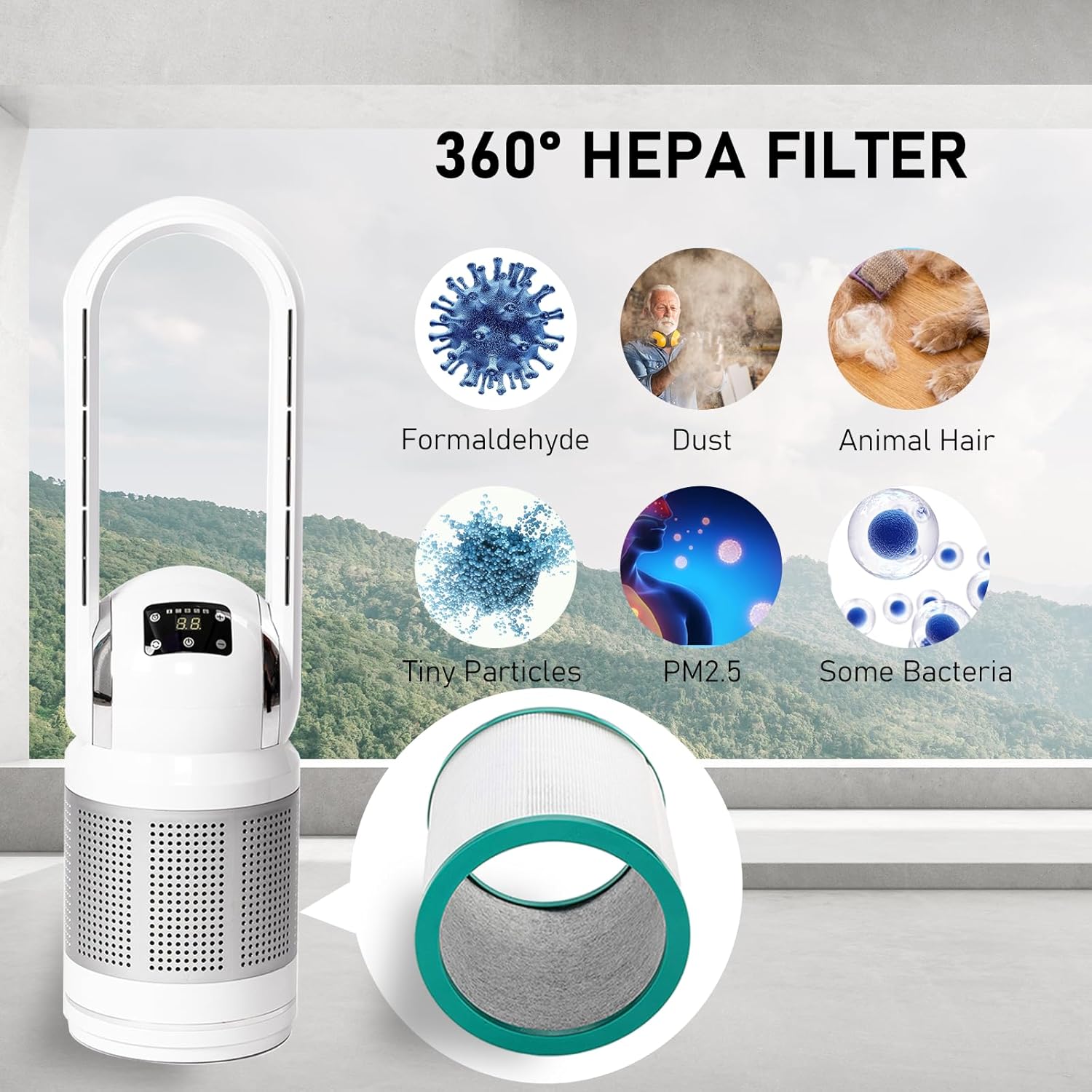
Image 5.1: The 360° HEPA filter effectively captures various airborne particles and pollutants.
Sluk: Tag blæseren ud af stikkontakten.
Adgangsfilter: Refer to the product diagram to locate the filter compartment. Typically, this involves twisting or unlatching a section of the base.
Fjern gammelt filter: Carefully remove the used HEPA filter.
Installer nyt filter: Insert a new HEATIT compatible HEPA filter, ensuring it is seated correctly.
Sikkert rum: Luk og fastgør filterrummet.
6. Fejlfinding
| Problem | Mulig årsag | Løsning |
|---|---|---|
| Ventilatoren tænder ikke. | No power, loose connection, unit not assembled correctly. | Check power cord connection. Ensure the unit's base is securely aligned with the top section. Try a different outlet. |
| Svag luftstrøm. | Blocked air intake/outlet, dirty filter, low fan speed setting. | Clear any obstructions. Clean or replace the HEPA filter. Increase fan speed. |
| Usædvanlig støj. | Obstruction, loose part, unit not on a stable surface. | Check for foreign objects. Ensure the fan is on a stable, level surface. If noise persists, contact customer support. |
| Fjernbetjening virker ikke. | Dead batteries, obstruction, too far from unit. | Replace remote batteries. Ensure no obstructions between remote and fan. Operate within range. |
| Varmefunktionen virker ikke. | Incorrect mode, thermostat setting too low. | Ensure heating mode is selected. Adjust target temperature higher than ambient. |
7. Specifikationer
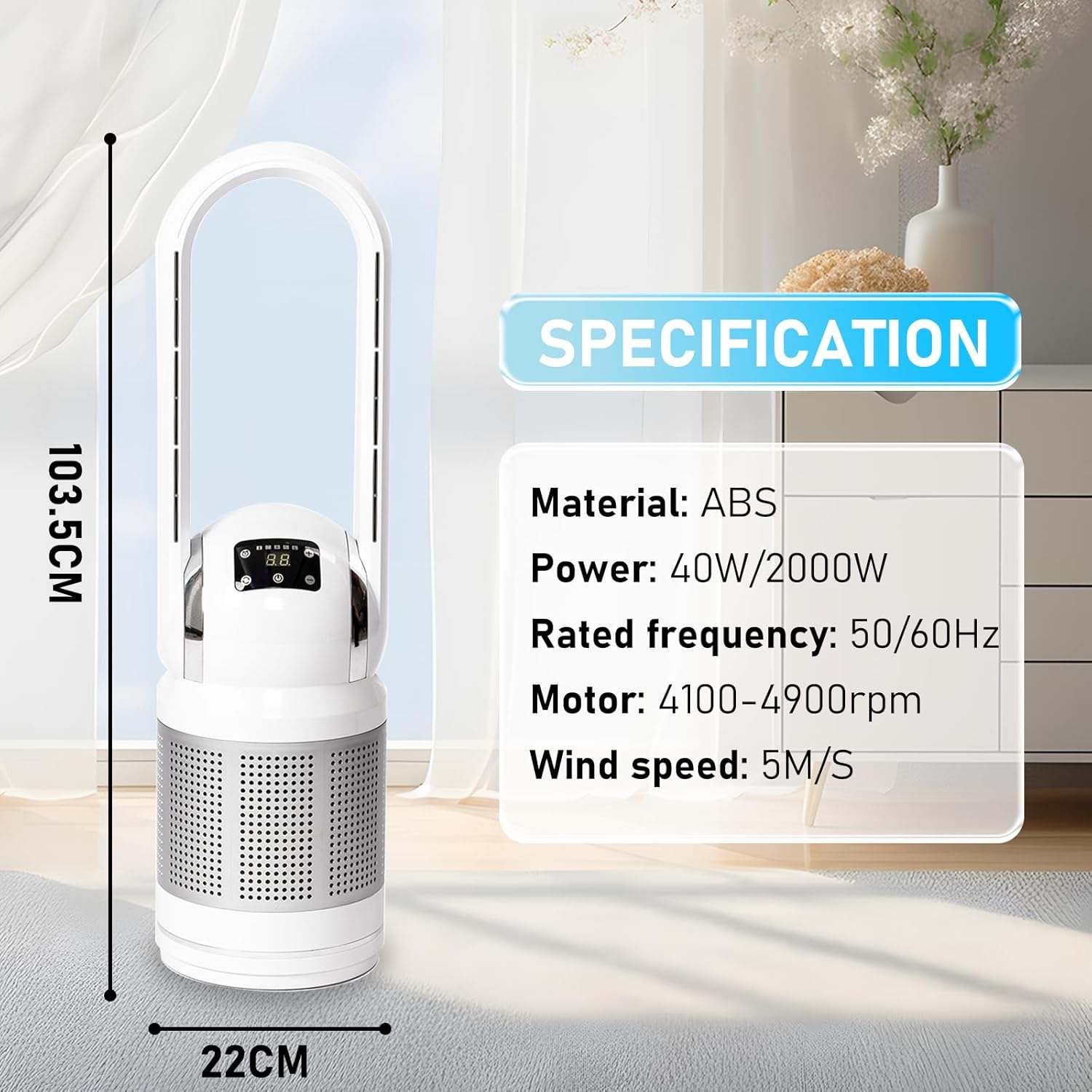
Image 7.1: Physical dimensions and key technical specifications of the fan.
- Mærke: VARME
- Model: AM
- Farve: Hvid
- Produktdimensioner: 27.9 cm D x 27.9 cm B x 87.1 cm H (11 cm D x 11 cm B x 34.3 cm H)
- Materiale: ABS
- Power (Fan/Heater): 40W / 2000W
- Nominel frekvens: 50/60Hz
- Motorhastighed: 4100-4900 rpm
- Maks vindhastighed: 5 M/S
- Controller type: Fjernbetjening
- Særlige funktioner: Bladeless, Lightweight, Oscillating, Air Purifier (HEPA Filter)
- Varens vægt: 13.35 pund (6.06 kg)
- Certificeringer: ETL Certificeret
8. Garanti og support
HEATIT products are manufactured to high-quality standards. For any inquiries, concerns, or warranty claims regarding your HEATIT Bladeless Fan, please contact our dedicated customer support team.
Please refer to the product packaging or the official HEATIT webwebstedet for de seneste garantioplysninger og kontaktoplysninger.
Kundeservice: [Refer to product packaging or HEATIT official webwebsted]


