1. Introduktion
Thank you for choosing the SEMAITU Double Din Car Stereo. This advanced car multimedia system is designed to enhance your driving experience with seamless smartphone integration, superior audio quality, and convenient features. This manual provides detailed instructions for installation, operation, maintenance, and troubleshooting to ensure optimal performance and longevity of your device.
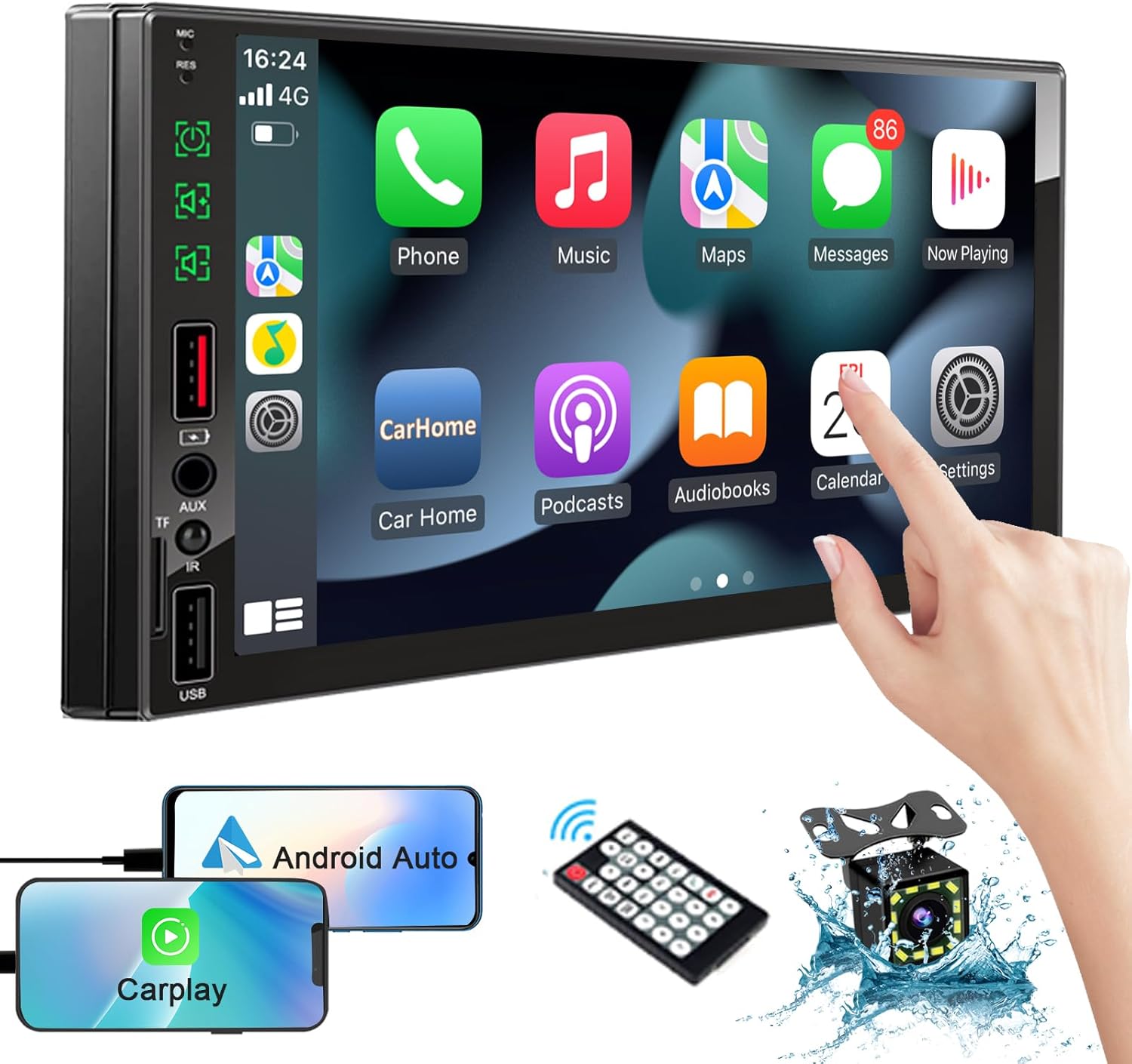
Image: The SEMAITU Double Din Car Stereo unit, remote control, backup camera, and smartphone mirroring examples.
2. Hvad er der i æsken
Kontroller venligst, at alle nedenstående varer er inkluderet i din pakke:
- 7 Inch HD Double Din Car Stereo
- HD bag View Camera & Brackets & Frame
- Wire Harness & Disassembly Tool
- Backup Camera Cable & Camera Power Cable
- Fjernbetjening
- Lavalier mikrofon
- Brugervejledning (dette dokument)
3. Opsætning og installation
Professional installation is highly recommended for this product. Incorrect wiring can cause damage to the unit or your vehicle's electrical system. Always disconnect the vehicle's battery before beginning installation.
3.1. Ledningsdiagram ovenforview
Refer to the detailed wiring diagram provided with your unit for specific connections. Key connections typically include:
- Strømledninger: Konstant 12V (Gul), Tilbehør 12V (Rød), Jord (Sort).
- Højttalerkabler: Connect to your vehicle's speakers (e.g., White/White-Black for Front Left, Gray/Gray-Black for Front Right, Green/Green-Black for Rear Left, Purple/Purple-Black for Rear Right).
- Kamera input: RCA video input for the backup camera.
- Omvendt trigger: Wire to detect when the vehicle is in reverse gear for automatic camera display.
- Antenne: Tilslut din bils radioantenne.
- USB/TF Ports: For media playback and smartphone connection.

Image: The car stereo displaying a quick response interface, indicating smooth operation.
3.2. Montering af enheden
Secure the double din unit into your vehicle's dashboard opening using the provided mounting brackets and screws. Ensure it is firmly in place to prevent vibrations and movement.
4. Betjeningsvejledning
4.1. Voice Assistants (Apple CarPlay & Android Auto)
Connect your compatible iPhone or Android smartphone via USB to enable Apple CarPlay or Android Auto. This allows you to access navigation, make calls, send messages, and play music using voice commands or the stereo's touchscreen interface.
- Apple CarPlay: Connect your iPhone using a certified USB cable. The CarPlay interface will automatically launch on the stereo screen.
- Android Auto: Connect your Android phone using a certified USB cable. Ensure Android Auto is installed on your phone. The interface will launch automatically.
- Stemmestyring: Use the built-in microphone to activate Siri or Google Assistant for hands-free operation.

Billede: I bilen view of the stereo displaying Apple CarPlay and Android Auto interfaces, with icons for voice assistant, call, GPS, music, messages, and more apps.
4.2. Bluetooth System
The integrated Bluetooth system allows for wireless audio streaming and hands-free calling.
- Parring: Go to the Bluetooth settings on the stereo and your smartphone. Søg efter available devices and select 'SEMAITU TH001' (or similar name) to pair.
- Håndfri opkald: Once paired, you can make and receive calls directly through the stereo. The built-in microphone ensures clear communication.
- Lydstreaming: Play music from your smartphone wirelessly through the car stereo.

Image: The car stereo displaying a music interface with voice command bubbles for
Relaterede dokumenter - TH001
 |
SEMAITU Android bilnavigationssystem brugermanual Omfattende brugermanual til SEMAITU Android-bilnavigationssystem, der dækker opsætning, betjening, funktioner som lokal musik, radio, videoafspilning, Bluetooth, spejllink og ratbetjening. |
 |
Aiko Build a Plane Idea Book - Creative Building Toy Instructions Explore creative building ideas with the Aiko Build a Plane Idea Book. This guide provides step-by-step instructions for building various airplane models using Aiko building blocks. |
 |
AIKO City Links idébog: Byggevejledning og produktkatalog Opdag AIKO City Links idébog, der tilbyder trinvise byggevejledninger til forskellige modeller, et omfattende produktkatalog og detaljer om AIKOs kvalitetsbyggelegetøj til børn. Lær, hvordan du bygger City Links-bussen, og udforsk andre AIKO-sæt. |
 |
Aiko Byg en båd idébog: Trinvise byggeinstruktioner til børn Oplev kreativ byggesjov med Aiko Build a Boat Idea Book. Denne guide tilbyder detaljerede, trinvise instruktioner til at bygge forskellige bådmodeller med Aiko-byggeklodser. Perfekt til at fremme fantasi og kreativitet hos børn. Indeholder produktinformation og sikkerhedsretningslinjer. |
 |
Aiko Box of Blocks 500 idébog: Byg fly, både, strudse og meget mere Udforsk kreative byggemuligheder med Aiko Box of Blocks 500 idébogen. Denne guide giver trinvise instruktioner til at bygge modeller som fly, både og strudse, sammen med yderligere inspiration. Bogen fremhæver Aikos engagement i kvalitet, kreativitet og sikkerhed for børn. |