Indledning
Welcome to the user manual for your Tuanzi MaxO MAXo 4G Mini Rugged Android 12 Smartphone. This guide provides essential information on setting up, operating, and maintaining your device. Please read this manual thoroughly to ensure optimal performance and longevity of your smartphone.
Pakkens indhold
- 1x Tuanzi MaxO MAXo Phone
- 1x Protective Film
- 1x ladekabel
- 1x brugsanvisning
- 1x oplader
Produkt overview
Nøglefunktioner
- IP68 Waterproof & Rugged Outdoor Design: Fully sealed to withstand rain, dust, and submersion, suitable for outdoor activities.
- Mini Android 12 Smartphone: Compact size (101*50.7*17.2mm) for portability and easy one-hand operation.
- Global 4G Bands & Dual SIM Support: Unlocked for worldwide use with dual nano-SIM slots for flexible connectivity.
- Octa-Core Performance & 6GB+128GB Memory: Equipped with a 2.0GHz 8-core processor and ample storage for smooth multitasking.
- Long-Lasting 3000mAh Battery & Compact HD Display: High-capacity battery for extended use, paired with a 3.88-inch HD screen.
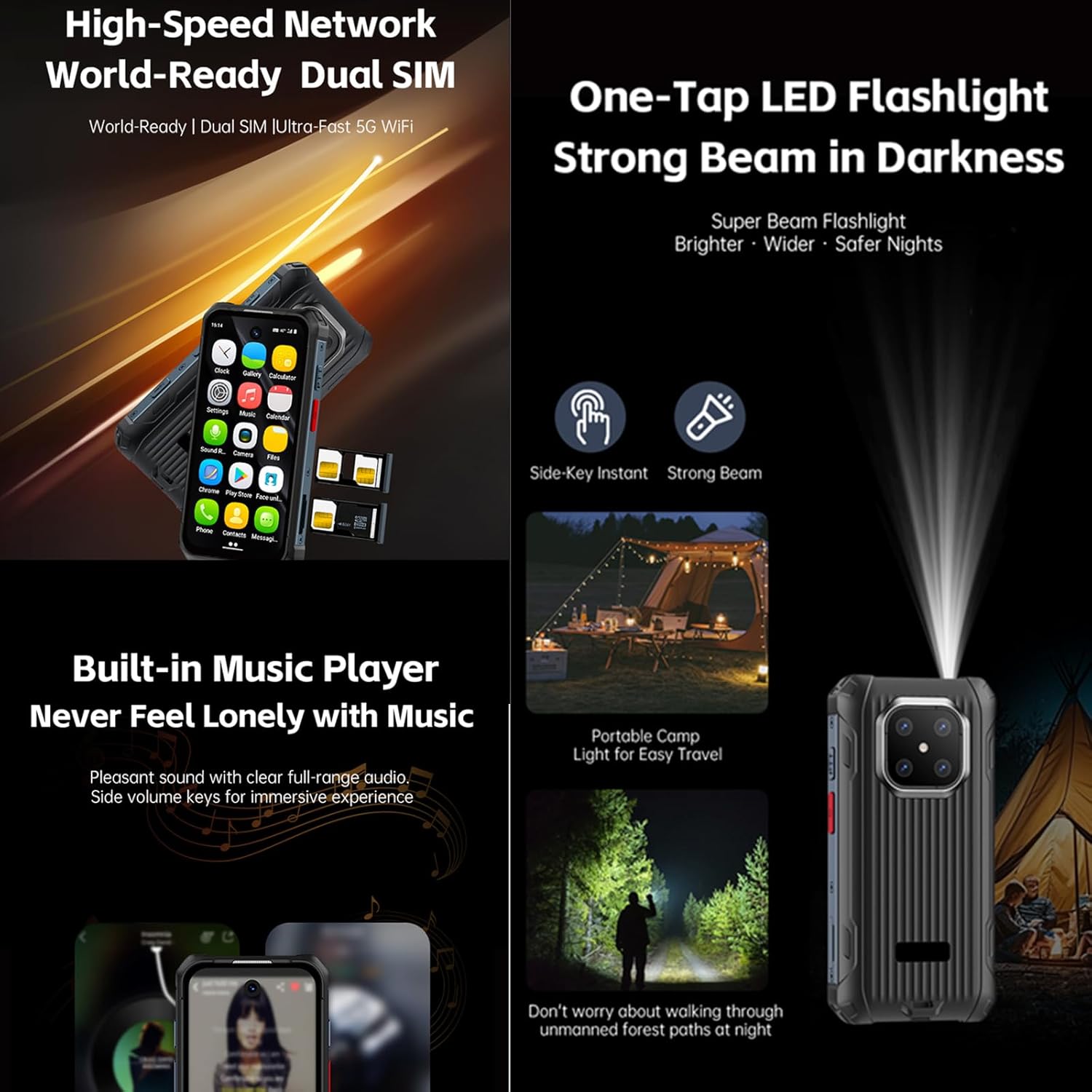
- Instant Side-Key Flashlight & Face Recognition: Features a super-bright flashlight and secure facial recognition technology for quick unlocking.
Enhedslayout
The image below illustrates the front and back of the Tuanzi MaxO MAXo smartphone, highlighting its display, camera module, and robust exterior.

Forside og bagside view of the Tuanzi MaxO MAXo smartphone, showing the display, camera, and rugged design.
Opsætning
1. SIM-kort installation
- Find SIM-kortbakken på siden af enheden.
- Indsæt SIM-kortudløserværktøjet (medfølger ikke, brug en tynd nål) i det lille hul ved siden af bakken for at åbne det.
- Placer dit/dine Nano-SIM-kort og/eller microSD-kort i bakken med de gyldne kontakter nedad.
- Skub forsigtigt bakken tilbage i åbningen, indtil den flugter med enheden.
2. Første opstart
- Tryk og hold tænd/sluk-knappen nede (normalt på højre side), indtil skærmen lyser.
- Følg vejledningen på skærmen for at vælge dit sprog og din region og oprette forbindelse til et Wi-Fi-netværk.
3. Grundlæggende opsætning
- Sign in with your Google account to access the Play Store and other Google services.
- Set up your screen lock method (PIN, pattern, password, or facial recognition).
- Review og juster privatlivsindstillingerne efter behov.
Betjeningsvejledning
Foretage opkald
Tap the Phone icon on the home screen. Enter the phone number using the dial pad or select a contact from your address book. Tap the call button to initiate the call.
Sender beskeder
Open the Messaging app. Tap the 'Start chat' or '+' icon to compose a new message. Enter the recipient's number or select from contacts, then type your message and send.
Brug af kameraet
Open the Camera app from your home screen or app drawer. You can switch between photo and video modes. Tap the shutter button to capture an image or start/stop video recording.

A hand holding the Tuanzi MaxO MAXo smartphone, demonstrating the camera interface.
Forbindelse (Wi-Fi, Bluetooth)
Access Wi-Fi and Bluetooth settings from the Quick Settings panel (swipe down from the top of the screen) or through the main Settings app. Toggle Wi-Fi or Bluetooth on/off and select networks or devices to connect.
Visuel guide
Produktbilleder
Explore various aspects of your Tuanzi MaxO MAXo smartphone through these detailed images.


Officielle produktvideoer
No official product videos from the seller for the Tuanzi MaxO MAXo smartphone were found that meet the specified criteria for inclusion in this manual.
Opretholdelse
Rengøring af din enhed
Use a soft, lint-free cloth to clean the screen and body of your phone. Avoid using harsh chemicals or abrasive materials, as these can damage the device's surfaces and waterproof seals. For stubborn dirt, a slightly damp cloth with water is recommended.
Batteripleje
To prolong battery life, avoid exposing your phone to extreme temperatures. Charge your device using the provided charger and cable. Do not leave the phone charging for extended periods after it has reached 100% to prevent overcharging.
Softwareopdateringer
Søg regelmæssigt efter og installer softwareopdateringer for at sikre, at din enhed har de nyeste funktioner, sikkerhedsrettelser og forbedringer af ydeevnen. Du kan normalt finde denne mulighed i menuen 'Indstillinger' under 'System' eller 'Om telefonen'.
Fejlfinding
Fælles problemer og løsninger
- Enheden tænder ikke: Sørg for, at batteriet er opladet. Tilslut opladeren, og vent et par minutter, før du forsøger at tænde igen.
- Skærmen reagerer ikke: Try restarting the device by holding down the Power button for about 10-15 seconds.
- Problemer med netværksforbindelse: Check if your SIM card is properly inserted. Toggle Airplane Mode on and off. Restart your device. Verify your mobile data or Wi-Fi settings.
- Apps der går ned eller fryser: Clear the cache and data for the problematic app in 'Settings > Apps'. If the issue persists, uninstall and reinstall the app.
- Langsom ydeevne: Close unused apps, clear cache regularly, and ensure sufficient storage space. Consider a factory reset as a last resort (back up your data first).
Tekniske specifikationer
| Feature | Specifikation |
|---|---|
| Produktdimensioner | 3.98 x 2 x 0.68 tommer |
| Varemodelnummer | MAXo |
| Operativsystem | Android 12 |
| VÆDDER | 6 GB |
| Hukommelseslagringskapacitet | 128 GB |
| Trådløse kommunikationsteknologier | Bluetooth, mobil, NFC, Wi-Fi |
| Forbindelsesteknologier | Wi-Fi |
| Særlige funktioner | Vandtæt |
| Scanneropløsning | 384 x 854 |
| Andre kamerafunktioner | Front |
| Lydstik | Intet hovedtelefonstik |
| Formfaktor | Bar |
| Farve | MaxO Black 128GB |
| Batteristyrke | 3800 mioamp Timer |
| Telefonens taletid | 18 timer |
| Telefonens standbytid (med data) | 7 dage |
| Fabrikant | PADY-Soyes |
| Dato først tilgængelig | 26. april 2022 |
| Stående skærm displaystørrelse | 3.88 tommer |
| CPU model | MediaTek Helio |
| CPU hastighed | 2000 MHz |
| Opløsning | 384 x 854 |
| Trådløs bærer | Låst op for alle udbydere |
Sikkerhedsoplysninger
Overhold følgende sikkerhedsretningslinjer for at forhindre skader på din enhed eller personskade på dig selv:
- Forsøg ikke selv at adskille, reparere eller modificere enheden.
- Keep the device away from extreme heat sources, direct sunlight, and open flames.
- Undgå at udsætte enheden for stærke magnetiske felter.
- Brug kun producentgodkendte opladere og tilbehør.
- Bortskaf enheden og dens batteri på en ansvarlig måde i henhold til lokale regler.
Garanti og support
Your Tuanzi MaxO MAXo smartphone comes with a standard manufacturer's warranty. For detailed warranty terms, conditions, and support, please refer to the warranty card included in your package or contact Tuanzi customer service directly. Keep your proof of purchase for warranty claims.


