1. Introduktion
This manual provides detailed instructions for the setup, operation, and maintenance of your Donner DDP-300 Digital Piano and its accompanying piano bench. Please read this manual thoroughly before using the product to ensure proper function and longevity.

Figure 1.1: Donner DDP-300 Digital Piano and Bench.
2. Produktfunktioner
- 88 Graded Hammer Action Weighted Keys: Designed to replicate the feel of an acoustic piano, with heavier bass keys and lighter treble keys. Features a sliding keyboard cover for protection.
- High-Quality 10 Original Timbres: Includes 10 preset acoustic high-quality timbres, with sampling from a high-class grand piano.
- 128-toners polyfoni: Allows for 128 notes to be sounded simultaneously, including sustained notes.
- MIDI udgang: Enables connection to external devices for music editing and production.
- Metal Triple Pedals: Provides sustain, sostenuto, and soft pedal functions for expressive performance.
- Warm & Quality Stereo Sound: Features a 3D surround sound system with deep bass and bright treble, delivered through premium dual tweeters and subwoofers.
- Bluetooth MIDI & Bluetooth Audio: Allows wireless connection to iPad/phone/computer for lessons, music editing, and audio playback.
- 4 Reverb Effects: Offers various reverb options (Large Hall, Small Hall, Live House, Stage) to enhance sound.
- Integrated Piano Bench with Storage: A solid wood bench with a flip-top lid providing convenient hidden storage for sheet music or other items.
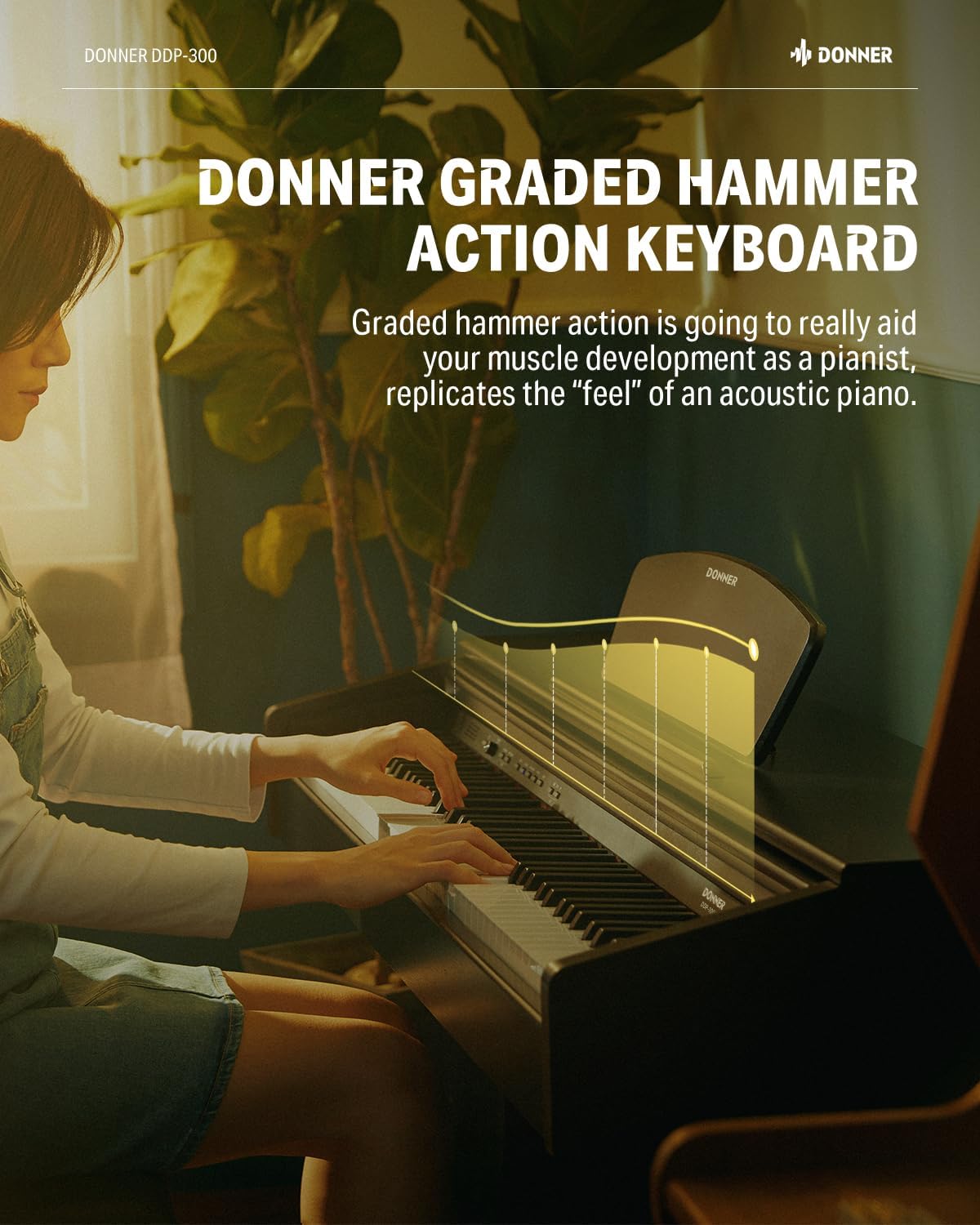
Figure 2.1: Graded Hammer Action Keyboard for realistic piano feel.

Figure 2.2: Impressive 4-speaker 3D sound system for rich audio output.

Figure 2.3: Bluetooth MIDI and Audio connectivity for versatile use with smart devices.

Figure 2.4: Four distinct reverb effects to customize your sound.
3. Opsætningsvejledning
3.1 Udpakning og montering
Carefully remove all components from the packaging. Ensure all parts listed in the packing list (refer to the separate assembly guide if provided) are present. Assemble the digital piano stand and attach the piano unit according to the instructions. The piano bench typically requires minimal assembly, often just attaching the legs.
3.2 Connecting Power and Pedals
- Connect the power adapter to the DC IN jack on the rear of the piano.
- Sæt strømadapteren i en passende stikkontakt.
- Locate the triple pedal jack under the keyboard and securely connect the pedal unit cable.
3.3 Hovedtelefontilslutning
The headphone jack is located under the keyboard. Insert your headphones into this jack for private practice. The internal speakers will automatically mute when headphones are connected.
4. Betjeningsvejledning
4.1 Tænd/sluk
Press the Power button located on the control panel to turn the piano on or off.
4.2 Lydvalg
Use the dedicated buttons or a combination of keys (refer to the quick start guide for specific key combinations) to select from the 10 available timbres, including the grand piano sound.
4.3 Lydstyrkekontrol
Adjust the master volume using the volume knob or buttons on the control panel.
4.4 Brug af pedaler
The DDP-300 includes three metal pedals: Sustain (right), Sostenuto (middle), and Soft (left). These function similarly to an acoustic piano, allowing for expressive control over the sound.
4.5 Bluetooth-forbindelse
To connect via Bluetooth MIDI or Bluetooth Audio, activate Bluetooth on your device (e.g., smartphone, tablet, computer) and select the DDP-300 from the list of available devices. Only one device can be connected at a time. Disconnect the current device before attempting to connect another.
4.6 MIDI USB Connection
Connect the piano to a computer or other MIDI-compatible device using a USB-MIDI cable. This allows for MIDI data transfer for recording, sequencing, or using the piano as a MIDI controller.
Video 4.1: Officiel produktvideovisningasing the DDP-300's features and capabilities.
5. Vedligeholdelse
5.1 Rengøring
Wipe the piano and bench surfaces with a soft, dry cloth. For stubborn dirt, a slightly damp cloth can be used, followed by a dry cloth. Avoid using abrasive cleaners, solvents, or waxes, as these can damage the finish.
5.2 Opbevaring
When not in use, keep the keyboard cover closed to protect the keys from dust and debris. Store the piano in a stable environment, away from direct sunlight, extreme temperatures, and high humidity, which can affect its performance and lifespan.
5.3 Piano Bench Care
The piano bench is made of solid wood. Ensure it is placed on a flat, stable surface. The electroplated parts are designed to reduce oxidation and prevent rust. Periodically check the stability of the bench legs and tighten any loose screws if necessary.

Figure 5.1: The piano bench offers convenient large storage for music books.

Figure 5.2: Electroplated parts on the piano bench for durability and rust prevention.

Figure 5.3: Solid wood construction of the piano bench ensures stability.
6. Fejlfinding
| Problem | Løsning |
|---|---|
| Headphone or triple pedal jack connection issue. | The headphone and triple pedal jack is located under the keyboard. Ensure it is securely plugged in. |
| Cannot connect multiple devices via Bluetooth. | Only one device can be connected to the piano at a time. To change the connected device, please disconnect the original connection and then reconnect the new device. |
| General piano malfunction or issue. | If you believe there may be an issue and are unable to find a resolution, please contact the Donner Online Customer Team (US) through the product order page for assistance. |
7. Specifikationer
| Specifikation | Detalje |
|---|---|
| Modelnavn | DDP 300 |
| Antal nøgler | 88 |
| Nøglehandling | Graded Hammer Action Weighted Keys |
| Polyfoni | 128-seddel |
| Timbres | 10 original high-quality timbres |
| Reverb effekter | 4 (Large Hall, Small Hall, Live House, Stage) |
| Forbindelsesteknologi | USB, Bluetooth (MIDI & Audio) |
| Connector Type | MIDI USB |
| Strømkilde | Elektrisk |
| Instrumenttype | Digital Piano, Piano |
| Farve | Sort |
| Piano Bench Material | Massivt træ |
| Klaverbænkens vægtkapacitet | 300 lbs/136 kg |

Figure 7.1: Dimensions of the included piano bench.
8. Garanti og support
For any questions, technical assistance, or warranty claims, please contact the Donner Online Customer Team (US). You can typically find their contact information or a direct messaging option through the product order page on the platform where you purchased the item.
Gem venligst din købsbevis af garantihensyn.


