1. Introduktion
Tak fordi du valgte Accsoon CinemaView HE Wireless Video Transmitter and Receiver. This system is designed to provide stable and high-quality wireless video transmission for professional and enthusiast videographers. It features dual-band transmission, ultra-low latency, and UVC output for direct live streaming. Please read this manual thoroughly before operating the device to ensure proper use and optimal performance.
2. Sikkerhedsoplysninger
- Udsæt ikke enheden for vand eller for høj luftfugtighed.
- Undgå at tabe eller udsætte enheden for kraftige stød.
- Du må ikke selv adskille eller forsøge at reparere enheden. Kontakt kvalificeret servicepersonale.
- Use only recommended power sources and accessories.
- Sørg for korrekt ventilation for at forhindre overophedning.
3. Pakkens indhold
Accsoon CineView HE package includes the following items:
- 1 x CineView HE Transmitter
- 1 x CineView HE Receiver
- 2 x Cold Shoe Mounts
- 9 x antenner
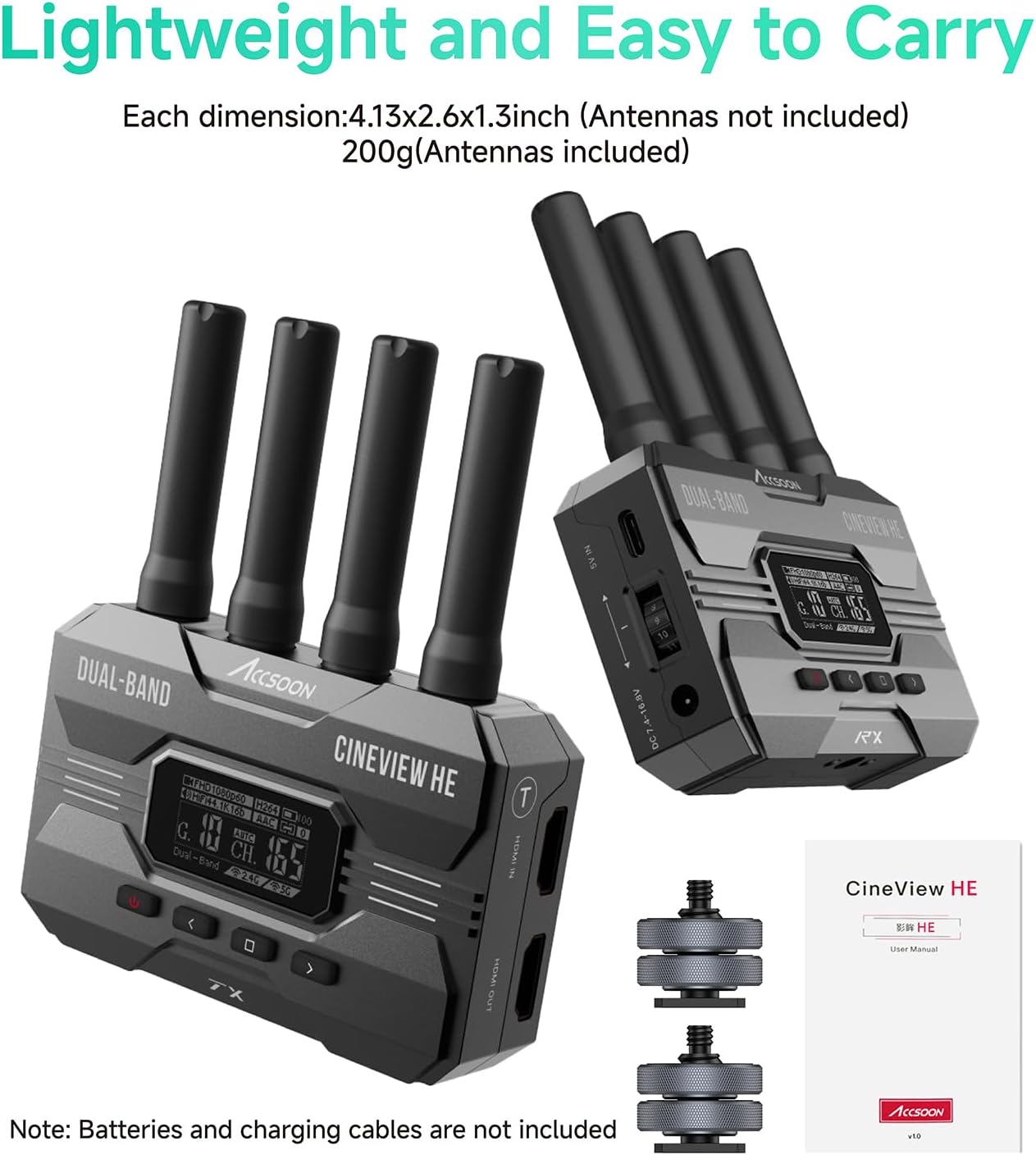
The image above displays the complete contents of the Accsoon CineView HE package, including the main transmitter and receiver units, multiple antennas for robust signal transmission, and two cold shoe mounts for easy attachment to camera rigs or other accessories. Please note that batteries and charging cables are not included.
4. Produktet er slutview
Accsoon CineView HE system consists of a transmitter (TX) and a receiver (RX), both designed for compact and efficient operation.
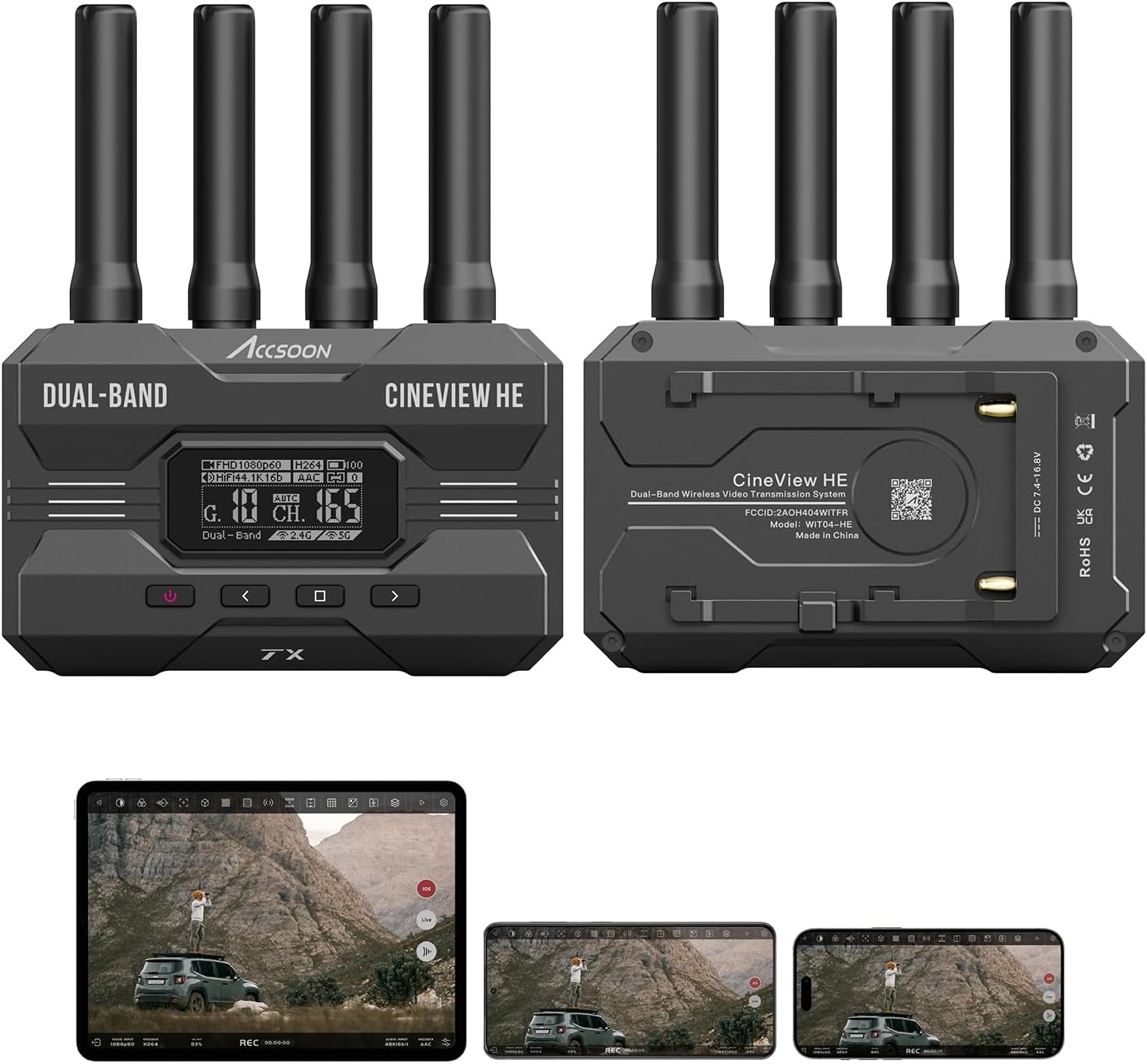
The transmitter and receiver units feature a robust design with multiple antenna ports for enhanced signal stability. The front panel includes an OLED screen for displaying status information such as resolution, frame rate, channel, and battery level. Control buttons allow for navigation and settings adjustment. The rear panel provides regulatory information and serial numbers.

The transmitter unit is equipped with one HDMI input and one HDMI loop-out port, allowing you to connect your camera and simultaneously output the signal to a local monitor. The receiver unit features an HDMI output and a UVC (USB Video Class) output, enabling direct connection to a computer for live streaming without additional capture cards.
5. Opsætning
5.1 Montering af antenner
Screw all nine antennas firmly onto their respective ports on both the transmitter and receiver units. Ensure they are securely tightened for optimal signal performance.
5.2 Strømforsyning til enhederne
The CineView HE units can be powered via multiple methods:
- NP-F Battery: Attach a compatible NP-F series battery to the battery plate on the rear of each unit. A single NP-F970 battery can provide up to 12 hours of operation.
- Jævnstrøm: Connect a DC power adapter (7.4V - 16.8V) to the DC input port.
- USB-C strøm: The receiver unit can be powered via its USB-C port, which is separate from the UVC video output. This allows for continuous operation during live streaming.

The image above highlights the various input and output ports on the CineView HE units, including the HDMI input and output, and the UVC output. The power input options are versatile, supporting NP-F batteries, DC power, and USB-C for the receiver.
5.3 Connecting to Camera and Monitor
- Connect your camera's HDMI output to the HDMI IN port on the CineView HE Transmitter.
- If desired, connect a local monitor to the HDMI OUT (loop-out) port on the Transmitter to view the camera feed directly.
- Connect the HDMI OUT port on the CineView HE Receiver to your desired monitor or recorder.
6. Betjening
6.1 Dobbeltbåndstransmission
The CineView HE utilizes 2.4GHz and 5GHz dual-band transmission technology to ensure a stable and reliable wireless video signal. This technology minimizes interference and signal drops, providing a robust connection even in challenging environments.

This diagram illustrates how the dual-band technology combines signals from both 2.4GHz and 5GHz frequencies to ensure a stable video image, even when one band experiences interference. The receiver processes both signals to output a clean, uninterrupted video feed.
6.2 Range and Latency
The system offers an impressive transmission range of up to 1200 feet (350 meters) with an ultra-low latency of less than 0.06 seconds. This makes it suitable for various professional applications requiring real-time monitoring.

The image highlights the key performance metrics of the CineView HE: a long transmission range of 1200 feet (350 meters) and an extremely low latency of 0.06 seconds, crucial for professional video monitoring and live production.
6.3 Connecting to Multiple Devices
The CineView HE transmitter can send video and audio to up to four receiving devices simultaneously. This includes a mix of standard CineView receivers and iOS/Android mobile devices running the Accsoon SEE App.

This visual guide demonstrates the flexibility of the CineView HE system, allowing a single transmitter to broadcast to multiple devices simultaneously. This setup supports various monitoring configurations, from dedicated HDMI monitors to mobile devices running the Accsoon SEE app, facilitating collaborative workflows on set.
6.4 UVC Out for Live Streaming
The receiver's UVC output simplifies live streaming. Connect the receiver to a computer via a USB-C cable (user-provided), and the computer will recognize it as a webcam. This allows direct streaming to platforms like OBS, YouTube, and Zoom without needing an additional video capture device.

The image illustrates the direct live streaming capability of the CineView HE receiver. By connecting the receiver to a computer via its UVC output, users can easily stream high-quality video to popular platforms such as Facebook, YouTube, and OBS, eliminating the need for complex video capture setups.
6.5 Accsoon SEE App Features
The Accsoon SEE App (available for iOS and Android) provides a comprehensive suite of monitoring tools for your mobile devices. These tools include RGB, Histogram, Waveform, Focus Peaking, LUTs, Zebra, False Color, Distort, Audio meters, Grids, Overlay, Marker, Display options, Gray scale, Mirror, and Screenshots.
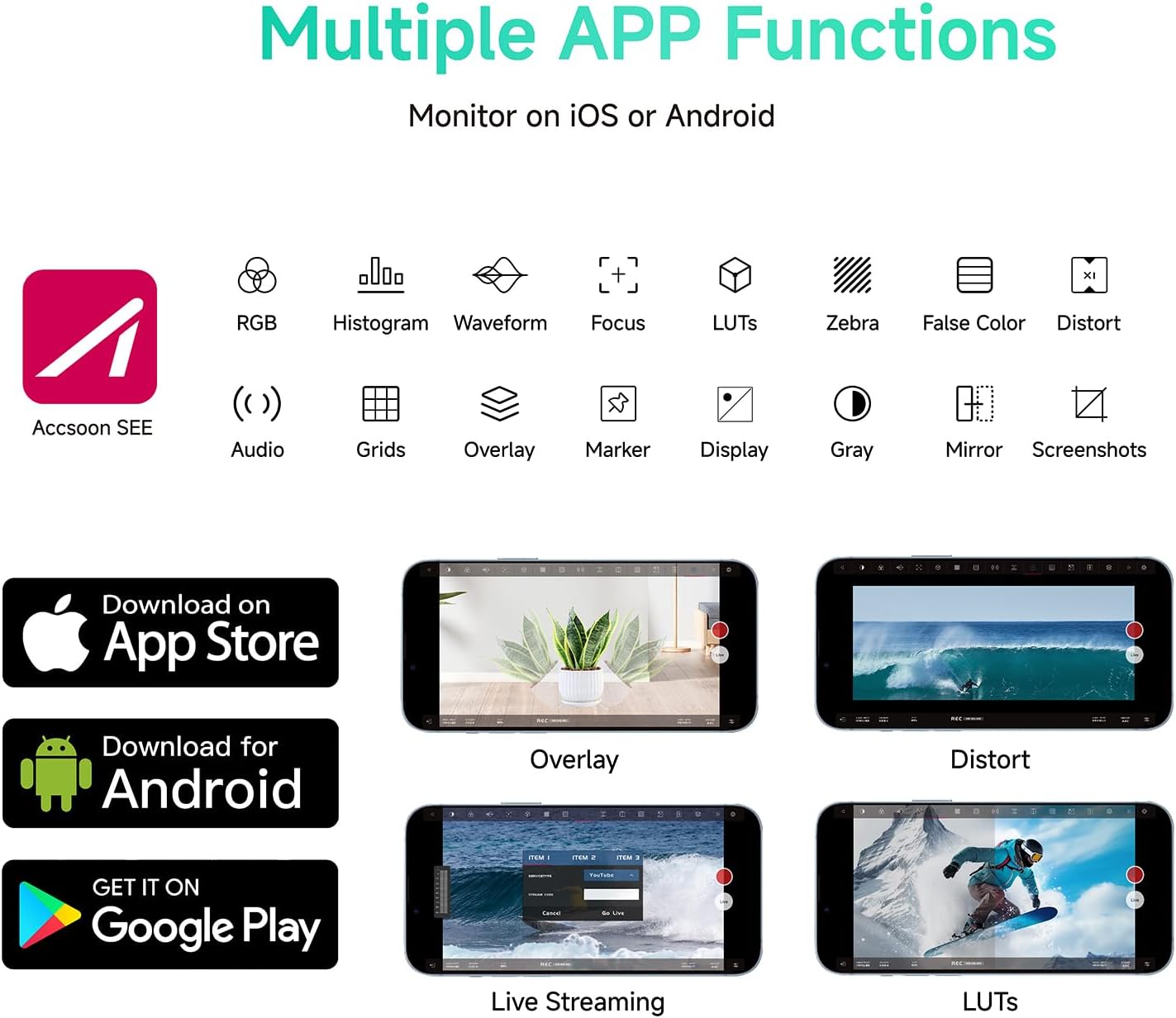
This image showcases the extensive range of monitoring functions available within the Accsoon SEE App, accessible on both iOS and Android devices. These professional tools, such as waveform, histogram, and false color, provide critical visual feedback for precise exposure and focus control during shooting.
6.6 Automatic Channel Selection
The CineView HE automatically selects the channel with the least interference when powered on, ensuring the most stable connection possible without manual intervention.

The display on the CineView HE unit indicates its automatic channel selection feature, which intelligently identifies and utilizes the clearest frequency to minimize interference and maintain a strong, stable connection for video transmission.
Video 6.1: Accsoon CineView HE Wireless Video Transmitter and Receiver Overview. This video provides a comprehensive overview af biografenView HE system, demonstrating its key features and applications in a production environment.
Video 6.2: Accsoon SEE App 1.7.3 Update. This video details the new features and improvements in the Accsoon SEE App, including enhanced multi-transmitter experience and audio source selection.
7. Vedligeholdelse
- Hold enhederne rene og fri for støv. Brug en blød, tør klud til rengøring.
- Store the units in a cool, dry place when not in use.
- Regularly check antenna connections for tightness.
8. Fejlfinding
| Problem | Mulig årsag | Løsning |
|---|---|---|
| Intet videosignal | Loose HDMI cable, incorrect input/output, low battery, interference. | Check all HDMI connections. Ensure correct ports are used. Recharge/replace batteries. Change channel or location. |
| Signal drops/unstable | Excessive distance, strong interference, obstacles. | Reduce distance between TX/RX. Move away from other wireless devices. Ensure clear line of sight. |
| UVC not recognized | Incorrect USB-C cable, driver issue, port issue. | Use a data-enabled USB-C cable. Try a different USB port on computer. Restart computer. |
9. Specifikationer
- Model: WIT04-HE
- Produktdimensioner: 4.92 x 3.03 x 1.22 tommer
- Varens vægt: 7.8 ounce
- Forbindelse teknologi: HDMI
- Speciel funktion: UVC Livestreaming
- Kompatible enheder: Smartphone
- Samlet HDMI-porte: 4 (1 TX In, 1 TX Out, 1 RX Out, 1 RX UVC)
- Lydudgangstilstand: Stereoanlæg
- Videokodning: H.264
10. Garanti og support
Accsoon products come with a standard manufacturer's warranty. For detailed warranty information, technical support, or service inquiries, please visit the official Accsoon webwebstedet eller kontakt deres kundeservice direkte. Gem din købskvittering som købsbevis i tilfælde af garantikrav.


