1. Introduktion
This manual provides detailed instructions for the safe and effective use of your OPPO Enco X2 Wireless Headphones. Please read this manual thoroughly before using the product and retain it for future reference.

Image 1.1: OPPO Enco X2 Wireless Headphones in their charging case.
2. Pakkens indhold
Sørg for at alle varer er til stede i pakken:
- OPPO Enco X2 Wireless Headphones (Left and Right earbuds)
- Opladningsetui
- USB-C ladekabel
- Brugervejledning (dette dokument)
- Garantikort
- Multiple sizes of ear tips
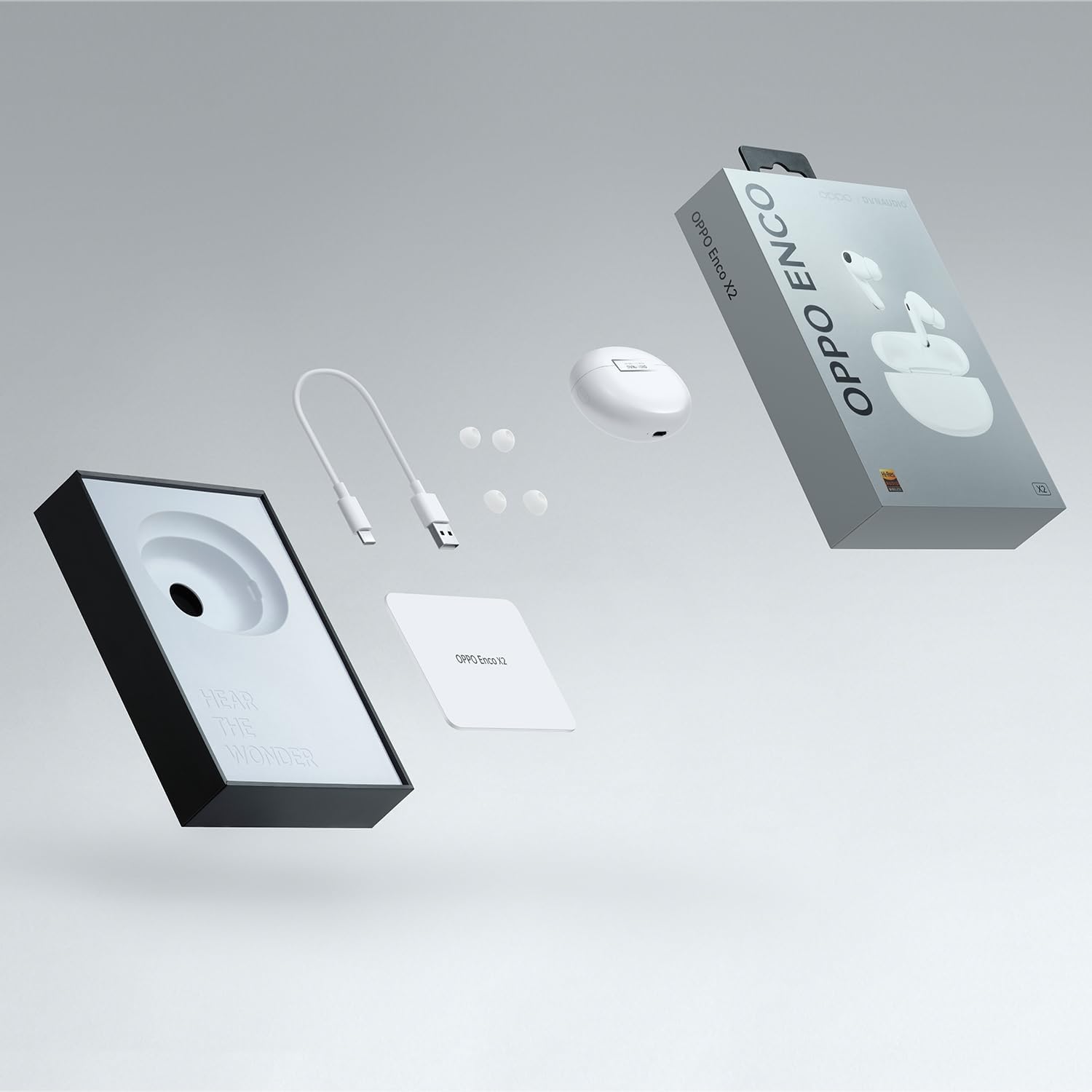
Image 2.1: Contents of the OPPO Enco X2 retail package.
3. Produktet er slutview
The OPPO Enco X2 headphones are designed for high-fidelity audio and comfort. They feature advanced audio technology developed in collaboration with Dynaudio.

Image 3.1: OPPO Enco X2 earbuds and charging case, emphasizing the collaboration with Dynaudio for audio engineering.
3.1 Øreproppernes komponenter
- Højttalerdrivere: Ultra-light diaphragms for deep bass and flat four-magnet tweeters for detailed highs.
- Mikrofoner: Built-in microphones for calls and active noise cancellation.
- Berøringskontrolområde: Placeret på stilken af hver øreprop til forskellige funktioner.
- Ørespidser: Silicone ear tips for a secure and comfortable fit.

Billede 3.2: Eksploderet view of an OPPO Enco X2 earbud, illustrating its internal acoustic components for enhanced sound clarity with Hi-Res Wireless-certified LHDC 4.0.
3.2 Oplader
- Opladningsport: USB-C port for wired charging.
- Indikatorlys: Viser opladningsstatus og parringsstatus.
- Funktionsknap: Used for pairing and resetting.
- Wireless Charging Coil: Understøtter trådløs opladning.

Billede 3.3: Top view of the OPPO Enco X2 charging case, showing its sleek design.
4. Opsætning
4.1 Opladning af hovedtelefonerne
Oplad hovedtelefonerne og opladningsetuiet helt inden første brug.
- Placer øretelefonerne i opladningsetuiet.
- Connect the USB-C charging cable to the charging port on the case and to a power adapter.
- Alternativt kan du placere opladningsetuiet på en kompatibel trådløs opladningsplade.
- Indikatorlampen på kabinettet viser opladningsstatus.
4.2 Parring med en enhed
To pair your OPPO Enco X2 headphones with a new device:
- Sørg for, at ørepropperne er i opladningsetuiet, og at låget er åbent.
- Press and hold the function button on the charging case for 2 seconds until the indicator light flashes white. This indicates pairing mode.
- On your device (e.g., smartphone), enable Bluetooth and search for "OPPO Enco X2" in the list of available devices.
- Select "OPPO Enco X2" to complete the pairing process.
For OPPO smartphones, simply open the charging case near the phone, and a pop-up window will guide you through the pairing process.
5. Betjeningsvejledning
5.1 Sådan tager du hovedtelefonerne på
Insert the earbuds into your ears and rotate them slightly to find a comfortable and secure fit. Choose the ear tips that provide the best seal for optimal sound quality and noise cancellation.

Image 5.1: An OPPO Enco X2 earbud being worn, demonstrating the ergonomic design and the personalized "Golden Sound" experience.
5.2 Tryk på kontrolelementer
The OPPO Enco X2 features touch-sensitive controls on the earbud stems. Default functions are:
- Dobbeltklik: Afspil/pause musik, besvar/afslut opkald.
- Tredobbelt tryk: Næste nummer.
- Tryk og hold: Switch between Noise Cancellation modes (Active Noise Cancellation, Transparency Mode, Off).
- Glid op/ned: Juster lydstyrken.
These controls can be customized via the HeyMelody app (available for Android and iOS).
5.3 Aktiv støjreduktion (ANC)
The Enco X2 headphones feature active noise cancellation to reduce ambient noise. Press and hold an earbud stem to cycle through ANC modes.
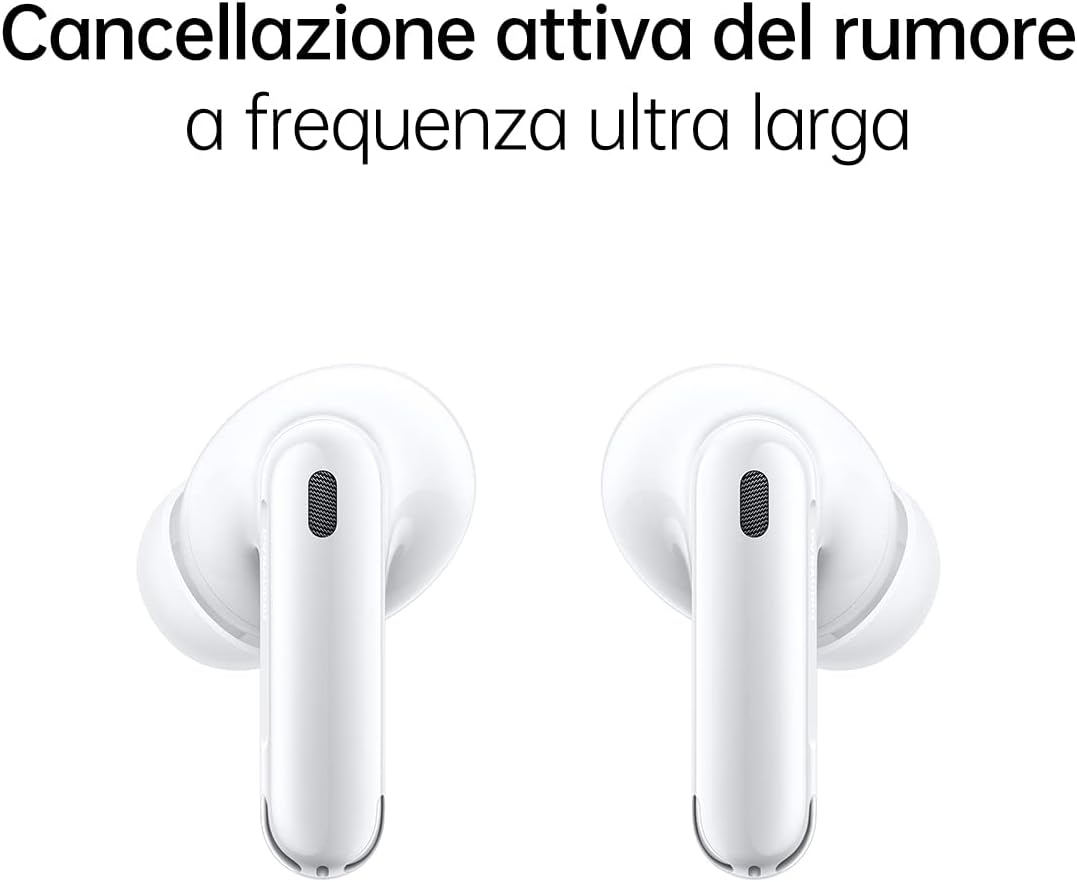
Image 5.2: Two OPPO Enco X2 earbuds, representing their ultra-wide frequency active noise cancellation capability.
5.4 Tilslutning af dobbelt enhed
The headphones support simultaneous connection to two devices, allowing for seamless switching between them.

Image 5.3: A user wearing OPPO Enco X2 earbuds and interacting with a smartphone, demonstrating the dual connection feature for easy switching between devices.
6. Vedligeholdelse
6.1 Rengøring
Regularly clean your headphones and charging case to maintain performance and hygiene.
- Brug en blød, tør og fnugfri klud til at tørre ørepropperne og opladningsetuiet af.
- Fjern ørepropperne, og rengør dem med mild sæbe og vand. Tør dem derefter grundigt, inden de sættes på igen.
- Rengør forsigtigt nettet og opladningskontakterne med en tør vatpind.
6.2 Vand- og støvafvisende
The OPPO Enco X2 earbuds are rated IP54 for dust and water resistance. This means they are protected against limited dust ingress and water splashes from any direction. The charging case is not water-resistant.
Vigtig: IP54 rating does not mean waterproof. Do not submerge the earbuds in water or expose them to heavy rain. Water and dust resistance may decrease over time with normal use.
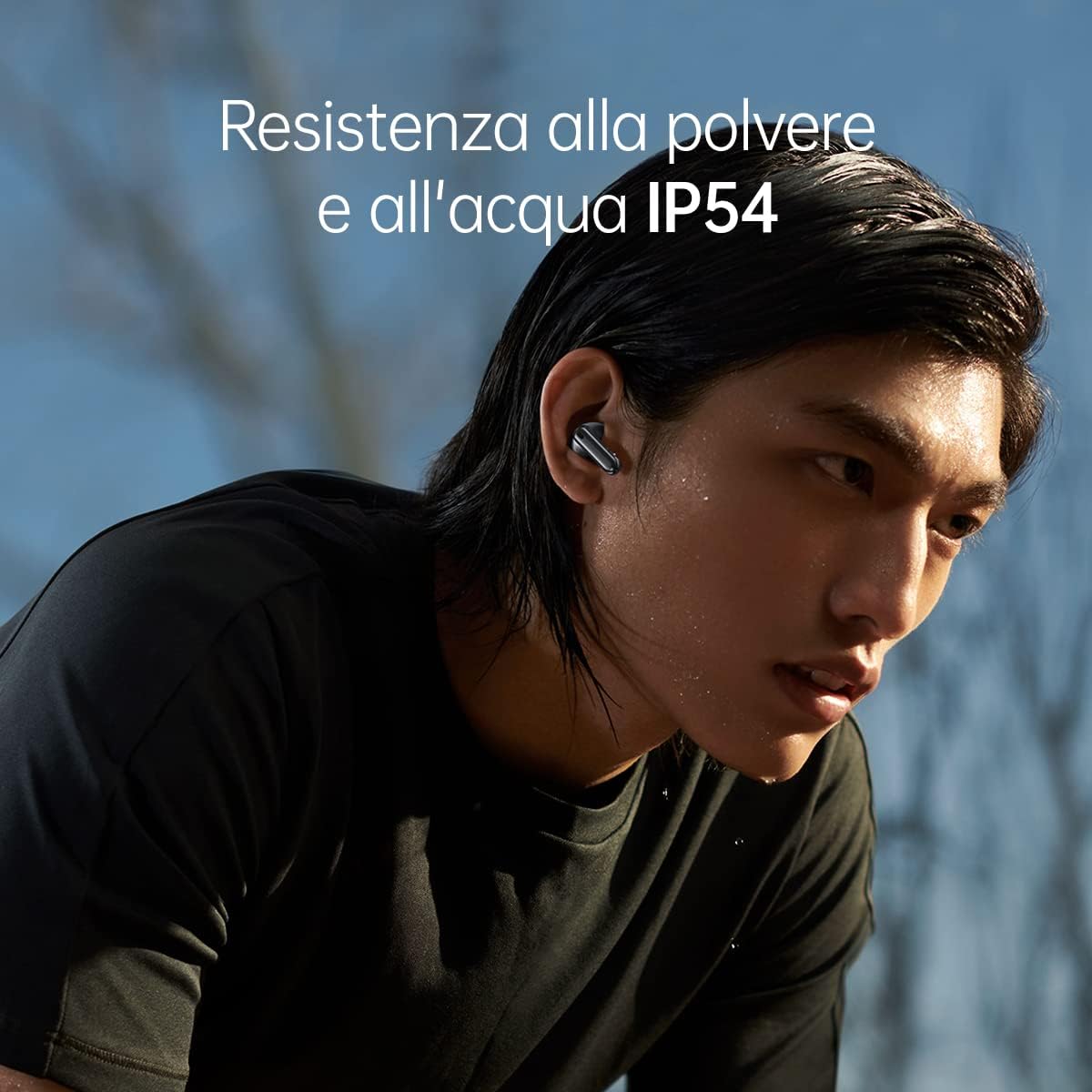
Image 6.1: A user wearing OPPO Enco X2 earbuds, demonstrating their IP54 dust and water resistance during light physical activity.
7. Fejlfinding
| Problem | Løsning |
|---|---|
| Hovedtelefoner parres ikke |
|
| Ingen lyd fra et ørepropp |
|
| Dårlig lydkvalitet |
|
| Active Noise Cancellation not working effectively |
|
7.1 Fabriksindstilling
If issues persist, you may need to perform a factory reset:
- Placer begge ørepropper i opladningsetuiet, og hold låget åbent.
- Press and hold the function button on the charging case for 15 seconds until the indicator light flashes red three times.
- The headphones will reset to factory settings and enter pairing mode.
- You will need to re-pair them with your devices.
8. Specifikationer
| Modelnavn | OPPO Enco X2 |
| Modelnummer | ENCOX2WHT |
| Forbindelse | Bluetooth 5.2 |
| Støjkontrol | Aktiv støjreduktion |
| Opladning | USB-C, trådløs opladning |
| Vandmodstand | IP54 (kun øretelefoner) |
| Batteritype | Lithium Ion |
| Varens vægt | 52 gram (i alt) |
| Materiale | Plast |
| Kompatible enheder | Android Devices, OPPO Find X5, OPPO Find X5 Lite, OPPO Find X5 Pro, OPPO Smartphones |
9. Garanti og support
Your OPPO Enco X2 Wireless Headphones come with a limited warranty. Please refer to the included warranty card for specific terms and conditions, including warranty period and coverage.
For teknisk support, service eller yderligere forespørgsler, besøg venligst den officielle OPPO-supportside. website or contact your local OPPO customer service center. Contact information can typically be found on the OPPO webwebstedet eller i garantidokumentationen.


