1. Opsætning og første brug
Follow these steps for initial setup and pairing of your NexiGo Air T2 earbuds.
Initial Charging and Preparation
Before first time use, ensure the earbuds are fully charged. The charging case is made of aviation-grade aluminum alloy for durability and lightness.
- Tag ørepropperne ud af opladningsetuiet.
- Peel off the insulating plastic adhered to the inner bottom side of both L/R earbuds. This allows the earbuds to charge.
- Replace the earbuds into the charging case and close the cover. This action resets the earbuds and prepares them for pairing.
Parringsvejledning
The NexiGo Air T2 earbuds feature ultra-fast pairing thanks to Bluetooth 5.2 technology.
- Open the charging case. The earbuds will automatically enter pairing mode when both earbud indicators flash blue.
- Ensure that Bluetooth is enabled on your device (e.g., smartphone).
- Select the Bluetooth device name "NexiGo Air T2" from your device's Bluetooth settings and tap "Pair" to connect.
- The earphones will respond with a "Connected" voice prompt to indicate successful pairing.
Once paired, the earbuds will automatically sync and pair with your device whenever the case is opened.

Image: NexiGo Air T2 earbuds shown with their ultra-thin charging case.
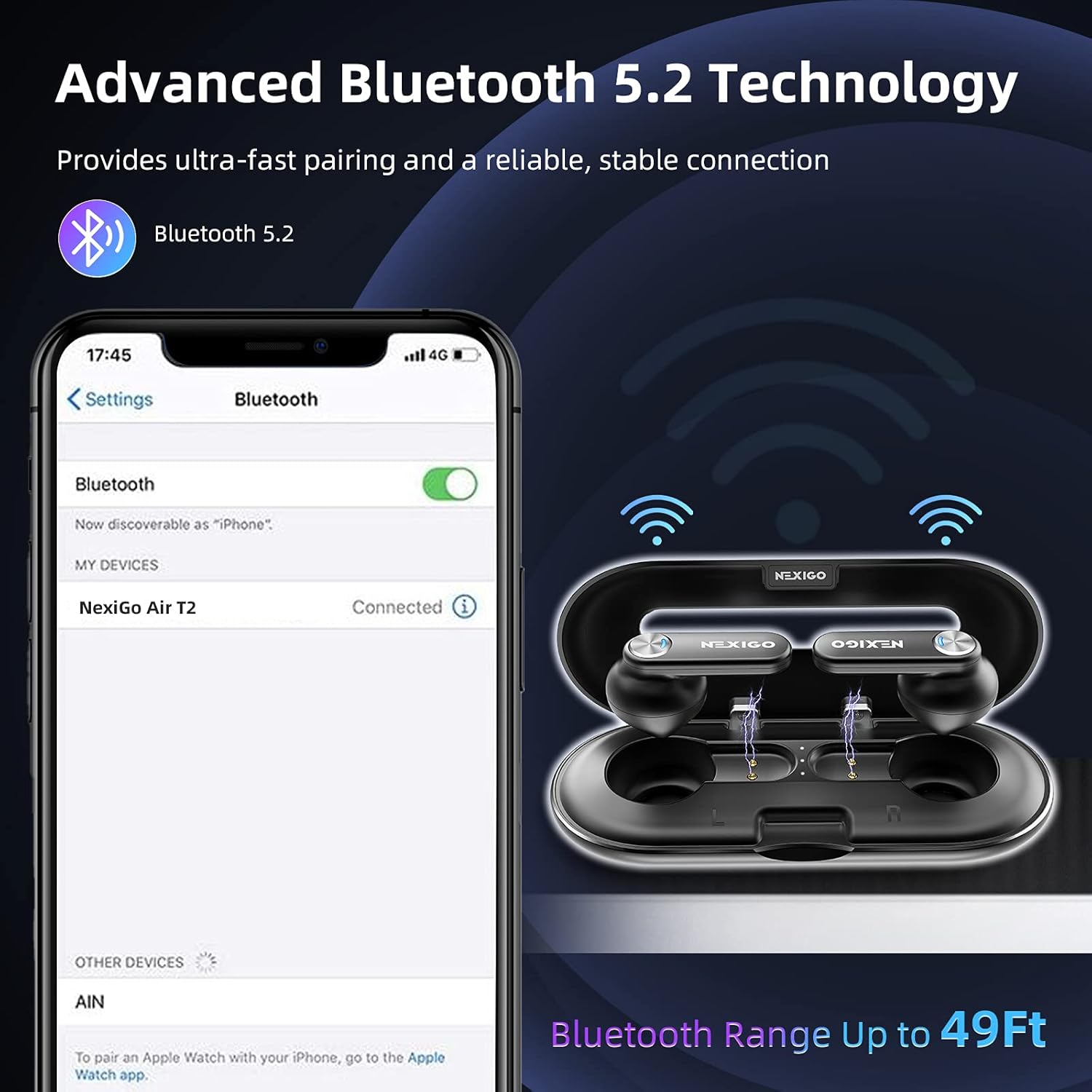
Image: A smartphone screen displaying the Bluetooth pairing process for the NexiGo Air T2 earbuds.
Opladning af øretelefoner og etui
The charging case is not Qi wireless compatible. Use the provided USB-C cable for charging.
- Connect the included Type-C Charging Cable to the USB-C port on the case.
- The earbuds can last up to seven hours on a single charge. With the charging case, total playtime extends up to 28 hours.

Image: Illustration showing 7 hours of use time with a single charge and 28 hours total playtime with the charging case.
Video: Official NexiGo USA video demonstrating the unboxing and initial setup of the Air T2 earbuds, including charging.
2. Betjening af øretelefonerne
The NexiGo Air T2 earbuds offer intuitive tap controls for various functions.
Tryk på kontrolelementer
Easy tap controls allow you to adjust almost every command with a few simple taps. The earbuds feature a wide tap area for convenience.
- Double Tap (Either Earbud): Play/Pause Music, Answer/Hang Up Phone Calls.
- Tredobbelt tryk (venstre øreprop): Previous Track, Decline Phone Calls.
- Tredobbelt tryk (højre øreprop): Next Track, Decline Phone Calls.
- Quad Tap (Either Earbud): Aktivér stemmeassistenten (Siri).

Image: Diagram illustrating the various tap control functions for the NexiGo Air T2 earbuds.
Lydkvalitet og støjreduktion
Equipped with an advanced Qualcomm QCC3040 chip and supporting aptX decoding technology, the earbuds deliver high-quality sound. Dual microphones with cVc 8.0 noise reduction technology ensure crystal clear calls by reducing background noise.
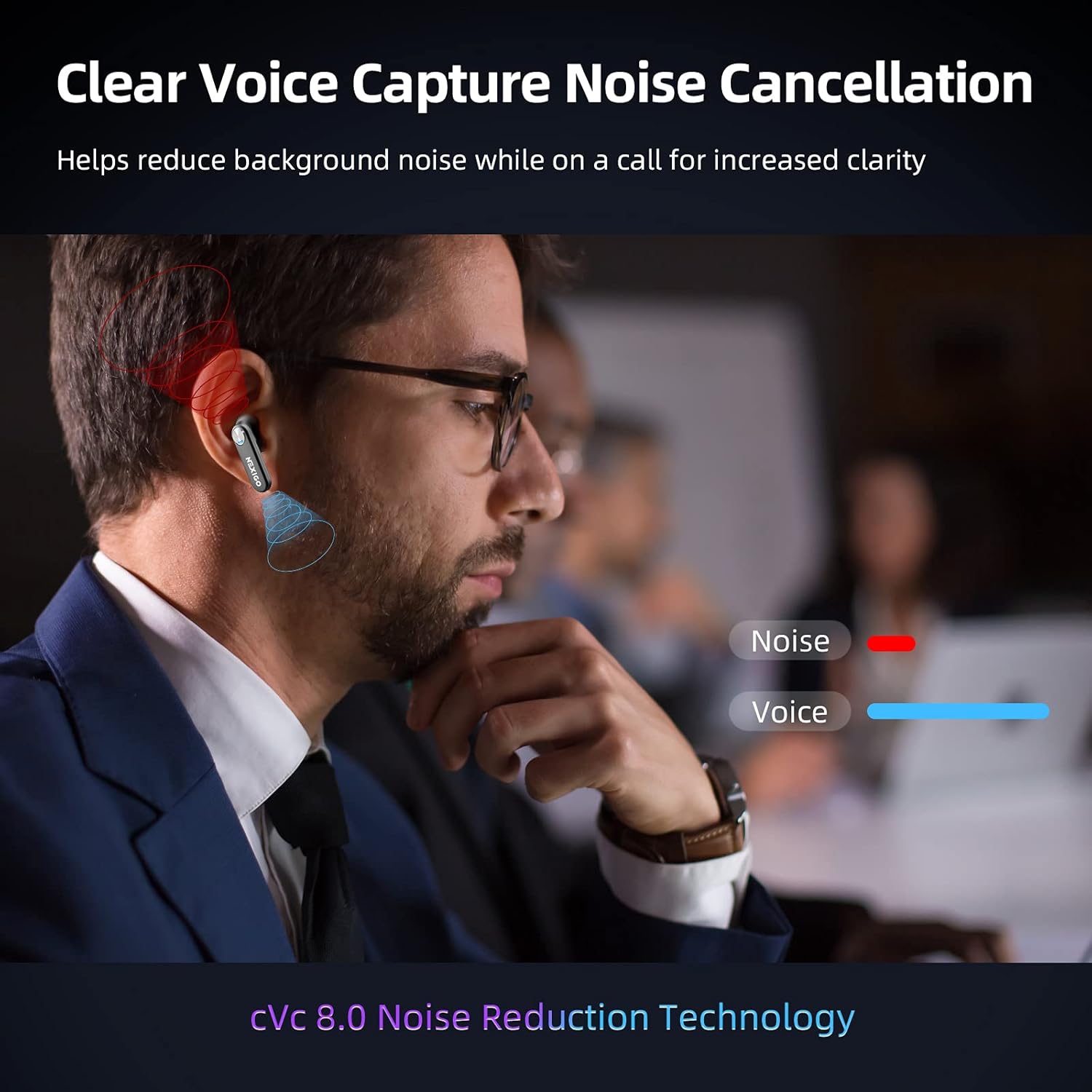
Image: Illustration of cVc 8.0 noise reduction technology in action, showing how voice is isolated from background noise during calls.
Vandmodstand
The IPX5 waterproof technology protects the earbuds from water and sweat, making them suitable for use in rain or during intense workouts.

Image: NexiGo Air T2 earbuds shown with water droplets, illustrating their IPX5 waterproof rating.
Video: Official NexiGo USA promotional video highlighting the ultra-thin design and features of the Air T2 earbuds, including water resistance.
3. Vedligeholdelse
Korrekt vedligeholdelse sikrer dine øreproppers levetid og optimale ydeevne.
Rensning
Due to the open-air design of the charging case, it may collect dust and debris. Regularly clean the case and earbuds to prevent accumulation.
- Use a soft, dry, lint-free cloth to wipe down the earbuds and the charging case.
- Undgå at bruge slibende materialer eller skrappe kemikalier.
- Sørg for, at opladningskontakterne på både ørepropper og etuiet er rene og tørre.
Opbevaring
Når ørepropperne ikke er i brug, skal de opbevares i deres opladningsetui for at beskytte dem og holde dem opladede.
- Keep the case closed to prevent dust and debris from entering.
- Opbevares køligt og tørt, væk fra ekstreme temperaturer.
4. Fejlfinding
If you encounter issues with your earbuds, try the following troubleshooting steps.
Fælles problemer og løsninger
- Ørepropper parrer ikke: Ensure the insulating plastic is removed from both earbuds. Place them back in the case, close, then reopen to re-enter pairing mode. Check your device's Bluetooth settings to ensure it's enabled and
Relaterede dokumenter - Luft T2

NexiGo Air T2 Ultra Thin CVC Wireless Earbuds User Manual
Comprehensive user manual for the NexiGo Air T2 Ultra Thin CVC Wireless Earbuds, covering setup, features, troubleshooting, and care.
NexiGo Meeting 360 Camera N2000 User Manual and Setup Guide
Comprehensive user manual for the NexiGo Meeting 360 Camera (N2000), covering product introduction, package contents, overview, control panel functions, LED indicators, mode switching, technical specifications, setup instructions for Windows and macOS, firmware updates, important notes, and warnings.
NexiGo Meeting 360 Ultra hurtigstartguide: Opsætning og betjening
This guide provides step-by-step instructions for setting up the NexiGo Meeting 360 Ultra All-in-One Conference Camera. Learn how to connect via USB, HDMI, or LAN modes, pair the remote control, and get started with your video conferencing.
NexiGo Meeting Studio brugermanual: Installations- og opsætningsvejledning
Lær, hvordan du installerer og konfigurerer NexiGo Meeting Studio-softwaren med dine NexiGo Meeting 360 Ultra-kameraer for forbedrede videokonferencer i store konferencerum.
NexiGo Aurora Pro MKII UST trefarvet laserprojektor brugermanual
Omfattende guide til opsætning, betjening og vedligeholdelse af NexiGo Aurora Pro MKII Ultra Short Throw Tri-Color laserprojektoren for en optimal hjemmebiografoplevelse.
NexiGo Gripcon brugermanual til Nintendo Switch & Switch OLED
Omfattende brugermanual til NexiGo Gripcon-controlleren (model 1125S), der beskriver opsætning, parring, kalibrering og knaptildeling til Nintendo Switch og Switch OLED-konsoller. Indeholder specifikationer og supportoplysninger.