1. Introduktion
Welcome to the user manual for your new BLU F91 5G smartphone. This guide provides detailed instructions on how to set up, operate, maintain, and troubleshoot your device. The BLU F91 5G is designed to offer a seamless and powerful mobile experience with its advanced features, including 5G connectivity, a long-lasting battery, a vibrant Full HD+ display, and a versatile quad-camera system.

Billede: Forside og bagside view of the BLU F91 5G smartphone, showcasing dets elegante design og kameramodul.
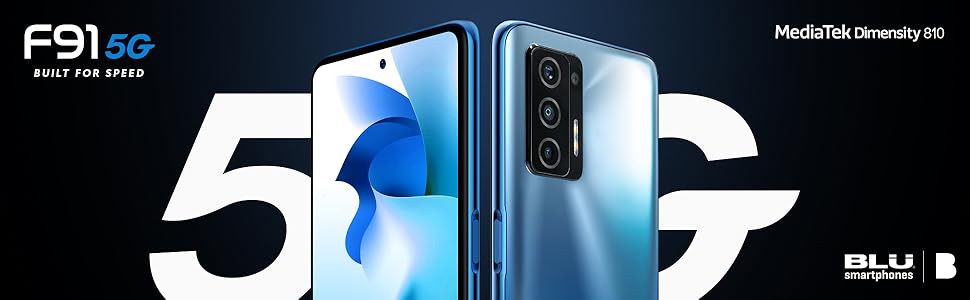
Image: Promotional graphic highlighting the BLU F91 5G's speed capabilities.
2. Hvad er der i æsken
Upon opening your BLU F91 5G package, please verify that all the following items are included:
- BLU F91 5G Smartphone
- Skærmbeskytter (forudmonteret eller medfølger separat)
- Robust sag
- Hurtig guide
- Sticker Charger (Power Adapter)
- Type-C Cable (USB-C)
- Headset
- SIM Key (Ejector Tool)

Image: All items included in the BLU F91 5G retail packaging.
3. Opsætning
3.1 Isætning af SIM-kortet
The BLU F91 5G is an unlocked GSM device. It is compatible with T-Mobile, Metro PCS, and other GSM carriers. It is not compatible with AT&T, Cricket, or CDMA networks like Verizon, Sprint, and Boost Mobile.
- Find SIM-kortbakken på siden af din telefon.
- Insert the SIM key (ejector tool) into the small hole next to the tray and press gently until the tray pops out.
- Place your Nano-SIM card(s) into the designated slots on the tray. Ensure the gold contacts are facing down and the notched corner aligns correctly.
- Skub forsigtigt bakken tilbage i telefonen, indtil den klikker på plads.
3.2 Første opstart og grundlæggende opsætning
- Tryk og hold tænd/sluk-knappen nede (placeret på højre side af telefonen), indtil BLU-logoet vises.
- Følg vejledningen på skærmen for at vælge dit sprog, oprette forbindelse til et Wi-Fi-netværk og konfigurere din Google-konto.
- You may be prompted to transfer data from an old device or set up as a new phone.
3.3 Opladning af enheden
Your BLU F91 5G comes with a 5,000mAh battery, providing up to 3 days of usage. It supports 18W Quick Charging and 10W Wireless Charging.
- Kablet opladning: Connect the provided Type-C cable to the phone's charging port and the other end to the included power adapter. Plug the adapter into a wall outlet.
- Trådløs opladning: Place the phone face up on a compatible 10W wireless charging pad (sold separately). Ensure the phone is centered on the pad for optimal charging.
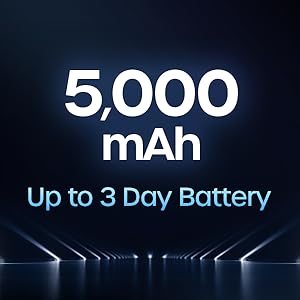
Image: Illustration of the 5,000 mAh battery capacity and its extended life.
4. Operating Your BLU F91 5G
4.1 Android 11-operativsystem
Your BLU F91 5G runs on Android 11, offering intuitive controls, enhanced privacy features, and improved performance. Navigate through apps, customize your home screen, and manage notifications with ease.

Image: The Android 11 operating system logo.
4.2 Display og visuelle elementer
Experience boundless views on the 6.8-inch Full HD+ Infinity Dot Display. With a resolution of 1920 x 1080 pixels and a 91.7% screen-to-body ratio, content appears vibrant and immersive.

Image: Details of the BLU F91 5G's display specifications.
4.3 Kamerasystem
Capture stunning photos and videos with the Quad A.I. 48MP Samsung GM1 sensor camera. The rear camera setup includes:
- 48MP HD Main Camera: Samsung GM1, 6P lens, f/1.79 large aperture.
- 5MP vidvinkelkamera: 115° wide angle, 4P lens, f/2.4 aperture.
- 2MP makrokamera: 4cm focus, 3P lens, f/2.4 aperture.
- 2MP dybdekamera: 3P lens, f/2.4 aperture.
The front-facing camera allows for high-quality selfies.
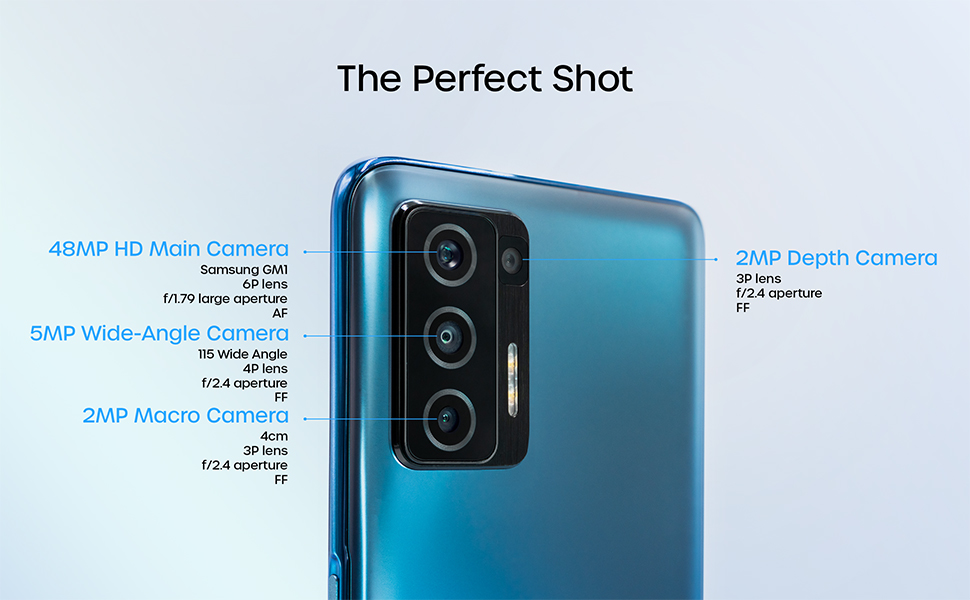
Image: Detailed breakdown of the BLU F91 5G's quad-camera system.
4.4 NFC and Contactless Payments
The BLU F91 5G is NFC capable, allowing you to make secure contactless payments using built-in Android Pay. Simply tap your phone at compatible payment terminals.
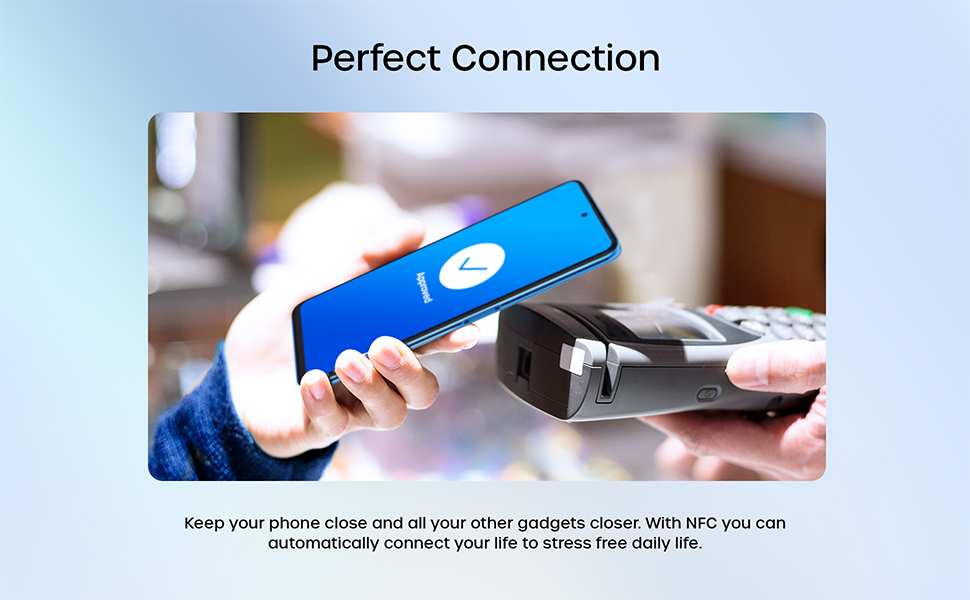
Image: Demonstrating NFC functionality for contactless payments.
4.5 Ydeevne og lagring
Powered by the MediaTek Dimensity 810 Octa-Core 2.4GHz processor and 8GB of RAM, the F91 5G delivers smooth performance for multitasking and gaming. With 128GB of internal memory, you have ampplads til apps, fotos og videoer.
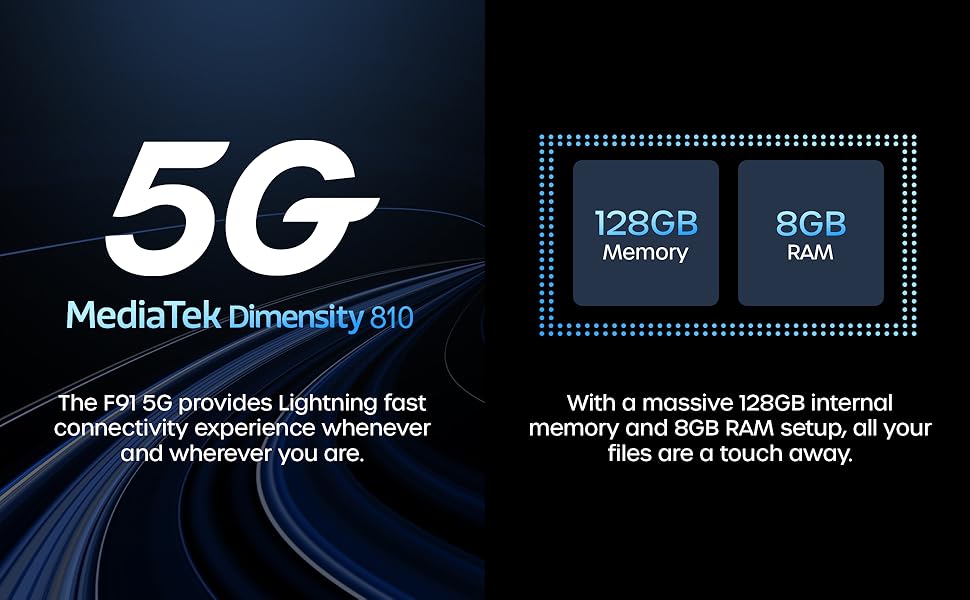
Billede: Overview of the BLU F91 5G's processor, RAM, and storage capabilities.
4.6 Sikkerhedsfunktioner
The BLU F91 5G includes modern security features to protect your data, such as facial recognition for convenient unlocking.
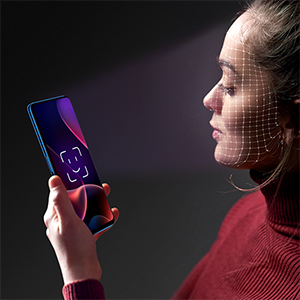
Image: Demonstrating the facial recognition unlock feature.
5. Vedligeholdelse
5.1 Rengøring af din enhed
To keep your BLU F91 5G in optimal condition, regularly clean its surfaces. Use a soft, lint-free cloth. For stubborn smudges, slightly dampRengør kluden med vand eller en skærmrens, der er beregnet til elektronik. Undgå skrappe kemikalier eller slibende materialer.
5.2 Softwareopdateringer
Ensure your device is always running the latest software version for optimal performance, security, and new features. You can check for updates by navigating to Indstillinger > System > Systemopdatering.
5.3 Pleje af batterier
To prolong the life of your 5,000mAh battery:
- Undgå ekstreme temperaturer.
- Lad ikke batteriet aflades helt for ofte.
- Brug den originale oplader og det originale kabel for optimal opladning.
5.4 Lagerstyring
Med 128 GB intern lagerplads har du ampplads. Genoptag dog regelmæssigtview dine installerede apps, fotos og videoer. Slet unødvendige files or transfer them to cloud storage or a computer to maintain optimal performance.
6. Fejlfinding
This section addresses common issues you might encounter with your BLU F91 5G. If you experience problems not covered here, please refer to the official BLU support resources.
| Problem | Mulig løsning |
|---|---|
| Enheden tændes ikke | Sørg for, at batteriet er opladet. Tilslut opladeren, og vent et par minutter, før du forsøger at tænde den igen. Hvis den ikke reagerer, kan du udføre en tvungen genstart ved at holde tænd/sluk-knappen nede i 10-15 sekunder. |
| Dårligt netværkssignal / Ingen service | Check if your SIM card is properly inserted. Verify that your carrier is supported (GSM only, not compatible with AT&T, Cricket, Verizon, Sprint, Boost Mobile). Try restarting the phone. If the issue persists, contact your mobile carrier. |
| Apps går ned eller fryser | Close and reopen the app. Clear the app's cache (Settings > Apps & notifications > [App Name] > Storage & cache > Clear cache). Ensure the app and your phone's software are up to date. |
| Batteriet aflades hurtigt | Reducer skærmens lysstyrke, deaktiver unødvendige baggrundsapps, sluk Wi-Fi/Bluetooth/GPS, når de ikke er i brug. Tjek batteriforbruget i Indstillinger for at identificere strømkrævende apps. |
| Telefonen er langsom eller reagerer ikke | Clear cache, restart the device. Free up storage space by deleting old files or uninstalling unused apps. Consider a factory reset as a last resort (Note: This will erase all data). |
7. Specifikationer
Below are the key technical specifications for the BLU F91 5G smartphone:
| Feature | Detalje |
|---|---|
| Modelnavn | F91 5G |
| Varemodelnummer | F0030UU |
| Operativsystem | Android 11.0 |
| Processor | MediaTek Dimensity 810 Octa-Core 2.4GHz (Cortex A76) |
| VÆDDER | 8 GB |
| Intern opbevaring | 128 GB |
| Skærmstørrelse | 6.8 tommer |
| Skærmopløsning | 1920 x 1080 (Full HD+) |
| Hovedkamera | 48MP Quad Camera (Samsung GM1 sensor) |
| Forreste kamera | 16 MP Selfie-kamera |
| Batterikapacitet | 5000 mAh (milli)amphere time) |
| Opladning | 18W Quick Charging, 10W Wireless Charging |
| Forbindelse | 5G, LTE, GSM, HSPA, Bluetooth, NFC, USB, Wi-Fi, GPS |
| Kompatibilitet med trådløse udbydere | Unlocked for GSM Carriers (T-Mobile, Metro PCS, etc.) |
| Farve | Oceanic Blue |
| Varens vægt | 0.176 ounces (ca. 4.99 g) |
| Dimensioner | 7.32 x 3.94 x 2.05 tommer (pakkemål) |
8. Garanti og support
The BLU F91 5G comes with a US Warranty. For specific warranty terms, conditions, and duration, please refer to the warranty card included in your product packaging or visit the official BLU Products website. For technical support, software updates, or further assistance, please contact BLU customer service through their official channels.
You can find more information and support resources on the official BLU webwebsted: www.bluproducts.com


