Indledning
Tak for købetasing the GOLOZA Projection Alarm Clock. This digital clock features a modern curved design, a 180° rotatable projector, 3-level brightness dimmer for both the display and projection, clear red LED digits, progressive alarm volume, and a 9-minute snooze function. It also includes a USB charging port for your mobile devices. This manual provides detailed instructions for setup, operation, and maintenance to ensure optimal performance.
Nøglefunktioner
- Integrated Projector: 180-degree rotatable arm for optimal positioning, projecting clear time figures on walls or ceilings (0.5-3m distance).
- Stort LED display: Curved screen with 3.4*1.7-inch digits for easy readability.
- Justerbar lysstyrke: 3 levels of brightness for both the main display and the projected time.
- USB opladningsport: Built-in 5V/1A USB output to charge mobile devices.
- Progressive Alarm Volume: Alarm sound gradually increases (up to 75dB) for a gentle wake-up.
- Snooze-funktion: Large snooze button provides an extra 9 minutes of sleep.
- Brugervenligt design: Large, clearly marked control buttons for easy operation.
- Indbygget backup batteri: CR2032 button cell battery saves time and alarm settings during power outages.
- Stylish Curved Design: Mimics eye curvature for comfortable viewing and reduced eyestrain.
Opsætningsvejledning
1. Strømtilslutning
Connect the provided AC adapter (AC100-240V, 50/60Hz) to the clock's power input and plug it into a wall outlet. The clock will power on and the display will light up.

Figure 1: GOLOZA Projection Alarm Clock connected to power.
2. Batteribackup
The clock comes with a built-in CR2032 button cell battery. This battery automatically saves your time and alarm settings in case of a power outage. The display will go blank and the alarm will not sound during an outage, but settings will be retained when power returns. No need to reset.

Figure 2: Location of the built-in CR2032 battery for backup.
3. Indstilling af tid og alarm
Refer to the 'Operating Instructions' section for detailed steps on setting the current time, 12/24H format, and alarm settings using the control buttons on top of the clock.
Betjeningsvejledning
1. Tidsvisning og lysstyrke
The clock features a large LED display. Use the dedicated brightness button (often marked with a sun icon) on the top of the clock to cycle through 3 brightness levels (e.g., High, Medium, Low) or turn the display off completely. This allows you to adjust visibility for day or night.

Figure 3: Adjusting the display brightness for optimal viewing.
2. 12/24 timers format
The clock supports both 12-hour and 24-hour time formats. A dedicated button (often marked with '12/24H' or similar) allows you to switch between these modes. In 12-hour mode, a 'PM' indicator will appear for afternoon times.

Figure 4: Switching between 12-hour and 24-hour time formats.
3. Projektionsfunktion
The integrated projector allows you to display the time on your wall or ceiling. The projector arm can swivel 180 degrees for optimal positioning.
- Aktivér projektion: Short press the projection button (often marked with a projector icon) to turn the projection on.
- Juster vinkel: Rotate the projector arm 180 degrees to direct the time display to your desired surface (wall or ceiling).
- Juster lysstyrke: Short press the projection button repeatedly to cycle through 3 brightness levels (Low, Medium, High) or turn the projection off.
- Flip Projection: If the projected numbers appear upside down, long press the projection button to flip them 180 degrees for correct orientation.

Figure 5: Time projected clearly on a surface.

Figure 6: Detailed steps for using the projection feature.
Video Demonstration: Projection Feature
Video 1: A demonstration of the GOLOZA Projection Alarm Clock's projection feature, showing how the time is displayed on a surface.
4. Alarm and Snooze
The alarm features a progressive buzzer volume, starting softly and gradually increasing in loudness and speed.
- Indstil alarm: Use the alarm setting buttons (often marked with a bell icon) to set your desired wake-up time.
- Activate Snooze: When the alarm sounds, press the large SNOOZE button on the top of the clock to get an additional 9 minutes of sleep. The alarm will sound again after 9 minutes.
- Slå alarm fra: To completely turn off the alarm for the day, press any other button besides the SNOOZE button.

Figure 7: Using the 9-minute snooze function.
5. USB -opladningsport
The clock includes a 5V/1A USB output port on the side, allowing you to charge your smartphone or other mobile devices. Use your device's original USB charging cable for best results.

Figure 8: Charging a mobile device using the integrated USB port.
Opretholdelse
To ensure the longevity and optimal performance of your GOLOZA Projection Alarm Clock, follow these simple maintenance guidelines:
- Rensning: Wipe the clock's surface with a soft, dry cloth. Avoid using abrasive cleaners or solvents, as they may damage the finish.
- Placering: Placer uret på en stabil, flad overflade væk fra direkte sollys, overdreven varme eller fugt.
- Magt: Always use the original AC adapter provided with the clock.
Fejlfinding
| Problem | Mulig årsag | Løsning |
|---|---|---|
| Uret tænder ikke. | Strømadapteren er ikke tilsluttet eller defekt. | Ensure the AC adapter is securely plugged into the clock and a working power outlet. Try a different outlet or adapter if available. |
| Projected time is blurry or unclear. | Projection distance is too far or too close. | Adjust the clock's distance from the projection surface. Optimal distance is 1.64-11.4ft (0.5-3m). The projector does not have a manual focus adjustment. |
| Projected numbers are upside down. | Forkert projektionsorientering. | Long press the projection button to flip the numbers 180 degrees. |
| USB charging is slow or not working. | Device cable issue or high power demand. | Ensure you are using the original USB cable for your device. Charging may take longer than a dedicated wall charger. |
Produktspecifikationer
| Mærke | GOLOZA |
| Modelnummer | LA-C337-Red |
| Farve | Red Digit+red Projection |
| Display Type | Digital |
| Produktdimensioner | 6.9"W x 3.15"H (7*3*1.5in) |
| Varens vægt | 9.9 ounce |
| Strømkilde | Corded Electric (AC100-240V, 50/60Hz) |
| Backup batteri | 1 x CR2032 (inkluderet) |
| Materiale | Polycarbonat (PC), acrylonitrilbutadienstyren (ABS) |
| Monteringstype | Bordplade |
Garanti & Support
Your GOLOZA Projection Alarm Clock is covered by a 24 måneders garanti fra købsdatoen.
For any questions, technical support, or warranty claims, please contact GOLOZA customer service through your purchase platform:
- Go to your Account.
- Navigate to Orders.
- Select Order Detail for your GOLOZA Projection Alarm Clock.
- Find "Sold by: GOLOZA" and click "Ask a question".
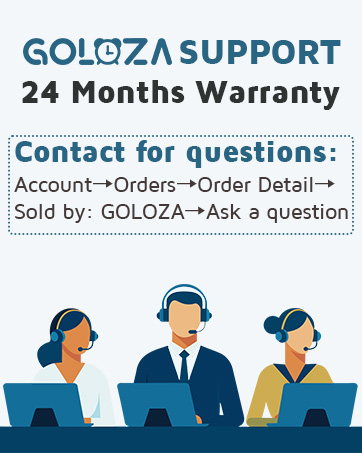
Figure 9: GOLOZA customer support contact method.


