1. Introduktion
The TNVTEC SMT-Z01 Wireless CarPlay Adapter is designed to seamlessly convert your vehicle's existing factory-wired CarPlay system into a wireless experience. This device eliminates the need for constant cable connections, providing enhanced convenience and a cleaner car interior. It boasts rapid activation and broad compatibility with a wide range of car models.

Image 1: The TNVTEC SMT-Z01 Wireless CarPlay Adapter with its USB cable.
This image shows the compact, black aluminum alloy adapter with a glossy top surface and a USB-A cable attached. It features a small LED indicator light.
2. Opsætningsvejledning
Follow these steps to set up your TNVTEC Wireless CarPlay Adapter:
- Ensure Wired CarPlay is Active: Before using the adapter, confirm that your car's original wired Apple CarPlay system is functional. The adapter requires a factory-installed wired CarPlay system to operate.
- Tilslut adapteren: Plug the TNVTEC SMT-Z01 adapter into your car's USB port that supports wired CarPlay. Use the provided USB cable.
- Enable Wi-Fi and Bluetooth on iPhone: On your iPhone, ensure both Wi-Fi and Bluetooth are turned on.
- Par med adapteren:
- Once the adapter is connected, a CarPlay interface should appear on your car's display.
- On your iPhone's Bluetooth settings, search for a device named "smartBox_xxxx" (where xxxx are unique characters).
- Select this device to pair. Your iPhone will prompt you to enable Wireless CarPlay; accept this prompt.
- Automatisk forbindelse: After the initial successful pairing, the SMT-Z01 will automatically connect to your iPhone when you start your car, typically within 15 seconds (tested on Ford Sync 3.4 units).

Image 2: Visual guide for connecting the adapter.
This image illustrates the three main steps: 1) Turn on Wi-Fi and Bluetooth on your phone, 2) Connect the adapter to the car's USB interface, and 3) Pair a Bluetooth device for CarPlay, showing the phone and car screen interfaces.
Kompatibilitetsnote: The TNVTEC Wireless CarPlay Dongle is compatible with over 600 vehicle models from 2017-2022, including Volkswagen, Mercedes-Benz, Audi, Opel, Ford, Toyota, KIA, Hyundai, Skoda, Peugeot, Fiat, Renault, Jeep, Volvo, Citroën, Mazda, and Nissan. It is explicitly ikke compatible with BMW, 2016 Buick LaCrosse, 2019 Honda CRV, or 2019 ACURA RDX models.
3. Betjeningsvejledning
Once connected, the TNVTEC Wireless CarPlay Adapter provides a seamless wireless CarPlay experience:
- Håndfri betjening: The adapter's integrated 5.8 GHz and 2.4 GHz dual-band module ensures quick identification of your phone, allowing for a clean, comfortable, and hands-free driving experience.
- Full CarPlay Functionality: Enjoy all standard CarPlay features wirelessly, including navigation, phone calls, messaging, and music streaming.
- Retain Original Controls: Wireless CarPlay supports your car's original controls, such as Siri voice interaction, steering wheel controls, touchscreen input, and OEM knob controls.
- Customizable Apps: The system supports customizable apps within CarPlay, allowing you to enjoy wireless CarPlay connection automatically and navigate with hands-free controls.
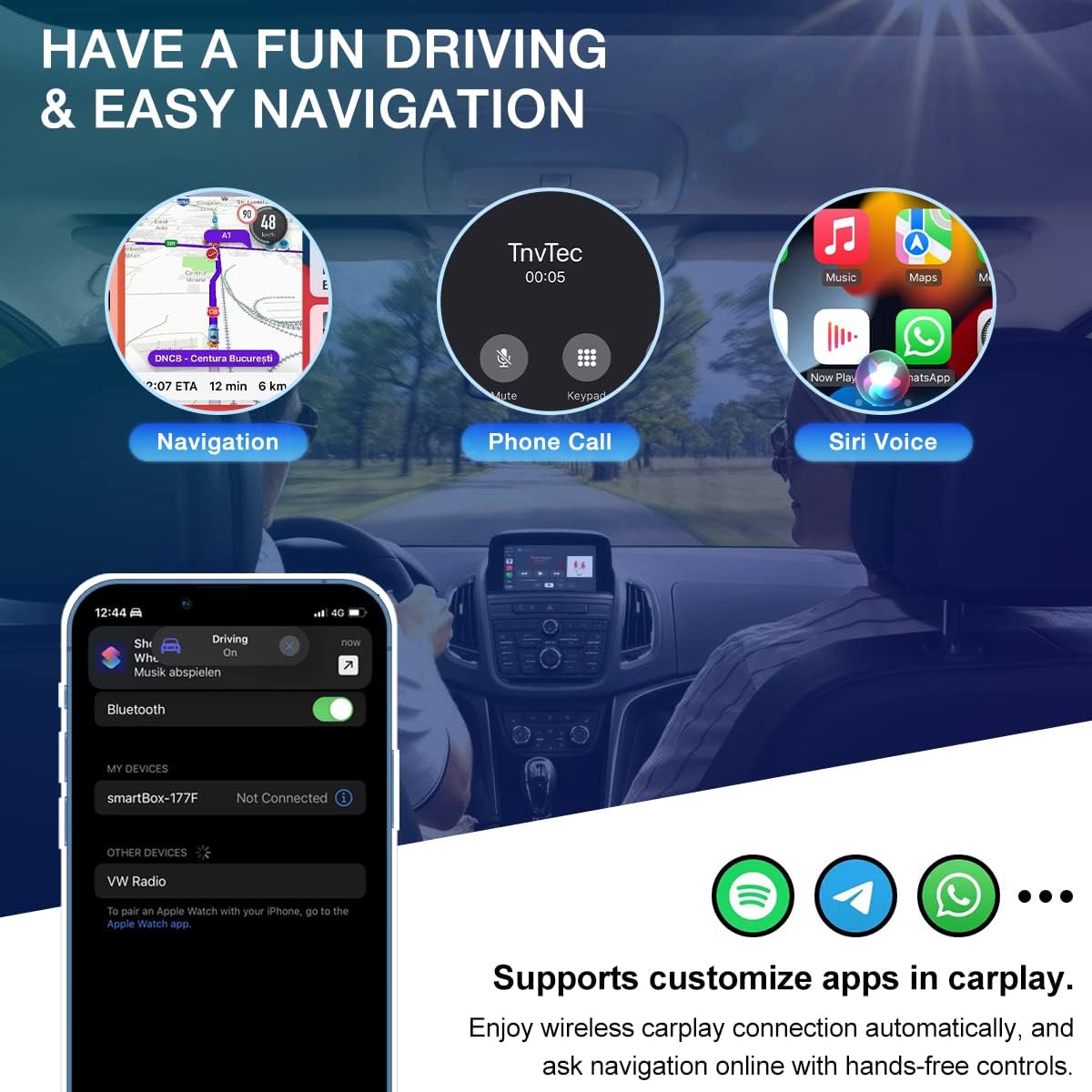
Image 3: Enjoying navigation, phone calls, and Siri voice commands wirelessly.
This image displays the CarPlay interface on a car's infotainment screen, highlighting key functions like navigation, phone calls, and Siri voice control, emphasizing the convenience of wireless connectivity.

Image 4: Seamless integration with existing car controls.
This image collage demonstrates how the wireless CarPlay system integrates with the car's native controls, including voice commands, steering wheel buttons, and the central console's knob and touchscreen, providing a familiar user experience.
4. Vedligeholdelse og firmwareopdateringer
The TNVTEC SMT-Z01 supports online firmware updates to ensure you have the latest features and improvements. However, it is generally recommended to only update if you are experiencing issues or if a specific new feature is required, as your current version might be optimally compatible with your vehicle.
Online Upgrade Steps:
- Connect to Adapter's Wi-Fi: Turn on your phone's Wi-Fi and connect to the network named "smartBox_xxxx".
- Indtast adgangskode: The password for this network is '88888888'.
- Access IP Address: Åbn din web browser (e.g., Safari) and enter the IP address
192.168.1.101. - Download firmware: On the IP page, you will find an option to download the firmware online from your phone.
- Opdateringsproces: The new firmware upgrade typically takes 3-4 minutes. During this time, the orange/green indicator light on the adapter should not blink. Wait until the upgrade is successfully completed.

Image 5: Online firmware update interface.
This image shows a smartphone screen displaying the online update interface for the CarPlay adapter, with options to check for new versions and initiate the update process via an IP address.
5. Fejlfinding
If you encounter issues with your TNVTEC Wireless CarPlay Adapter, consider the following troubleshooting steps:
- Ingen forbindelse/hyppige afbrydelser:
- Ensure your car's wired CarPlay is fully functional before connecting the adapter.
- Verify that Wi-Fi and Bluetooth are enabled on your iPhone.
- Try forgetting the "smartBox_xxxx" Bluetooth device on your iPhone and re-pairing it.
- Ensure the adapter is securely plugged into the correct USB port in your car. Some cars have multiple USB ports; only one might support CarPlay.
- Restart your car's infotainment system and your iPhone.
- Lydforsinkelse:
- A slight audio delay (e.g., 1.5-2 seconds) can sometimes occur with wireless connections. This is often a characteristic of wireless audio transmission and may not indicate a fault with the device.
- Ensure your iPhone's software and the adapter's firmware are up to date (refer to Section 4).
- Calls Not Coming Through / Sent to Voicemail:
- Check your iPhone's call settings and CarPlay settings to ensure proper routing of calls.
- Temporarily disable and re-enable Bluetooth on your iPhone.
- If the issue persists, try a factory reset of the adapter (if such an option is available, consult TNVTEC support for specific instructions) or contact support.
- Problemer med firmwareopdatering:
- If an update fails or causes new issues, ensure a stable Wi-Fi connection during the update process.
- Do not interrupt the power supply to the adapter during an update.
- If problems arise after an update, consider reverting to a previous stable firmware version if possible, or contact TNVTEC support.
6. Specifikationer
| Feature | Detalje |
|---|---|
| Mærke | TNVTEC |
| Modelnummer | SMT-Z01 |
| Farve | Grå |
| Materiale | Aluminium |
| Forbindelsesteknologi | WLAN, Bluetooth |
| Standard for trådløs kommunikation | Bluetooth |
| Strømkilde | Adapter |
| Genopladeligt batteri | Ingen |
| Fjernbetjening inkluderet | Ingen |
| Softwareopdateringer garanteret indtil | Information ikke tilgængelig |
| Tilgængelighed af reservedele | Information ikke tilgængelig |
7. Garanti og support
TNVTEC provides reliable after-sales service to ensure your product's performance and user experience.
- Garanti: The product comes with a six-month free warranty.
- Kundesupport: For any assistance or inquiries, please contact TNVTEC customer service. You can typically reach them via your order page on the retailer's website or by visiting the detailed seller page (usually accessible by clicking the seller's name in the "Sold by" section of the product page).


