1. Introduktion
Tak for købetasing the DOOMAY Digital Alarm Clock. This compact and versatile alarm clock is designed for convenience and readability, featuring an adjustable LCD display, snooze function, weekend mode, and temperature display. This manual will guide you through the setup, operation, and maintenance of your new alarm clock to ensure optimal performance.
2. Sikkerhedsoplysninger
- Hold enheden væk fra vand og miljøer med høj luftfugtighed.
- Avoid exposing the clock to direct sunlight or extreme temperatures.
- Forsøg ikke selv at skille enheden ad eller reparere den. Kontakt kvalificeret personale for service.
- Use only the specified battery type (2 x AAA batteries).
- Fjern batterierne, hvis enheden ikke skal bruges i længere tid, for at forhindre lækage.
- Opbevar batterier utilgængeligt for børn.
3. Pakkens indhold
- DOOMAY Digitalt Vækkeur (1 stk.)
- AAA-batterier (2 stk.)
- Brugervejledning (dette dokument)
4. Produktet er slutview
Familiarize yourself with the components and controls of your DOOMAY Digital Alarm Clock.
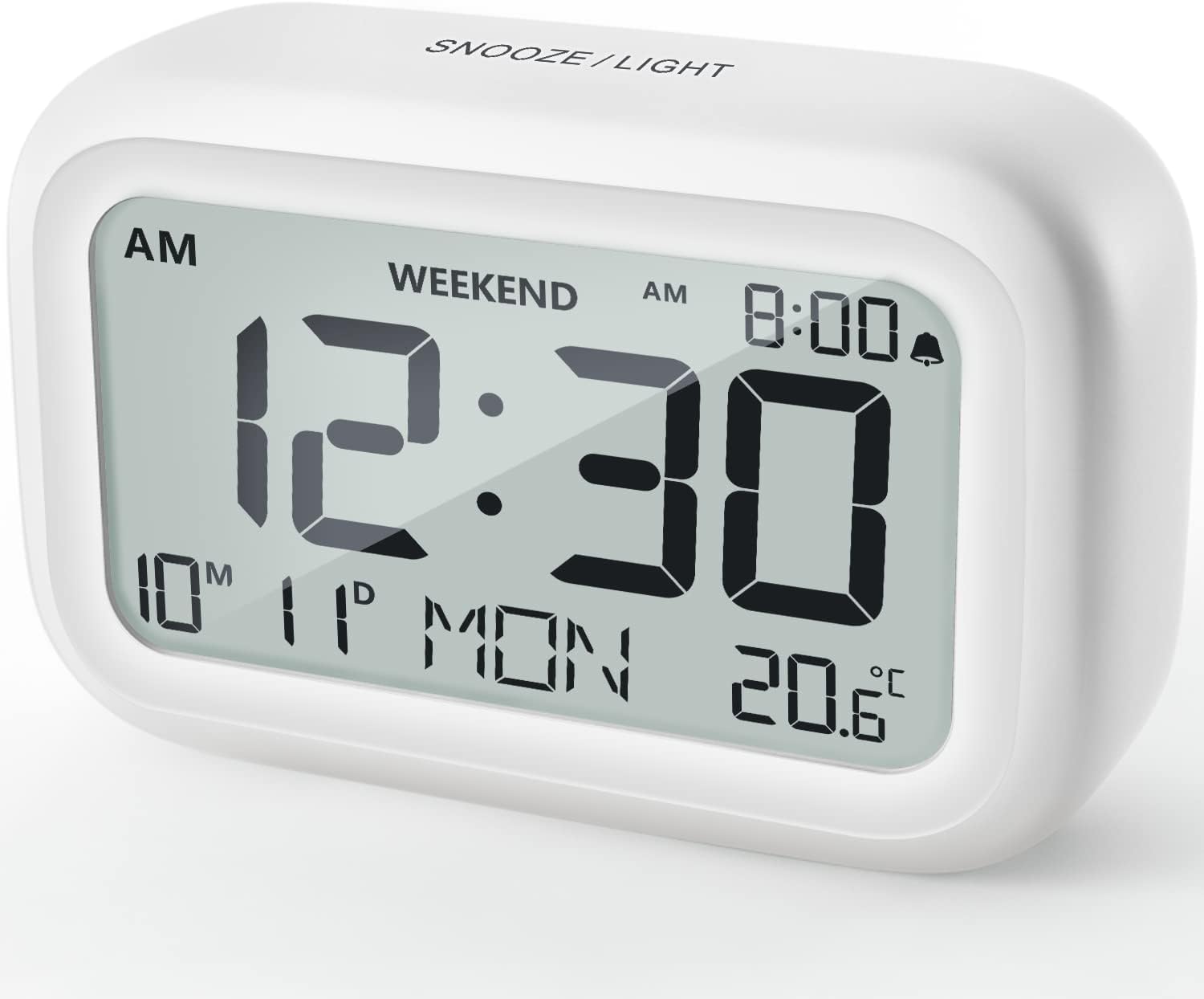
Figur 4.1: Forside View of the Alarm Clock
This image displays the front of the DOOMAY Digital Alarm Clock, highlighting its large, clear LCD screen. The screen shows the current time (12:30), AM indicator, day of the week (MON), date (10th month, 11th day), and indoor temperature (20.6°C). The top of the clock has a "SNOOZE/LIGHT" button.

Figur 4.2: Nøglefunktioner ovenforview
This diagram illustrates the main functionalities of the alarm clock: 12/24H time display, calendar, alarm setting, adjustable volume, snooze function, backlight, weekend mode, and temperature display. The clock itself is shown on a wooden table, displaying 7:00 AM, Friday, and 28.8 degrees.

Figure 4.3: Back Panel Controls
This image shows the rear of the alarm clock, detailing the various control buttons and the battery compartment. Buttons are clearly labeled for: 12/24H time format, Alarm setting, Weekend mode, Date setting, Minus (-) for decreasing values, Plus (+) for increasing values, and °C/°F for temperature unit selection. The battery compartment is visible, designed for two AAA batteries.
Kontrol og display:
- LCD-skærm: Shows time, date, day of week, AM/PM indicator, alarm status, and temperature.
- SNOOZE/LIGHT Button (Top): Activates snooze function during alarm; illuminates backlight for 5 seconds.
- 12/24H Button (Back): Skifter mellem 12-timers og 24-timers tidsformater.
- ALARM Button (Back): Går i alarmindstillingstilstand.
- WEEKEND Button (Back): Activates/deactivates weekend mode.
- DATE Button (Back): Enters date setting mode.
- MINUS (-) Button (Back): Decreases values during setting; adjusts alarm volume.
- PLUS (+) Button (Back): Increases values during setting; adjusts alarm volume.
- °C/°F Button (Back): Skifter mellem temperaturenheder i Celsius og Fahrenheit.
5. Opsætning
5.1 Batteriinstallation
- Åbn batterirummets dæksel på bagsiden af uret.
- Isæt to (2) AAA-batterier, og sørg for at polerne (+ og -) vender korrekt.
- Luk batterirummets dæksel forsvarligt.
- The display will light up, and the clock will be ready for initial setup. A low battery symbol will appear when batteries need replacement. If the display shows "8888" flashing, it's also an indication to change batteries.
5.2 Indstilling af starttidspunkt og dato
- Indstil tid:
- Tryk på 12/24H button to switch between 12-hour (with AM/PM) and 24-hour formats.
- Tryk og hold på 12/24H -knappen i 3 sekunder for at gå ind i tidsindstillingstilstand. Timecifrene blinker.
- Brug + or - knapper for at justere timen.
- Tryk på 12/24H Tryk på knappen igen for at bekræfte timeindstillingen og gå videre til minutindstillingen. Minuttifrene blinker.
- Brug + or - knapper for at justere minutter.
- Tryk på 12/24H button one more time to exit time setting.
- Indstil dato:
- Tryk og hold på DATO button for 3 seconds to enter date setting mode. The year digits will flash.
- Brug + or - knapper for at justere året.
- Tryk på DATO button again to confirm the year and move to month setting.
- Juster måneden ved hjælp af + or -.
- Trykke DATO again to move to day setting.
- Juster dagen ved hjælp af + or -.
- Trykke DATO one more time to exit date setting. The day of the week will automatically adjust.
6. Betjeningsvejledning
6.1 Indstilling af alarmen
- Tryk og hold på ALARM -knappen i 3 sekunder. Alarmtimecifrene blinker.
- Brug + or - knapperne for at indstille den ønskede alarmtime.
- Tryk på ALARM Tryk på knappen igen for at bekræfte timeindstillingen og gå videre til minutindstillingen. Alarmminutcifrene blinker.
- Brug + or - knapperne for at indstille det ønskede alarmminut.
- Tryk på ALARM button one more time to exit alarm setting. The alarm icon (bell symbol) will appear on the display, indicating the alarm is active.
- To turn the alarm ON/OFF, simply press the ALARM button once. The bell icon will appear/disappear.
6.2 Snooze -funktion
When the alarm sounds, gently tap the large SNOOZE / LYS button on the top of the clock. The alarm will pause for 9 minutes and then sound again. This can be repeated multiple times.

Figure 6.1: Activating Snooze
This image demonstrates how to activate the snooze function by touching the top of the alarm clock. The text highlights that this action provides an additional 9 minutes of sleep after the alarm sounds.
To completely turn off the alarm after it sounds (without snoozing), press any button on the back of the clock.
6.3 Weekendtilstand
The weekend mode allows the alarm to sound only from Monday to Friday, preventing it from ringing on Saturday and Sunday.

Figure 6.2: Weekend Mode Activated
This image shows the alarm clock display with the "WEEKEND" indicator prominently displayed, signifying that the weekend mode is active. The accompanying text clarifies that in this mode, the alarm will only sound from Monday to Friday, ensuring undisturbed weekends.
- To activate Weekend Mode, press the WEEKEND button once. The "WEEKEND" indicator will appear on the display.
- To deactivate Weekend Mode, press the WEEKEND button again. The "WEEKEND" indicator will disappear.
6.4 Adjustable Alarm Volume
The alarm clock offers two volume levels: Low (70 dB) and High (85 dB).

Figure 6.3: Alarm Volume Levels
This image visually represents the two available alarm volume settings: L01 (85 dB) for a louder alarm and L02 (70 dB) for a softer alarm. The alarm clock is shown in a bedroom setting, emphasizing its use as a bedside device.
- I normal tidsvisningstilstand skal du trykke på + or - buttons to cycle between the two alarm volume levels. The current volume level will be briefly displayed.
6.5 Baggrundsbelysningsfunktion
To illuminate the display in low light conditions, simply tap the SNOOZE / LYS button on the top of the clock. The backlight will activate for approximately 5 seconds, providing clear visibility of the time and other information.
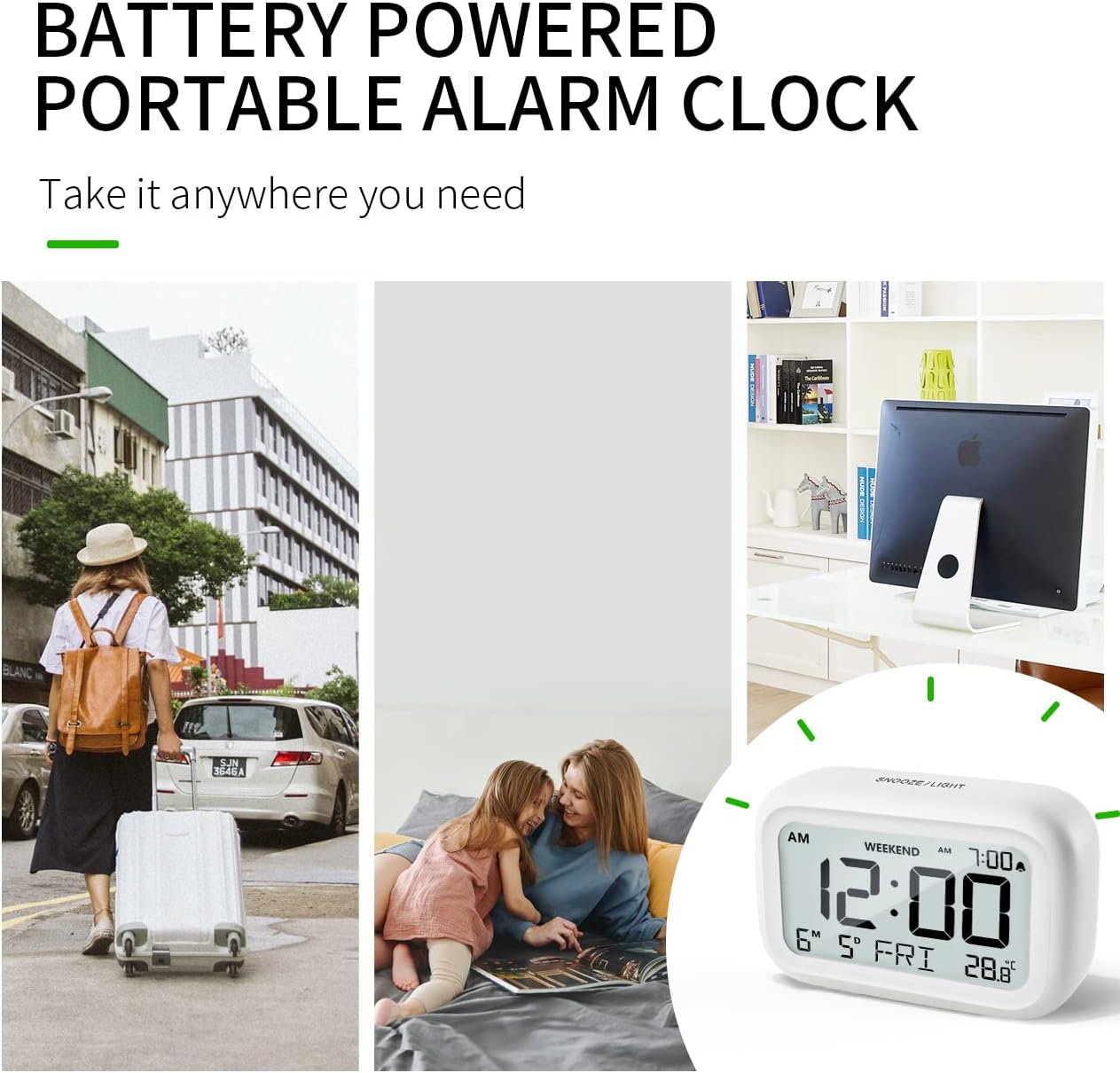
Figure 6.4: Backlight in Action
This image provides a side-by-side comparison of the alarm clock's display. On the left, the clock is shown in a well-lit environment. On the right, the same clock is shown in a dark setting with its 5-second backlight activated, demonstrating how the display becomes clearly visible at night.
6.6 Temperaturvisning
Uret viser indetemperaturen. Du kan skifte mellem enhederne Celsius (°C) og Fahrenheit (°F).
- To change the temperature unit, press the ° C / ° F knap på bagsiden af uret.
7. Vedligeholdelse
7.1 Rengøring
Wipe the clock with a soft, dry cloth. Do not use abrasive cleaners or solvents, as they may damage the surface.
7.2 Udskiftning af batteri
When the low battery indicator appears on the display, or if the display shows "8888" flashing, it is time to replace the batteries. Follow the steps in Section 5.1 Battery Installation to replace the two AAA batteries.
8. Fejlfinding
| Problem | Mulig årsag | Løsning |
|---|---|---|
| Skærmen er tom eller svag. | Batterierne er døde eller forkert installeret. | Udskift batterierne med nye AAA-batterier, og sørg for at polariteten vender korrekt. |
| Alarmen lyder ikke. | Alarm is not activated, or Weekend Mode is ON. | Ensure the alarm icon is displayed. Check if Weekend Mode is active and deactivate if necessary. |
| Snooze function not working. | Not tapping the SNOOZE/LIGHT button correctly. | Ensure a firm, brief tap on the top SNOOZE/LIGHT button when the alarm is sounding. |
| Tid/dato er forkert. | Ikke indstillet korrekt, eller batterierne blev fjernet. | Refer to Section 5.2 Initial Time and Date Setting to re-set. |
9. Specifikationer
| Feature | Detalje |
|---|---|
| Modelnummer | 5293 UK |
| Mærke | DOMAY |
| Dimensioner (L x B x H) | 10.9 x 3.81 x 6.9 cm (4.29 x 1.5 x 2.72 tommer) |
| Vægt | 127.01 gram (0.28 lbs) |
| Materiale | Acrylonitril Butadien Styren (ABS) |
| Strømkilde | 2 x AAA batterier (medfølger) |
| Display Type | Digital LCD |
| Alarmlydstyrkeniveauer | Low (70 dB), High (85 dB) |
| Snooze-varighed | 9 minutter |
| Baggrundsbelysningens varighed | 5 sekunder |
| Temperaturenheder | Celsius (°C) / Fahrenheit (°F) |
10. Garanti og support
DOOMAY products are designed for reliability and performance. For any questions, technical support, or warranty claims, please contact your retailer or visit the official DOOMAY website for assistance. Please retain your proof of purchase for warranty purposes.
For further information, you may visit the brand's Amazon store page: DOOMAY Store on Amazon


