1. Introduktion
Welcome to the user manual for your new Altec Lansing Fury Wireless Speaker. This ultra-portable speaker is designed to be an ideal travel and adventure companion, offering powerful sound and true wireless stereo pairing capabilities. This manual provides detailed instructions on how to set up, operate, maintain, and troubleshoot your speaker.
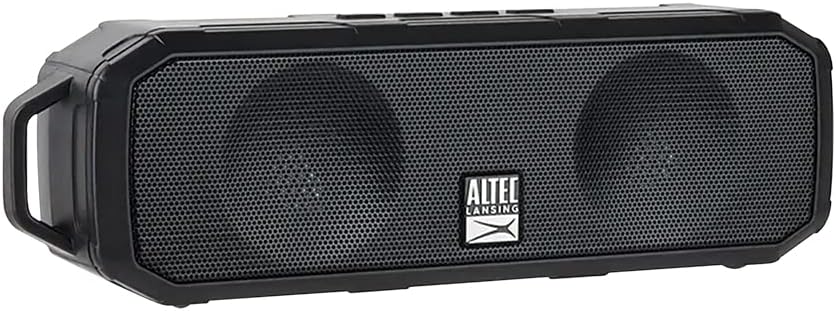
Figure 1: Altec Lansing Fury Wireless Speaker
2. Vigtige sikkerhedsinstruktioner
- Læs alle instruktioner omhyggeligt, før du bruger produktet.
- Gem denne vejledning til fremtidig reference.
- Udsæt ikke højttaleren for ekstreme temperaturer, fugtighed eller direkte sollys.
- Du må ikke selv adskille, reparere eller ændre højttaleren. Overlad al service til kvalificeret personale.
- Rengør kun med en tør klud.
- Ensure the charging port cover is securely closed when not charging to maintain IPX5 water resistance.
3. Hvad er der i æsken
Bekræft, at alle nedenstående varer er inkluderet i din pakke:
- 1 x Altec Lansing Fury Wireless Speaker
- 1 x Micro USB ladekabel
- 1 x karabinhageclips
- 1 x Quick Start Guide

Figur 2: Pakkens indhold
4. Produktet er slutview
The Altec Lansing Fury Wireless Speaker features intuitive controls and a robust design for various environments.

Figure 3: Speaker Controls and Ports
Styrer Layout
| Knap/indikator | Fungere |
|---|---|
| Power / Play / Pause / Answer / Siri Button | Press and hold to power on/off. Press to play/pause music. Press to answer/end calls. Press and hold to activate Siri/Google Assistant. |
| Lydstyrke op / Næste spor-knap | Tryk for at øge lydstyrken. Tryk og hold nede for næste nummer. |
| Lydstyrke ned / Forrige spor-knap | Tryk for at sænke lydstyrken. Tryk og hold nede for at gå til forrige nummer. |
| LED-indikator | Indicates power status, charging status, and Bluetooth pairing status. |
| Mikrofon (MIC) | Til håndfri opkald og stemmeassistentkommandoer. |
| Micro USB-port | Til opladning af højttaleren. |
5. Kom godt i gang
5.1 Opladning af højttaleren
Before first use, fully charge your speaker. A full charge takes approximately 2-3 hours.
- Open the protective cover of the Micro USB port on the side of the speaker.
- Tilslut Micro USB-opladerkablet til højttalerens Micro USB-port.
- Tilslut den anden ende af USB-kablet til en USB-strømadapter (medfølger ikke) eller en computers USB-port.
- LED-indikatoren lyser under opladning og slukker, når den er fuldt opladet.
- Once charging is complete, securely close the protective cover to maintain water resistance.
5.2 Tænd/sluk
- For at tænde: Tryk på tænd/sluk-knappen, og hold den nede i cirka 3 sekunder, indtil du hører en lydmeddelelse, og LED-indikatoren lyser.
- For at slukke: Tryk på tænd/sluk-knappen, og hold den nede i cirka 3 sekunder, indtil du hører en lydmeddelelse, og LED-indikatoren slukker.
6. Betjening
6.1 Bluetooth -parring
The Fury Wireless Speaker offers universal compatibility, allowing you to pair with any Bluetooth-enabled device up to a 30-foot range.
- Ensure the speaker is powered on and the LED indicator is blinking, indicating it's in pairing mode.
- Gå til Bluetooth-indstillingerne på din Bluetooth-aktiverede enhed (smartphone, tablet, bærbar computer).
- Søg efter available devices and select "Altec Lansing Fury" or "IMW340N".
- Once paired, the LED indicator will stop blinking and remain solid, and you will hear a confirmation sound.
- Højttaleren genopretter automatisk forbindelsen til den sidst parrede enhed, når den tændes, hvis enheden er inden for rækkevidde, og Bluetooth er aktiveret.

Figure 4: Universal Bluetooth Compatibility
6.2 Using Voice Assistant ("Just Ask")
Wake up Siri or Google Assistant for news, weather updates, and more with a simple voice command.
- Ensure your speaker is connected to a Bluetooth-enabled device with an active internet connection.
- Press and hold the Power button for approximately 2 seconds (after powering on) to activate your device's voice assistant.
- Speak your command clearly into the speaker's microphone.

Figure 5: Just Ask Voice Assistant Feature
6.3 Håndfri opkald
Answer phone calls with ease thanks to the built-in noise-free microphone.
- Besvar opkald: Press the Power button once when a call comes in.
- Afslut opkald: Tryk én gang på tænd/sluk-knappen under et opkald.
- Afvis opkald: Tryk på tænd/sluk-knappen og hold den nede i 2 sekunder, når du modtager et opkald.
6.4 Ægte trådløs stereo (TWS) parring
Pair two Altec Lansing Fury Wireless Speakers together for an enhanced stereo sound experience.
- Ensure both Fury speakers are powered on and not connected to any Bluetooth device.
- On one speaker (this will be your primary speaker), double-press the Power button. The speaker will enter TWS pairing mode.
- De to højttalere vil automatisk oprette forbindelse til hinanden. Du vil høre en bekræftelsestone, når der er oprettet forbindelse.
- Once TWS paired, connect your Bluetooth device to the primary speaker as described in section 6.1.
6.5 Lydafspilning
- Afspil/pause: Tryk én gang på tænd/sluk-knappen.
- Lydstyrke op: Tryk på knappen Lydstyrke op.
- Skrue ned for lyden: Tryk på knappen Lydstyrke ned.
- Næste nummer: Tryk og hold på lydstyrke op-knappen.
- Forrige nummer: Tryk og hold lydstyrke ned-knappen.

Figur 6: Forlænget afspilningstid
7. Pleje og vedligeholdelse
- Rengør højttaleren med en blød, tør klud. Brug ikke slibende rengøringsmidler eller opløsningsmidler.
- Keep the speaker away from excessive heat, cold, humidity, and dust.
- Ensure the charging port cover is sealed when not in use to maintain water resistance.
- Opbevar højttaleren et køligt og tørt sted, når den ikke er i brug i længere perioder.
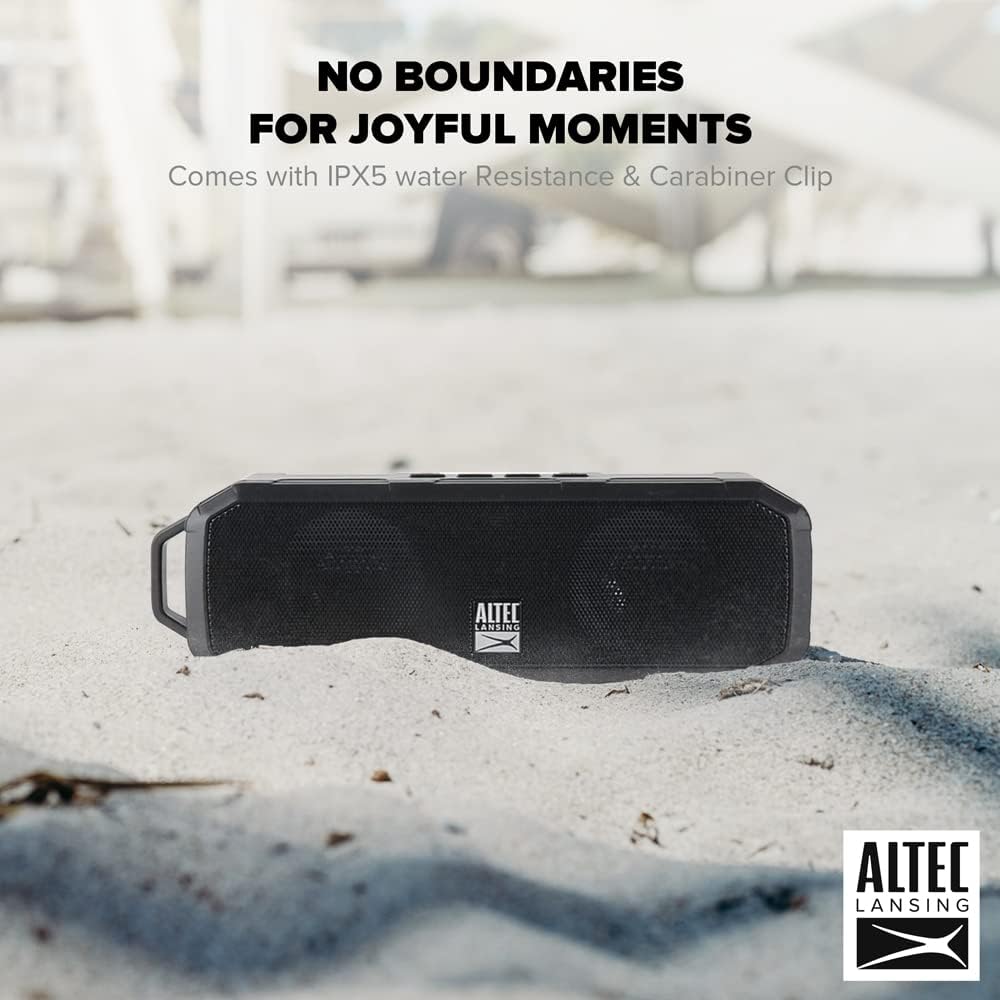
Figur 7: IPX5 vandtæthed
8. Fejlfindingsvejledning
If you encounter any issues with your speaker, refer to the table below for common problems and solutions.
| Problem | Mulig årsag | Løsning |
|---|---|---|
| Højttaleren tænder ikke. | Batteriet er afladet. | Charge the speaker fully using the provided Micro USB cable. |
| Kan ikke parre med Bluetooth-enhed. | Speaker is not in pairing mode. Device's Bluetooth is off. Speaker is too far from device. | Ensure speaker LED is blinking. Turn on Bluetooth on your device. Move speaker closer to device (within 30 feet). Forget previous pairings on your device and try again. |
| Ingen lyd eller lav lydstyrke. | Volume on speaker or device is too low. Speaker is not connected. | Increase volume on both the speaker and your connected device. Ensure speaker is successfully paired. |
| Lydforvrængning. | Volume is too high. Device is too far from speaker. | Reduce volume. Move speaker closer to device. |
| Stemmeassistenten svarer ikke. | Not connected to internet. Incorrect button press. | Ensure connected device has internet access. Press and hold the Power button for 2 seconds to activate. |
9. Tekniske specifikationer
| Feature | Specifikation |
|---|---|
| Modelnavn | Fury trådløs højtaler |
| Modelnummer | IMW340N-BLK |
| Farve | Sort |
| Vandmodstandsvurdering | IPX5 |
| Spilletid | Op til 6 timer (ved 50 % volumen) |
| Opladningstid | 2-3 timer |
| Bluetooth rækkevidde | Op til 30 fod |
| Forbindelsesteknologi | Bluetooth |
| Lydudgangstilstand | Stereoanlæg |
| Monteringstype | Bordplade |
| Batterier | 1 Lithium Polymer batteri (medfølger) |
| Pakkedimensioner | 23.2 x 11.6 x 7 cm |
| Varens vægt | 430 g |
| Fabrikant | ATI Electronics Shenzhen Co. Ltd. |
10. Garantioplysninger og support
10.1 Garanti
The Altec Lansing Fury Wireless Speaker comes with a One-Year Hassle-Free Replacement Warranty. This warranty covers all manufacturing defects. Please note that it does not cover defects resulting from wear and tear, product modification, or misuse.
10.2 Kundesupport
For further assistance, troubleshooting, or warranty claims, please contact Altec Lansing customer support. Refer to the contact information provided on the product packaging or the official Altec Lansing webwebsted.


