1. Introduktion
This manual provides detailed instructions for the installation, operation, and maintenance of your ANNKE 3K Full Color Night Vision Bullet Camera. Please read this manual thoroughly before using the product to ensure proper setup and functionality.
1.1 Produkt overview
The ANNKE 3K Add-On Security Bullet Camera (Model CR1CY) is a versatile surveillance solution featuring 3K Super HD resolution and full-color night vision capabilities. Designed for both indoor and outdoor use, it offers robust performance with its IP67 weatherproof rating and a built-in microphone for audio recording.
Nøglefunktioner omfatter:
- 3K 24/7 ColorVu Color Night Vision: Captures ultra-clear 3K Super HD footage at 20 fps in full color, even in low-light conditions (0.01 lux) without additional light sources, thanks to its f/1.0 super aperture and advanced technology.
- 3K Resolution & Built-in Mic: Delivers 2960×1665 resolution at 20fps with a 16:9 aspect ratio. The integrated microphone enables audio recording, which can be disabled via the camera menu.
- Hybrid 4-in-1 Security Camera: Supports TVI, AHD, CVI, and CVBS video signals, allowing integration with various DVR systems (requires 3K or higher resolution DVRs for optimal performance).
- IP67 Weatherproof & Durable: Constructed with a solid ABS housing, the camera is rated IP67 for protection against harsh weather conditions, including heavy rain and extreme temperatures (-22°F to 140°F / -40°C to 60°C).
- Remote Access & Motion Detection Alerts: Manage the camera remotely via the free ANNKE App on iOS/Android smartphones, tablets, or computers. Receive instant app pushes and email alerts with snapshots upon motion detection.
1.2 Hvad er der i æsken
Pakken indeholder typisk følgende komponenter:

Image: A visual representation of the package contents, including four ANNKE 3K bullet cameras, power adapters, BNC cables, screw kits, a user manual, and a wall sticker.
- 4x ANNKE 3K Full Color Night Vision Bullet Cameras
- 4x Power Adapters for Cameras
- 4x 60 ft/18.3m BNC Cables
- 4x Screw Kits for mounting
- 1x User Manual & Wall Sticker
2. Kamerakomponenter
Familiarize yourself with the different parts of the ANNKE 3K Bullet Camera:

Image: A diagram illustrating the key components of the ANNKE 3K Bullet Camera, including the one-way microphone, 2.8mm lens, supplement white light, IP67 housing, video output port, power port, and switch button.
- One-way Microphone: Til lydoptagelse.
- 2.8 mm objektiv: Tilbyder et bredt felt af view (102°).
- Supplement White Light: Enhances full-color night vision up to 65ft.
- IP67 Housing: Durable and weatherproof enclosure.
- Video output: BNC connector for 3K video signal.
- Strømport: 12V DC strømindgang.
- Skift knap: Used to switch between TVI, AHD, CVI, and CVBS video output modes (press for 5 seconds).
3. Opsætning og installation
Follow these steps to set up and install your ANNKE 3K Bullet Camera.
3.1 Planning Your Installation
- Beliggenhed: Vælg en placering, der tilbyder det ønskede viewing angle and coverage. The camera is suitable for both indoor and outdoor use.
- Montering: The camera is designed for wall mounting. Ensure the mounting surface is strong enough to support the camera.
- Kabelføring: Plan the route for the BNC video cable and power cable to your DVR and power source, minimizing exposure to potential damage.

Image: Four ANNKE 3K Bullet Cameras shown mounted, illustrating typical installation scenarios for surveillance.
3.2 Fysisk installation
- Mark Drilling Holes: Use the provided wall sticker or camera base as a template to mark the positions for drilling holes on your chosen mounting surface.
- Bore huller: Drill pilot holes for the mounting screws. Insert wall anchors if mounting on drywall or masonry.
- Sikre kameraet: Juster kamerabasen med de borede huller, og fastgør den med de medfølgende skruer.
- Juster vinkel: Loosen the adjustment screws on the camera bracket to set the desired viewing angle, then tighten them to fix the position.
3.3 Ledningsforbindelser
- Tilslut videokabel: Connect one end of the BNC cable to the video output port of the camera and the other end to a BNC input port on your DVR.
- Tilslut strømadapter: Connect the camera's power input to the provided 12V DC power adapter. Plug the power adapter into a suitable power outlet.
- Tænd: Once all connections are secure, power on your DVR and the camera.
Note: This is a wired camera system. While the specifications mention Wi-Fi, this refers to the remote access capabilities via the ANNKE App, not the camera's primary video transmission which is via BNC cable.
4. Betjening
Learn how to utilize the various features of your ANNKE 3K Bullet Camera.
4.1 Full Color Night Vision
The camera features advanced ColorVu technology, providing full-color video surveillance even in extremely low-light conditions. The f/1.0 super aperture and supplement white light ensure clear, detailed, and colorful images at night, with a night vision range of up to 100 feet (65ft with supplement light).

Image: A night scene captured by the ANNKE camera, demonstrating its full-color night vision capability, showing a person walking a dog with clear visibility under minimal ambient light.

Image: An ANNKE camera mounted on a building, illuminating a driveway at night, illustrating its 65-foot supplement light range for enhanced visibility.
4.2 Lydoptagelse
The built-in microphone allows for one-way audio recording, capturing sound within the camera's vicinity. This can provide additional context to video footage. The audio recording function can be enabled or disabled through your DVR's settings menu.

Image: A young girl approaching a house, with a speech bubble indicating "Mommy, I'm home," demonstrating the camera's built-in microphone for audio capture.
4.3 Switching Video Output Modes (4-in-1)
Your camera supports four different video output formats: TVI, AHD, CVI, and CVBS. This allows compatibility with a wide range of DVRs. To switch between modes:
- Sørg for, at kameraet er tændt.
- Locate the switch button on the camera's cable.
- Press and hold the switch button for approximately 5 seconds. The video output will cycle through the available formats. Release the button when the desired format is displayed on your monitor.

Image: A diagram illustrating the ANNKE camera's capability to switch between four video output modes: TVI, CVBS, CVI, and AHD, by pressing a button for 5 seconds.
4.4 Remote Access and Motion Detection
The ANNKE App provides remote access to your camera feed and DVR, along with motion detection alerts.
- Download the ANNKE App: Tilgængelig til iOS- og Android-enheder.
- Connect to DVR: Follow the instructions within the app to connect it to your DVR system.
- Levende View: Access live video streams from your cameras from anywhere using your smartphone, tablet, or computer.
- Bevægelsesadvarsler: Configure motion detection settings on your DVR. When motion is detected, the app will send instant push notifications and email alerts with snapshots to your registered devices.

Image: Various devices (smartphone, tablet, laptop) displaying live video feeds, illustrating the remote access capability of the ANNKE system from anywhere.
5. Vedligeholdelse
Korrekt vedligeholdelse sikrer dit kameras levetid og optimale ydeevne.
5.1 Rengøring af kameraet
- Linse: Gently wipe the camera lens with a soft, clean, lint-free cloth. For stubborn dirt, use a lens cleaning solution specifically designed for optical surfaces. Avoid abrasive materials that could scratch the lens.
- Bolig: Rengør kamerahuset med en sprayamp cloth. Do not use strong detergents or solvents, as these may damage the finish or seals.
5.2 Vejrbeskyttelse
The camera has an IP67 weatherproof rating, meaning it is protected against dust ingress and immersion in water up to 1 meter for 30 minutes. While designed for harsh conditions, regular inspection of the housing and cable connections for any signs of wear or damage is recommended, especially after severe weather events.
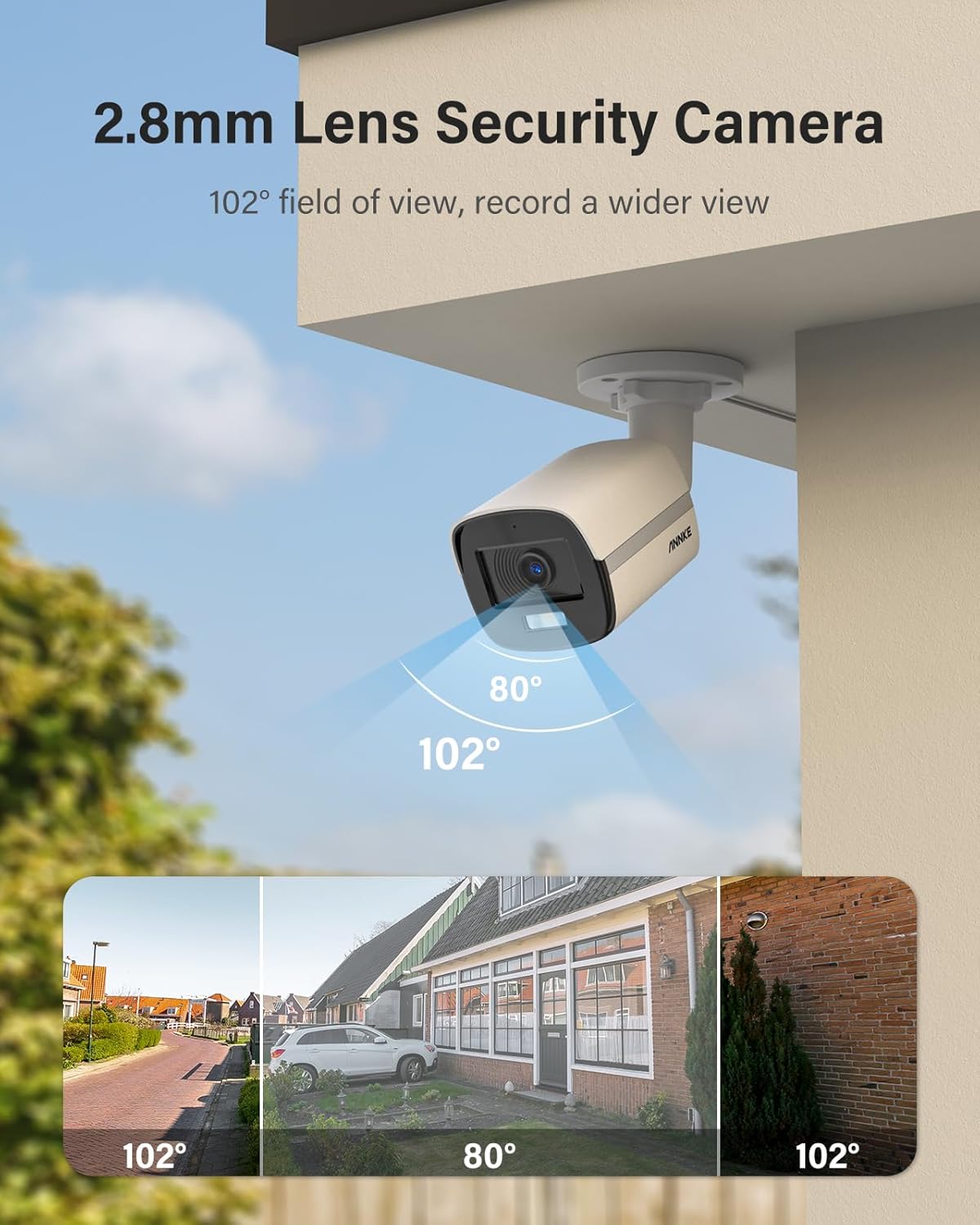
Image: An ANNKE camera being splashed with water, visually representing its IP67 weatherproof rating and ability to withstand outdoor elements.
6. Fejlfinding
Hvis du støder på problemer med dit kamera, kan du se følgende almindelige problemer og løsninger:
| Problem | Mulig årsag | Løsning |
|---|---|---|
| Intet videosignal |
|
|
| Dårlig billedkvalitet / sløret video |
|
|
| No audio recording |
|
|
| Fjernadgang virker ikke |
|
|
7. Specifikationer
Technical specifications for the ANNKE 3K Full Color Night Vision Bullet Camera (Model CR1CY):
| Feature | Detalje |
|---|---|
| Modelnavn | CR1CY |
| Mærke | ANNKE |
| Billedsensor | CMOS |
| Video opløsning | 3K (2960×1665) @ 20fps, 5 MP, 6 MP (Effective Still Resolution) |
| Linse | 2.8mm, Manual Focus |
| Felt af View | 102° |
| Nattesyn | Full Color Night Vision (ColorVu), 100 Feet Range, 65ft Supplement Light Range |
| Lyd | Indbygget mikrofon (envejslyd) |
| Videoudgangstilstande | TVI, AHD, CVI, CVBS (Switchable) |
| Forbindelse | Wired (BNC), Wi-Fi for App Control |
| Strømkilde | AC/DC (12V DC via power adapter) |
| Vejrbestandig vurdering | IP67 |
| Driftstemperatur | -22°F til 140°F (-40°C til 60°C) |
| Materiale | Metal (Housing) |
| Monteringstype | Vægmontering |
| Alert Type | Kun bevægelse |
| Kompatible enheder | Smartphone (for remote access) |
| Anbefalede anvendelser | Indendørs, udendørs overvågning |
8. Garantioplysninger
For detailed warranty information regarding your ANNKE product, please refer to the official ANNKE website or the warranty card included with your purchase. Warranty terms and conditions may vary by region and product.
9. Kundesupport
If you require further assistance, technical support, or have questions not covered in this manual, please visit the official ANNKE support webwebsted. Du kan typisk finde ofte stillede spørgsmål, fejlfindingsvejledninger og kontaktoplysninger til kundeservice der.
ANNKE Officiel Webwebsted: www.annke.com


