1. Produktet er slutview
The auna Connect 150 MKII is a versatile 2.1 internet radio system designed for comprehensive audio entertainment. It features Wi-Fi connectivity for internet radio and podcasts, DAB/DAB+ and FM reception, Bluetooth for wireless streaming, and a USB port for local media playback. The unit is equipped with a 2.8-inch TFT color display and can be controlled via an app.
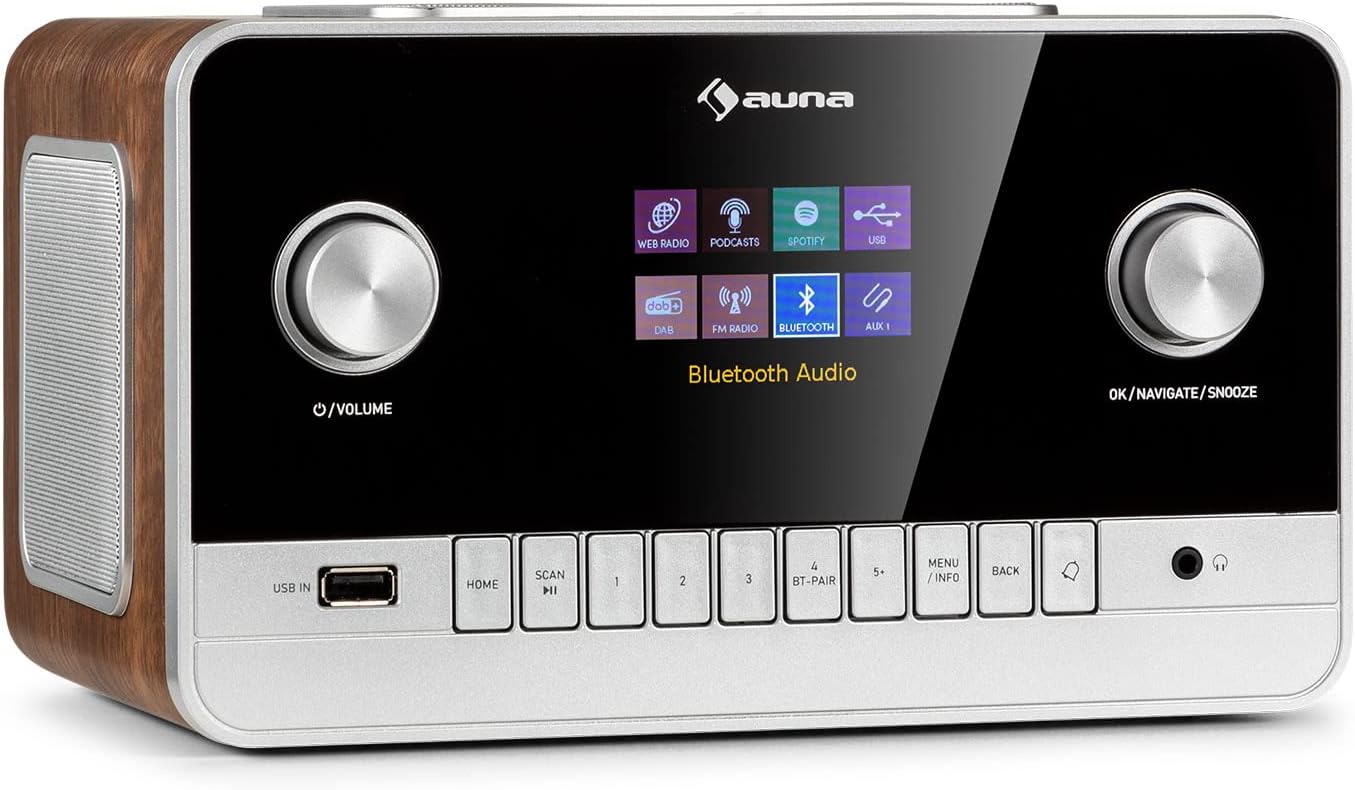
Billede 1.1: Forside view of the auna Connect 150 MKII Internet Radio, showcasing the display, control knobs, and buttons.
2. Sikkerhedsoplysninger
Please read this manual carefully before operating the device. Keep it for future reference. Observe all warnings and instructions. Do not expose the device to rain or moisture. Do not block any ventilation openings. Only use attachments/accessories specified by the manufacturer. Disconnect the device during lightning storms or when unused for long periods. Refer all servicing to qualified service personnel.
3. Pakkens indhold
- 1 x auna Connect 150 MKII Internet Radio
- 1 x strømforsyningsenhed
- 1 x Remote Control (2 x 1.5 V AAA batteries not included)
- 1 x Multi-language User Manual (this document)
4. Produktfunktioner
- Forbindelse: Wi-Fi (802.11 b/g/n), Bluetooth (2402 - 2480 MHz), USB port, 3.5 mm AUX-in, 3.5 mm AUX-out, 3.5 mm Headphone output.
- Lydudgang: Integrated 2.1 speaker system with 28 watts RMS (2 x 5W + 1 x 18W subwoofer).
- Vise: 2.8-inch, 320 x 240 pixel TFT color display.
- Radiomodtagelse: Internet Radio, DAB/DAB+, FM.
- Streaming: UPnP and DLNA support, Spotify Connect.
- Audio Codecs: AAC, MP3, FLAC.
- Lydtilpasning: Equalizer presets (Normal, Flat, Jazz, Rock, Movie, Classical, Pop, News), 2-band equalizer with adjustable treble and bass.
- Bekvemmelighed: Sleep timer, dual programmable alarms (buzzer, internet radio, DAB, FM), media player with playlist, repeat, and shuffle functions, dimmable display, time and date display with internet synchronization, mute function, setup assistant, software update capability.

Image 4.1: The auna Connect 150 MKII offers a smart variety of listening options including Internet Radio, DAB/DAB+, FM, media players, and Spotify Connect.
5. Kontrolelementer og forbindelser
5.1 Betjeningselementer på frontpanelet
- Strøm-/lydstyrkeknap: Tænd/sluk, juster lydstyrken.
- OK/Navigation/Snooze-knap: Confirm selections, navigate menus, activate snooze.
- USB IN: USB-port til medieafspilning.
- HJEM knap: Vend tilbage til hovedmenuen.
- SCAN knap: Initiate station scan.
- Forudindstillede knapper (1-5+): Gem og genkald favoritstationer.
- BT-PAIR Button: Start Bluetooth-parring.
- MENU/INFO-knap: Access menu options or display information.
- TILBAGE -knap: Go back in menus.
- Hovedtelefonudgang: 3.5 mm jackstik til privat lytning.
5.2 Bagpaneltilslutninger
- TÆND/SLUK -kontakt: Hovedafbryder.
- Teleskopantenne: Til DAB/DAB+ og FM-modtagelse.
- AUX IN: 3.5 mm jack for connecting external audio sources.
- AUX OUT: 3.5 mm jack for connecting to external ampløftere eller højttalere.
- DC IN (9V/3A): Strømadaptertilslutning.
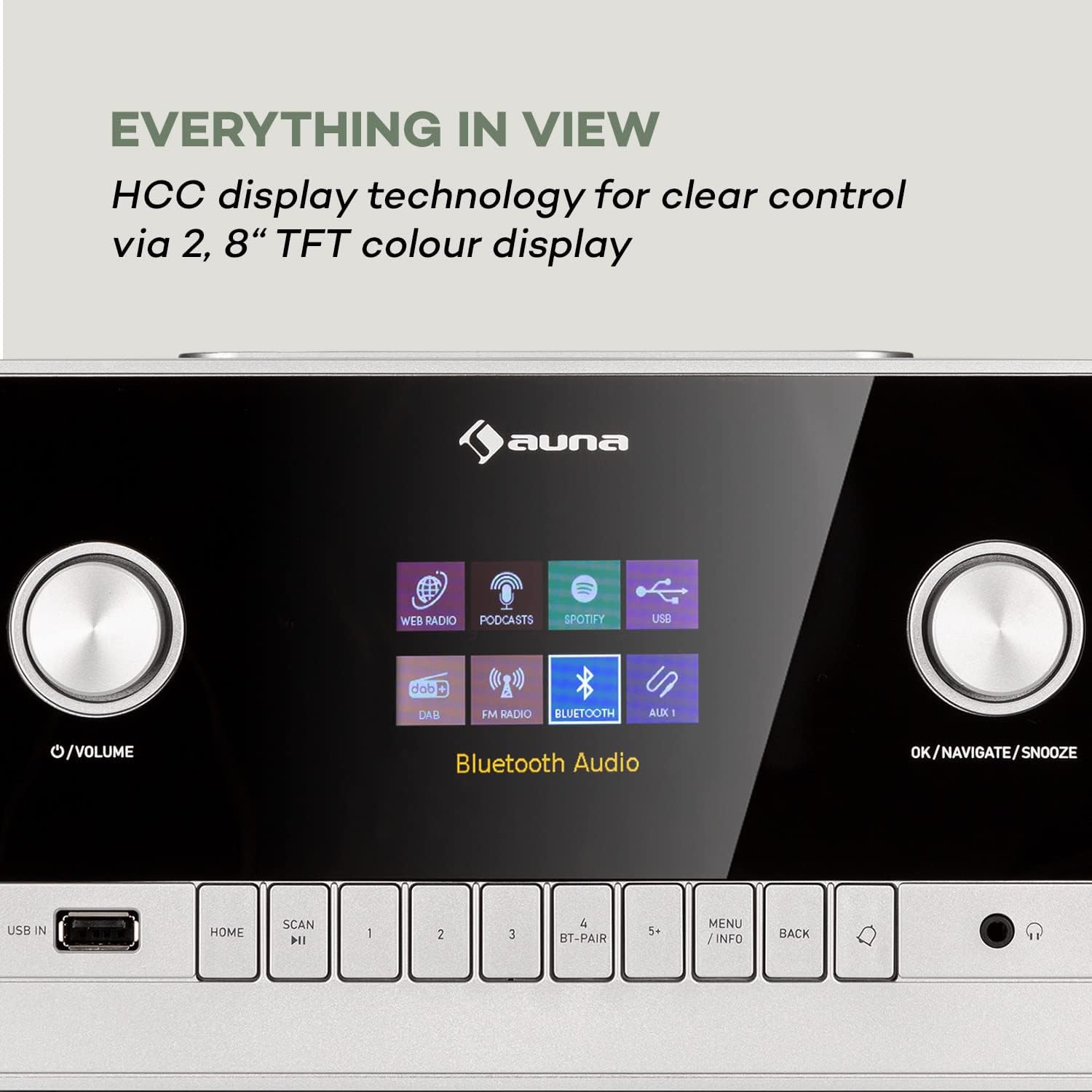
Image 5.1: The 2.8-inch TFT color display provides clear visual feedback for all functions and settings.

Image 5.2: Rear panel connections for additional audio sources and power.
6. Opsætning
6.1 Strømtilslutning
- Connect the power supply unit to the DC IN port on the rear of the radio.
- Plug the power supply unit into a suitable wall outlet.
- Drej tænd/sluk-knappen på bagpanelet til 'TIL'-positionen.
6.2 Antenneopsætning
Træk teleskopantennen helt ud for optimal DAB/DAB+ og FM-radiomodtagelse. Juster dens position for at forbedre signalstyrken, hvis det er nødvendigt.
6.3 Netværksopsætning (Wi-Fi)
- Upon first power-on, the setup assistant will guide you through initial settings, including network configuration.
- Select 'Network Wizard' or 'Wi-Fi Setup' from the menu.
- Radioen vil søge efter tilgængelige Wi-Fi-netværk. Vælg dit netværk fra listen.
- Enter your Wi-Fi password using the navigation knob and 'OK' button. Alternatively, if your router supports WPS, you can select 'WPS' and press the WPS button on your router.
- Once connected, the radio will confirm the connection.
7. Betjeningsvejledning
7.1 Grundlæggende betjening
- Tænd/sluk: Press the Power/Volume knob.
- Lydstyrkekontrol: Drej tænd/sluk-/lydstyrkeknappen.
- Menu navigation: Use the OK/Navigate knob to scroll and press to select. Use the BACK button to return.
7.2 Internetradio
- From the main menu, select 'Internet Radio'.
- Browse stations by location, genre, or search for specific stations.
- Vælg en station for at starte afspilningen.
- To save a preset, press and hold one of the preset buttons (1-5+). To recall, press the button briefly.
7.3 DAB/DAB+ radio
- Select 'DAB Radio' from the main menu.
- The radio will automatically scan for available DAB/DAB+ stations. If not, press the SCAN button.
- Use the navigation knob to select a station from the list.
7.4 FM radio
- Vælg 'FM-radio' i hovedmenuen.
- Press the SCAN button to automatically search for and store FM stations.
- Manually tune by rotating the navigation knob.
7.5 Bluetooth-streaming
- Select 'Bluetooth' from the main menu. The radio will enter pairing mode.
- On your smartphone or tablet, enable Bluetooth and search for 'auna Connect 150 MKII'.
- Select the radio to pair. Once connected, you can stream audio from your device.
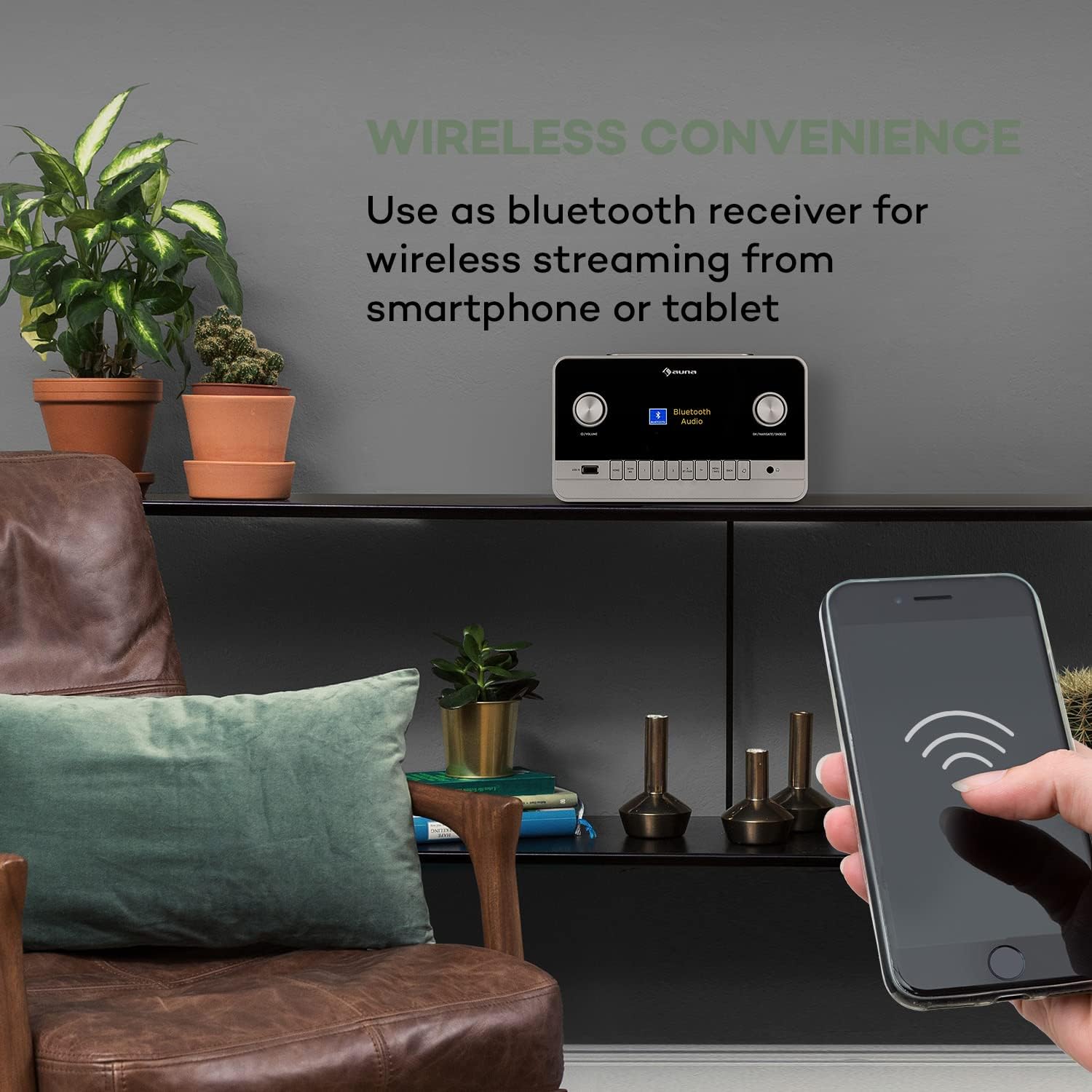
Image 7.1: Enjoy wireless convenience by streaming audio from your smartphone or tablet via Bluetooth.
7.6 USB-afspilning
- Insert a USB flash drive into the USB IN port on the front panel.
- Select 'USB' or 'Media Player' from the main menu.
- Browse your music files and select a track to play. Supported formats include AAC, MP3, FLAC.
7.7 AUX-indgang
- Connect an external audio device (e.g., MP3 player) to the AUX IN port on the rear panel using a 3.5 mm audio cable.
- Select 'AUX' from the main menu.
- Styr afspilning fra din eksterne enhed.
7.8 Alarm og sleeptimer
- Alarm: Access the 'Alarm' settings in the main menu to set up two independent alarms. Choose alarm source (buzzer, internet radio, DAB, FM) and volume.
- Sleep timer: Set a timer for the radio to automatically turn off after a specified duration.
7.9 App kontrol
The auna Connect 150 MKII can be controlled via a dedicated smartphone app (e.g., UNDOK app). Download the app from your device's app store (App Store for iOS, Google Play for Android) and follow the in-app instructions to connect to your radio.

Image 7.2: The UNDOK app provides convenient remote control of the radio from your smartphone.
8. Vedligeholdelse
- Rensning: Brug en blød, tør klud til at rengøre radioens yderside. Brug ikke slibende rengøringsmidler eller opløsningsmidler.
- Opbevaring: Hvis enheden opbevares i længere tid, skal den afbrydes fra strømmen og opbevares et køligt og tørt sted.
- Softwareopdateringer: Tjek regelmæssigt for softwareopdateringer via systemindstillingerne for at sikre optimal ydeevne og adgang til nye funktioner.
9. Fejlfinding
| Problem | Mulig årsag | Løsning |
|---|---|---|
| Ingen strøm | Power cable not connected; Rear power switch off | Check power connections; Ensure rear switch is ON |
| Ingen lyd | Lydstyrken er for lav; Lydløs aktiveret; Forkert kilde valgt | Increase volume; Deactivate mute; Select correct input source |
| Kan ikke oprette forbindelse til Wi-Fi | Incorrect password; Router too far; Network issues | Re-enter password; Move radio closer to router; Restart router; Check network settings |
| Dårlig DAB/FM-modtagelse | Antenne ikke strakt ud; Område med svagt signal | Fully extend and adjust telescopic antenna; Try repositioning the radio |
| Bluetooth-parring mislykkes | Device not in pairing mode; Radio not discoverable | Ensure radio is in Bluetooth mode and pairing is active; Check device's Bluetooth settings |
| Fjernbetjening virker ikke | Batteries depleted; Obstruction between remote and radio | Replace AAA batteries; Remove any obstructions; Ensure line of sight |
10. Specifikationer
| Feature | Specifikation |
|---|---|
| Modelnummer | 523747 |
| Udgangseffekt | 28 watts RMS (2 x 5W + 1 x 18W) |
| Vise | 2.8" TFT Color Display (320 x 240 pixels) |
| Wi-Fi | 802.11 b/g/n (WEP, WPA/WPA2, WPS support) |
| Bluetooth-frekvens | 2402 - 2480 MHz |
| Understøttede lyd-codecs | AAC, MP3, FLAC |
| Forbindelser | 1 x 3.5 mm AUX-in, 1 x 3.5 mm AUX-out, 1 x 3.5 mm Headphone output, 1 x USB, DC IN |
| Strømforsyning | 9 V / 3 A via 100 - 240 V ~ | 50/60 Hz power unit |
| Dimensioner (B x H x D) | Ca.. 24 x 17.6 x 13.8 cm |
| Vægt | Ca. 2.1 kg |

Billede 10.1: Produktmål til placeringsreference.
11. Garanti og support
This product comes with a standard manufacturer's warranty. For detailed warranty terms and conditions, please refer to the documentation provided with your purchase or contact auna customer support. For technical assistance, troubleshooting beyond this manual, or spare parts, please visit the official auna website or contact their support team directly. Keep your proof of purchase for warranty claims.


