1. Introduktion
This manual provides detailed instructions for the installation, operation, and maintenance of your Hogar Atrio Zigbee Smart Doorlock. Please read this manual thoroughly before using the product to ensure proper function and safety. Keep this manual for future reference.
2. Produktet er slutview
The Hogar Atrio Zigbee Smart Doorlock offers multiple secure access methods, including fingerprint, passcode, RFID card, Hogar SE mobile application, and a traditional mechanical key. It integrates with your Zigbee home automation system for enhanced control and monitoring.
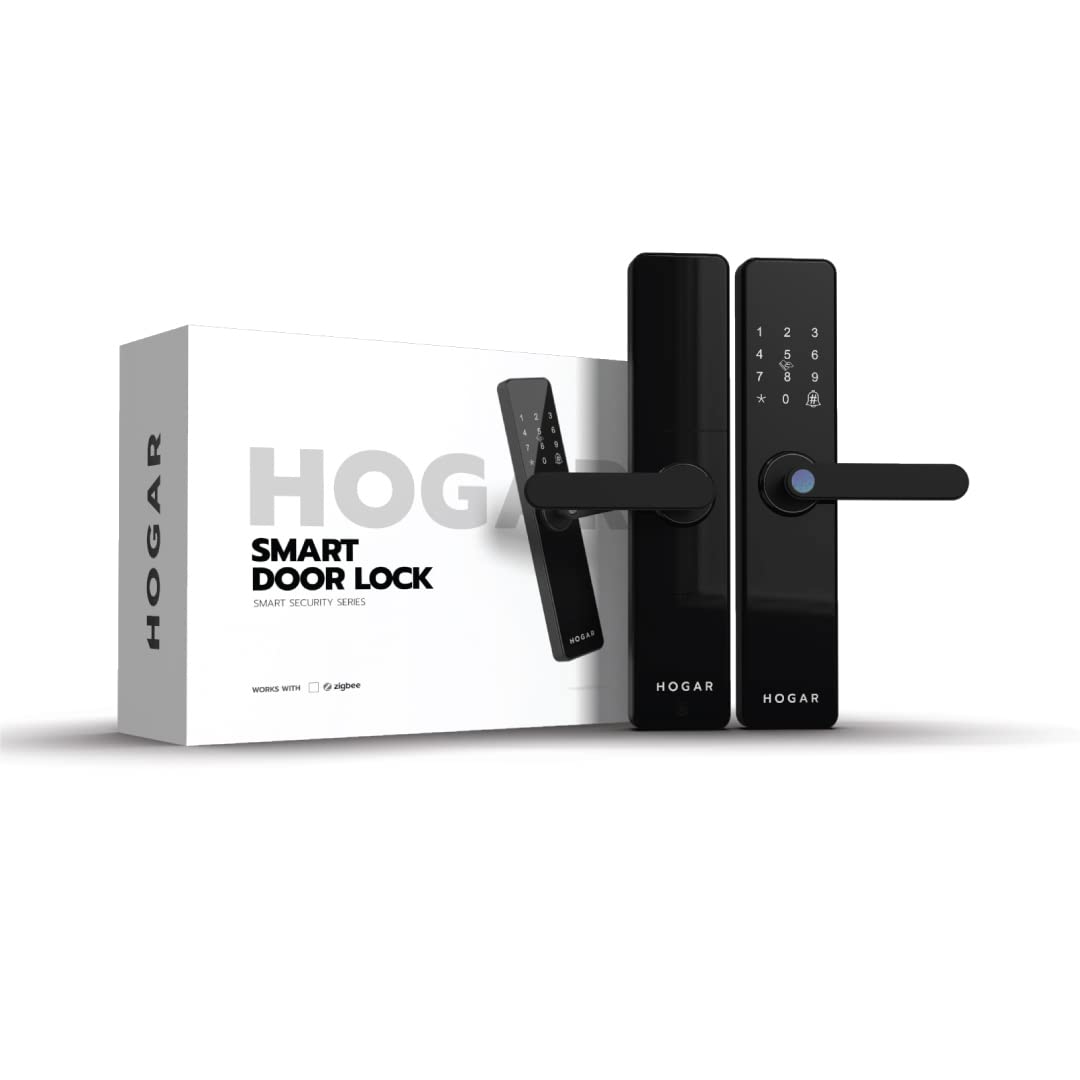
Image 2.1: Hogar Atrio Zigbee Smart Doorlock and its packaging.
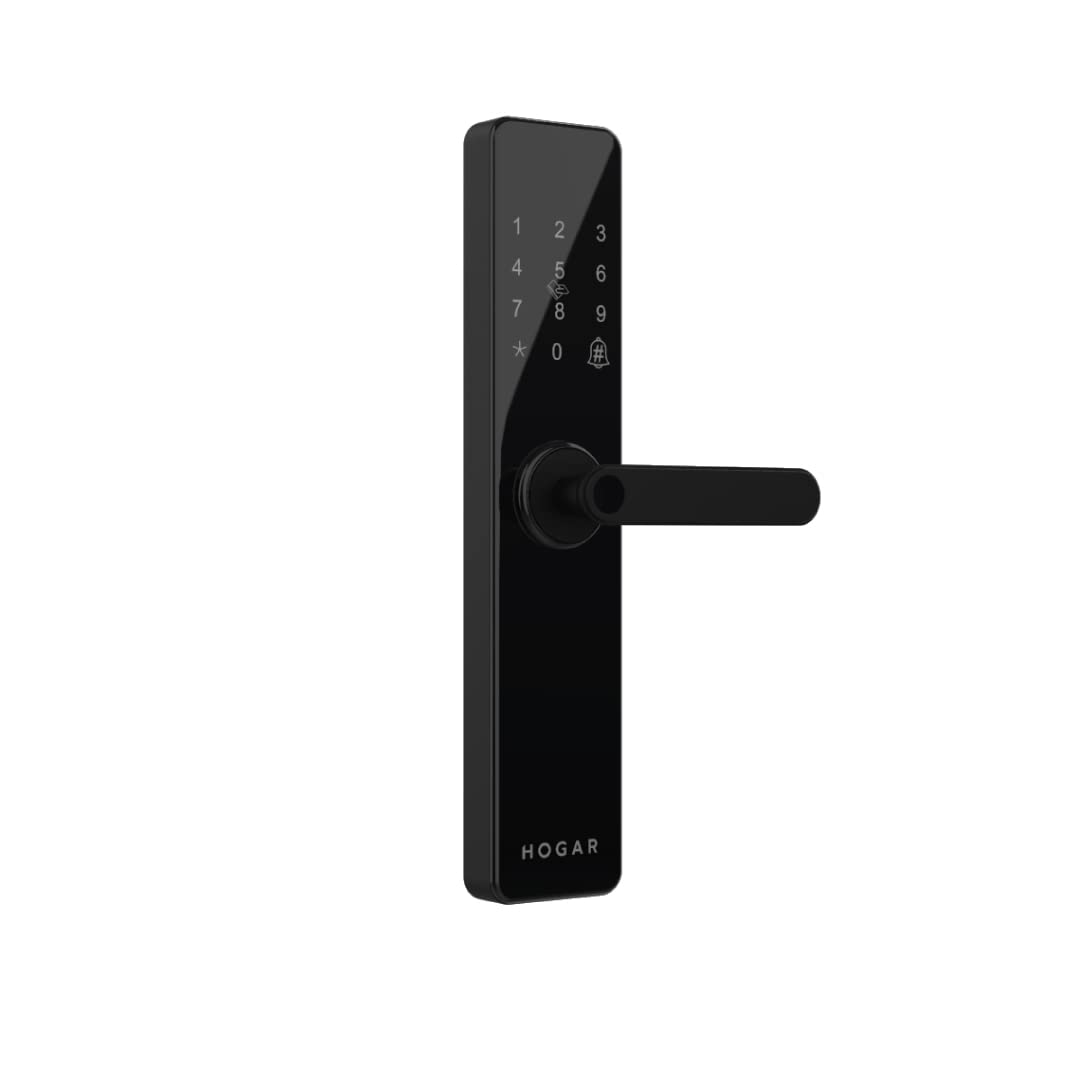
Billede 2.2: Forside view of the Hogar Atrio Smart Doorlock, showing the keypad and handle.
3. Opsætning og installation
The Hogar Atrio Smart Doorlock is designed for easy installation. For app access and full smart features, a Zigbee Home Controller is required and must be set up prior to configuring the lock's smart functions.
3.1 Professional Installation Service
Professional installation and demonstration services may be available. For scheduling, please contact support at +91 844 844 0789.
3.2 Indledende opsætning
- Install the lock hardware according to the included physical installation guide.
- Insert the required batteries into the indoor unit.
- Pair the smart doorlock with your Zigbee Home Controller following the controller's instructions.
- Download the Hogar SE app from your device's app store.
- Follow the in-app instructions to add and configure your smart doorlock.
4. Betjeningsvejledning
The Hogar Atrio Smart Doorlock provides multiple methods for unlocking and securing your door.
4.1 Oplåsning med fingeraftryk
The lock features a hypersensitive fingerprint reader. To unlock, place your registered finger on the sensor. The lock will disengage upon successful verification.
Image 4.1: Fingerprint sensor for biometric access.
4.2 Unlocking with Passcode
Enter your registered passcode on the keypad, followed by the '#' key. The lock will disengage if the passcode is correct. Passcodes can be managed via the Hogar SE app.

Image 4.2: Keypad for passcode entry.
4.3 Unlocking with RFID Card
Present a registered RFID card to the designated RFID reader area on the lock. The lock will disengage upon successful card recognition. RFID cards can be activated or deactivated through the Hogar SE app.

Image 4.3: RFID card being used to unlock the door.
4.4 Unlocking via Hogar SE App
With the Hogar SE app installed and connected to your Zigbee Home Controller, you can remotely unlock your door from anywhere. Ensure your Zigbee controller is online and the lock is paired.

Image 4.4: Hogar SE App icon, used for remote access.
4.5 Unlocking with Mechanical Key
In case of power failure or electronic malfunction, the lock can be opened using the provided mechanical key. Insert the key into the keyhole and turn to unlock.
4.6 Integration af stemmestyring
The Hogar Atrio Smart Doorlock supports voice control through compatible smart assistants like Amazon Alexa and Google Assistant when integrated with your Zigbee Home Controller. Follow the instructions provided by your smart assistant for setup.

Billede 4.5: Eks.ample of voice control for unlocking the door.
5. Vedligeholdelse
5.1 Udskiftning af batteri
The smart doorlock is powered by batteries. A low battery warning will be indicated on the lock or through the Hogar SE app. Replace all batteries promptly when this warning appears to ensure continuous operation. Use only recommended battery types.
5.2 Rengøring
Clean the lock's exterior with a soft, dry cloth. Avoid using abrasive cleaners or solvents, as these can damage the finish and electronic components.
6. Fejlfinding
- Låsen svarer ikke: Check battery levels. If batteries are low, replace them. If the issue persists, try using the mechanical key.
- Fingeraftryk ikke genkendt: Ensure your finger is clean and dry. Re-register your fingerprint if necessary via the app.
- Adgangskoden virker ikke: Verify the correct passcode is being entered. Check for any accidental changes in the Hogar SE app.
- Problemer med app-forbindelse: Ensure your Zigbee Home Controller is powered on and connected to the internet. Check the lock's connection status in the Hogar SE app.
- Advarsel om lavt batteri fortsætter efter udskiftning: Ensure new batteries are correctly inserted and are of the recommended type.
7. Specifikationer
| Feature | Detalje |
|---|---|
| Mærke | Hogar |
| Model | HC-SAC-DDL-ZB-BL-IN |
| Låsetype | Smart Door Lock (Key Lock) |
| Særlige funktioner | Fingerprint, Passcode, RFID, App Access, Mechanical Key, Easy to Install |
| Forbindelsesprotokol | Zigbee |
| Kontrolmetode | App, fingeraftrykskontrol |
| Strømkilde | Batteri |
| Anbefalede anvendelser | Sikkerhed |
| Finish Type | Poleret |
| Stil | Moderne |
8. Sikkerhedsoplysninger
- Always ensure the door is properly closed before engaging the lock.
- Do not expose the lock to extreme temperatures or direct water spray.
- Keep mechanical keys in a secure location, separate from the door.
- Heed the low battery warning and replace batteries promptly to avoid being locked out.
- Regularly check for any signs of tampering or damage to the lock.
9. Garanti og support
9.1 Garanti
This product comes with a 15-month warranty from the date of purchase. Please retain your proof of purchase for warranty claims. The warranty covers manufacturing defects under normal use conditions.
9.2 Kundesupport
For technical assistance, installation queries, or any other support needs, please contact Hogar customer service at +91 844 844 0789.


