1. Introduktion
The DEKCO 2K Outdoor Security Camera is designed to provide comprehensive surveillance for your home or property. Featuring 2K HD resolution, 360° panoramic coverage, advanced motion detection, and two-way audio, this camera offers robust security features for both day and night monitoring. Its durable, weatherproof design ensures reliable performance in various outdoor conditions.

Image 1.1: The DEKCO 2K Outdoor Security Camera, a white and black dome-shaped camera with two antennas, designed for outdoor surveillance.
2. Opsætning og installation
2.1 Hvad er der i æsken
- DEKCO 2K Outdoor Security Camera
- Strømadapter (oplader)
- Monteringsskruer og vægdyvler
- Brugermanual

Image 2.1: The camera, power adapter, mounting hardware, and user manual laid out, indicating the package contents.
2.2 Montering af kameraet
The camera is designed for wall mounting. Select a suitable outdoor location with a clear view of the area you wish to monitor and within range of your Wi-Fi network and a power outlet. Use the provided screws and wall plugs to securely attach the camera to the wall.
2.3 Tilslutning til Wi-Fi
The DEKCO camera connects via 2.4 GHz Wi-Fi only. Ensure your router is broadcasting a 2.4 GHz signal. 5 GHz Wi-Fi networks are not supported. Follow the instructions in the included quick start guide to connect the camera to your home Wi-Fi network using the companion mobile application.

Image 2.2: An illustration showing the DEKCO camera with a 2.4GHz Wi-Fi symbol, indicating compatibility, and a crossed-out 5GHz symbol, indicating incompatibility.
3. Betjening af kameraet
3.1 2K HD Resolution and 360° Coverage
The DEKCO 3MP camera provides enhanced 2K HD video quality. It supports a 350° horizontal pan and 90° vertical tilt rotation, allowing you to cover all corners of your property. The application allows for up to 4x digital zoom to view detaljer.

Image 3.1: A smartphone screen displaying the camera's live view with pan and tilt controls, showing the camera's ability to rotate 350 degrees horizontally and 90 degrees vertically.
3.2 Motion Tracking and Sound Alarm
Once motion tracking is enabled in the app, the camera automatically follows moving objects and records video or photos in real-time. Upon detecting human motion, the camera can trigger an audible alarm and send an immediate notification to your mobile application. Detection zones and sensitivity levels are customizable.

Image 3.2: An illustration depicting the camera detecting motion, tracking an intruder, and triggering a sound alarm, with a notification appearing on a smartphone.
3.3 Nattesynstilstande
The camera offers three night vision modes: color view, infrared view, and automatic mode. These options ensure clear visibility and protection for your property even in complete darkness. Multiple users can view the live feed simultaneously, and you can share access with family or friends.

Image 3.3: A split image showing the same outdoor scene in daylight (top) and with infrared night vision (bottom), demonstrating the camera's capability to capture clear images in low-light conditions.

Image 3.4: Three distinct views illustrating the camera's night vision capabilities: Infrared Mode (black and white), Full Color Mode (illuminated by white lights), and Alarm Mode (flashing lights upon detection).
3.4 Tovejslyd
Equipped with a built-in microphone and speaker, the DEKCO camera enables real-time two-way communication. This feature allows you to converse with visitors or deter unwanted individuals remotely through the app, even when you are not at home.

Image 3.5: A user interacting with the camera's two-way audio feature via a smartphone, showing icons for microphone and speaker, and a chat bubble indicating communication.
3.5 Optagelse og opbevaring
The camera supports continuous 24/7 recording and event-based recording. Video footage can be stored locally on a Micro SD card (not included, up to 128GB) or via cloud storage services. This ensures that all important details are captured and accessible for playback at any time.

Image 3.6: A smartphone screen displaying the camera's app interface with a timeline for 24/7 and event recording, allowing users to play back footage.

Image 3.7: An illustration showing icons for SD card and cloud storage, indicating the camera's flexible recording storage options.
4. Vedligeholdelse
4.1 IP66 vandtæthedsklassificering
The DEKCO 360° security camera is certified IP66 waterproof, making it resistant to extreme weather conditions such as rain, sun, cold, and dust. This ensures reliable operation outdoors year-round.
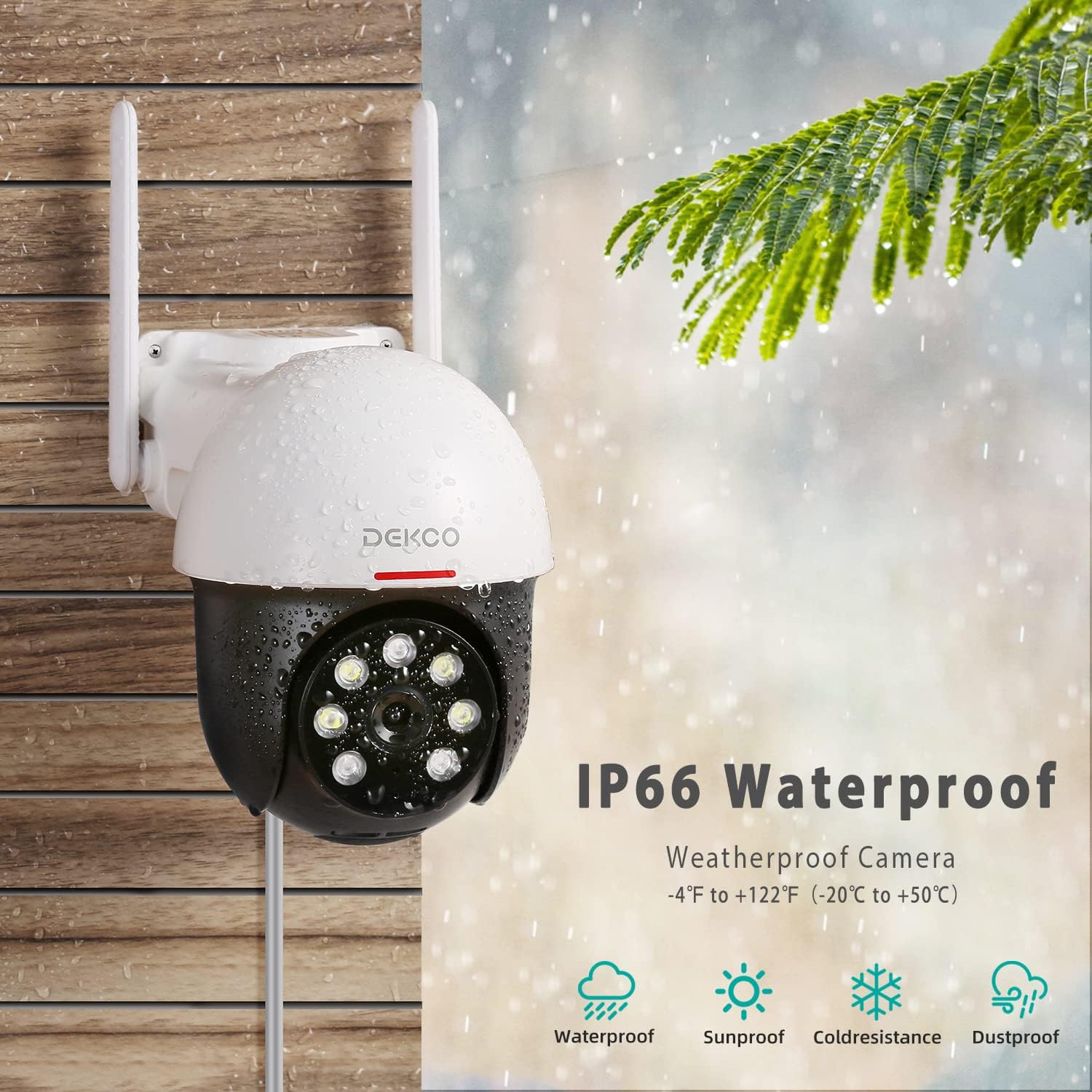
Image 4.1: The DEKCO camera with water droplets on its surface, illustrating its IP66 waterproof rating and resistance to various weather elements.
4.2 Generel pleje
- Rengør kameralinsen regelmæssigt med en blød, tør klud for at sikre en klar billedkvalitet.
- Ensure the power connection is secure and protected from direct water exposure, despite the camera's waterproof rating.
- Periodically check for firmware updates through the mobile application to ensure optimal performance and security.
5. Fejlfinding
5.1 Forbindelsesproblemer
- Kamera offline: Ensure the camera is powered on and within range of your 2.4 GHz Wi-Fi network. Restart the camera and your router.
- Kan ikke oprette forbindelse til Wi-Fi: Verify that you are connecting to a 2.4 GHz network. Check your Wi-Fi password. Move the camera closer to the router if the signal is weak.
5.2 Problemer med bevægelsesdetektion
- Falske alarmer: Adjust the motion detection sensitivity settings in the app. Define specific detection zones to exclude areas with frequent irrelevant motion (e.g., trees swaying).
- Ingen detektion: Ensure motion detection is enabled in the app. Check the camera's field of view and ensure no obstructions.
5.3 Problemer med billedkvalitet
- Sløret billede: Clean the camera lens. Check for condensation inside the lens.
- Dårligt nattesyn: Ensure the night vision mode is set correctly (automatic or specific mode). Check for obstructions blocking the infrared lights.
6. Specifikationer
| Mærke | DEKCO |
| Modelnummer | B09SKQF7NN |
| Video opløsning | 2K (3MP effective) |
| Forbindelsesteknologi | Wireless (2.4 GHz Wi-Fi) |
| Pan/tilt rækkevidde | 350° vandret, 90° lodret |
| Nattesyn | Infrared, Full Color, Automatic Modes |
| Lyd | Tovejslyd (indbygget mikrofon og højttaler) |
| Opbevaringsmuligheder | Micro SD-kort (op til 128 GB, medfølger ikke), Cloud-lagring |
| Vejrbestandig vurdering | IP66 |
| Strømkilde | Ledningsbaseret elektrisk (12 volt, 4 watt) |
| Dimensioner (L x B x H) | 18 x 15 x 12 cm |
| Vægt | 650 gram |
7. Garanti og support
All DEKCO products come with lifetime support. For any inquiries, technical assistance, or troubleshooting, please contact 'DekcoCare' support. They are available online to assist you with your product.
For the most up-to-date support information and contact methods, please refer to the official DEKCO webwebstedet eller kontaktoplysningerne på din produktemballage.


