1. Introduktion
This manual provides detailed instructions for the installation, operation, and maintenance of your PANTUM P3018DW Wireless Duplex Laser Printer. Please read this manual thoroughly before using the printer to ensure proper and safe operation. Keep this manual for future reference.
2. Sikkerhedsoplysninger
Følg altid grundlæggende sikkerhedsforanstaltninger, når du bruger dette produkt, for at reducere risikoen for brand, elektrisk stød og personskade.
- Do not place the printer on an unstable cart, stand, or table.
- Do not block or cover the slots and openings in the printer.
- Use only the type of power source indicated on the printer's label.
- Unplug the printer from the wall outlet before cleaning.
- Do not attempt to service the printer yourself. Refer all servicing to qualified service personnel.
3. Pakkens indhold
Kontroller, at alle varer er inkluderet i pakken:
- PANTUM P3018DW Laser Printer
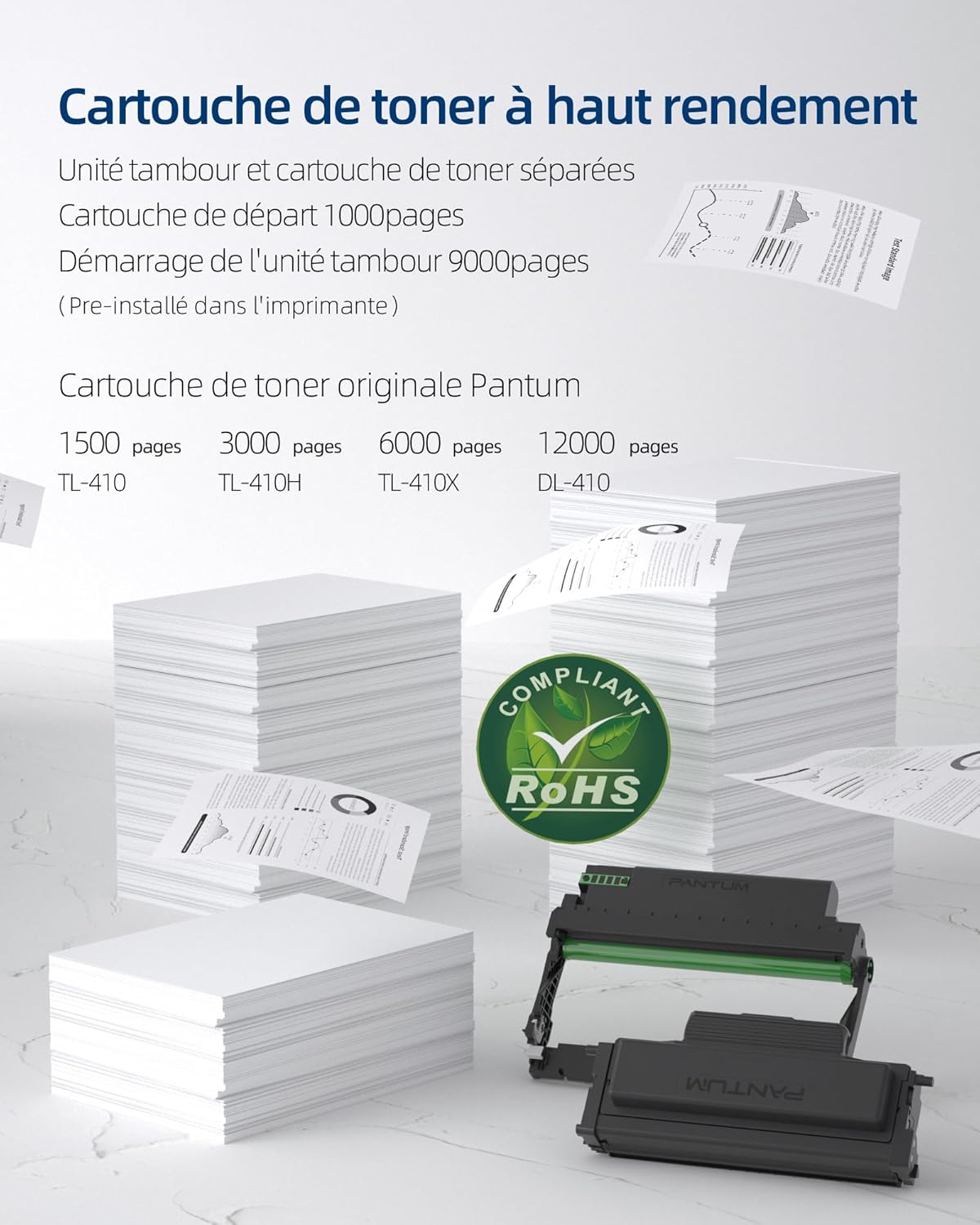
- Starter Toner Cartridge (1000 pages yield)
- Starter Drum Unit (9000 pages yield)
- USB kabel
- Strømledning
- Brugervejledning (dette dokument)
4. Produktet er slutview
The PANTUM P3018DW is a monochrome laser printer designed for efficient printing with automatic duplex capability and wireless connectivity.


5. Opsætning
5.1 Udpakning
- Tag printeren ud af emballagen.
- Fjern al beskyttelsestape og emballage fra printerens yderside og inderside.
5.2 Toner Cartridge and Drum Unit Installation
The PANTUM P3018DW uses a separate toner cartridge and drum unit system.
- Åbn frontlågen på printeren.
- Carefully insert the drum unit into the printer until it clicks into place.
- Unpack the toner cartridge and gently shake it horizontally several times.
- Insert the toner cartridge into the drum unit until it locks securely.
- Luk frontdækslet.
5.3 Strømtilslutning
- Tilslut netledningen til printeren og derefter til en jordforbundet stikkontakt.
- Tryk på tænd/sluk-knappen for at tænde printeren.
5.4 Driverinstallation
The PANTUM P3018DW features a one-step driver installation process.
- Slut printeren til din computer ved hjælp af det medfølgende USB-kabel.
- The operating system should automatically detect the printer and initiate driver installation. Follow the on-screen prompts.
- Alternatively, download the latest drivers from the official PANTUM webwebsted.
5.5 Wi-Fi-opsætning
The printer supports easy Wi-Fi configuration for convenient wireless printing.

- Sørg for, at din printer er tændt.
- Access the printer's control panel or use the PANTUM mobile application for Wi-Fi setup.
- Follow the instructions to connect the printer to your wireless network.
- For Wi-Fi Direct printing, connect your device directly to the printer's Wi-Fi hotspot (SSID and password typically found on a label or the printer's display).
6. Betjeningsvejledning
6.1 Ilægning af papir
- Åbn papirbakken.
- Juster papirstyrene til den papirstørrelse, du ilægger.
- Load paper into the tray, ensuring it is flat and not exceeding the maximum fill line. The maximum sheet capacity is 250 sheets.
- Luk papirbakken.
6.2 Udskrivning
The PANTUM P3018DW offers fast monochrome printing at up to 30 pages per minute (A4) or 32 pages per minute (Letter), with a first print out time of less than 7.8 seconds.

Standard Printing
- Åbn det dokument, du vil udskrive, fra din computer eller mobilenhed.
- Vælg 'Udskriv' i programmets menu.
- Choose the PANTUM P3018DW from the list of available printers.
- Juster udskriftsindstillingerne efter behov (f.eks. antal kopier, papirstørrelse).
- Klik på 'Udskriv'.
Automatisk dupleksudskrivning
The printer supports automatic two-sided printing.

- When printing, select the 'Print on both sides' or 'Duplex Printing' option in your printer settings.
- The printer will automatically flip the paper to print on both sides.
Mobile Printing (PANTUM APP)
Print directly from your smartphone or tablet using the PANTUM APP.


- Download and install the PANTUM APP from your device's app store.
- Ensure your mobile device is connected to the same Wi-Fi network as the printer, or directly to the printer's Wi-Fi hotspot.
- Open the PANTUM APP and select the document or image you wish to print.
- Follow the app's instructions to send the print job to the printer.
7. Vedligeholdelse
7.1 Replacing Toner Cartridge and Drum Unit
When the toner is low or the drum unit reaches its end of life, the printer will indicate a replacement is needed. Refer to section 5.2 for installation steps.
Compatible Toner Cartridges:
- TL-410 (1,500 pages)
- TL-410H (3,000 pages)
- TL-410X (6,000 pages)
Compatible Drum Unit:
- DL-410 (12,000 pages)
7.2 Rengøring af printeren
Regelmæssig rengøring hjælper med at opretholde udskriftskvaliteten og forlænger printerens levetid.
- Sluk printeren, og tag stikket ud af stikkontakten.
- Brug en blød, fnugfri klud dampened with water to wipe the exterior of the printer.
- Brug ikke slibende rengøringsmidler eller opløsningsmidler.
- For internal cleaning, consult the detailed cleaning instructions on the PANTUM webwebsted eller kontakt support.
8. Fejlfinding
This section provides solutions to common printer issues.
8.1 Printeren svarer ikke
- Ensure the printer is powered on and properly connected to the power outlet.
- Check the USB cable connection to the computer or verify Wi-Fi connectivity.
- Genstart printeren og din computer/mobilenhed.
- Check the printer's control panel for any error messages.
8.2 Dårlig udskriftskvalitet
- Kontroller tonerpatronniveauet, og udskift det, hvis det er lavt.
- Ensure the drum unit is properly installed and not damaged.
- Clean the printer's internal components as per maintenance guidelines.
- Use recommended paper types and ensure they are not damp eller curludg.
8.3 Papirstop
- Sluk printeren, og tag stikket ud.
- Carefully open all covers and remove any jammed paper, pulling in the direction of the paper path.
- Ensure paper is loaded correctly in the tray and not overfilled.
- Brug papir, der opfylder printerens specifikationer.
9. Specifikationer
| Feature | Specifikation |
|---|---|
| Modelnavn | P3018DW |
| Printteknologi | Laser |
| Udskriftsoutput | Monokrom |
| Maksimal udskrivningshastighed (monokrom) | 30 PPM (A4) / 32 PPM (Letter) |
| First Print Out Time | < 7.8 sekunder |
| Maksimal udskriftsopløsning | 1200 dpi |
| Duplex udskrivning | Automatisk |
| Forbindelse | USB, Wi-Fi |
| Kompatible enheder | Bærbar computer, pc, smartphone, tablet |
| Kompatible operativsystemer | Android, Chrome OS (and others via driver) |
| Max mediestørrelse | 8.5 x 11 inches (A4) |
| Ark størrelse | A4 |
| Maks. arkkapacitet | 250 ark |
| Mål (D x B x H) | 40.8 cm x 43.3 cm x 29.5 cm |
| Varens vægt | 6.8 kilo |
| Særlige funktioner | Automatic Duplexing, Automatic Sleep Mode, Two-line LCD Control Panel, NFC Touch Print, Silent Printing, Ethernet Network, Optional High-Capacity Cartridges, Low Paper Jam Design |
10. Garanti og support
10.1 Garantioplysninger
The PANTUM P3018DW printer comes with a standard one-year warranty against manufacturing defects from the date of purchase. Please retain your proof of purchase for warranty claims.
10.2 Kundesupport
For technical assistance, troubleshooting, or warranty inquiries, please visit the official PANTUM website or contact PANTUM Online Customer Service. Support resources, including driver downloads and FAQs, are available online.


