Indledning
This manual provides detailed instructions for the proper use and maintenance of your iCarsoft CR Max Professional Multibrand Automotive Diagnostic Scanner. Please read this manual thoroughly before operating the device to ensure correct usage and to maximize its functionality.

Figure 1: The iCarsoft CR Max diagnostic scanner, its OBDII cable, and protective carrying case.
1. Opsætning
1.1 Udpakning og pakkeindhold
Carefully unpack all items from the box. Verify that all components are present according to the packing list.

Figure 2: Package contents typically include the CR Max unit, main cable, data cable, external power adapter, quick guide, and hardcopy user's manual.
1.2 Indledende tænding
- Connect the external power adapter to the CR Max unit and a power outlet.
- Tryk på tænd/sluk-knappen for at tænde enheden.
- Follow the on-screen prompts for initial setup, including language selection and Wi-Fi connection.
1.3 Softwareopdateringer
It is recommended to update the software regularly to ensure access to the latest vehicle models and diagnostic functions. The CR Max supports one-click free updates via Wi-Fi.
- Sørg for, at enheden er forbundet til et stabilt Wi-Fi-netværk.
- Navigate to the 'Upgrade' icon on the main menu.
- Følg instruktionerne på skærmen for at downloade og installere tilgængelige opdateringer.

Figure 3: The CR Max features a 7-inch screen, 4-core 1.3GHz CPU, and a 5000mAh battery for extended operation and smooth performance.
2. Betjening
2.1 Tilslutning til køretøj
- Find køretøjets OBDII-port, typisk under instrumentbrættet i førersiden.
- Connect the CR Max main cable to the OBDII port.
- Drej bilens tænding til 'ON'-positionen (motoren er slukket).
- The CR Max will automatically power on and attempt to establish communication with the vehicle.
2.2 Hovedmenunavigation
The CR Max features a user-friendly interface. Use the touchscreen to navigate through the main menu options:
- Diagnostik: Adgang til køretøjsspecifikke diagnosefunktioner.
- Service: Perform various maintenance and reset functions.
- Vehicle History: Review past diagnostic reports.
- Opgradering: Update software and vehicle data.
- Indstillinger: Konfigurer enhedspræferencer.
2.3 OBDII-funktioner
The CR Max supports comprehensive OBDII functions for general vehicle diagnostics:
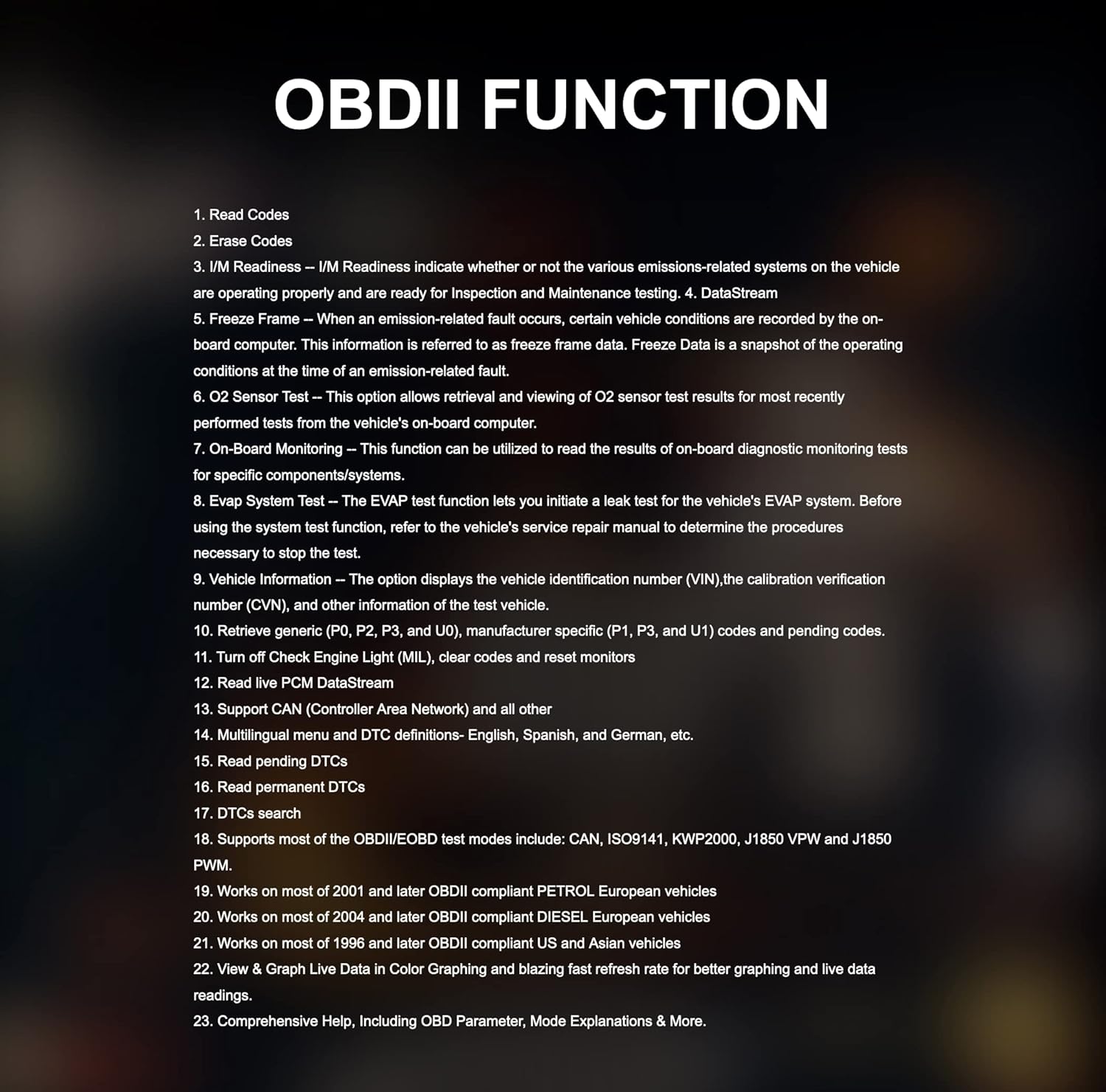
Figure 4: Key OBDII functions include reading and erasing codes, I/M readiness, DataStream, Freeze Frame, O2 Sensor Test, On-Board Monitoring, EVAP System Test, and Vehicle Information.
- Læs koder: Displays Diagnostic Trouble Codes (DTCs) from the vehicle's control modules.
- Slet koder: Clears DTCs from the vehicle's memory.
- I/M parathed: Checks if various emissions-related systems are operating correctly.
- DataStream: Displays live data parameters from the vehicle.
- Frysestativ: Viser et øjebliksbillede af driftsforholdene, da en emissionsrelateret fejl opstod.
- Køretøjsoplysninger: Retrieves vehicle identification number (VIN) and other relevant information.
2.4 Særlige funktioner og vedligeholdelsestjenester
The CR Max offers over 49 comprehensive maintenance services for various vehicle systems:

Figure 5: The CR Max provides a wide range of maintenance services including Oil Reset, EPB Reset, Transmission Reset, Injector Coding, Airbag Reset, TPMS Reset, and many more.
- Olie nulstilling: Nulstiller olieservicelampen efter et olieskift.
- EPB-nulstilling: Deactivates and reactivates the Electronic Parking Brake system for replacement.
- BMS-nulstilling: Registers a new battery to the Battery Management System.
- SAS-nulstilling: Kalibrerer styrevinkelsensoren.
- DPF-regenerering: Starter regenereringsprocessen for dieselpartikelfilteret.
- Injektorkodning: Programs new injector control parameters.
- TPMS-nulstilling: Reprograms TPMS sensor IDs.
- ABS-blødning: Udfører ABS-bremseudluftningsprocedurer.
2.5 Actuation Tests / Bi-directional Control
The CR Max supports bi-directional control, allowing the tool to send commands to vehicle systems and components to perform active tests.

Figur 6: Eksamples of bi-directional control tests include Injector Test, ABS Pump Motor Test, EV-AP Valve Test, Throttle Position Actuator Test, Cooling Fan Test, and Headlight Test.
2.6 Smart Auto VIN & Auto Scan
The device can automatically detect vehicle identification information (VIN) in seconds. If auto scan is not supported for a specific vehicle, manual VIN input or selection is available.

Figure 7: The Smart Auto VIN feature streamlines vehicle identification for quicker diagnostics.
2.7 Live Data Display
The CR Max can display live data in various formats, including 4-in-1 graphic displays, for detailed analysis of vehicle parameters.

Figure 8: Multiple data streams can be viewed simultaneously in a graphical format for comprehensive monitoring.
2.8 Diagnostisk rapport
After completing diagnostics, the CR Max can generate detailed reports that can be customized and printed, aiding in identifying the root cause of faults.

Figure 9: The diagnostic report feature allows for documentation and sharing of vehicle diagnostic results.
2.9 Køretøjsdækning
The iCarsoft CR Max supports a wide range of car brands, covering Asian-based cars since 1996, USA-based cars since 1996, and EU-based cars since 2001.

Figure 10: The CR Max offers extensive compatibility with various vehicle manufacturers and models.
3. Vedligeholdelse
3.1 Softwareopdateringer
Regular software updates are crucial for maintaining optimal performance and expanding vehicle coverage. Refer to Section 1.3 for detailed instructions on updating your device.
3.2 Rengøring af enheden
Brug en blød, damp cloth to clean the screen and exterior of the CR Max. Avoid using abrasive cleaners or solvents that could damage the device.
3.3 Pleje af batterier
The CR Max is equipped with a 5000mAh lithium-polymer battery. To prolong battery life:
- Undgå at aflade batteriet helt ofte.
- Opbevar enheden et køligt og tørt sted, når den ikke er i brug i længere perioder.
- Charge the device using only the provided power adapter.

Figure 11: The CR Max supports battery testing and registration functions for proper vehicle maintenance.
4. Fejlfinding
This section addresses common issues you might encounter with your iCarsoft CR Max.
4.1 Enheden tændes ikke
- Ensure the device is fully charged or connected to the external power adapter.
- Verify that the power adapter is securely connected to both the device and a working power outlet.
- If connected to a vehicle, ensure the vehicle's ignition is in the 'ON' position.
4.2 Kommunikationsfejl med køretøj
- Check that the OBDII cable is securely connected to both the CR Max and the vehicle's OBDII port.
- Confirm the vehicle's ignition is 'ON' (engine off).
- Prøv at oprette forbindelse til et andet køretøj for at udelukke et køretøjsspecifikt problem.
- Ensure the software is up to date. Outdated software may not support newer vehicle models.
4.3 Specifik funktion virker ikke
- Some functions are vehicle-specific. Verify that the function is supported for your vehicle's make, model, and year.
- Sørg for, at softwaren er opdateret til den nyeste version.
- Consult the iCarsoft official support for vehicle compatibility details regarding specific functions.
5. Specifikationer
Below are the technical specifications for the iCarsoft CR Max diagnostic scanner:

Figure 12: Detailed product specifications for the iCarsoft CR Max.
| Feature | Detalje |
|---|---|
| Operativsystem | Android 8.1.0 |
| Processor | 4-kernet 1.3 GHz |
| Hukommelse | 16 GB |
| Vise | 7-inch LCD Capacitive Touchscreen with 1024x600 Resolution |
| Forbindelse | Mini USB 2.0, USB2.0, Wi-Fi, Bluetooth, OBD II |
| Strøm og batteri | 3.7V 5000mAh Lithium-Polymer Battery, Charges via 5VDC Power Supply |
| OBD DLC-volumentagRækkevidde | 9-18V |
| Testet batterilevetid | Omkring 5 timers kontinuerlig brug |
| Driftstemperatur | 0-40°C (32-104°F) |
| Opbevaringstemperatur | -20-70 ° C (-4-158 ° F) |
| Dimensioner (B * H * D) | 40.0mm*150.0mm*35.0mm |
| Nettovægt | 750 g |
| Understøttede protokoller | ISO9141-2, ISO14230-2, ISO15765, K/L-Line, SAE-J1850 VPW, SAE-J1850PWM, ISO11898 (Highspeed, Middlespeed, Lowspeed and Singlewire CAN, Fault-tolerant CAN), SAE J2610.GM UART UART ECHO BYTE PROTOCOL, HONDA DIAG-H PROTOCOL, TP2.0, TP1.6 |
6. Garanti og support
6.1 Garantioplysninger
The iCarsoft CR Max includes lifetime free hardware repair. Please note that shipping costs for repair services are the responsibility of the customer.
6.2 Kundesupport
For technical assistance, specific vehicle compatibility inquiries, or advanced troubleshooting, please contact iCarsoft customer support. Refer to the official iCarsoft webhjemmeside for de seneste kontaktoplysninger.


