1. Introduktion
The Labelife E1000 is a portable, handheld label maker designed for efficient and versatile labeling in various environments, including home, office, and industrial settings. Featuring a QWERTY keyboard and a clear display, it allows for easy text input and customization. This manual provides detailed instructions on how to set up, operate, maintain, and troubleshoot your E1000 label maker to ensure optimal performance and longevity.
2. Sikkerhedsoplysninger
Læs venligst alle sikkerhedsinstruktioner, inden du bruger enheden, for at forhindre personskade eller beskadigelse.
- Do not expose the label maker to extreme temperatures, direct sunlight, or high humidity.
- Undgå at tabe enheden eller udsætte den for kraftige stød.
- Use only specified Labelife label tapes and power adapters. Using incompatible accessories may damage the device and void the warranty.
- Keep batteries out of reach of children. If batteries are swallowed, seek immediate medical attention.
- Do not attempt to disassemble or modify the label maker. Refer all servicing to qualified personnel.
- Unplug the AC adapter from the power outlet when not in use for extended periods or during cleaning.
3. Pakkens indhold
Bekræft at alle varer er til stede i din pakke:
- Labelife E1000 Label Maker Machine
- AC strømadapter
- 4 x JM-231 Black Print on White Label Tape (12mm / 0.47 inch width x 26.2 feet length each)
- Brugervejledning (dette dokument)
4. Produktet er slutview
The Labelife E1000 features a user-friendly design with a full QWERTY keyboard for efficient typing and a clear LCD screen for text preview og justering af indstillinger.

Figur 4.1: Forside view of the Labelife E1000 Label Maker, showing the QWERTY keyboard, display, and tape output slot.
4.1. Komponenter og kontroller
- LCD-skærm: Shows text, settings, and status icons.
- QWERTY-tastatur: For typing text and numbers.
- Funktionstaster: Include Menu, OK, Mirror, Clear, Enter, and dedicated keys for Cable Wrap, Cable Flag, Faceplate, and Serialize functions.
- Tape Output Slot: Where the printed label exits.
- Cutter Lever: Skærer den udskrevne etiket manuelt.
- Tape Compartment: Located at the back, for inserting label tape cartridges.
- Strømport: Til tilslutning af AC-adapteren.
- Batterirum: For AAA batteries (not included).
5. Opsætning
5.1. Strømforsyning
The E1000 label maker can be powered by either the included AC adapter or 6 AAA batteries (not included).
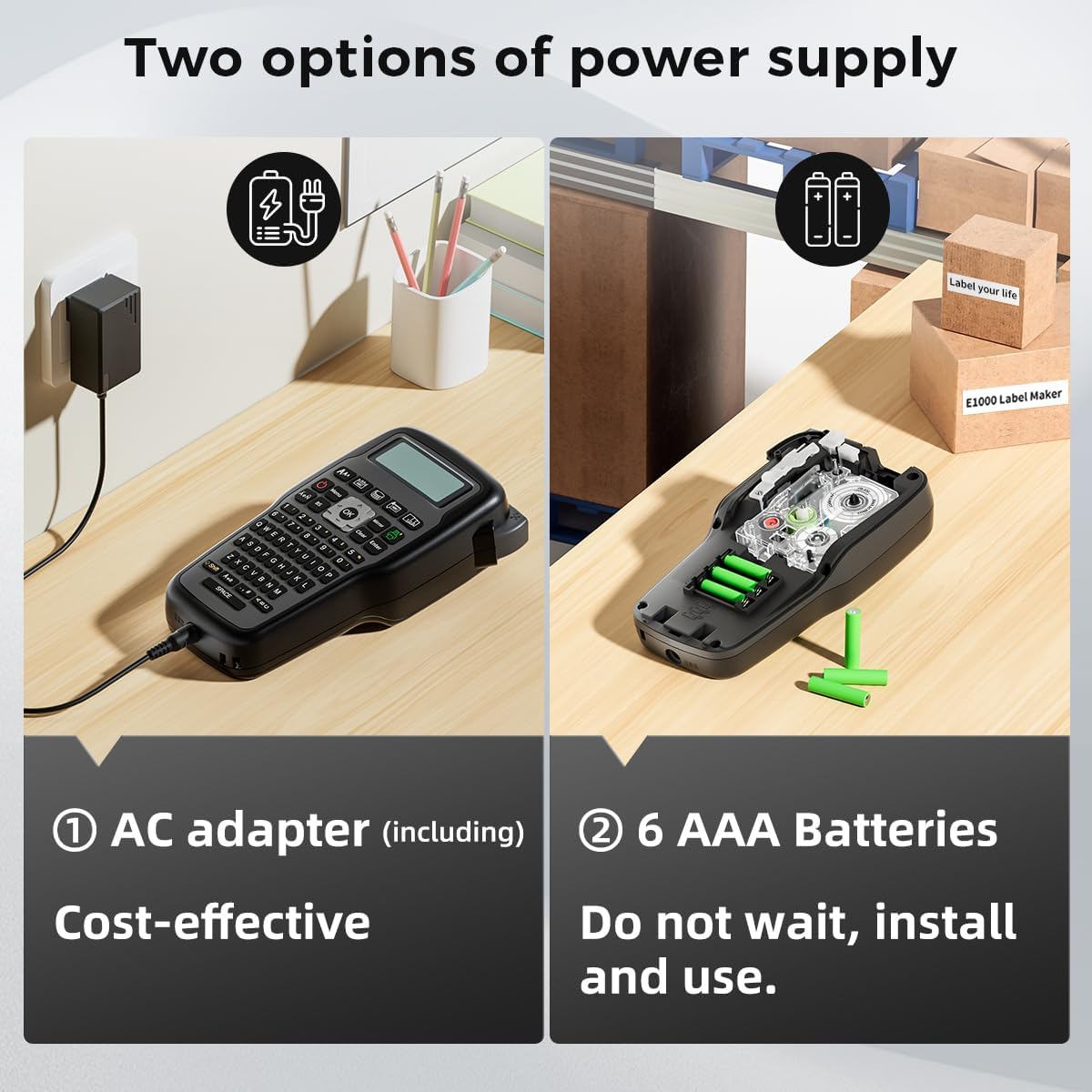
Figure 5.1: Illustration of the two power supply options for the E1000 label maker: AC adapter and AAA battery compartment.
- Brug af AC-adapter: Insert the AC adapter plug into the power port on the side of the label maker and plug the adapter into a wall outlet. This is the recommended cost-effective power source.
- Using AAA Batteries: Open the battery compartment cover on the back of the device. Insert 6 new AAA alkaline batteries, ensuring correct polarity (+/-). Close the cover securely.
5.2. Isætning af etiketbånd
The E1000 uses Labelife JM series laminated label tapes. The device comes with 12mm wide tapes, and also supports 6mm and 9mm widths.
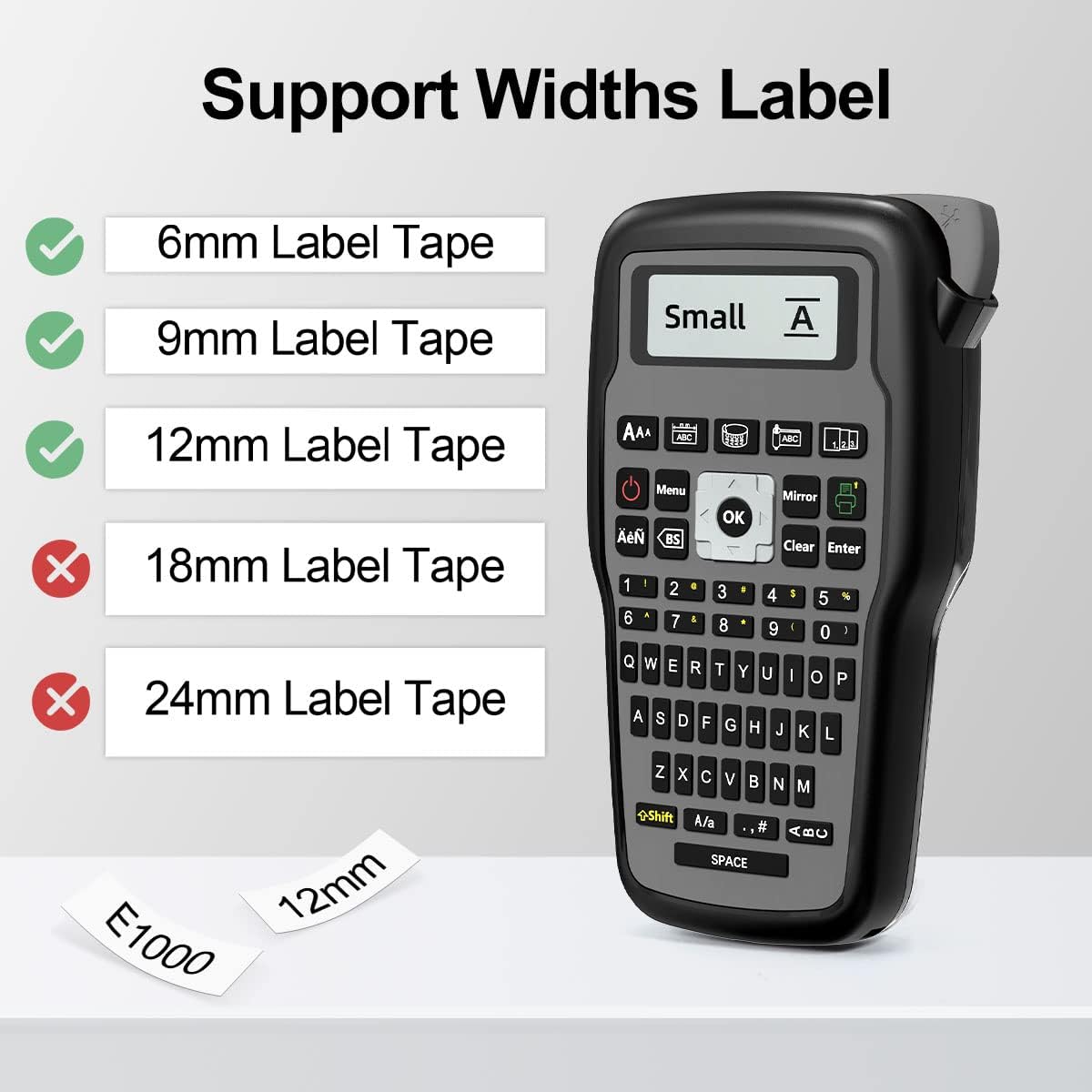
Figure 5.2: A Labelife JM-231 label tape cartridge, showing the laminated tape and internal components.
- Sørg for, at etiketprinteren er slukket.
- Open the tape compartment cover located on the back of the device.
- Insert the label tape cartridge into the compartment, ensuring it clicks firmly into place. The tape should feed smoothly into the printer mechanism.
- Luk dækslet til båndrummet.
6. Betjeningsvejledning
6.1. Basic Label Creation

Figure 6.1: A user demonstrating the handheld use of the Labelife E1000 label maker, highlighting its QWERTY keyboard for easy typing.
- Tryk på Magt button to turn on the label maker.
- Type your desired text using the QWERTY keyboard. The text will appear on the LCD display.
- Brug Flytte key for uppercase letters and symbols.
- Trykke Indtast to confirm text or move to the next line for multi-line labels.
- To print, press the Trykke button (usually indicated by a printer icon).
- After printing, use the cutter lever on the side of the device to cut the label.
6.2. Special Label Functions
The E1000 offers dedicated keys for specialized label types, enhancing organization for various applications.
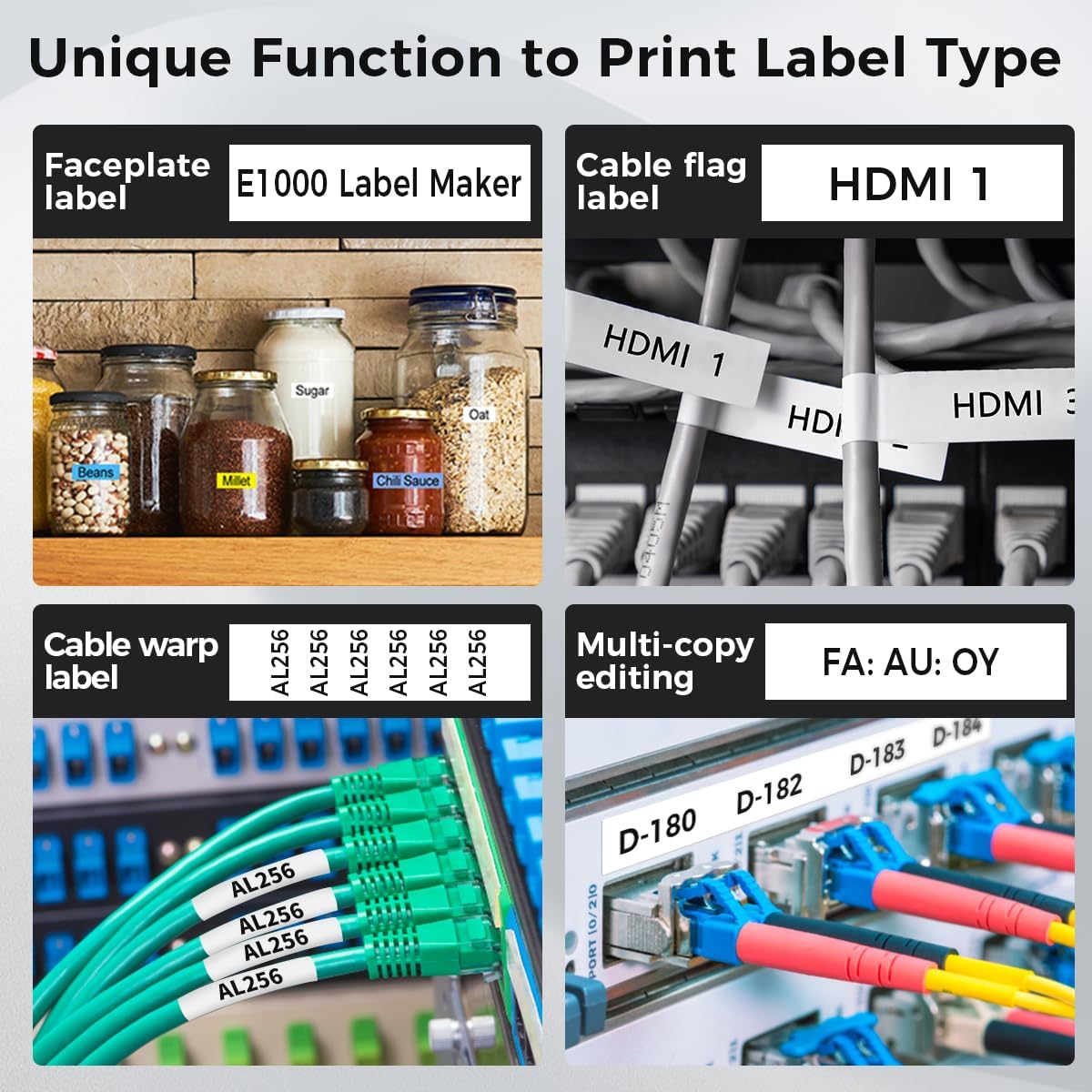
Figur 6.2: Visuelt eksempelamples of different label types that can be created with the E1000, including faceplate labels, cable flag labels, cable wrap labels, and multi-copy editing for serial numbers.
- Cable Wrap: Ideal for labeling cables. The label prints text that wraps around the cable.
- Cable Flag: Creates a flag-style label that extends from the cable.
- Faceplate: Designed for labeling flat surfaces like patch panels or equipment faceplates.
- Serialize: Allows for printing a series of labels with incrementing numbers or letters, useful for inventory or sequential identification.
- Symbols and Frames: Access over 400 symbols and various frames via dedicated keys to enhance your labels.
6.3. Menuindstillinger
Tryk på Menu button to access various settings, including font size, style, alignment, and other printing preferences. Navigate using the arrow keys and confirm selections with OK.
7. Vedligeholdelse
Regular maintenance ensures the longevity and optimal performance of your label maker.
- Rengøring af printhovedet: If print quality degrades (e.g., faded lines), the print head may need cleaning. Use a cotton swab lightly dampened with isopropyl alcohol to gently wipe the print head. Allow it to dry completely before use.
- Rengøring af ydersiden: Wipe the exterior of the label maker with a soft, dry cloth. Do not use abrasive cleaners or solvents.
- Opbevaring: Store the label maker in a cool, dry place away from direct sunlight and dust. If storing for an extended period, remove the AAA batteries to prevent leakage.
8. Fejlfinding
Se dette afsnit for almindelige problemer og deres løsninger.
| Problem | Mulig årsag | Løsning |
|---|---|---|
| Enheden tænder ikke. | Low or dead batteries; AC adapter not connected properly. | Replace AAA batteries or ensure AC adapter is securely plugged in. |
| No print or faint print. | Tape cartridge not installed correctly; print head dirty; tape exhausted. | Reinstall tape cartridge; clean print head; replace tape cartridge. |
| Tape jam. | Incorrect tape installation; foreign object in tape path. | Open compartment, remove tape, clear any obstructions, reinstall tape. |
| Keyboard input is slow or unresponsive. | Temporary software lag. | Turn off the device, wait a few seconds, then turn it back on. |
| Label is not cut cleanly. | Cutter blade is dull or dirty. | Clean the cutter area. If issue persists, contact support. |
9. Specifikationer
| Feature | Detalje |
|---|---|
| Modelnavn | E1000 etiketmaskine |
| Mærke | Labelife |
| Udskrivningsteknologi | Termisk transfer udskrivning |
| Kompatible etiketbredder | 6 mm, 9 mm, 12 mm |
| Strømkilde | AC Adapter (included) or 6 x AAA Batteries (not included) |
| Tastaturlayout | QWERTY |
| Varens vægt | 1.79 pund |
| Pakkedimensioner | 8.7 x 4.96 x 4.53 tommer |
| Hardware-interface | USB |
10. Garanti og support
For warranty information or technical support, please refer to the official Labelife website or contact their customer service. You can also find additional resources and a downloadable PDF user guide her.


