Indledning
The Imou Ranger 2-D is a versatile indoor surveillance camera designed to provide comprehensive home security. Featuring 360° coverage, AI human detection, smart tracking, and two-way audio, it offers advanced monitoring capabilities. This manual provides essential information for setting up, operating, and maintaining your Imou Ranger 2-D camera.

Figur 1: Forside view of the Imou Ranger 2-D Smart Camera, showcasing its compact, white dome design with a black camera lens.
Nøglefunktioner
The Imou Ranger 2-D camera is equipped with several advanced features to enhance your security and monitoring experience:
- 360° dækning: Pan and tilt functionality allows for a complete view af dit rum og eliminerer blinde vinkler.
- AI menneskelig detektion: Advanced algorithms accurately identify human shapes, reducing false alarms from pets or other moving objects.
- Smart sporing: Automatically follows moving objects or individuals within its field of view, hvilket sikrer løbende overvågning.
- Privatlivstilstand: Physically conceals the camera lens for privacy when needed.
- 1080P Full HD-video: Optager klar og detaljeret videofootage.
- Indbygget sirene: Deters intruders with an audible alarm.
- Nattesyn: Infrared LEDs provide clear visibility up to 10 meters (33 feet) in low-light or complete darkness.
- To-vejs snak: Indbygget mikrofon og højttaler muliggør kommunikation i realtid via kameraet.
- Fleksibel opbevaring: Supports up to 256GB SD card storage, NVR, and cloud storage options.
- Dobbelt tilslutning: Supports both 2.4GHz Wi-Fi and Ethernet connections for reliable network access.

Figure 2: Visual representation of key features including 360° view, 1080P Full HD, NVR/Cloud/SD card storage, human detection, 10m/33ft night vision, privacy mode, 2-way audio, and WiFi/Ethernet connectivity.
Opsætningsvejledning
1. Udpakning og indledende inspektion
Carefully remove all components from the packaging. Ensure the camera, power adapter, and any included mounting accessories are present. Inspect the camera for any visible damage.
2. Tænd for kameraet
Connect the provided power adapter to the camera's power input port and then plug it into a wall outlet. The camera will power on and begin its self-test sequence. Wait for the indicator light to show a specific status (refer to the Imou Life App for light status meanings, typically a blinking green light indicates readiness for setup).
3. Downloading the Imou Life App
The Imou Life App is essential for setting up and controlling your camera. Download it from your smartphone's app store (App Store for iOS or Google Play Store for Android). Søg efter "Imou Life".
4. Tilføjelse af kameraet til appen
- Open the Imou Life App and create an account or log in.
- Tryk på "+"-ikonet i øverste højre hjørne for at tilføje en ny enhed.
- Scan the QR code located on the bottom or back of your Imou Ranger 2-D camera.
- Follow the on-screen prompts to connect the camera to your Wi-Fi network (2.4GHz only) or connect it directly via an Ethernet cable.

Figur 3: Bagside view of the Imou Ranger 2-D camera, highlighting its 2.4GHz WiFi capability and the physical Ethernet port for wired network connection.
For optimal performance, ensure your camera is placed within range of your Wi-Fi router or connected directly to your network via Ethernet.
Betjeningsvejledning
1. Lev View og panorering/tilt-kontrol
Once connected, open the Imou Life App and select your camera to view the live feed. Use the on-screen controls to pan (rotate horizontally) and tilt (rotate vertically) the camera lens to achieve your desired viewing angle. The 360° coverage allows you to explore every corner of the monitored area.

Figure 4: Screenshot of the Imou Life App interface demonstrating the 360° coverage view and controls for panning and tilting the camera.
2. Human Detection and Smart Tracking
Enable Human Detection in the app settings to receive alerts only when a human figure is detected, minimizing irrelevant notifications. With Smart Tracking activated, the camera will automatically follow the detected human, keeping them in frame as they move across the room.

Figure 5: Illustration of the human detection feature, showing the camera identifying and tracking a person while ignoring pets, sending instant notifications to a smartphone.
3. Tovejslyd
Tryk på mikrofonikonet i live-udsendelsen view to speak through the camera's built-in speaker. The camera's microphone will pick up audio from the monitored area, allowing for two-way communication. This feature is ideal for checking in on family members or pets.

Figure 6: A family interacting with the Imou Ranger 2-D camera using its two-way audio feature, demonstrating communication between a person on a smartphone and individuals near the camera.
4. Privatlivstilstand
Activate Privacy Mode through the Imou Life App. When enabled, the camera lens will physically rotate downwards or be covered, ensuring your privacy when you are home and do not require surveillance.
5. Nattesyn
The camera automatically switches to night vision mode in low-light conditions, utilizing infrared illumination to provide clear black-and-white video up to 10 meters (33 feet).
6. Optagelse og lagring
The Imou Ranger 2-D supports multiple recording options:
- MicroSD-kort: Insert a microSD card (up to 256GB, purchased separately) into the camera's slot for local continuous recording or event-triggered recordings.
- Imou Cloud-lagring: Subscribe to Imou Cloud for secure, off-site storage of your video recordings.
- Netværksvideooptager (NVR): Connect the camera to a compatible NVR for centralized video management and storage.
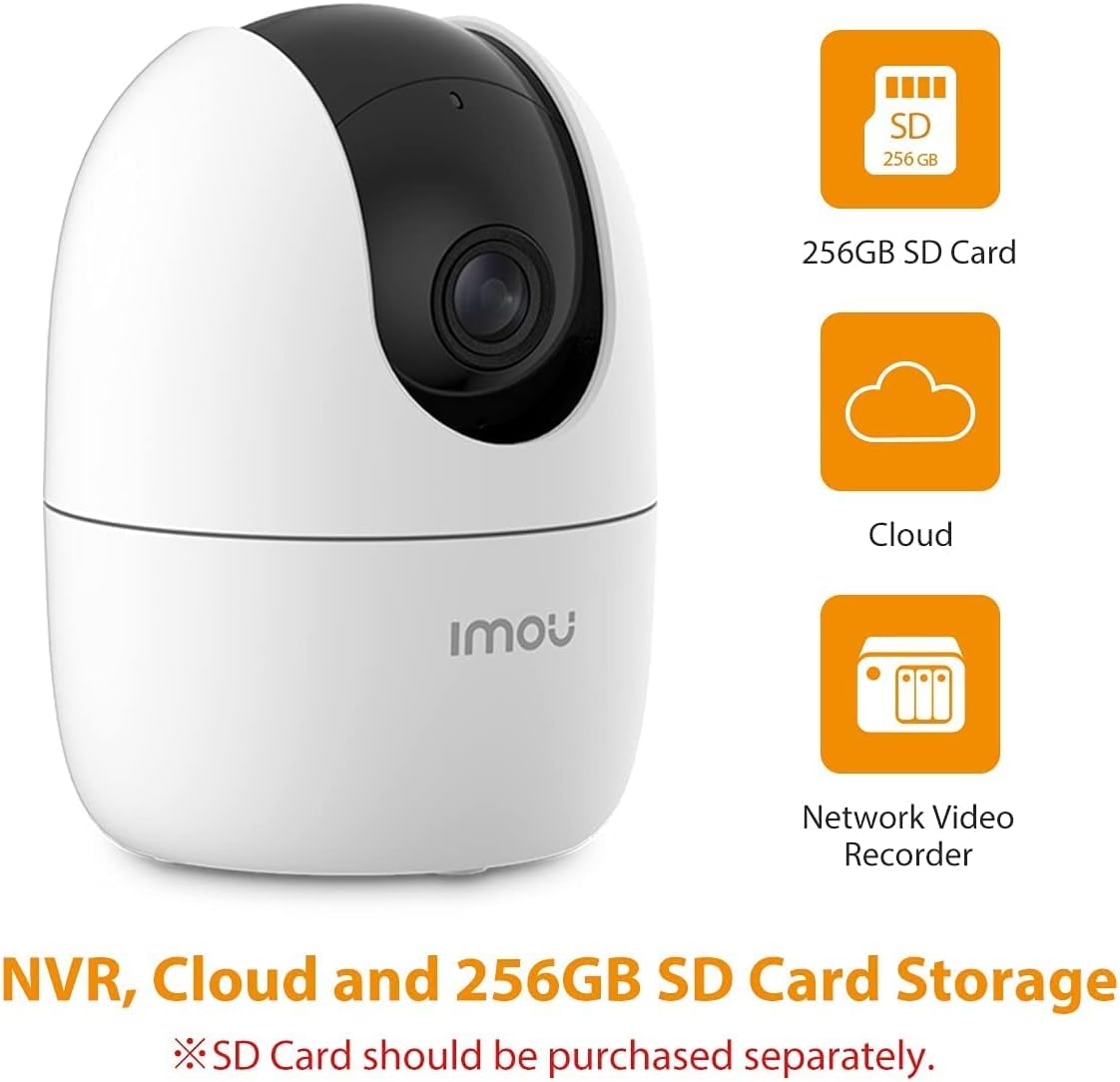
Figure 7: Icons representing the storage options for the Imou Ranger 2-D camera: 256GB SD Card, Cloud storage, and Network Video Recorder (NVR).
The H.265 video compression technology reduces bandwidth and storage requirements by approximately 50% compared to H.264, without compromising video quality.
Opretholdelse
- Rensning: Brug en blød, tør klud til at rengøre kameralinsen og huset. Undgå at bruge skrappe kemikalier eller slibende materialer.
- Firmwareopdateringer: Regularly check for and install firmware updates via the Imou Life App to ensure optimal performance, security, and access to new features.
- SD-kortadministration: If using a microSD card, periodically check its status in the app. Consider formatting the card every few months to maintain performance, especially if it's used for continuous recording.
- Netværksstabilitet: Ensure your Wi-Fi network is stable and strong for uninterrupted video streaming and notifications.
Fejlfinding
| Problem | Mulig årsag/løsning |
|---|---|
| Camera offline / Cannot connect to Wi-Fi |
|
| Hyppige falske alarmer |
|
| Dårlig videokvalitet |
|
| To-vejs lyd virker ikke |
|
For more detailed troubleshooting and support, please refer to the help section within the Imou Life App or visit the official Imou support webwebsted.
Specifikationer
| Feature | Detalje |
|---|---|
| Modelnavn | Imou Ranger 2-D IPC-A22EP-D |
| Videooptagelsesopløsning | 1080p fuld HD |
| Billedhastighed | 30 billeder i sekundet |
| Viewi vinkel | 360 grader (panorering/vippe) |
| Forbindelsesteknologi | Wi-Fi (kun 2.4 GHz), Ethernet |
| Night Vision Range | Op til 10 m (33 fod) |
| Opbevaringsmuligheder | MicroSD Card (up to 256GB), Cloud Storage, NVR |
| Lyd | Tovejssamtale (indbygget mikrofon og højttaler) |
| Særlige funktioner | AI Human Detection, Smart Tracking, Privacy Mode, Built-in Siren, Motion Sensor |
| Strømkilde | Corded Electric (ADAPTOR included) |
| Dimensioner (L x B x H) | 7.7 x 7.7 x 10.6 cm |
| Varens vægt | 370 g |
| Farve | Hvid |
| Indendørs/Udendørs brug | Indoor, Outdoor (Note: Water resistance level: Not Water Resistant) |
Garanti og support
The Imou Ranger 2-D camera is manufactured by Dahua Technology India Pvt Ltd. For warranty claims and technical support, please refer to the official Imou support channels or contact your point of purchase. The Imou Life App also provides a comprehensive help section and FAQs.
For general inquiries or to explore other Imou products, you can visit the official Imou Store: Imou-butik på Amazon.

Figure 8: A letter from Dahua Technology India Pvt Ltd, confirming their role as supplier and outlining general warranty and support responsibilities for their products, including Imou devices.
Officielle produktvideoer
Der blev ikke leveret officielle produktvideoer fra sælgeren til indlejring i denne manual.


